1
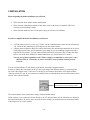
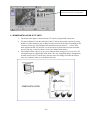
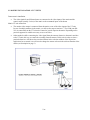
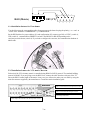
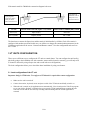
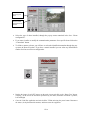
2 INSTALLATION Before beginning the domes installation you will need: Write down the dome model and the manufacturer. Write down the identification address of the dome. (refer to the dome user manual). This is not necessary when installing a matrix. Write down the number of the VT200 camera input you will use for each dome. In order to complete the domes installation you will need: A VT200 unit version 3.5 or later or a VT100 1.8 or later installed at the remote site and a Supervisor 3.61 version or later installed on a PC being used for the remote control. A Dome protocol adapter to RS232 to connect the dome to the unit and the instructions for its correct configuration (refer to the specific manual of your dome). If you are installing a single dome and it supports RS-232 protocol, you can connect directly the RS232 serial port of the VT200 to the dome. Please, refer to the dome manual for detailed instructions (e.g. Ernitec dome ICU model ). Note: In case of domes installation with VT100 it is highly recommended to connect pin 7 and 8 (RTS and CTS) in VT unit side, in order to avoid flow control problems with the protocol converter. You can connect both the VT unit directly to the domes or through a supported matrix In order to connect the video matrix to the VT unit to get images from different domes by turns using only one of the video inputs in the VT unit rear. To do this you will connect the monitor video-output with the video-input in the VT unit. If you want move to another dome you should choose the associated camera in the selector of the software handset . Camera selection when controlling a matrix. The control remains in the camera that is being visualized at that instant. On the contrary if you connect the domes directly to the VT unit (maximum 16) all of them have to belong to the same manufacturer. In order to move from one dome to another you should choose the associated camera in the Supervisor live video window. 3/18