1
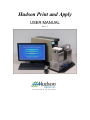
CHAPTER 1 - Overview The Print and Apply is an automated Barcode Labeling System. It creates and attaches printed labels to any SBS-standard microplate or microplate lid. The Print and Apply can apply labels any of the four sides of a microplate. The Print and Apply’s applicator head has 35mm of vertical travel which can hit anywhere on a standard microplate. The Print and Apply has an optional barcode scanner that can be mounted within range of the base, so you can print and confirm barcodes in one step. For a complete “walk away” system, the unit can be integrated with a Hudson Robotics PlateCrane EX. This manual will explain how to setup your Print and Apply to achieve optimal efficiency. If you have any questions or comments about the contents of this manual, please contact Hudson Robotics, Inc. at +1-(973) 376-7400. For more information, please visit our website at http://www.hudsonrobotics.com. A. System Requirements The Print and Apply needs the following to optimally run: 32” x 24” benchspace Clean, dry air with a 1/4” fitting and air line achieving a maintainable 80 psi, 3.0 cfm 120 VAC, 50-60 Hz, 4 amps PC with Windows XP or Windows 7, with CodeSoft 9.1 or later and SoftLinx V or later installed. B. Environmental Requirements Operating Temperature: Operating Humidity: Storage Temperature: Altitude: Ventilation 15 to 40C (59 to 104F) 0 to 85%, no condensation -20 to 65C (-4 to 149F) Up to 2000m Fans Require +2” of free space in front of them Print and Apply User Manual Hudson Robotics, Inc. 2