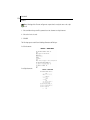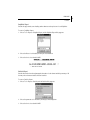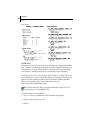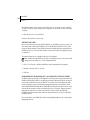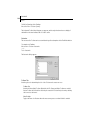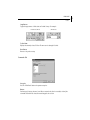
1
Disclaimer Final Draft, Inc. makes no representation or warranties with respect to the contents hereof, and specifically disclaims any implied warranty of merchantability or fitness for any particular purpose. The user is advised to test the program thoroughly before relying on it. The user must assume the entire risk of using the program. Any liability of the seller or manufacturer will be limited exclusively to the product replacement or refund of purchase price. Refund of purchase price is limited to thirty days from the date of purchase. Further, Final Draft, Inc. reserves the right to revise this publication and to make changes to the contents hereof without the obligation to notify any person of such revisions or changes. Notices Final Draft Getting Started Copyright 2002 by C&M Software, LLC. All Rights Reserved. No part of this publication may be reproduced, transmitted, transcribed, stored in a retrieval system or translated into any language or computer language, in any form or by any means, electronic, mechanical, magnetic, optical, chemical or otherwise without the prior written consent of: C&M Software, LLC Final Draft, Inc. 16000 Ventura Blvd., Suite 800 Encino, CA 91436 USA Telephone: (818) 995-8995 Fax: (818) 995-4422 Email: [email protected] URL: www.finaldraft.com Written and designed by Frank Colin with Joel Levin, Laura Tu and Yan Vinterfeld. Illustrations by Nathan Moody. Final Draft software is a trademark of Final Draft, Inc. Macintosh, Mac OS and Mac OS X are trademarks of Apple Computer, Inc. Microsoft Word, Windows 98, Windows 2000, Windows Me, Windows NT and Windows XP are trademarks of Microsoft, Inc. The Proximity/Merriam Webster Linguibase, copyright 1992 Merriam Webster, Inc. and copyright 1992 Proximity Technology, Inc. All Rights Reserved. All of Syd Field’s materials and The Problem Solver are copyright 2002 Syd Field. All Rights Reserved. Courier Final Draft font copyright 2001 by Vintage Type. Avid is a trademark of Avid Technology, Inc. Rev. 10.07..02 FINAL DRAFT Table of Contents Getting Started . . . . . . . . . . . . . . . . . . . . . . . . . . . . . . . . . . . . . . . . . . . . . . . . . . . . . . . . . . 13 Introduction . . . . . . . . . . . . . . . . . . . . . . . . . . . . . . . . . . . . . . . . . . . . . . . . . . . . . . . . . . . . . . . . . . 14 The Final Draft Package . . . . . . . . . . . . . . . . . . . . . . . . . . . . . . . . . . . . . . . . . . . . . . . . . . . . . . . . 15 Installation, Setup, Registration and Authorization Overview . . . . . . . . . . . . . . . . . . . . . . . . . 16 Installation and Setup . . . . . . . . . . . . . . . . . . . . . . . . . . . . . . . . . . . . . . . . . . . . . . . . . . . . . . . . . . 17 Windows . . . . . . . . . . . . . . . . . . . . . . . . . . . . . . . . . . . . . . . . . . . . . . . . . . . . . . . . . . . . . . 17 Macintosh . . . . . . . . . . . . . . . . . . . . . . . . . . . . . . . . . . . . . . . . . . . . . . . . . . . . . . . . . . . . . 19 Starting Final Draft . . . . . . . . . . . . . . . . . . . . . . . . . . . . . . . . . . . . . . . . . . . . . . . . . . . . . . . . . . . . 21 Windows . . . . . . . . . . . . . . . . . . . . . . . . . . . . . . . . . . . . . . . . . . . . . . . . . . . . . . . . . . . . . . 21 Macintosh . . . . . . . . . . . . . . . . . . . . . . . . . . . . . . . . . . . . . . . . . . . . . . . . . . . . . . . . . . . . . 21 Registration . . . . . . . . . . . . . . . . . . . . . . . . . . . . . . . . . . . . . . . . . . . . . . . . . . . . . . . . . . . . . . . . . . 22 Starting Final Draft Without the CD-ROM (Authorizing) . . . . . . . . . . . . . . . . . . . . . . . . . . . . . 23 Online Authorization . . . . . . . . . . . . . . . . . . . . . . . . . . . . . . . . . . . . . . . . . . . . . . . . . . . . . . . . . .23 Manual Authorization . . . . . . . . . . . . . . . . . . . . . . . . . . . . . . . . . . . . . . . . . . . . . . . . . . . . . . . . .24 Deauthorization . . . . . . . . . . . . . . . . . . . . . . . . . . . . . . . . . . . . . . . . . . . . . . . . . . . . . . . . . . . . . . . 25 Online Deauthorization . . . . . . . . . . . . . . . . . . . . . . . . . . . . . . . . . . . . . . . . . . . . . . . . . . 25 Manual Deauthorization . . . . . . . . . . . . . . . . . . . . . . . . . . . . . . . . . . . . . . . . . . . . . . . . . 26 Differences Between Final Draft Version 6 and Version 5 . . . . . . . . . . . . . . . . . . . . . . . . . . . . 27 Technical Support Policies . . . . . . . . . . . . . . . . . . . . . . . . . . . . . . . . . . . . . . . . . . . . . . . . . . . . . . 28 Phone Support . . . . . . . . . . . . . . . . . . . . . . . . . . . . . . . . . . . . . . . . . . . . . . . . . . . . . . . . . 28 Tutorials . . . . . . . . . . . . . . . . . . . . . . . . . . . . . . . . . . . . . . . . . . . . . . . . . . . . . . . . . . . . . . . . 29 Introduction . . . . . . . . . . . . . . . . . . . . . . . . . . . . . . . . . . . . . . . . . . . . . . . . . . . . . . . . . . . . . . . . . . 30 Starting Final Draft . . . . . . . . . . . . . . . . . . . . . . . . . . . . . . . . . . . . . . . . . . . . . . . . . . . . . . . . . . . . 31 Windows . . . . . . . . . . . . . . . . . . . . . . . . . . . . . . . . . . . . . . . . . . . . . . . . . . . . . . . . . . . . . . 31 Macintosh . . . . . . . . . . . . . . . . . . . . . . . . . . . . . . . . . . . . . . . . . . . . . . . . . . . . . . . . . . . . . 31 Using the Tab and Enter Keys . . . . . . . . . . . . . . . . . . . . . . . . . . . . . . . . . . . . . . . . . . . . . . . . . . . 35 Tab . . . . . . . . . . . . . . . . . . . . . . . . . . . . . . . . . . . . . . . . . . . . . . . . . . . . . . . . . . . . . . . . . . . 35 Enter/Return Key . . . . . . . . . . . . . . . . . . . . . . . . . . . . . . . . . . . . . . . . . . . . . . . . . . . . . . . 36 Typing a Sample Script . . . . . . . . . . . . . . . . . . . . . . . . . . . . . . . . . . . . . . . . . . . . . . . . . . 38 Using Element Shortcuts . . . . . . . . . . . . . . . . . . . . . . . . . . . . . . . . . . . . . . . . . . . . . . . . . 40 Easing Repetitive Typing With SmartType Lists and Macros . . . . . . . . . . . . . . . . . . . . 41 Zoom (Magnification) . . . . . . . . . . . . . . . . . . . . . . . . . . . . . . . . . . . . . . . . . . . . . . . . . . . 45 SmartType Character List . . . . . . . . . . . . . . . . . . . . . . . . . . . . . . . . . . . . . . . . . . . . . . . . . 47 Names Database . . . . . . . . . . . . . . . . . . . . . . . . . . . . . . . . . . . . . . . . . . . . . . . . . . . . . . . . 50 Spell-Checking . . . . . . . . . . . . . . . . . . . . . . . . . . . . . . . . . . . . . . . . . . . . . . . . . . . . . . . . . 51 Header . . . . . . . . . . . . . . . . . . . . . . . . . . . . . . . . . . . . . . . . . . . . . . . . . . . . . . . . . . . . . . . . 52 3 4 FINAL DRAFT Table of Contents Getting Help . . . . . . . . . . . . . . . . . . . . . . . . . . . . . . . . . . . . . . . . . . . . . . . . . . . . . . . . . . . 54 Ask the Expert . . . . . . . . . . . . . . . . . . . . . . . . . . . . . . . . . . . . . . . . . . . . . . . . . . . . . . . . . . 54 Using the Format Assistant . . . . . . . . . . . . . . . . . . . . . . . . . . . . . . . . . . . . . . . . . . . . . . . 56 Previewing the Script . . . . . . . . . . . . . . . . . . . . . . . . . . . . . . . . . . . . . . . . . . . . . . . . . . . . 58 Printing the Script . . . . . . . . . . . . . . . . . . . . . . . . . . . . . . . . . . . . . . . . . . . . . . . . . . . . . . 58 Comparing Scripts . . . . . . . . . . . . . . . . . . . . . . . . . . . . . . . . . . . . . . . . . . . . . . . . . . . . . . 59 Scene Numbering . . . . . . . . . . . . . . . . . . . . . . . . . . . . . . . . . . . . . . . . . . . . . . . . . . . . . . . 60 Scene Navigator . . . . . . . . . . . . . . . . . . . . . . . . . . . . . . . . . . . . . . . . . . . . . . . . . . . . . . . . 61 Adjusting Element Indentations . . . . . . . . . . . . . . . . . . . . . . . . . . . . . . . . . . . . . . . . . . . 64 Text Document . . . . . . . . . . . . . . . . . . . . . . . . . . . . . . . . . . . . . . . . . . . . . . . . . . . . . . . . . 66 Text to Speech . . . . . . . . . . . . . . . . . . . . . . . . . . . . . . . . . . . . . . . . . . . . . . . . . . . . . . . . . 67 Auto-Save and Auto-Backup . . . . . . . . . . . . . . . . . . . . . . . . . . . . . . . . . . . . . . . . . . . . . 71 Production Features Overview . . . . . . . . . . . . . . . . . . . . . . . . . . . . . . . . . . . . . . . . . . . . 73 Additional Topics . . . . . . . . . . . . . . . . . . . . . . . . . . . . . . . . . . . . . . . . . . . . . . . . . . . . . . . 76 Making Backups . . . . . . . . . . . . . . . . . . . . . . . . . . . . . . . . . . . . . . . . . . . . . . . . . . . . . . . . 76 Tracking Versions . . . . . . . . . . . . . . . . . . . . . . . . . . . . . . . . . . . . . . . . . . . . . . . . . . . . . . . 78 Transferring Final Draft Documents Between Computers . . . . . . . . . . . . . . . . . . . . . . 78 Manually Transferring Between Computers . . . . . . . . . . . . . . . . . . . . . . . . . . . . . . . . . 79 Transferring Files Between Computers on Internal Networks . . . . . . . . . . . . . . . . . . . 80 Transferring Files With Email . . . . . . . . . . . . . . . . . . . . . . . . . . . . . . . . . . . . . . . . . . . . . 80 Don’t Stop Here . . . . . . . . . . . . . . . . . . . . . . . . . . . . . . . . . . . . . . . . . . . . . . . . . . . . . . . . . . . . . . . 81 Glossary . . . . . . . . . . . . . . . . . . . . . . . . . . . . . . . . . . . . . . . . . . . . . . . . . . . . . . . . . . . . . . . . . . . . . 83 File Menu . . . . . . . . . . . . . . . . . . . . . . . . . . . . . . . . . . . . . . . . . . . . . . . . . . . . . . . . . . . . . . 95 About the Menus Sections . . . . . . . . . . . . . . . . . . . . . . . . . . . . . . . . . . . . . . . . . . . . . . . . . . . . . . 96 Apple Menu (Mac OS) . . . . . . . . . . . . . . . . . . . . . . . . . . . . . . . . . . . . . . . . . . . . . . . . . . . . . . . . . . 96 About Final Draft . . . . . . . . . . . . . . . . . . . . . . . . . . . . . . . . . . . . . . . . . . . . . . . . . . . . . . . 96 File Menu . . . . . . . . . . . . . . . . . . . . . . . . . . . . . . . . . . . . . . . . . . . . . . . . . . . . . . . . . . . . . . . . . . . . 96 New . . . . . . . . . . . . . . . . . . . . . . . . . . . . . . . . . . . . . . . . . . . . . . . . . . . . . . . . . . . . . . . . . . 96 Open . . . . . . . . . . . . . . . . . . . . . . . . . . . . . . . . . . . . . . . . . . . . . . . . . . . . . . . . . . . . . . . . . . 97 Open Recent Submenu (Mac OS) . . . . . . . . . . . . . . . . . . . . . . . . . . . . . . . . . . . . . . . . . . 98 Close . . . . . . . . . . . . . . . . . . . . . . . . . . . . . . . . . . . . . . . . . . . . . . . . . . . . . . . . . . . . . . . . . . 99 Save . . . . . . . . . . . . . . . . . . . . . . . . . . . . . . . . . . . . . . . . . . . . . . . . . . . . . . . . . . . . . . . . . . 99 Save As . . . . . . . . . . . . . . . . . . . . . . . . . . . . . . . . . . . . . . . . . . . . . . . . . . . . . . . . . . . . . . . 99 About Stationery . . . . . . . . . . . . . . . . . . . . . . . . . . . . . . . . . . . . . . . . . . . . . . . . . . . . . . 101 Save Secure Copy . . . . . . . . . . . . . . . . . . . . . . . . . . . . . . . . . . . . . . . . . . . . . . . . . . . . . . 101 Backup . . . . . . . . . . . . . . . . . . . . . . . . . . . . . . . . . . . . . . . . . . . . . . . . . . . . . . . . . . . . . . . 102 Revert . . . . . . . . . . . . . . . . . . . . . . . . . . . . . . . . . . . . . . . . . . . . . . . . . . . . . . . . . . . . . . . . 102 FINAL DRAFT Table of Contents Page Setup (Mac OS) . . . . . . . . . . . . . . . . . . . . . . . . . . . . . . . . . . . . . . . . . . . . . . . . . . . 102 Print Preview . . . . . . . . . . . . . . . . . . . . . . . . . . . . . . . . . . . . . . . . . . . . . . . . . . . . . . . . . . 103 Print . . . . . . . . . . . . . . . . . . . . . . . . . . . . . . . . . . . . . . . . . . . . . . . . . . . . . . . . . . . . . . . . . 104 Email . . . . . . . . . . . . . . . . . . . . . . . . . . . . . . . . . . . . . . . . . . . . . . . . . . . . . . . . . . . . . . . . 106 Register Script . . . . . . . . . . . . . . . . . . . . . . . . . . . . . . . . . . . . . . . . . . . . . . . . . . . . . . . . . 106 Recent Files (Windows) . . . . . . . . . . . . . . . . . . . . . . . . . . . . . . . . . . . . . . . . . . . . . . . . . 107 Exit (Windows), Quit (Mac OS) . . . . . . . . . . . . . . . . . . . . . . . . . . . . . . . . . . . . . . . . . . . 107 Edit Menu . . . . . . . . . . . . . . . . . . . . . . . . . . . . . . . . . . . . . . . . . . . . . . . . . . . . . . . . . . . . . 109 Undo <action> . . . . . . . . . . . . . . . . . . . . . . . . . . . . . . . . . . . . . . . . . . . . . . . . . . . . . . . . . . . . . . 110 Redo <action> . . . . . . . . . . . . . . . . . . . . . . . . . . . . . . . . . . . . . . . . . . . . . . . . . . . . . . . . . . . . . . . 110 Cut . . . . . . . . . . . . . . . . . . . . . . . . . . . . . . . . . . . . . . . . . . . . . . . . . . . . . . . . . . . . . . . . . . . . . . . . 110 Copy . . . . . . . . . . . . . . . . . . . . . . . . . . . . . . . . . . . . . . . . . . . . . . . . . . . . . . . . . . . . . . . . . . . . . . . 110 Paste . . . . . . . . . . . . . . . . . . . . . . . . . . . . . . . . . . . . . . . . . . . . . . . . . . . . . . . . . . . . . . . . . . . . . . . 111 Using Drag–and–Drop . . . . . . . . . . . . . . . . . . . . . . . . . . . . . . . . . . . . . . . . . . . . . . . . . . 111 Smart Drag–and–Drop . . . . . . . . . . . . . . . . . . . . . . . . . . . . . . . . . . . . . . . . . . . . . . . . . . 112 Clear . . . . . . . . . . . . . . . . . . . . . . . . . . . . . . . . . . . . . . . . . . . . . . . . . . . . . . . . . . . . . . . . . . . . . . . 112 Select All . . . . . . . . . . . . . . . . . . . . . . . . . . . . . . . . . . . . . . . . . . . . . . . . . . . . . . . . . . . . . . . . . . . 112 Select Scene . . . . . . . . . . . . . . . . . . . . . . . . . . . . . . . . . . . . . . . . . . . . . . . . . . . . . . . . . . . . . . . . . 113 Find (and Replace) . . . . . . . . . . . . . . . . . . . . . . . . . . . . . . . . . . . . . . . . . . . . . . . . . . . . . . . . . . . . 113 Replace All . . . . . . . . . . . . . . . . . . . . . . . . . . . . . . . . . . . . . . . . . . . . . . . . . . . . . . . . . . . . 114 Goto . . . . . . . . . . . . . . . . . . . . . . . . . . . . . . . . . . . . . . . . . . . . . . . . . . . . . . . . . . . . . . . . . . . . . . . 115 Find Selection . . . . . . . . . . . . . . . . . . . . . . . . . . . . . . . . . . . . . . . . . . . . . . . . . . . . . . . . . . . . . . . 116 Preferences (Mac OS) . . . . . . . . . . . . . . . . . . . . . . . . . . . . . . . . . . . . . . . . . . . . . . . . . . . . . . . . . 117 Application Preferences . . . . . . . . . . . . . . . . . . . . . . . . . . . . . . . . . . . . . . . . . . . . . . . . . 117 Auto-Save/Backup Preferences . . . . . . . . . . . . . . . . . . . . . . . . . . . . . . . . . . . . . . . . . . . 118 View Menu . . . . . . . . . . . . . . . . . . . . . . . . . . . . . . . . . . . . . . . . . . . . . . . . . . . . . . . . . . . . . 121 Normal . . . . . . . . . . . . . . . . . . . . . . . . . . . . . . . . . . . . . . . . . . . . . . . . . . . . . . . . . . . . . . . . . . . . . 122 Page . . . . . . . . . . . . . . . . . . . . . . . . . . . . . . . . . . . . . . . . . . . . . . . . . . . . . . . . . . . . . . . . . . . . . . . 122 Speed View . . . . . . . . . . . . . . . . . . . . . . . . . . . . . . . . . . . . . . . . . . . . . . . . . . . . . . . . . . . . . . . . . . 123 Zoom Submenu . . . . . . . . . . . . . . . . . . . . . . . . . . . . . . . . . . . . . . . . . . . . . . . . . . . . . . . . . . . . . . 123 Invisibles . . . . . . . . . . . . . . . . . . . . . . . . . . . . . . . . . . . . . . . . . . . . . . . . . . . . . . . . . . . . . . . . . . . . 123 ScriptNotes . . . . . . . . . . . . . . . . . . . . . . . . . . . . . . . . . . . . . . . . . . . . . . . . . . . . . . . . . . . . . . . . . . 124 Ruler . . . . . . . . . . . . . . . . . . . . . . . . . . . . . . . . . . . . . . . . . . . . . . . . . . . . . . . . . . . . . . . . . . . . . . . 124 Toolbars Submenu . . . . . . . . . . . . . . . . . . . . . . . . . . . . . . . . . . . . . . . . . . . . . . . . . . . . . . . . . . . . 126 5 6 FINAL DRAFT Table of Contents Format Menu . . . . . . . . . . . . . . . . . . . . . . . . . . . . . . . . . . . . . . . . . . . . . . . . . . . . . . . . . . 127 Elements . . . . . . . . . . . . . . . . . . . . . . . . . . . . . . . . . . . . . . . . . . . . . . . . . . . . . . . . . . . . . . . . . . . . 128 Change Elements To Submenu (Mac OS) . . . . . . . . . . . . . . . . . . . . . . . . . . . . . . . . . . . 128 Font (Windows) . . . . . . . . . . . . . . . . . . . . . . . . . . . . . . . . . . . . . . . . . . . . . . . . . . . . . . . . . . . . . . 129 Font, Size, Style, Color, Highlight Submenu (Mac OS) . . . . . . . . . . . . . . . . . . . . . . . . . . . . . . 129 Font, Style, Size . . . . . . . . . . . . . . . . . . . . . . . . . . . . . . . . . . . . . . . . . . . . . . . . . . . . . . . . 129 Color . . . . . . . . . . . . . . . . . . . . . . . . . . . . . . . . . . . . . . . . . . . . . . . . . . . . . . . . . . . . . . . . 129 Highlight . . . . . . . . . . . . . . . . . . . . . . . . . . . . . . . . . . . . . . . . . . . . . . . . . . . . . . . . . . . . . 130 Alignment Submenu . . . . . . . . . . . . . . . . . . . . . . . . . . . . . . . . . . . . . . . . . . . . . . . . . . . . . . . . . . 131 Spacing Submenu . . . . . . . . . . . . . . . . . . . . . . . . . . . . . . . . . . . . . . . . . . . . . . . . . . . . . . . . . . . . 131 Space Before Submenu . . . . . . . . . . . . . . . . . . . . . . . . . . . . . . . . . . . . . . . . . . . . . . . . . . . . . . . . 131 Page Break . . . . . . . . . . . . . . . . . . . . . . . . . . . . . . . . . . . . . . . . . . . . . . . . . . . . . . . . . . . . . . . . . . 131 Dual Dialogue . . . . . . . . . . . . . . . . . . . . . . . . . . . . . . . . . . . . . . . . . . . . . . . . . . . . . . . . . . . . . . . 132 Document Menu . . . . . . . . . . . . . . . . . . . . . . . . . . . . . . . . . . . . . . . . . . . . . . . . . . . . . . . . 133 Page Layout . . . . . . . . . . . . . . . . . . . . . . . . . . . . . . . . . . . . . . . . . . . . . . . . . . . . . . . . . . . . . . . . . 134 Margins . . . . . . . . . . . . . . . . . . . . . . . . . . . . . . . . . . . . . . . . . . . . . . . . . . . . . . . . . . . . . . 134 Header and Footer . . . . . . . . . . . . . . . . . . . . . . . . . . . . . . . . . . . . . . . . . . . . . . . . . . . . . . . . . . . . 137 Mores and Continueds . . . . . . . . . . . . . . . . . . . . . . . . . . . . . . . . . . . . . . . . . . . . . . . . . . . . . . . . 137 Title Page . . . . . . . . . . . . . . . . . . . . . . . . . . . . . . . . . . . . . . . . . . . . . . . . . . . . . . . . . . . . . . . . . . . 139 SmartType . . . . . . . . . . . . . . . . . . . . . . . . . . . . . . . . . . . . . . . . . . . . . . . . . . . . . . . . . . . . . . . . . . 140 Macros . . . . . . . . . . . . . . . . . . . . . . . . . . . . . . . . . . . . . . . . . . . . . . . . . . . . . . . . . . . . . . . . . . . . . 140 Bookmarks . . . . . . . . . . . . . . . . . . . . . . . . . . . . . . . . . . . . . . . . . . . . . . . . . . . . . . . . . . . . . . . . . . 141 ScriptNotes . . . . . . . . . . . . . . . . . . . . . . . . . . . . . . . . . . . . . . . . . . . . . . . . . . . . . . . . . . . . . . . . . . 143 Insert Bookmark . . . . . . . . . . . . . . . . . . . . . . . . . . . . . . . . . . . . . . . . . . . . . . . . . . . . . . . . . . . . . 143 Insert ScriptNote . . . . . . . . . . . . . . . . . . . . . . . . . . . . . . . . . . . . . . . . . . . . . . . . . . . . . . . . . . . . . 144 Insert Label . . . . . . . . . . . . . . . . . . . . . . . . . . . . . . . . . . . . . . . . . . . . . . . . . . . . . . . . . . . . . . . . . . 145 Tools Menu . . . . . . . . . . . . . . . . . . . . . . . . . . . . . . . . . . . . . . . . . . . . . . . . . . . . . . . . . . . . 147 Scene Navigator . . . . . . . . . . . . . . . . . . . . . . . . . . . . . . . . . . . . . . . . . . . . . . . . . . . . . . . . . . . . . 148 Spelling . . . . . . . . . . . . . . . . . . . . . . . . . . . . . . . . . . . . . . . . . . . . . . . . . . . . . . . . . . . . . . . . . . . . . 149 Thesaurus . . . . . . . . . . . . . . . . . . . . . . . . . . . . . . . . . . . . . . . . . . . . . . . . . . . . . . . . . . . . . . . . . . . 149 Speech Control . . . . . . . . . . . . . . . . . . . . . . . . . . . . . . . . . . . . . . . . . . . . . . . . . . . . . . . . . . . . . . 150 Assign Voices . . . . . . . . . . . . . . . . . . . . . . . . . . . . . . . . . . . . . . . . . . . . . . . . . . . . . . . . . . . . . . . . 151 Enabling Text to Speech 153 Reports Submenu . . . . . . . . . . . . . . . . . . . . . . . . . . . . . . . . . . . . . . . . . . . . . . . . . . . . . . . . . . . . 154 Scene Report . . . . . . . . . . . . . . . . . . . . . . . . . . . . . . . . . . . . . . . . . . . . . . . . . . . . . . . . . . 154 FINAL DRAFT Table of Contents Location Report . . . . . . . . . . . . . . . . . . . . . . . . . . . . . . . . . . . . . . . . . . . . . . . . . . . . . . . 155 Character Report . . . . . . . . . . . . . . . . . . . . . . . . . . . . . . . . . . . . . . . . . . . . . . . . . . . . . . 156 Cast Report . . . . . . . . . . . . . . . . . . . . . . . . . . . . . . . . . . . . . . . . . . . . . . . . . . . . . . . . . . . 157 Script Report . . . . . . . . . . . . . . . . . . . . . . . . . . . . . . . . . . . . . . . . . . . . . . . . . . . . . . . . . . 157 ScriptNote Report . . . . . . . . . . . . . . . . . . . . . . . . . . . . . . . . . . . . . . . . . . . . . . . . . . . . . . 159 Statistics Report . . . . . . . . . . . . . . . . . . . . . . . . . . . . . . . . . . . . . . . . . . . . . . . . . . . . . . . 159 Avid XML Export . . . . . . . . . . . . . . . . . . . . . . . . . . . . . . . . . . . . . . . . . . . . . . . . . . . . . . . 160 ScriptNotes XML Export . . . . . . . . . . . . . . . . . . . . . . . . . . . . . . . . . . . . . . . . . . . . . . . . . 161 Using Special Interactive Television (ITV) Script Templates ...............................161 ScriptNotes XML Export ................................................................................................162 Using GoldPocket’s EM Production Suite ................................................................162 Names Database . . . . . . . . . . . . . . . . . . . . . . . . . . . . . . . . . . . . . . . . . . . . . . . . . . . . . . . . . . . . . 163 Reformat . . . . . . . . . . . . . . . . . . . . . . . . . . . . . . . . . . . . . . . . . . . . . . . . . . . . . . . . . . . . . . . . . . . 163 Format Assistant . . . . . . . . . . . . . . . . . . . . . . . . . . . . . . . . . . . . . . . . . . . . . . . . . . . . . . . . . . . . . 164 Printing and The Format Assistant . . . . . . . . . . . . . . . . . . . . . . . . . . . . . . . . . . . . . . . . 166 ScriptCompare . . . . . . . . . . . . . . . . . . . . . . . . . . . . . . . . . . . . . . . . . . . . . . . . . . . . . . . . . . . . . . . 166 CollaboWriter . . . . . . . . . . . . . . . . . . . . . . . . . . . . . . . . . . . . . . . . . . . . . . . . . . . . . . . . . . . . . . . . 167 Customize (Windows) . . . . . . . . . . . . . . . . . . . . . . . . . . . . . . . . . . . . . . . . . . . . . . . . . . . . . . . . . 167 Options (Windows) . . . . . . . . . . . . . . . . . . . . . . . . . . . . . . . . . . . . . . . . . . . . . . . . . . . . . . . . . . . 167 General . . . . . . . . . . . . . . . . . . . . . . . . . . . . . . . . . . . . . . . . . . . . . . . . . . . . . . . . . . . . . . 168 Production Menu . . . . . . . . . . . . . . . . . . . . . . . . . . . . . . . . . . . . . . . . . . . . . . . . . . . . . . . . 171 About A and B Scenes & A and B Pages . . . . . . . . . . . . . . . . . . . . . . . . . . . . . . . . . . . . . . . . . . 173 Scene Numbers [Element numbers] . . . . . . . . . . . . . . . . . . . . . . . . . . . . . . . . . . . . . . . . . . . . . . 173 Numbers . . . . . . . . . . . . . . . . . . . . . . . . . . . . . . . . . . . . . . . . . . . . . . . . . . . . . . . . . . . . . 174 Options . . . . . . . . . . . . . . . . . . . . . . . . . . . . . . . . . . . . . . . . . . . . . . . . . . . . . . . . . . . . . . 175 Edit Scene Number . . . . . . . . . . . . . . . . . . . . . . . . . . . . . . . . . . . . . . . . . . . . . . . . . . . . . . . . . . . 176 Omit Scene . . . . . . . . . . . . . . . . . . . . . . . . . . . . . . . . . . . . . . . . . . . . . . . . . . . . . . . . . . . . . . . . . . 177 Revisions . . . . . . . . . . . . . . . . . . . . . . . . . . . . . . . . . . . . . . . . . . . . . . . . . . . . . . . . . . . . . . . . . . . . 178 Revision Style . . . . . . . . . . . . . . . . . . . . . . . . . . . . . . . . . . . . . . . . . . . . . . . . . . . . . . . . . 178 Revisions Options . . . . . . . . . . . . . . . . . . . . . . . . . . . . . . . . . . . . . . . . . . . . . . . . . . . . . . 180 Revision Mode . . . . . . . . . . . . . . . . . . . . . . . . . . . . . . . . . . . . . . . . . . . . . . . . . . . . . . . . . . . . . . . 181 Mark Revised . . . . . . . . . . . . . . . . . . . . . . . . . . . . . . . . . . . . . . . . . . . . . . . . . . . . . . . . . . . . . . . . 181 Clear Revised . . . . . . . . . . . . . . . . . . . . . . . . . . . . . . . . . . . . . . . . . . . . . . . . . . . . . . . . . . . . . . . . 182 Lock Pages . . . . . . . . . . . . . . . . . . . . . . . . . . . . . . . . . . . . . . . . . . . . . . . . . . . . . . . . . . . . . . . . . . 182 Lock “A” Pages . . . . . . . . . . . . . . . . . . . . . . . . . . . . . . . . . . . . . . . . . . . . . . . . . . . . . . . . . . . . . . . 183 Unlock “A” Pages . . . . . . . . . . . . . . . . . . . . . . . . . . . . . . . . . . . . . . . . . . . . . . . . . . . . . . . . . . . . . 183 Unlock All Pages . . . . . . . . . . . . . . . . . . . . . . . . . . . . . . . . . . . . . . . . . . . . . . . . . . . . . . . . . . . . . 183 7 8 FINAL DRAFT Table of Contents Locking Tools Submenu . . . . . . . . . . . . . . . . . . . . . . . . . . . . . . . . . . . . . . . . . . . . . . . . . . . . . . . 184 Relock Pages . . . . . . . . . . . . . . . . . . . . . . . . . . . . . . . . . . . . . . . . . . . . . . . . . . . . . . . . . . 184 Adjust Locked Page . . . . . . . . . . . . . . . . . . . . . . . . . . . . . . . . . . . . . . . . . . . . . . . . . . . . 184 Lock New Page . . . . . . . . . . . . . . . . . . . . . . . . . . . . . . . . . . . . . . . . . . . . . . . . . . . . . . . . 185 Unlock Page . . . . . . . . . . . . . . . . . . . . . . . . . . . . . . . . . . . . . . . . . . . . . . . . . . . . . . . . . . 185 Window Menu Help Menu . . . . . . . . . . . . . . . . . . . . . . . . . . . . . . . . . . . . . . . . . . . . . . . . 187 Window Menu . . . . . . . . . . . . . . . . . . . . . . . . . . . . . . . . . . . . . . . . . . . . . . . . . . . . . . . . . . . . . . . 188 Cascade (Windows) . . . . . . . . . . . . . . . . . . . . . . . . . . . . . . . . . . . . . . . . . . . . . . . . . . . . . 188 Tile (Windows) . . . . . . . . . . . . . . . . . . . . . . . . . . . . . . . . . . . . . . . . . . . . . . . . . . . . . . . . . 188 Zoom (Mac OS) . . . . . . . . . . . . . . . . . . . . . . . . . . . . . . . . . . . . . . . . . . . . . . . . . . . . . . . . 188 Help Menu . . . . . . . . . . . . . . . . . . . . . . . . . . . . . . . . . . . . . . . . . . . . . . . . . . . . . . . . . . . . . . . . . . 190 Ask the Expert . . . . . . . . . . . . . . . . . . . . . . . . . . . . . . . . . . . . . . . . . . . . . . . . . . . . . . . . . 190 Tip of the Day . . . . . . . . . . . . . . . . . . . . . . . . . . . . . . . . . . . . . . . . . . . . . . . . . . . . . . . . . 191 Final Draft on the Web . . . . . . . . . . . . . . . . . . . . . . . . . . . . . . . . . . . . . . . . . . . . . . . . . 191 Support Page . . . . . . . . . . . . . . . . . . . . . . . . . . . . . . . . . . . . . . . . . . . . . . . . . . . . . . . . . 191 Updates Page . . . . . . . . . . . . . . . . . . . . . . . . . . . . . . . . . . . . . . . . . . . . . . . . . . . . . . . . . 191 Email Support . . . . . . . . . . . . . . . . . . . . . . . . . . . . . . . . . . . . . . . . . . . . . . . . . . . . . . . . . 191 Email Suggestions . . . . . . . . . . . . . . . . . . . . . . . . . . . . . . . . . . . . . . . . . . . . . . . . . . . . . . 191 Email Sales . . . . . . . . . . . . . . . . . . . . . . . . . . . . . . . . . . . . . . . . . . . . . . . . . . . . . . . . . . . . 191 Register . . . . . . . . . . . . . . . . . . . . . . . . . . . . . . . . . . . . . . . . . . . . . . . . . . . . . . . . . . . . . . 191 Authorize/Deauthorize . . . . . . . . . . . . . . . . . . . . . . . . . . . . . . . . . . . . . . . . . . . . . . . . . . 191 Technical Support . . . . . . . . . . . . . . . . . . . . . . . . . . . . . . . . . . . . . . . . . . . . . . . . . . . . . . 192 Provides information about your copy of Final Draft and your computer. . . . . . . . 192 About Final Draft (Windows) . . . . . . . . . . . . . . . . . . . . . . . . . . . . . . . . . . . . . . . . . . . . . 192 Elements . . . . . . . . . . . . . . . . . . . . . . . . . . . . . . . . . . . . . . . . . . . . . . . . . . . . . . . . . . . . . . 193 Standard Elements . . . . . . . . . . . . . . . . . . . . . . . . . . . . . . . . . . . . . . . . . . . . . . . . . . . . . . . . . . . 194 Scene Heading (Slug Line) . . . . . . . . . . . . . . . . . . . . . . . . . . . . . . . . . . . . . . . . . . . . . . . 195 Action . . . . . . . . . . . . . . . . . . . . . . . . . . . . . . . . . . . . . . . . . . . . . . . . . . . . . . . . . . . . . . . 195 Character . . . . . . . . . . . . . . . . . . . . . . . . . . . . . . . . . . . . . . . . . . . . . . . . . . . . . . . . . . . . . 195 Modifying Elements and Creating New Elements . . . . . . . . . . . . . . . . . . . . . . . . . . . . . . . . . . 197 Basic Tab . . . . . . . . . . . . . . . . . . . . . . . . . . . . . . . . . . . . . . . . . . . . . . . . . . . . . . . . . . . . . 197 Shortcuts . . . . . . . . . . . . . . . . . . . . . . . . . . . . . . . . . . . . . . . . . . . . . . . . . . . . . . . . . . . . . 198 Font Tab . . . . . . . . . . . . . . . . . . . . . . . . . . . . . . . . . . . . . . . . . . . . . . . . . . . . . . . . . . . . . . 199 Paragraph Tab . . . . . . . . . . . . . . . . . . . . . . . . . . . . . . . . . . . . . . . . . . . . . . . . . . . . . . . . . 200 Identifying Elements in a Script . . . . . . . . . . . . . . . . . . . . . . . . . . . . . . . . . . . . . . . . . . 201 FINAL DRAFT Table of Contents Changing a Paragraph’s Element . . . . . . . . . . . . . . . . . . . . . . . . . . . . . . . . . . . . . . . . . 201 Adding Paragraphs . . . . . . . . . . . . . . . . . . . . . . . . . . . . . . . . . . . . . . . . . . . . . . . . . . . . . 202 SmartType . . . . . . . . . . . . . . . . . . . . . . . . . . . . . . . . . . . . . . . . . . . . . . . . . . . . . . . . . . . . .203 Entering SmartType Items in the Script . . . . . . . . . . . . . . . . . . . . . . . . . . . . . . . . . . . . 205 Entering New SmartType Items “On-the Fly” . . . . . . . . . . . . . . . . . . . . . . . . . . . . . . . 207 More About SmartType Matching . . . . . . . . . . . . . . . . . . . . . . . . . . . . . . . . . . . . . . . . 208 Managing SmartType Lists . . . . . . . . . . . . . . . . . . . . . . . . . . . . . . . . . . . . . . . . . . . . . . . . . . . . . 209 SmartType Options . . . . . . . . . . . . . . . . . . . . . . . . . . . . . . . . . . . . . . . . . . . . . . . . . . . . . 211 Scene Heading Separators . . . . . . . . . . . . . . . . . . . . . . . . . . . . . . . . . . . . . . . . . . . . . . . 213 Header and Footer . . . . . . . . . . . . . . . . . . . . . . . . . . . . . . . . . . . . . . . . . . . . . . . . . . . . . . . 215 Text in the Header and Footer . . . . . . . . . . . . . . . . . . . . . . . . . . . . . . . . . . . . . . . . . . . . . . . . . . 217 Special Symbols . . . . . . . . . . . . . . . . . . . . . . . . . . . . . . . . . . . . . . . . . . . . . . . . . . . . . . . 217 The Label Symbol . . . . . . . . . . . . . . . . . . . . . . . . . . . . . . . . . . . . . . . . . . . . . . . . . . . . . . . . . . . . . 219 Header and Footer Options . . . . . . . . . . . . . . . . . . . . . . . . . . . . . . . . . . . . . . . . . . . . . . . . . . . . 221 Reformat . . . . . . . . . . . . . . . . . . . . . . . . . . . . . . . . . . . . . . . . . . . . . . . . . . . . . . . . . . . . . .223 Reformatting a Single Paragraph . . . . . . . . . . . . . . . . . . . . . . . . . . . . . . . . . . . . . . . . . . . . . . . 224 Reformatting Many Paragraphs . . . . . . . . . . . . . . . . . . . . . . . . . . . . . . . . . . . . . . . . . . . . . . . . 225 Scene Navigator . . . . . . . . . . . . . . . . . . . . . . . . . . . . . . . . . . . . . . . . . . . . . . . . . . . . . . . . .227 Rearranging Scenes in the Navigator . . . . . . . . . . . . . . . . . . . . . . . . . . . . . . . . . . . . . . . . . . . . 231 Navigator Menu . . . . . . . . . . . . . . . . . . . . . . . . . . . . . . . . . . . . . . . . . . . . . . . . . . . . . . . . . . . . . . 232 Go to Scene . . . . . . . . . . . . . . . . . . . . . . . . . . . . . . . . . . . . . . . . . . . . . . . . . . . . . . . . . . . 232 Insert Scene . . . . . . . . . . . . . . . . . . . . . . . . . . . . . . . . . . . . . . . . . . . . . . . . . . . . . . . . . . . 232 Index Card View . . . . . . . . . . . . . . . . . . . . . . . . . . . . . . . . . . . . . . . . . . . . . . . . . . . . . . . 233 Outline View . . . . . . . . . . . . . . . . . . . . . . . . . . . . . . . . . . . . . . . . . . . . . . . . . . . . . . . . . . 236 ScriptNotes . . . . . . . . . . . . . . . . . . . . . . . . . . . . . . . . . . . . . . . . . . . . . . . . . . . . . . . . . . . .239 Adding/Inserting ScriptNotes . . . . . . . . . . . . . . . . . . . . . . . . . . . . . . . . . . . . . . . . . . . . . . . . . . . 240 Managing ScriptNote Markers . . . . . . . . . . . . . . . . . . . . . . . . . . . . . . . . . . . . . . . . . . . . . . . . . . 242 9 10 FINAL DRAFT Table of Contents Spelling & Thesaurus . . . . . . . . . . . . . . . . . . . . . . . . . . . . . . . . . . . . . . . . . . . . . . . . . . . . 245 Spell-Checking . . . . . . . . . . . . . . . . . . . . . . . . . . . . . . . . . . . . . . . . . . . . . . . . . . . . . . . . . . . . . . . 246 Spelling Options . . . . . . . . . . . . . . . . . . . . . . . . . . . . . . . . . . . . . . . . . . . . . . . . . . . . . . . 248 User Dictionary . . . . . . . . . . . . . . . . . . . . . . . . . . . . . . . . . . . . . . . . . . . . . . . . . . . . . . . . 249 Spell–Checking with Contextual Menus . . . . . . . . . . . . . . . . . . . . . . . . . . . . . . . . . . . 250 Thesaurus . . . . . . . . . . . . . . . . . . . . . . . . . . . . . . . . . . . . . . . . . . . . . . . . . . . . . . . . . . . . . . . . . . . 251 Thesaurus Options . . . . . . . . . . . . . . . . . . . . . . . . . . . . . . . . . . . . . . . . . . . . . . . . . . . . . 252 Macros . . . . . . . . . . . . . . . . . . . . . . . . . . . . . . . . . . . . . . . . . . . . . . . . . . . . . . . . . . . . . . . 253 Windows . . . . . . . . . . . . . . . . . . . . . . . . . . . . . . . . . . . . . . . . . . . . . . . . . . . . . . . . . . . . . . . . . . . . 254 Advanced Features . . . . . . . . . . . . . . . . . . . . . . . . . . . . . . . . . . . . . . . . . . . . . . . . . . . . . 255 Macintosh . . . . . . . . . . . . . . . . . . . . . . . . . . . . . . . . . . . . . . . . . . . . . . . . . . . . . . . . . . . . . . . . . . . 258 Text Documents . . . . . . . . . . . . . . . . . . . . . . . . . . . . . . . . . . . . . . . . . . . . . . . . . . . . . . . . 261 Toolbars . . . . . . . . . . . . . . . . . . . . . . . . . . . . . . . . . . . . . . . . . . . . . . . . . . . . . . . . . . . . . . 263 Toolbars Submenu (Windows) . . . . . . . . . . . . . . . . . . . . . . . . . . . . . . . . . . . . . . . . . . . . . . . . . . 265 Customize . . . . . . . . . . . . . . . . . . . . . . . . . . . . . . . . . . . . . . . . . . . . . . . . . . . . . . . . . . . . 266 Toolbars Tab . . . . . . . . . . . . . . . . . . . . . . . . . . . . . . . . . . . . . . . . . . . . . . . . . . . . . . . . . . 266 Commands Tab . . . . . . . . . . . . . . . . . . . . . . . . . . . . . . . . . . . . . . . . . . . . . . . . . . . . . . . . 267 Keyboard Tab . . . . . . . . . . . . . . . . . . . . . . . . . . . . . . . . . . . . . . . . . . . . . . . . . . . . . . . . . 268 Modifying Toolbars . . . . . . . . . . . . . . . . . . . . . . . . . . . . . . . . . . . . . . . . . . . . . . . . . . . . . 270 Creating Custom Toolbars . . . . . . . . . . . . . . . . . . . . . . . . . . . . . . . . . . . . . . . . . . . . . . . 270 Repositioning and Resizing Toolbars . . . . . . . . . . . . . . . . . . . . . . . . . . . . . . . . . . . . . . 272 Toolbars Submenu (Mac OS) . . . . . . . . . . . . . . . . . . . . . . . . . . . . . . . . . . . . . . . . . . . . . . . . . . . 273 Toolbar Visible . . . . . . . . . . . . . . . . . . . . . . . . . . . . . . . . . . . . . . . . . . . . . . . . . . . . . . . . . 273 Customize . . . . . . . . . . . . . . . . . . . . . . . . . . . . . . . . . . . . . . . . . . . . . . . . . . . . . . . . . . . . 274 CollaboWriter . . . . . . . . . . . . . . . . . . . . . . . . . . . . . . . . . . . . . . . . . . . . . . . . . . . . . . . . . . 275 Script to Schedule . . . . . . . . . . . . . . . . . . . . . . . . . . . . . . . . . . . . . . . . . . . . . . . . . . . . . . 281 Shortcuts . . . . . . . . . . . . . . . . . . . . . . . . . . . . . . . . . . . . . . . . . . . . . . . . . . . . . . . . . . . . . 283 Adding Paragraphs with the Enter Key/Return Key . . . . . . . . . . . . . . . . . . . . . . . . . . . . . . . . . 284 Element Shortcuts . . . . . . . . . . . . . . . . . . . . . . . . . . . . . . . . . . . . . . . . . . . . . . . . . . . . . . . . . . . . 285 Manual Carriage Returns . . . . . . . . . . . . . . . . . . . . . . . . . . . . . . . . . . . . . . . . . . . . . . . . . . . . . . 285 FINAL DRAFT Table of Contents Tab Key . . . . . . . . . . . . . . . . . . . . . . . . . . . . . . . . . . . . . . . . . . . . . . . . . . . . . . . . . . . . . . . . . . . . . 286 Other Keyboard Shortcuts . . . . . . . . . . . . . . . . . . . . . . . . . . . . . . . . . . . . . . . . . . . . . . . . . . . . . 286 Special Keys . . . . . . . . . . . . . . . . . . . . . . . . . . . . . . . . . . . . . . . . . . . . . . . . . . . . . . . . . . . 286 Numeric Keypad (Windows - active only when “Num Lock” is on): . . . . . . . . . . . . . 287 Reformatting . . . . . . . . . . . . . . . . . . . . . . . . . . . . . . . . . . . . . . . . . . . . . . . . . . . . . . . . . 287 Context Menus . . . . . . . . . . . . . . . . . . . . . . . . . . . . . . . . . . . . . . . . . . . . . . . . . . . . . . . . 288 SmartType . . . . . . . . . . . . . . . . . . . . . . . . . . . . . . . . . . . . . . . . . . . . . . . . . . . . . . . . . . . . 288 Index . . . . . . . . . . . . . . . . . . . . . . . . . . . . . . . . . . . . . . . . . . . . . . . . . . . . . . . . . . . . . . . . .289 11 12 FINAL DRAFT Table of Contents 1 Getting Started Getting Started Introduction. How to install Final Draft on your computer and launch it. The differences between Final Draft 6 and previous versions. 14 FINAL DRAFT Getting Started Introduction Welcome to Final Draft, the world’s premiere scriptwriting software. Behind its easy-to-use interface is a host of powerful scriptwriting and production features. Final Draft can take you smoothly from idea to outline to first draft to final draft to production script. Final Draft was designed with the help of industry professionals who make the movies and television shows we all watch. It understands the correct formats for screenplays, sitcoms and stage plays. With Final Draft, you’ll be able to concentrate on your writing instead of on how your material is laid out on the page. The program automatically places every script element in its proper place. SmartType Lists remember and fill in all of your character names, scene headings, transitions and more. Final Draft has unparalleled cross-platform compatibility. Scripts written on Windows can be read and edited on Macintosh, and vice versa, because their file formats are identical. Other features include unlimited revisions and page-locking mode, ability to view, edit, and discuss your script with a number of people over the Internet, Scene Navigator (an index card and outlining utility that allows you to lay your scenes out and rearrange them easily), many types of reports and powerful WYSIWYG (WhatYou-See-Is-What-You-Get) word-processing and spell-check functions that should be familiar to Word® and WordPerfect™ users. Our Ask the Experts feature will guide you when you have a question on story development, character, plot or structure. In addition, there is general help available from every Final Draft window and most dialog boxes, or you can refer to the Final Draft User Manual. If you have other questions or problems with Final Draft , the first place to go is the Final Draft Support Center at www.finaldraft.com/support. There you will find the Final Draft Knowledge Base, a 24/7, on-line, interactive, searchable database of frequently-asked questions, solutions to users’ problems, tips, pointers and general information about Final Draft and our other products. If the problem persists, you can email Technical Support through the Final Draft Knowledge Base. See Technical Support Policies for complete details. Technical support is available to registered Final Draft users only. NOTE NOTE: If you need to email or call Technical Support, please make sure you have your Customer Number available. FINAL DRAFT Getting Started The Final Draft Package • Final Draft CD-ROM, which can install the Final Draft program on both Windows and Macintosh systems, and contains the complete Final Draft User Manual in Adobe Acrobat format. • Getting Started Booklet This document is also included in the Final Draft User Manual in PDF format on the CD-ROM. • Registration Card, with a Customer Number printed on it. We highly recommend that you: Detach the Customer Number card and store it in a safe place. Write the Customer Number on the Final Draft CD-ROM sleeve. Write the Customer Number in the Getting Started Booklet. All Final Draft documentation provides cross-platform instructions for using Final Draft on both Microsoft Windows® and Mac OS™ platforms. Differences in features, commands and procedures between platforms are noted in the text. We presume you have a working knowledge of your computer and its operating system. This includes how to use a mouse, standard menus and commands and how to open, copy, save and close files. Please refer to your Windows or Mac OS documentation for complete explanations. NOTE NOTE: Final Draft is continually being updated and new features are added (mostly from user feedback). The menu structure and even the commands may change. If you encounter commands that are not explained, check for any “Read Me” or “New Features” files in the Final Draft folder. These text files provide overviews of new features that have been added. You can also check our website at www.finaldraft.com for the latest information and downloadable files. 15 16 FINAL DRAFT Getting Started Installation, Setup, Registration and Authorization Overview Regardless of whether you have a Windows or Macintosh computer, the process of installing, registering and authorizing your computer will be similar. Following is a brief overview of each operation. As with most computer software, installation is the process that places the Final Draft application and all its associated files onto your computer. Setup is the process of starting the program for the first time and entering your personal information, etc. To run Final Draft you must either have the computer authorized so that the CD is not required (see below) or have the CD present in the CD-ROM drive. Only registered Final Draft customers are entitled to the many services we provide, including having your computer authorized. Your Customer Number, located on the Registration Card, (included as part of the Final Draft package) is required for registration. Registration can be accomplished online, via mail or via fax. NOTE NOTE: When you install Final Draft, the Installer will walk you through each step of the process. You can also register at that time, or at a later time. You may run Final Draft on any computer, as long as the original Final Draft CD-ROM is in the CD drive when Final Draft is started. You can authorize your computer so that the CD is no longer required to run the program. See the sections that follow for complete details. FINAL DRAFT Getting Started Installation and Setup Windows WARNING: If you installing on a computer that has a previous version of Final Draft installed, do not install to the folder that the previous version is in. If you are unsure, simply install Final Draft 6 to the default location given by the Installer To install and set up if Windows’ CD Auto-Play feature is enabled: 1. Place the Final Draft CD-ROM in the drive. Autorun starts. 2. Click Install Final Draft. Go to Step 6, below. To install and set up if Windows’ CD Auto-Play feature is disabled: 1. Place the Final Draft CD-ROM in the drive. 2. Open (double-click) My Computer. The My Computer window appears. Windows XP Choose Start > My Computer. 3. Right-click Final Draft [D:] (or whichever is the drive letter for your CD-ROM drive). 4. Choose Explore. The Explore Final Draft window appears. 5. Open (double-click) Setup.exe. 6. Read the Agreement and click Next. 7. Enter your personal information in the appropriate fields. Click Next. A screen appears indicating that Final Draft will now be installed. 8. Click Next. Final Draft will be installed. A screen appears stating that installation has been successful. 9. Click Finish. 17 18 FINAL DRAFT Getting Started For your convenience, a Shortcut to Final Draft has been placed in the Start > Programs menu or (Windows XP) Start > All Programs. 10. Click the Start button. 11. Choose Programs from the Start menu or (Windows XP) All Programs. 12. Choose Final Draft 6 from the Programs submenu. 13. Insert the Final Draft CD into the CD-ROM drive, if requested. NOTE IMPORTANT NOTE: You can authorize your computer so that you will not need to insert the CDROM when you start Final Draft. See Starting Final Draft Without the CD-ROM (Authorizing). 14. The Final Draft Setup Assistant appears. Click Next. 15. The Registration screen appears. NOTE NOTE: You must register in order to authorize your computer or to receive Technical Support. NOTE NOTE: If you have previously registered Final Draft 6, you do not need to do so again. Click the Right Arrow to continue. To register online: Click Register Now. 16. When you have finished registering, or if you wish to register later, click Next. 17. The Authorization screen appears. As a benefit to registered users, you can authorize your computer to run without the CD-ROM. This can be accomplished online at this time. NOTE: You can also authorize by touch tone phone entry. See Manual Authorization, following. To authorize online: Click Authorize Online Now. 18. When you have finished authorization, or if you wish to authorize later, click Next. 19. Choose Finish to close the Setup Assistant. A new, blank script window appears in screenplay format, ready for you to start typing. FINAL DRAFT Getting Started Macintosh 1. Place the Final Draft CD-ROM in the CD-ROM drive. In any system other than OS X: An Auto-Run feature will bring up a Final Draft 6 Window. Click Install Final Draft and go to step 4, below. In OS X and systems with Auto-Run turned off: The Final Draft window appears. 2. Click and drag the Final Draft 6 Folder to your Applications Folder on your hard drive. NOTE NOTE: Since Final Draft 6 is Carbonized to run on OS X, if you have a system other than OS X, you will need to have the Carbon Lib Control Panel installed in order to run Final Draft. If you have a system other than OS X and do not have Carbon Lib installed: - Open the Extras Folder - Open the Carbon Lib Installer Folder - Run the Installer. When done, click Quit and Restart your computer. 3. Open the Final Draft 6 Folder. Mac OS 8.6 Open the Final Draft 6.app folder. Open (launch) Final Draft 6. Mac OS 9 Open (launch) Final Draft 6.app. Mac OS X Open (launch) Final Draft 6. 4. The Final Draft Setup Assistant appears. Click the right arrow. 5. The Agreement screen appears. Click the right arrow. Click Agree. 19 20 FINAL DRAFT Getting Started 6. Enter your personal information and Customer Number in the appropriate fields. Your Customer Number can be found on your Registration Card. Click the right arrow. 7. The Registration screen appears. NOTE NOTE: You must register in order to authorize your computer or to receive Technical Support. NOTE NOTE: If you have previously registered Final Draft 6, you do not need to do so again. Click the Right Arrow to continue. To register online: Click Register Now. 8. When you have finished registering, or if you wish to register later, click the right arrow. 9. The Authorization screen appears. As a benefit to registered users, you can authorize your computer to run without the CD-ROM. This can be accomplished online at this time. NOTE: You can also authorize by touch tone phone entry. See Manual Authorization, following To authorize online: Click Authorize Online Now. 10. When you have finished authorization, or if you wish to authorize later, click the right arrow. 11. Choose Finish to complete the installation. A new, blank script window appears in screenplay format, ready for you to start typing. FINAL DRAFT Getting Started Starting Final Draft Windows 1. Click the Start button. 2. Choose Programs from the Start menu or (Windows XP) All Programs. 3. Choose Final Draft 6 from the Programs submenu. If requested, insert the Final Draft CD into the CD-ROM drive. NOTE IMPORTANT NOTE: You can authorize your computer so that you will no longer need to insert the CD-ROM when you start Final Draft. See Starting Final Draft Without the CD-ROM (Authorizing). A new, blank script window appears, ready for you to start typing. If previously inserted, remove the Final Draft CD from the CD-ROM drive. Macintosh Mac OS 8.6 1. Open the Final Draft 6 Folder. 2. Open the Final Draft 6.app folder. 3. Open (launch) Final Draft 6. Mac OS 9 1. Open the Final Draft 6 Folder. 2. Open (launch) Final Draft 6.app. Mac OS X 1. Open the Final Draft 6 Folder. 2. Open (launch) Final Draft 6. If requested, insert the Final Draft CD into the CD-ROM drive. NOTE IMPORTANT NOTE: You can authorize your computer so that you will no longer need to insert the CD-ROM when you start Final Draft. See Starting Final Draft Without the CD-ROM (Authorizing). A new, blank script window appears in screenplay format, ready for you to start typing. If previously inserted, remove the Final Draft CD from the CD-ROM drive. 21 22 FINAL DRAFT Getting Started Registration Only registered Final Draft customers are entitled to the many services we provide, including the ability to have your computer Authorized and to have access to technical support and Final Draft updates. Your Customer Number, located on the Registration Card, (included as part of the Final Draft package) is required for registration. Registration can be accomplished online, via mail or via fax. NOTE NOTE If you have previously registered Final Draft 6, you do not need to do so again. The Registration Card has your Customer Number on it. We highly recommend that you: - Detach the Customer Number card and store it in a safe place. - Write the Customer Number on the Final Draft CD-ROM sleeve. - Write the Customer Number in the Getting Started Booklet. WARNING: Do not write the Customer Number on the CD itself, as you may damage it. To register electronically: NOTE: Make sure you have an internet connection, though you do not need to be online iniNOTE tially. 1. Have your Customer Number (from the Registration Card) ready. 2. During installation, follow the steps of the Installer. - or Run Final Draft and choose Help > Register. - or Go to the Final Draft website at www.finaldraft.com/register, click on “Final Draft” and follow all the instructions to completely fill out the registration form. To register by mail: Fill out the enclosed registration card completely and mail it to the pre-printed address. NOTE NOTE: Detach the Customer Number panel from the Registration Card before mailing. To register by fax: Fill out the enclosed registration card completely and fax it to (818) 995-4422. FINAL DRAFT Getting Started Starting Final Draft Without the CD-ROM (Authorizing) NOTE NOTE: Any computer that was authorized for Final Draft 5 will need to be authorized again for Final Draft 6. Final Draft is distributed on a CD-ROM. This CD-ROM is needed by the program every time you want to run it. As a benefit to registered users, you can authorize your computer to run without the CD-ROM. This can be accomplished online or over the phone. NOTE NOTE: You must register before you can receive an authorization. To Authorize your computer: 1. Run Final Draft and choose Help > Authorize. 2. Choose Online Authorization or Manual Authorization. Online Authorization NOTE NOTE: Make sure you have an Internet connection, though you do not need to be online initially. This procedure does not require you to use your Internet browser. 1. Click Online Authorization. 2. You will automatically be connected to Final Draft’s Online Authorization service. Your computer will be authorized and you will not be required to insert the CD-ROM when you run the program. NOTE NOTE: If Online Authorization fails, you will be instructed to contact Technical Support and go through the Manual Authorization process. 23 24 FINAL DRAFT Getting Started Manual Authorization 1. Click Manual Authorization. The Challenge Code for your computer will appear. 2. 2.Call Technical Support at 1-888-320-7555. (outside the U.S. and Canada, call 1-818-906-8930). an automated touch tone phone system will walk you through the process. IMPORTANT NOTE: Make sure you have your Challenge Code on your screen and your Customer Number available when you call. NOTE: Authorization is available to registered Final Draft users only. 3. You will be given a Response Code. 4. Enter the Response Code and click Authorize. Your computer will be authorized and you will not be required to insert the CD-ROM when you run the program. FINAL DRAFT Getting Started Deauthorization After a computer is authorized, you may need (or want) to remove the authorization. For example, you may need to reformat your computer’s hard drive, or you may get a new computer. WARNING: If you reformat your hard drive before removing the authorization, that authorization will be lost. You can remove an authorization at any time via a process called Deauthorization. To deauthorize your computer: 1. Run Final Draft and choose Help > Deauthorize. 2. Choose Online Deauthorization or Manual Deauthorization. Online Deauthorization NOTE NOTE: Make sure you have an internet connection, though you do not need to be online initially. 1. Click Online Deauthorization. 2. You will be connected to Final Draft’s Online Deauthorization service. Your computer will be deauthorized and you will now be required to insert the CD-ROM when you run the program. Your account will be credited so you can authorize an additional machine at anytime, if desired. NOTE NOTE: If Deauthorization fails, you will be instructed to contact Technical Support and go through the Manual Deauthorization process (see next page). 25 26 FINAL DRAFT Getting Started Manual Deauthorization 1. Click Manual Deauthorization. The Removal Code for your computer will appear. 2. Write down or otherwise note the Removal Code. 3. Send an email to [email protected] and be sure to include the Removal Code, your Customer Number and your computer type (WIndows/Macintosh) and which operating system you are using (Windows XP, Windows 98, Mac OS 9.x, etc.). Please make the subject “Deauthorization Needed.” Final Draft Customer Service will send a reply via email with a Deauthorization Notification. Your account will be credited so you can authorize an additional machine at anytime, if desired. FINAL DRAFT Getting Started Differences Between Final Draft Version 6 and Version 5 There are significant enhancements to Final Draft 6. Please refer to the individual sections in the User’s Manual for details. NOTE NOTE: Any script file written in Version 5 will automatically open in Version 6. Tab and Enter Keys (Windows)/Tab and Return Keys (Mac OS) The function of these keys has been enhanced. New Features Designed for Windows XP, Carbonized for Mac OS X, Ask the Expert, ScriptCompare, Format Assistant, redesigned Toolbars and Buttons and the ability to save in Adobe PDF format. Reports All reports have been redesigned and enhanced, may be sorted and printed in any font desired. New Courier Font The new, improved Courier Final Draft custom font is darker when printed and matches exactly across Windows and Macintosh computers so a script will always look good, regardless of where you print it or read it. Smart Drag and Drop When you drag a bit of dialogue from where you wrote it to somewhere else in the script, the correct character element will be created automatically when the dialogue is dropped. Smart Drag and Drop also recognizes other script elements and behaves correctly and predictably when you drag and drop them anywhere in your script. ScriptNotes The ScriptNote window’s default size has been increased for convenience. Also the ScriptNote Markers are now colored. Templates New, improved script templates which take advantage of the advanced features of Final Draft 6 are available. These include new television series, improved U.S. and British stageplay templates and improved screenplay templates. . 27 28 FINAL DRAFT Getting Started Technical Support Policies NOTE NOTE: You must be registered in order to receive Technical Support. For Free Access to Final Draft’s online Knowledge Base, which contains over 600 answers to frequentlyasked technical support issues. Go to: http://finaldraft.custhelp.com. E-mail support through the online Knowledge Base. Go to: http://finaldraft.custhelp.com and choose Ask Question. Final Draft phone authorizations. PHONE SUPPORT Phone support is available through a toll-free number for U.S. and most Canadian residents, available 24 hours a day, 7 days a week, including holidays. U.S. and most Canadian users should call 1-888-320-7555. Outside the U.S. and Canada, users should call 1-818-906-8930 (toll fees may apply). Calls to the Technical Support Department will be charged at a rate of $2.50 per minute, payable via credit card. The first minute will be free, as we will use this time to verify your Customer Number and registration information. You must have your Customer Number and credit card information available at the time of your call. Our phone system will ask you to input that information via your touch-tone keypad. NOTE: Beginning from the date of registration, you have 30 days, or 20 minutes, of phone support time (whichever comes first) for free. For Final Draft authorizations, the phone numbers listed above will have a free 24/7 automated phone option for users who cannot authorize via the Internet. You must have your Customer Number and Challenge Code ready to key in using the touch-tone system. Please refer to the Getting Started/ Tutorial manual or our online Knowledge Base for instructions on authorization. Should you need further assistance, you will be directed to a different phone number and will not be charged (although toll fees may apply). 2 Tutorials Tutorials 30 FINAL DRAFT Tutorials Introduction Final Draft is a full-featured word processor specifically designed for writing movies, television and stage plays. It combines powerful word processing with screenplay formatting intelligence, allowing the writer to focus on what is being written instead of how it appears on the page. If you have ever used a standard word processor, most of the editing functions, from selecting text to changing fonts and text alignment, will be familiar to you. Final Draft can also be used to write “regular” documents such as treatments, letters, resumes, etc. There are also dozens of sample templates included within the program, including standard screenplay formatting, stage play formatting, and the formats of many of today’s most popular television shows, all of which will speed up the learning process. To make entering your text as easy as possible, the Tab and Enter keys (Windows), or Tab and Return keys (Mac OS), are used to perform most of the formatting functions specific to scriptwriting. These keys are supplemented by the use of a number of special element shortcuts and keystroke macros. Once you have learned the basic key commands, you will have all of the tools necessary to quickly and intuitively write a script in the correct format — which the entertainment industry requires. This tutorial will step you through creating a new script and entering the first few lines of text. Afterwards, it will guide you through a number of features and functions that are common to writing any script. It will also introduce you to a few of its many features, some unique to Final Draft, that have made it the number-one choice for scriptwriters throughout the world. There are a number of different methods you can choose to perform most of the functions in Final Draft. This gives you the flexibility to choose the method that best fits your writing style. The best way to learn is to do. It will help if you actually perform the steps outlined in these tutorials to create your first script with Final Draft, and to experiment with the sample script and treatment which have been provided. FINAL DRAFT Tutorials Starting Final Draft Windows 1. Click the Start button. 2. Choose Programs from the Start menu or (Windows XP) All Programs. 3. Choose Final Draft 6 from the Programs submenu. If requested, insert the Final Draft CD into the CD-ROM drive. NOTE IMPORTANT NOTE: You can authorize your computer so that you will no longer need to insert the CD-ROM when you start Final Draft. See Starting Final Draft Without the CD-ROM (Authorizing). A new, blank script window appears, ready for you to start typing. If previously inserted, remove the Final Draft CD from the CD-ROM drive. Macintosh Mac OS 8.6 1. Open the Final Draft 6 Folder. 2. Open the Final Draft 6.app folder. 3. Open (launch) Final Draft 6. Mac OS 9 1. Open the Final Draft 6 Folder. 2. Open (launch) Final Draft 6.app. Mac OS X 1. Open the Final Draft 6 Folder. 2. Open (launch) Final Draft 6. If requested, insert the Final Draft CD into the CD-ROM drive. NOTE IMPORTANT NOTE: You can authorize your computer so that you will no longer need to insert the CD-ROM when you start Final Draft. See Starting Final Draft Without the CD-ROM (Authorizing). A new, blank script window appears, ready for you to start typing. If previously inserted, remove the Final Draft CD from the CD-ROM drive. NOTE NOTE: If you now use File > Open to open an existing document, the untitled, blank document will automatically be closed. 31 32 FINAL DRAFT Tutorials WINDOWS 98, 2000, NT, ME TOOLBARS ELEMENT LIST RULER INSERTION POINT ELEMENT LABEL PAGE NUMBER SCENE NUMBER STATUS BAR WINDOWS XP TOOLBARS ELEMENT LIST RULER INSERTION POINT ELEMENT LABEL PAGE NUMBER SCENE NUMBER STATUS BAR FINAL DRAFT Tutorials MAC OS 8.6 - 9.X TOOLBAR ELEMENT LIST RULER INSERTION POINT ELEMENT LABEL SCENE NUMBER PAGE NUMBER STATUS BAR MAC OS X TOOLBAR ELEMENT LIST RULER INSERTION POINT ELEMENT LABEL SCENE NUMBER PAGE NUMBER STATUS BAR 33 34 FINAL DRAFT Tutorials The blinking insertion point indicates where the next typed character will be placed. Elements in Final Draft represent the different types of paragraphs found in scripts, with each Element having its own margins, justification and casing. There is an Element List in the Toolbar (at the top of the window). At the bottom of the window, there is also a text area called the Element Label. These indicate the Element for the current insertion point. The Element Label and Element List initially indicate Scene Heading. Final Draft starts off with a scene heading at the beginning of each script. Every scene in a script begins with a scene heading, which lets the reader of the script know where and when the scene takes place. The Status Bar indicates which Element will be created, or what action will be taken when a specific key (or key combination) is pressed. Here is an excerpt of a script which contains most of the basic script Elements (except Shot): SCENE HEADING ACTION EXT. STUDIO PARKING LOT - DAY A WRITER and an AGENT are walking from the parking lot towards an office. CHARACTER AGENT (whispers) Just follow my lead. I know you’re ready to do this pitch. PARENTHETICAL DIALOGUE TRANSITION DISSOLVE TO: The parts of a Scene Heading are: SCENE INTRO LOCATION TIME EXT. STUDIO PARKING LOT - DAY A Character Extension is used when appropriate: CHARACTER EXTEN. CHARACTER NARRATOR (V.O.) The Grand Canyon is one of the jewels of our National Park System. For a complete discussion of elements, see the Elements section. FINAL DRAFT Tutorials Using the Tab and Enter Keys You can automatically change Element paragraphs by using the Tab and Enter keys (Windows), or Tab and Return/Enter keys (Mac OS). This allows you to type without worrying about proper formatting. Final Draft has built-in intelligence to place each Element in proper script format, and it knows how to correctly space each of them. NOTE: In the following, the Enter key (Windows) key/Return key (Mac OS) are represented by Enter/Return. NOTE In general: Press Tab to move to the next logical Element (to the “right”). Press Enter/Return to create a new Element that “usually” follows the current Element. Tab Tab cycles through the Elements to the right of their relative position on a script page. To switch to another Element from a blank Element: From Scene Heading, Tab to Action, Tab to Character, Tab to Transition, and Tab back to Scene Heading. If any text has been typed in an Element, pressing Tab is the same as pressing Enter/Return (see below), except in the case of a Character. Following industry standard guidelines, once a Character is typed it must be followed by either a Parenthetical or Dialogue Element. If a Character is typed or auto-entered with Smart Type, press Tab to cycle only through the character–related Elements: Type or auto-enter a Character, Tab to Parenthetical, Tab to Dialogue. If a Dialogue is typed: Tab to Parenthetical, Tab to Dialogue. This is true whether the Parenthetical is blank or not. If you do not type either a Parenthetical or Dialogue, Tab will keep switching between them, until either one gets some text or Enter/Return is pressed. NOTE NOTE: Press Shift + Tab to cycle through the Elements in reverse order. 35 36 FINAL DRAFT Tutorials Enter/Return Key As a writer, you normally use the Enter/Return key when you have finished a paragraph. In Final Draft this is essentially true as well. The Enter/Return key is used when you have finished one paragraph to change to an element that usually follows the one just typed: Type a Scene Heading, Enter/Return takes you to Action. Type an Action, Enter/Return takes you to another Action. Type a Character Name, Enter/Return takes you to Dialogue. Type a Parenthetical, Enter/Return takes you to Dialogue. Type a Dialogue, Enter/Return takes you to Action. Type a Transition, Enter/Return takes you to a Scene Heading. NOTE NOTE: The reason Enter/Return doesn’t change elements after typing Action is because you can follow Action with either another Action, a Character Name, a Transition or a Scene Heading. There is no “usual” element paragraph that follows Action. When you are in a blank element, pressing Enter/Return brings up the Elements pop-up list: This permits you to easily choose any Element desired. To change to any Element in the pop-up Elements list dialog: Type the first letter of the Element. This letter is also displayed in brackets ‘[ ]’ in the dialog. - or Using the Up or Down Arrow key to move and highlight the desired Element in the dialog, and press Enter/Return or Tab. - or Select the desired Element with the mouse. FINAL DRAFT Tutorials NOTE NOTE NOTE NOTE: Character Extensions can be entered manually or via a contextual menu (Windows right-click, Mac OS - Ctrl + mouse click). NOTE: The Status Bar operates as an on-screen guide, always indicating which element paragraph will be created by pressing Tab or Enter/Return. For example, if you have just typed in a Character, it indicates: NOTE: On a Macintosh, the Status Bar indicates Enter, but the Return key can also be used. You can write complete, correctly-formatted scripts by using just Tab and Enter/Return. We’ll begin to type in a short sample in the following section. 37 38 FINAL DRAFT Tutorials Typing a Sample Script With Final Draft open to a blank, untitled screenplay document: 1. Type: I The letter will automatically be capitalized, as scene headings contain only capital letters. The Scene Intros SmartType list appears, with INT.(the abbreviation for Interior) highlighted: SmartType lists are used to ease repetitive typing and will be discussed in greater detail in a moment. 2. Press Tab to accept the item and have a period and a space added automatically. Now type in a Location: 3. Type: DARK OFFICE 4. Press Tab. A space, then a dash (“-”), then another space, are added automatically. The Time SmartType list appears: 5. Type: N FINAL DRAFT Tutorials The word NIGHT becomes highlighted: 6. Press Enter/Return to accept the item. 7. Type: The office is dark. Hunched over the desk, staring intently at a computer, sits a WRITER. Press Tab twice to go to a new Character Element. 8. Type: WRITER Press Tab. 9. Type: excited Press Enter/Return. As you can see, when you are in a Parenthetical Element, Final Draft automatically enters parentheses for you. And you do not have to move or type beyond the parenthesis in order to be able to press Enter/Return to change to a Dialogue Element. 10. Type: I sure hope my bid for that old manuscript on eBay was accepted! As you typed, Final Draft has automatically placed the text in proper script format. Your screen should appear as: INDICATES MISSPELLED OR UNKNOWN WORD 39 40 FINAL DRAFT Tutorials NOTE NOTE: The text you have entered appears in 12-point Courier Final Draft. This Courier font was specially designed for use with Final Draft. It provides a Courier font that is better, thicker and spaced properly for screenplay use than the standard Courier or Courier New fonts. In addition, it looks the same on Windows and Macintosh computers. WARNING: The reliance on Courier font (12 point size, plain text style) represents a holdover from the “old days” in what is the officially accepted appearance of scripts. This default font and size matches what was used on most typewriters. Use a different font at your own risk. Many industry professionals do not trust seeing scripts in a different font. They feel you may be “cheating” the length of your script, or worse, are unprofessional. NOTE NOTE: Final Draft automatically informs you about possible misspelled (or unknown) words as you type, and underlines them. Using Element Shortcuts You could continue to write a complete, correctly-formatted script using just the Tab and Enter/ Return keys. Final Draft has alternatives to using them, called Element Shortcuts. These combinations make use of the Control (Ctrl) key (Windows), or Command/Apple key (Mac OS). Element shortcuts can be used to perform the same functions as the Tab and Enter/Return keys, and more. For these element shortcuts you press the Control (Ctrl) key (Windows), or Command key (Mac OS), plus another key simultaneously. To view the current element shortcuts: Hold down the Ctrl key (Windows), or Command key (Mac OS). The following appears in the Status Bar at the bottom of the window: The numbers (i.e. [1], [2]) represent the keys to be pressed while simultaneously pressing the Control/ Command key. These element shortcuts cause a new paragraph of the Element type indicated to be added to the script at the insertion point’s position. We’ll enter text using some element shortcuts in a moment, after discussing SmartType. FINAL DRAFT Tutorials Easing Repetitive Typing With SmartType Lists and Macros Using the Enter/Return and Tab keys or element shortcuts enables you to write your script without having to concentrate on proper formatting. Final Draft also contains features for easily entering text that is repeated frequently. SmartType lists can be used to enter character names, extensions, scene intros, locations, time (of day) and transitions. Additional keystroke shortcuts called Macros are also available to add text and, if desired, to change to a different element type at the same time. SmartType offers suggestions for items as they are typed. Macros are invoked via specific keystrokes. We will continue the tutorial by exploring SmartType lists, Macros and some of the Element Shortcuts. Let us end the first scene in this script by adding a Transition (which indicates the scene has ended) using SmartType: 11. Make sure the current insertion point is at the end of the text 12. Press the keystroke shortcut Ctrl + 6 (Windows), or Cmd + 6 (Mac OS). The insertion point should now be correctly positioned at the proper margin for entering a Transition: READY FOR TRANSITION 13. Type: C (it will automatically be capitalized) A pop-up window appears showing all of the Transitions that begin with the letter “C”: The item(s) in this pop-up are obtained from the SmartType Transition list. A number of commonlyused Transitions are in the list when you create a new script. As you can see, when a letter is typed into the transition paragraph, Final Draft looks in the list, picks the first entry that matches the letter typed and “enters” the rest of the item in the script in gray. 41 42 FINAL DRAFT Tutorials 14. Press Enter/Return to approve the match and move on to the next scene. The pop-up will disappear, the gray text will change to black, and a new Scene Heading paragraph (which naturally follows a Transition) will be added. To begin the new scene heading, we will use a Macro. Macros allow text to be entered using a different combinations of keys. Final Draft has twenty built-in macros (they can be modified, if you wish). Macros are invoked by holding down the Ctrl+Alt keys or the Ctrl+Alt+Shift keys plus a number (Windows), or the Option key or Option+Shift keys plus a number (Mac OS). To view all the current Macros: - Hold down the Ctrl and the Alt keys (Windows), or the Option key (Mac OS). The list of macros for each of the number keys appears in the Status Bar at the bottom of the window: - Release all keys. - Hold down the Ctrl + Alt + Shift keys (Windows), or the Option + Shift keys (Mac OS). Additional macros for each of the number keys appears in the Status Bar at the bottom of the window: We want to continue the tutorial and start a new scene heading with the text “EXT.” To add a scene heading beginning with “EXT.”: 15. Press the Ctrl + Alt keys (Windows), or the Option key (Mac OS), and then press “2”. Press Tab. The macro text is entered in the script: FINAL DRAFT Tutorials The phrase “EXT.” has been automatically entered. SmartType has recalled the location “DARK OFFICE” (which we entered previously) in gray and the Location SmartType pop-up appears. There is only one entry, because we have only entered one location so far. The recalled scene heading is in gray because we haven’t told Final Draft that we want the matching item. In this case, we don’t. We want to enter a new one, and then we will use a different Macro to add the time of day. 16. Type: STUDIO LOT, followed by Ctrl + Alt + 4 (Windows), or Option + 4 (Mac OS). As soon as the letter “S” is typed, the pop-up disappears because SmartType cannot find a match for “S” in the list. This allows us to enter a new location. The macro enters the text “- DAY” for us , and creates an Action paragraph (since Action normally follows a Scene Heading): THE INSERTION POINT IS IN AN ACTION PARAGRAPH If we were to examine the SmartType Location list now, this new location would be listed, ready for reuse. This also happens when new characters, extensions, times or transitions are entered. See the SmartType section of the User’s Manual for more details. TIP: All Macros, and their behavior, can be altered at any time. See the Macros section. As mentioned, there is usually more than one way to perform most of the functions in Final Draft. For example, to enter “- DAY”, we could have used the SmartType Time list instead of a Macro: 17. Backspace to the “T” in ‘LOT’. 43 44 FINAL DRAFT Tutorials 18. Type: a space, then a dash (“-”). - or Press Tab. The Time SmartType list appears. 19. Type: D The word “DAY” is entered. 20. Press Enter/Return. The insertion point is now in an Action paragraph. As you can see, Final Draft is flexible, so you can choose the best method for your writing style. Let’s save the sample script. To save a script: 21. Choose File > Save, and the standard Save dialog appears. 22. Navigate to where the file is to be saved. Type in the name for the script (like Sample). 23. Click OK. FINAL DRAFT Tutorials Zoom (Magnification) To continue the Tutorial, we will use a sample script that was installed along with Final Draft. To open the sample script: 24. Choose File > Open. The standard Open dialog appears. 25. Navigate to the Final Draft 6 folder. 26. Open the Final Draft folder. 27. Open the Tutorial folder. 28. Open the script Out4Life.fdr. The script appears. Final Draft has a Zoom (magnification) feature which allows you to see more (or less) of the script on a screen. This permits you to have the set the optimal size for working on various monitors or laptop computers. To view more of the script: 29. Choose View > Zoom > 75%. Then: 30. Choose View > Zoom > 125%. As you can see, this feature will be useful in different work situations, especially if you are using a laptop computer. NOTE NOTE: Final Draft retains its settings between sessions. Whichever magnification a script is in when you save it, it will appear in the same magnification when it is next opened. To view the script at “normal” size: 31. Choose View > Zoom > 100%. 45 46 FINAL DRAFT Tutorials If you wish, take a few moments now to view (or read) the sample script Out4Life. To scroll through it, press the Page Down key, or click and drag the scroll bar at the right of the script window. The script is only six pages long. The script is in Page View, so we see separate pages. Each page has a number which appears in the upper right-hand corner of every page, except the first page (since scripts rarely have their first page numbered). 32. Before we continue, make sure the insertion point is at the end of the text. FINAL DRAFT Tutorials SmartType Character List To view SmartType lists: 33. Choose Document > SmartType. The SmartType dialog defaults to showing the Character list. It indicates that the script currently has five characters. To examine the contents of the other Smart Type lists: 34. Click the tabs (Windows), or choose items from the pop-up menu (Mac OS). 35. Click OK when done to return to the script. To enter a character using the Character SmartType list: Make sure the insertion point is at the end of the Out4Life script. 36. Press Tab twice to go to a new Character paragraph. SmartType displays the choice “ANDY”. “ANDY” is chosen due to SmartType’s Auto-Guess feature. If you read the previous scene in this script, you will see that “BRYAN” and “ANDY” are having a conversation. “BRYAN” has just spoken, so Final Draft’s Auto-Guess presumes that “ANDY” is going to speak again. This is another (optional) function, intended to save you unnecessary typing (see Document > SmartType > Options). If we did want him to speak again, we’d press Enter/Return to accept the match. 37. Instead, type: B 47 48 FINAL DRAFT Tutorials The pop-up list appears, with all the “B” names. Notice that “BRYAN” is entered in light gray. If we did want him to speak, you would press Enter/ Return to accept the match. If we wanted another “B” name, we could type the first few letters (like “E” for “BETTY”) and that name would be typed in, or we could use the Up and Down Arrow keys to choose the character from the list. Instead: We do not want a “B” character. We want to enter a new character named “MARC”. 38. Press the Backspace key (or delete key) once, and the pop-up disappears. 39. Type: M The pop-up does not appear, because there are currently no “M” matches. 40. Continue typing: ARC We are now going to create a Character Extension, which is used to describe where the speech is coming from - off-screen, voice over, etc. In this case, Marc is speaking from off-screen. 41. Type: ( The Character Extension Smartype list appears. 42. Choose (O.S.) for off screen, and press Enter/Return. A new dialogue paragraph is created. 43. Type in some text like: Don’t do that! (or anything you’d like). If you choose Document > SmartType again, to view the SmartType Character List, you will see that “MARC” has been added. FINAL DRAFT Tutorials A Character Extension may alternately be added via a context menu. For example: Click in a Character Name. Press the right mouse button (Windows) or Control + mouse button (Mac OS), and the following appears: Choose the Extension desired. Feel free to add more text of your own. Since you are close to the bottom of page 6, adding more text will demonstrate what happens when you cross a page boundary. Final Draft will paginate the text appropriately, keeping characters and their dialogue together, adding Mores and Continueds (where necessary), and keeping your work looking professional. 49 50 FINAL DRAFT Tutorials Names Database To help you name your characters, Final Draft includes a 90,000 entry Names Database. 44. Choose Tools > Names Database. The Names Database dialog appears: TEXT FIELD AREA Let’s say we wanted to find some name that started with “Fr”. 45. Type “Fr” in the text field area. 46. Press the Look Up button. A list of alternatives appears. If one is acceptable: 47. Click (to select) the desired name. 48. Click the Add to SmartType button. The name is added to the Character SmartType list, and it can now be used in the script. 49. Click the Close box when finished. FINAL DRAFT Tutorials Spell-Checking Let’s check the spelling of the first sample script we wrote. To switch to another open script: 50. Choose Window > [sample script name] - or Choose File > Open, to open it again (if you closed the file). The script is now the active (frontmost) window: To begin spell-checking: 51. Choose Tools > Spelling. The Spelling dialog appears. Spell-checking of the script will begin. When a misspelled or unknown word is encountered, it will appear in the Misspelled Word area. A list of possible alternatives appears. In our sample script, the word “eBay” will be found by the spell-checker as an unknown/misspelled word: MISSPELLED WORD AREA We want “eBay” to be accepted as a correctly-spelled word, because we do not want the spell checker to repeatedly stop when we spell-check again. To instruct the spell checker to learn a word: 52. Click Learn. The word in the Misspelled Word area is added to the User Dictionary and spell-checking resumes. 51 52 FINAL DRAFT Tutorials As with most word-processors, when spell-checking reaches the end of the script, Final Draft will ask if you want to continue checking from the beginning of the script. If spell-checking was started in the middle of the script, this allows you to wrap around to the top of the script and continue checking the rest of the script. 53. Click Yes to continue spell-checking from the beginning of the script. When the entire script has been checked, a message is displayed informing you that the whole script has been checked. 54. Click OK to end checking. 55. Click the Close box to close the Spelling dialog. NOTE NOTE: At any time during spell-checking, you can close the Spelling dialog and return to the script by clicking the Close box. Header The Header contains text that will appear at the top of each page of the script. Though screenplays rarely have anything more than a page number and title in their header, most sitcoms and episodics require more information. If you have been following the Tutorial and switched to the short script, you need to switch back to the script Out4Life: To switch to another open script: 56. Choose Windows > Out4Life. - or Choose File > Open, to open Out4Life if you closed it. Out4Life becomes the active window. 57. Choose Document > Header and Footer. FINAL DRAFT Tutorials The Header and Footer window appears: SPECIAL SYMBOLS Whatever is entered in the Header will appear on the top of each page (except page one, unless it is set to do so in the Options tab of the Header and Footer window). You can type text directly into the Header. You can also include special symbols (for page number, date, scene number, label and revision), which serve as “placeholders” for their specific information. By default, text in the Header is right-justified. The page number is automatically added to the Header. The special page symbol appears in a little rectangle. This lets you know that this is a special character and is not just text that was typed into the Header window. 58. Click the insertion point to the left of the page symbol and type: Out4Life – Since the Header is currently right justified, any letters entered move to the left as they are typed. The Header and Footer window now appears as: 59. Click OK. 60. Scroll to the beginning of the script. Notice that the header does not appear at the top of the first page. As mentioned, in most scripts, page numbering begins on page 2, rarely on page 1. 61. To see the header, press the Page Down key a few times. - or Click and drag the scroll bar at the right of the script window. 53 54 FINAL DRAFT Tutorials Getting Help Built into Final Draft is a detailed help system that contains information about program operations, all functions, each menu command, etc. To use Help: 62. Select Help > Final Draft Help. - or (Windows) Whenever a dialog box is displayed, click the Question Mark button near the right edge of the title bar: Ask the Expert In addition to getting help on how to use Final Draft, Syd Field - one of the top scriptwriting experts is available for guidance whenever you have a question on story development, character, plot or structure. To Ask the Expert: 63. Select Help > Ask the Expert. The Ask the Expert application is launched and the main window appears: FINAL DRAFT Tutorials Similar to what occurs on Internet web pages, when the cursor is moved over any text in the Ask the Expert window, it changes into a hand: As the hand moves over certain portions of the text, the text becomes highlighted. Like an Internet web page, click any highlighted text and additional windows of information appear. 64. When you are done, click Exit from any window and the Ask the Expert application will be closed and return you to Final Draft. 55 56 FINAL DRAFT Tutorials Using the Format Assistant Final Draft is designed to automatically format a script correctly. But formatting errors may accidently occur while you are writing, the Format Assistant can alert you if a script has: - Elements that begin with a blank space; - Empty elements; - Characters with no Dialogue; - Characters with two consecutive Dialogues; - A Dialogue without a Character preceding it. The sample Out4Life script intentionally contains a few formatting errors. Let’s check the script (make sure Out4Life is open). To check for common formatting mistakes: 65. Choose Tools > Format Assistant. The Format Assistant now searches for errors. It initially finds that there is an extra space at the beginning of an Action element. The Format Assistant dialog appears: VIOLATION CORRECTION The pertinent section of the script has been selected: 66. Click Fix. FINAL DRAFT Tutorials The error is corrected. The next error is automatically found and selected: The Format Assistant dialog indicates: 67. Click Fix. The error is corrected. Since there are no additional errors, the Format Assistant dialog now indicates: 68. Click Close. NOTE NOTE: By default, the Format Assistant will automatically be run whenever you print. You can disable this feature by choosing File > Print and setting your Final Draft printing options . 57 58 FINAL DRAFT Tutorials Previewing the Script At this point, we want to see what the script will look like when it is printed. 69. Select File > Print Preview. 70. Use the scroll bar to view other pages. There are buttons that allow you to Print, view One Page at a time or Two Pages at once, or Close and return to the script window. NOTE NOTE: You cannot edit or change the script while in Print Preview. 71. Click the Close button when done. Printing the Script 72. Select File > Print. Depending on the printer you are using, the appropriate print dialog is displayed. There are a number of options specific to Final Draft. None of them need to be set at this point. 73. Click OK to begin printing. NOTE NOTE: The Print dialog defaults to having the Format Assistant run before anything is printed. If errors are found they can be corrected before printing. FINAL DRAFT Tutorials Comparing Scripts It is often useful to see the differences between versions of a script. Let’s change some text in Out4Life (make sure Out4Life is open). We’ll work on the first page of the script. 74. Scroll to the end of the script and click the insertion point. 75. Using the mouse or the arrow keys, move the insertion point to the end of the Action paragraph that begins with: Bryan reaches... 75. Move or place the insertion point over $20 and delete it. The edited script now looks like: We will now save the script, under a different name. 76. Choose File > Save As. 77. Change the script’s name to something like Out4Life2. 78. Click Save. 79. Choose Tools > ScriptCompare. The standard Open dialog appears. 80. Choose the script the current script is to be compared with (in this case) Out4Life, and click Open. After the two scripts are compared a new script appears. It contains text from both scripts with the text from Out4Life in blue and the changed text from Out4Life2 in red. RED TEXT BLUE TEXT INDICATES CHANGES This new document is named Out4Life2Changes and can be saved for future reference, if you desire. We won’t save it at this time. 81. Choose File > Close and click No to the Save Changes? dialog. 59 60 FINAL DRAFT Tutorials Scene Numbering Traditionally, scenes are not numbered until pre-production begins. If you are submitting a script, we suggest that you do not number the scenes. However, we suggest that you become familiar with the scene numbering process (as well as explore other features of a production script). To number scenes: 82. Choose Production > Scene Numbers. The Scene Numbers dialog appears: 83. Click the Add Numbers checkbox. Leave the other default settings as they are. 84. Click OK. Following standard screenplay format, scene numbers are assigned to the scene headings only: SCENE NUMBERS NOTE NOTE: You number any element by changing the Element drop-down menu. FINAL DRAFT Tutorials Scene Navigator With Scene Navigator, the script can be viewed in two different ways — Index Card view and Outline view. Both views contain the same functionality. Because many scenes are viewed at once, you can easily rearrange them. As scenes are reordered or new scenes added in the Scene Navigator, the changes are reflected in the script. Scene Navigator also provides the ability to print out a consolidated overview of the entire script in just a few pages, or on actual three-by-five index cards. This allows you to get a better grasp on the script’s flow and pacing. TIP: Many writers begin new scripts by using the Scene Navigator to help organize their thoughts. 85. Choose Tools > Scene Navigator. The Navigator window appears, with the Index Card view displayed: This mimics the traditional way in which scripts have been developed and fleshed out. Each card contains one scene. The number of cards that fit across the window can be adjusted. NOTE NOTE: A Navigator Menu has been added to the Menu Bar. 61 62 FINAL DRAFT Tutorials To change the layout: 86. Choose Navigator > Cards Across > 4. The Navigator window now appears as: To rearrange scenes in Scene Navigator: 87. Select (click) the last scene (as above). While continuing to hold down the left mouse button (Windows), or the mouse button (Mac OS), drag the card across the others. 88. It does not matter where we move it, so release the button when the selected card is positioned anywhere but where it started. The Navigator window is updated. THE SCENE HAS BEEN MOVED HERE 89. Choose Outline from the Navigator Menu (Windows), or click the Outline tab (Mac OS). The Outline view appears: It provides a consolidated, linear, top-to-bottom ordering of the scenes. FINAL DRAFT Tutorials To add a scene in Scene Navigator: 90. Choose Navigator > Insert Scene. The Add New Scene dialog appears: Enter a scene heading and some action. NOTE NOTE: SmartType lists are not active when you type in Scene Navigator. 91. Click End of Script (Windows) or Add To End (Mac OS). 92. Click OK. The new scene appears at the bottom of the Outline view, the end of the script. 93. Scroll to the end of the script. The new scene has been added to the end of the script. 63 64 FINAL DRAFT Tutorials Adjusting Element Indentations Each Element paragraph has its own indentations. This enables Final Draft to automatically format the script as you write. An occasion might arise where you may wish to change them. For example, when a paragraph will not completely fit on a page, flowing over to the next page by just a few words, extending the individual paragraph’s indentation will allow it to fit on the bottom of the desired page. 84. Place the insertion point in any paragraph (the example below uses Action). INDENTATION MARKERS 95. Click and drag either the left or right marker and drag it to the left or right until positioned appropriately. For example: Although the paragraph in question is still considered an Action paragraph, it has been assigned unique indentations which it will retain even if the Action indentations are changed in the Element dialog. As with most operations in Final Draft, this can be undone: 96. Choose Edit > Undo (Paragraph Indent) - or Click the Revert button on the Toolbar. To change the indentation of a particular Element throughout the script: 97. Choose Format > Elements. The Elements dialog appears. It contains the controls for all aspects of each element. It contains a list of the current elements as well as all the indentation, alignment, spacing and stylistic information for each Element. FINAL DRAFT Tutorials 98. Click (to select) the Dialogue element. 99. Click the Paragraph tab. LEFT INDENT SETTING 100. Change the Left indentation to 2.00” by clicking the down arrow twice. 101. Click OK. All the dialogue indentations have been changed. If you wish, choose the Elements dialog again and set the Dialogue Left Indent back to 2.50”. 65 66 FINAL DRAFT Tutorials Text Document Though primarily designed for writing screenplays, Final Draft can be also used for writing regular word-processed documents. As an example, a sample treatment has been provided. To open the sample text document: 1. Choose File > Open. The standard Open dialog appears. 2. Navigate to the Final Draft folder. 3. Open the Final Draft folder. 4. Open the Text Documents folder. 5. Open the document Treatment. The document appears. Examine the menus. Notice that many of the commands have been disabled. These are all screenwriting-specific functions, not needed for general word processing. Feel free to edit the document to see for yourself that Final Draft can be used as a normal word processor. FINAL DRAFT Tutorials Text to Speech This feature allows a script to be read back to you by different characters (voices). Refer to your computer’s manual about installing the proper software. NOTE NOTE: If Text to Speech has not been installed, the following options will not be available. See the Tools > Assign Voices section for installation instructions. 1. Make sure the Out4Life script is open and your computer’s speakers are turned on. 2. Choose Tools > Assign Voices and the Assign Voices dialog appears: The list on the left indicates the current characters and the list on the right indicates the different “actors” available. Let’s audition some actors by listening to them. Unlike normal auditions, you can also modify the actors’ voices. 67 68 FINAL DRAFT Tutorials 3. Click the Actors Tab and the following appears listing the Actors (voices) available: To audition the Actors and set their voices: 4. Click any of the Actors and click Preview. The Actor will introduce him/herself. To change the Voice assigned to an Actor: 5. Select a voice from the Voice pop-up menu. 6. Adjust the Pitch and Speed using the slider controls. 7. Click Preview to hear the adjusted voice. You can also create new Actors or delete them. To assign a Character to an Actor: 8. Click the Character tab. 9. Click on one Character. 10. Click the Actor to speak the Character’s lines. Click Preview to listen to the Actor’s voice. FINAL DRAFT Tutorials The Narrator has been assigned to read the non-speaking Elements of the script. To set the Actor(s) for the Narrator, and to set which Elements he/she reads: 11. Click the Narrator tab and the following appears: 12. Click the Actor whose voice will be used for Narrator. 13. Check the Elements which will be read by the Narrator. By default, the Narrator is set to read all elements except Character and Dialogue. 14. When all Characters have been assigned to an Actor, click OK. To have the script read from the beginning: 15. Scroll to the beginning of the script and click the insertion point. 16. Choose Tools > Speech Control and the following appears: WINDOWS MAC OS PLAY PAUSE STOP BACK SKIP Play Begins the playback from the current insertion point (or Paused) position. STOP BACK SKIP PLAY/ PAUSE 69 70 FINAL DRAFT Tutorials Pause Temporarily halts playback. Skip Jumps to the next paragraph. Back Goes to the beginning of the previous paragraph. Stop Halts playback. 17. Click Play to have the script read. When finished: 18. Click the Close box. FINAL DRAFT Tutorials Auto-Save and Auto-Backup To help insure that your work is saved properly, Final Draft contains some features which will automatically save your text at specified time intervals and also automatically create backups when the material is saved. Following is a description of these features. You may choose to change any or all of them. NOTE IMPORTANT NOTE: Initially, the Auto-Save option is not enabled and the Auto-Backup option is enabled. To view the Auto-Save and Auto-Backup options: Choose Tools > Options (Windows) or Edit > Preferences (Mac OS 8.6-9.x) or Final Draft > Preferences (Mac OS X). The Options dialog (Windows) and the Preferences dialog (Mac OS) appear. Click the General Tab (Windows) or the Auto-Save Tab (Mac OS). WINDOWS MAC OS AUTO-SAVE/ AUTOBACKUP Auto-Save Every pop-up menu When this option is enabled, Final Draft automatically saves scripts after the time indicated in the Minutes pop-up has elapsed. Default is disabled. If changes have been made since the last save, the specified time has expired, and the Ask Before Option is enabled (see below), a confirmation message always appears. . NOTE NOTE: Even if the time has expired, Final Draft will not interrupt your typing to save the script. It will wait for approximately ten seconds of inactivity before triggering an Auto-Save. 71 72 FINAL DRAFT Tutorials Ask Before Auto-Save When enabled, a confirmation message appears when Auto-Save is triggered (see above). When disabled, the message does not appear and Auto-Save is automatically performed at the appropriate time. Default is enabled. Auto-Backup Automatically saves a backup copy of the script every time a script is saved manually or by auto-save. Default is enabled. TIP: This features allows you to “recover” when you have saved a script and realized that you did not mean to do so. The backup copy will be named [date] [time] [filename].fdr. For example, if we saved the script Out4Life on June 15, 2002, at 1:37pm, the backup would be named 200206151337Out4Life.fdr. NOTE NOTE: The backup contains the previous contents of the script. Backup File Count Pop-Up Sets the maximum number of files that will be saved in the folder at one time. As you save, older backups are automatically deleted so that you do not accumulate too large a number of files. Backup Directory/Select New Folder Allows you to set the backup folder to a different location and name, if desired. For example, you could set it to save backups to another hard drive. FINAL DRAFT Tutorials Production Features Overview The commands and functions in the Production Menu are used when a script is placed into production. Production scripts (shooting scripts) mean scene numbers, revision marks, revision pages (A and B pages, A and B scenes) and (without Final Draft) potential headaches for the writer. Final Draft contains all the functions required to track the changes and meet the challenges that production brings to the script (and the writer). TIP: We suggest that all screenwriters should understand what happens to a script when it goes into production, and we recommend reading the complete Production Menu section of the manual. For this tutorial, we will briefly explore three aspects of a production script – A and B scenes, A and B pages and revisions. Revisions keep track of all changes made to a production script. After a few hundred copies of a script have been printed and distributed, and then changes are made, it is imperative that each modification be clearly identified. When a line is changed here, some dialogue changed there, a new scene added, etc., Revision Marks clearly annotate the changes so they are obvious. There is the problem of revisions changing the pagination of pages which follow any modifications. Consider what occurs when a paragraph or two is added to page 20. Normally, Final Draft would repaginate the pages that follow to allow for the new text. In production scripts, this would cause a problem because the rest of the script would have to be reprinted to accommodate the new pagination. Final Draft can Lock (prevent) the beginning of every page from changing. If an added paragraph causes a page to overflow, a new page is created to contain the overflow text, without affecting the pages that follow. This page will be numbered with the previous page number and a letter, starting with “A” and increasing as additional pages are added. In the example of page 20 above, the next page would be 20A followed by the original page 21, which will contain exactly what it previously had. Page 21 would not need to be reprinted because it remains unchanged. During pre-production and production, shooting schedules and most other production coordination is organized by scene number. If new scenes are added, they must use A and B designations to prevent possible confusion and costly reworking of the shooting schedule. The Tools > Scene Number > Numbers > Keep existing numbers option is used to maintain original scene numbering and to create A and B scenes. Let’s presume Out4Life is now in pre-production. You now have to add a few lines on the first page. 1. Open (or switch to) the Out4Life script. 2. If the script is not numbered, do so now (it is in production) – see above. 73 74 FINAL DRAFT Tutorials We need to make sure the pages are locked before we add any new text. Also, to make sure we note any revisions, we will enable Revision Mode. 3. Choose Production > Lock Pages. A message appears, asking if we wish to enable Revision Mode. 4. Click Yes. 5. Position the insertion point at the end of Bryan’s last speech on the first page: PLACE INSERTION POINT HERE 6. Type: Last night was great. Let’s get together again real soon... I’ll call you... The script now appears as: REVISION MARKS Notice that the new text is in color, and a revision mark was placed in the right margin on every line that was changed. If you scroll down, you’ll see that the overflow text from page 1 is now on page 1A. This way, page 2 still begins at the same line it did prior to the revision. 7. Scroll down to page 2 and position the insertion point at the end of the text of scene 2: PLACE INSERTION POINT HERE 8. Press Ctrl + 1 (Windows), or Command +1 (Mac OS), to create a new scene heading. FINAL DRAFT Tutorials 9. Type: I. Press Tab twice. The Location SmartType List appears: 10. Use the down arrow to select “BRYAN’S CAR - PHILADELPHIA STREETS”, and press Enter/Return . Notice that this text, too, is entered in color, and a revision mark was placed in the right margin. Rather than continue to type, we will: 11. Choose Production > Scene Number. 12. Click the Add Numbers checkbox. Note that Keep existing numbers is checked. 13. Click OK. Notice that the new scene is now correctly numbered ‘2A’. All other scenes have retained their original number. As you can see from this brief introduction, there is a lot to be concerned with in production scripts. But Final Draft can keep it all together for you. 75 76 FINAL DRAFT Tutorials Additional Topics The following discusses a number of subjects we feel are important for every Final Draft user to learn. Making Backups To guard against the loss of important information, making backup (duplicate) copies of your Final Draft scripts and documents should be a regular part of your routine. The importance of making backups frequently cannot be emphasized enough. Unfortunately, most people do not take this advice seriously until they have lost valuable data, either from computer hardware failure, from accidentally erasing an important document, from having a computer stolen, or having the computer destroyed in a fire or accident. If you ever experience problems, it is easy to copy the document from the backup to another computer so you can continue writing. NOTE NOTE: Making backups of your files should not be confused with the File > Backup command, which allows you to save (or archive) different versions of your files (see next topic). Whether you make backups every day, every other day, or weekly depends on the amount of work you do. Backing up takes a few moments; trying to recreate a script may take months (or longer). It does not matter whether you back up to floppy disks, other hard disks, Zip™ disks, Jaz™ drives or other removable media. The important point is that backups get made frequently. Also, it is wise to make two copies of every document, on different disks. The worst case scenario is that while you are in the process of backing up, there is a power outage or computer failure — possibly damaging both the original and the copy. By always making two separate backups, you are insured of always having at least one reliable copy. The following presumes you know how to mount (insert) floppy disks (or other removable media), how to open them, and how to copy files. If you are not familiar with these operations, refer to your computer owner’s manual. In the following, source computer refers to the computer on which the file is initially stored, and the destination computer refers to the computer to which it is to be transferred. FINAL DRAFT Tutorials To make a backup of your document(s): 1. On your computer’s desktop, open the folder containing the document you wish to back up, so that the document’s name or icon is visible. 2. (Windows) Insert the floppy disk (or other removable medium) in the appropriate drive, open the My Computer folder, then open the appropriate drive, so that the floppy disk (or other removable medium) appears on the desktop. This disk is now the destination disk. (Mac OS) Insert the floppy disk (or other removable medium) in the appropriate drive. The disk will appear on the desktop. This disk is now the destination disk. 3. Click and drag (copy) the document to be backed up to the destination disk’s window or icon. 4. Copy any other documents that need to be backed up, too. 5. Once all copying is completed, (Windows) close the destination disk’s window and eject the disk; (Mac OS) eject the destination disk. 6. Insert a different floppy disk (or other removable medium) in the appropriate drive, and perform steps 2-5 again. When all backups have been completed and the disks removed: 1. Label the disks with their contents and date. 2. Store the disks in a safe place, preferably away from the room the computer is in. Keep the disks away from any sources of magnetism (like speakers), since magnetic fields can erase disks. 77 78 FINAL DRAFT Tutorials Tracking Versions Besides making backups, many writers also prefer to keep copies of the many versions of their work, so that they can monitor any changes. There are a number of methods of doing so, but the simplest is to use the File > Backup function. 1. Choose File > Backup. The standard Save dialog appears, with the file’s name plus today’s date added. 2. Navigate to where the script should be saved. 3. Click OK. Repeat this process any time before major changes are begun. Make sure you make backup copies of all versions. Transferring Final Draft Documents Between Computers Final Draft is completely cross-platform compatible. That is, any Final Draft script may be read by any copy of Final Draft, whether the computer is Windows or Macintosh. At times it may be necessary to transfer a Final Draft script (or other document) between different computers. Documents (files) may be transferred between computers via a floppy disk (or other removable media), over an internal network, or via email. It does not matter whether you are transferring from a Windows computer to a Windows computer, a Windows computer to a Macintosh computer, a Macintosh computer to a Windows computer, or a Macintosh computer to a Macintosh computer - the process is the same. However, a copy of Final Draft must be installed on each computer in order for the file to be read. In the following, source computer refers to the computer on which the file is initially stored, and the destination computer refers to the computer on which it is to be transferred. The following presumes you know how to mount (insert) floppy disks (or other removable media), how to open them, and how to copy files. If you are not familiar with these operations, refer to your computer owner’s manual. FINAL DRAFT Tutorials Manually Transferring Between Computers To transfer a file between source and destination computers that have the same operating system (Windows to Windows, or Macintosh to Macintosh): NOTE NOTE: The script (file) to be transferred should not be open in Final Draft. Choose File > Close or File > Exit/Quit, prior to any transfer. 1. On the source computer’s desktop, open the folder containing the document you wish to transfer, so that the document’s name or icon is visible. 2. (Windows) Insert the floppy disk (or other removable media) in the appropriate drive, open the My Computer folder, then open the appropriate drive, so that the floppy disk (or other removable media) appears on the desktop. This disk is now the transfer disk. (Windows XP) Choose Start > My Computer. (Mac OS) Insert the floppy disk (or other removable media) in the appropriate drive. The disk will appear on the desktop. This disk is now the transfer disk. 3. Click and drag (copy) the document to be backed up to the transfer disk’s window. 4. Copy any other documents that need to be transferred, too. 5. Once all copying is completed, close the transfer disk’s window and eject the disk (Windows); eject the transfer disk (Mac OS). 6. Bring the transfer disk to the destination computer. 7. On the destination computer’s desktop, make sure the folder to which the file is to be transferred is either visible or open. 8. (Windows) Insert the transfer disk in the appropriate drive, open the My Computer folder. Open the appropriate drive, so the transfer disk appears. Open the disk so its contents are visible. (Windows XP) Choose Start > My Computer. (Mac OS) Insert the transfer disk in the appropriate drive. Open the disk so its contents are visible. 9. Click and drag (copy) the document from the transfer disk to the folder to which the file is to be transferred. Copy any other documents that need to be transferred, too. 79 80 FINAL DRAFT Tutorials To transfer a file between source and destination computers that have different operating systems (Windows to Macintosh, or Macintosh to Windows): NOTE NOTE: (Mac OS) Make sure the extension “.fdr” is added to a script’s name before you transfer it to a Windows computer. Otherwise, Final Draft for Windows will not recognize it. Follow the same steps as above, except have the transfer disk formatted for Windows (DOS). Every Macintosh (except very old ones) has the capability to read and write to Windows (DOS) disk format. Windows computers cannot read Macintosh disks (unless they have special software installed). NOTE NOTE: (Mac OS) Yo0u must open the file by choosing File > Open rather than by double-clicking it. Transferring Files Between Computers on Internal Networks Because there are many different types of internal networks, precise instructions for transferring files within each one cannot be provided here. You will need to consult with your Network Administrator to learn the specific instructions for your network to transfer a file. In general, most networks will allow you to access the source computer (or destination computer) on your computer’s desktop. Files can then be located and copied to the appropriate computer and folder. Transferring Files With Email Another way to transfer files is by email. Your computer must be previously set up to have internet access, with all the accompanying hardware and software. Once set, all you need to know is the email address of the recipient, and that they also have a copy of Final Draft. Then choose the File > Email command to send the file. NOTE NOTE NOTE: This method provides a shortcut to using your email program. The script is sent as an attachment. NOTE: Some email programs and Internet service providers automatically zip (compress) file attachments. Consult the Help Section of your email program or you Internet provider to disable compression if you are unfamiliar with how to use it. FINAL DRAFT Tutorials Don’t Stop Here We have briefly explored many of Final Draft’s basic features. As you have learned, there are many options for making the typing of repeated phrases and correct placement of screenplay elements effortless and easy. Keep in mind that there is usually more than one way to accomplish a typing or formatting task. Adding a new paragraph of any type can be done by using the Tab and Enter/Return keys, using the Control/Command element shortcuts, or by invoking a Macro. We suggest you take time to “play” with Final Draft. Feel free to experiment using a copy of the sample Out4Life script, or with one of your own. Explore all of Final Draft’s menus and features so that you will be able to make intelligent choices about how to use Final Draft most effectively for the way you work. You will find that Final Draft is packed with many powerful and useful features not covered in this section. We encourage you to read all the sections of the Final Draft User’s Manual. The complete Final Draft User Manual is located in your Final Draft Folder, in Adobe Acrobat (PDF) format. You may find these features invaluable as you develop, write and eventually rewrite your scripts. You can certainly write a complete, properly-formatted script using just the basic techniques discussed here, but realize that this tutorial merely scratches the surface of Final Draft’s power to help you write more effortlessly than ever before. The sections of the User’s Manual include: • Menus - explains all of Final Draft’s menu commands. • Elements - describes how to modify the standard script elements and their indentations, and how to create new ones. • SmartType Lists - further details about this feature and how to use it effectively. • Header and Footer - explains how to change the text in the Header/Footer. • Reformatting - shows you how to change the elements that may have been entered incorrectly. • ScriptNotes - describes how to create and use handy notes, without taking up space in the script. • Scene Navigator - details how to interactively rearrange scenes easily. 81 82 FINAL DRAFT Tutorials • Spelling and Thesaurus - details how to check for misspellings and how to look up synonyms, etc. • Macros - learn how to modify keystroke shortcuts to enter the text you need. • Text Documents - explains how to use Final Draft to word-process any document, not just a script. • Toolbars - learn how to customize the Toolbars. • CollaboWriter - details how to discuss and rewrite your script with associates over the Internet. • Script to Schedule - describes how to take the data in the script and transfer it to production management programs. • Shortcuts - lists all the keystroke shortcuts and combinations available. FINAL DRAFT Tutorials Glossary This glossary contains brief definitions for screenwriting, film production and computer terms and phrases. Final Draft specific terms are noted by [FD]. “A” and “B” Pages/Scenes Refers to any additional pages added to a Production Script. Once a script becomes a Production Script, page and scene numbering cannot change. To keep them consecutive and so that they will fit with older versions of the Production Script, the letters “A,” “B,” “C” (and so on) are added to page and scene numbers in order to keep the pages in order. For example, if two pages are added between pages 78 and 79, they are numbered 78A and 78B. Act, Three (Act) Structure Classic dramatic structure of a story containing a beginning, middle and end. Television may impose artificial (commercial) breaks that may divide up an act, but the three-act structure remains. Action A sequence of events in a script, visuals that have their purpose in plot development, which may include physical and psychological action; the movement of the subject within the camera field of view; an Element in Final Draft. Angle The relationship between the camera’s position and the subject of the shot. ANGLE ON Used to emphasize a specific object in a shot to indicate that a different camera angle is to be made of a previous shot. ASCII (file) Acronym for American Standard Code for Interchange Exchange. An ASCII file, also called a text file, can be read by most computer word processors. Authorization [FD] Allows Final Draft to be started without needing the Final Draft CD-ROM. Different from Installation. Available Memory Random access memory (RAM) not committed to the computer’s operating system (like Windows or Macintosh) or other programs that are currently opened. BACK TO SCENE The camera reverts to its original shot position from another. 83 84 FINAL DRAFT Tutorials Background (b.g.) Any action or object(s) which is secondary to the main action and which appears far away to the main action, and which serves as a backdrop for that action. Always abbreviated in lowercase letters with periods after each letter. Backup Copy To guard against total loss of important information, a duplicate copy of a computer file, usually saved on a diskette or other removable media, and placed in a safe, separate place. Making two backup copies of important data should be a regular part of any computer use. Beat In a screenplay, this term is used to indicate a pause in a character's speech or action. Also refers to actions or incidents within scenes. Bit A single element (1 or 0) of computer information/memory (see byte, kilobyte, megabyte, gigabyte). Breakdown (Breakdown Script) Detailed analysis of a screenplay which is used to create the Shooting Schedule. Organizes the script into related scenes, locations, sets, characters and props. Also used for determining all the expenses for a film’s budget. Bookmarks [FD] Placeholders within a Final Draft script, whose placement is determined by the user. Byte A unit of computer memory or storage, composed of 8 bits. One byte represents one character (a letter, a number, etc.). Caret (Insertion Point) On a computer screen, the flashing (blinking) vertical line (I-beam) that indicates where the next character that is typed will be placed. CD-ROM, CD-ROM Drive A special removable plastic disk which contains data; the part of the computer that can read the information on CD-ROMs. Character The various real or fictitious individuals who take part in a screenplay; an Element in Final Draft. The very first time a character is introduced into the screenplay, the name is capitalized. Always capitalized before dialogue. In Final Draft, it refers to the paragraph that contains a Character Name. FINAL DRAFT Tutorials Character Extension [FD] Enclosed in parentheses next to the Character Name, it describes where the speech is coming from off screen, voice over, etc. Character List [FD] The list of all characters contained in a script. Change Pages See Revision Pages. CLOSE SHOT Camera shot that includes only the head and shoulders of a character. Always typed in capital letters. CLOSEUP (C.U.) Camera shot that closely emphasizes (isolates) a detail in a person, animal or object. Always typed in capital letters, and is usually abbreviated. Color Picker A mechanism that allows a color to be chosen, usually from a color wheel. Every operating system has its own picker, but the operations are the same. Command An instruction that tells the computer what to do next. Commands may be executed by typed characters, a special key, a combination of typed characters or keys, a menu choice, or a mouse action. Continued(s) At a Scene Break, used to indicate a scene has not been completed at the end of a page (at the page break) and the beginning of the next page. At a Dialogue Break, used to indicate a character’s speech has not been completed at the end of a page and that the speech is a continuation of one from the previous page. Cover Page See Title Page. Courier Computer font that most closely simulates typewriter type. Most submitted scripts are written in Courier. Because a screenplay’s appearance is important, the use of any other font is not advised. Cursor An on screen pointer that follows the movements of the computer’s mouse. 85 86 FINAL DRAFT Tutorials CUT/CUT TO Instantaneous transition (change) from a scene (or a shot, or another person) to another. Always typed in capital letters. Dialogue A character’s speech; a conversation between two or more people; an Element in Final Draft. Dialogue Breaks When dialogue “spills” over one page onto the next because of its length, and has to be split into sections. The phrase (MORE) indicates there is additional dialogue to follow on the next page, and the phrase (CONT’D) appears at the top of the page, indicating the dialogue is continuing from the preceding page. Dissolve Transition from one scene, which fades out, as another simultaneously fades in. Dissolves are also used to indicate a lapse of time and/or of place. Disk, Diskettes A form of removable magnetic storage, used to transfer/store information from a computer. DOLLY IN/DOLLY OUT Camera movement towards or away from a subject, involving physical movement of the camera. Always typed in capital letters. Drama A story of adventure or conflict told through a series of related events. Drag and Drop Computer process of using a mouse to select and move text (a single word or entire pages) from one location to another without having to use the commands Cut and Paste. Drive The part of a computer used to read and write data. Effects See Sound Effects, Special Effects. Elements [FD] The types of paragraphs (styles) used in a screenplay: Scene Heading, Action, Character, Parenthetical, Dialogue, Transition and Shot. FINAL DRAFT Tutorials Exporting [FD] The process of converting (translating) a Final Draft document, so the information in it may be used in other computer programs. Exterior (EXT.) Scene Intro which indicates that a scene takes place, or is supposed to take place, outside. Always abbreviated in all capital letters. EXTREME CLOSEUP (E.C.U.) Camera shot that is extremely close to a subject, used to emphasize some particular detail. Always typed out in full in capital letters. EXTREME LONG SHOT Camera shot usually taken from a long distance away from the subject. Always typed out in full in capital letters. FADE IN/FADE OUT Smooth, gradual transition from complete blackness to a scene (fade in); gradual transition from a scene to complete blackness (fade out). Always typed out in full in capital letters. File Computer term for a specific collection of computer data. In Final Draft, a file refers to a document, usually a script. Film See Motion Picture. Foreground (f.g.) The area of the scene (objects or action) which is closest to the camera. Always abbreviated in lowercase letters with periods after each letter. FREEZE FRAME Camera direction (which is really an optical printing, or other, effect) where a single frame is repeated over time to give the illusion that all action has stopped. Function Key Special keys on a computer keyboard (labeled F1 though F12) that may have special commands assigned to them. In Final Draft, Function Keys have built-in functions, but the user can assign different commands to them, if desired. 87 88 FINAL DRAFT Tutorials Gigabyte A unit of computer memory or storage, composed of one billion bytes. Hard Disk/Hard Drive A fixed (sealed) device used to write, store and retrieve computer data. Header [FD] Text that appears at the top of a page, such as page numbers. Hold See Keep. I/E (Int./Ext.) Refers to shots taken in both an interior and an exterior. For example, a police chase where we start inside a car and the camera moves ouside the window when the character leans out to shoot a gun Indentation Refers to the left and right margins of a Final Draft document Insertion Point Refers to the blinking caret which appears where typed or inserted text will be placed in a Final Draft document. Importing [FD] The process of converting (translating) information (data) from other computer programs so it can be used as part of a Final Draft document. Insert A shot within a scene which calls attention to a specific piece of information, usually an inanimate object. Installation [FD] The process of loading the Final Draft program and all associated files onto a computer so that they may be used. Different from Activation. Interior (INT.) Scene Intro which indicates that a scene takes place, or is supposed to take place, indoors; a set representing an indoor scene. Always abbreviated in all capital letters. Isolate Tight focus on an object or person. FINAL DRAFT Tutorials Keep In production scripts, refers to scene numbers and page numbers which must be kept (held) the same, and not changed from their original number. Key [FD] See Activation. Keystroke Shortcut A keystroke, or combination of keys, that initiates a command or other function. Kilobyte A unit of computer memory or storage, composed of a little more than one thousand bytes. LIGHTS UP Transition used in Stage format, denoting the beginning and discovery of a scene by the illumination of lights onto a particular area of the stage. Location The actual (physical) setting for a production; a part of a Scene Heading which describes where the scene takes place. LONG SHOT Camera shot that is taken at a considerable distance from the subject, usually containing a large number of background objects. Always spelled out in capital letters. Macro [FD] Text which can be entered with a single keystroke, usually containing words or phrases that are frequently repeated. Margin The amount of space left unused at the top and bottom, and right and left, of a printed page. MEDIUM SHOT (MED. SHOT) Camera shot often used to describe a shot of character approximately from the waist up. Megabyte A unit of computer memory or storage, composed of one million bytes. Menu Computer display of choices (commands). 89 90 FINAL DRAFT Tutorials Memory Refers to a computer’s random-access memory (RAM), the temporary storage area used by a program and its associated data. MONTAGE Scene heading which indicates a rapid succession of shots. Motion Picture A sequence of still pictures, usually including sound, in a specified order, showing objects at successive intervals of time, which gives the illusion of motion. MOVING/MOVING SHOT Camera shot which follows whatever is being filmed. More(s) Used to indicate that a character’s speech has not been completed at the end of a page and that the speech is a continuation of one from the previous page. See Dialogue Break. Narration Off-screen commentary, which is heard over the action. Also referred to as a voice over. Off Screen (O.S.) A Character Extension. Dialogue or sounds heard while the camera is on another subject. Always abbreviated in all capital letters and enclosed in parentheses. Outline A complete story broken down into its component beats, scenes, sequences and acts, before dialogue is written. Page Break Where one page ends and another begins. Final Draft simulates this break on screen with a line. Pan Camera shot (from the word panorama) where the camera moves gradually from right to left or left to right, without stopping; to slowly move to another subject or setting without cutting the action. Parenthetical Indicates dialogue should be delivered in a certain way; an Element in Final Draft. Should be no more than a few words. FINAL DRAFT Tutorials Point of View (P.O.V.) Camera position that views a scene from the viewpoint of a particular character. Always abbreviated in capital letters with periods after each letter. Production Script A script that includes scene numbers, camera angles, inserts and direction notes. All page numbers and scene numbers remain unchanged, no matter if any text is added or deleted from the script (see A and B Pages/Scenes, Revised Pages). RAM Random Access Memory, see Memory. Reformatting [FD] The process of changing Element paragraphs from one to another. Removable Storage Magnetic storage on disks that can moved from computer to computer (diskettes, Zip ™ disks, Jaz™ drives, Syquests™, etc.) Revision(s) In Production Scripts, any modified or new text (revised text) needs to be designated as such via marks in the margins (like asterisks). Revision Pages When a production script is being edited, changes are distributed to the actors and crew on “change pages,” which are generally a different color from the original pages of the script, and follow a set hierarchy of color pertaining to the revision number. Scene A single cohesive unit of narrative, usually confined to one location at one particular time. Scene Breaks When a scene “spills” over one page to another because of its length, and has to be split into sections. The phrase (CONTINUED) indicates there is more to the scene to follow on the next page, and the phrase CONTINUED: appears at the top of the page, indicating the scene began on the preceding page(s). Scene Continued(s) See Scene Breaks. 91 92 FINAL DRAFT Tutorials Scene Header (Header) Found in a Sitcom script; indicates Int./Ext., location of scene and Day/Night; also may contain a list of the characters in the scene, special effects, sound effects, or other pertinent information. Scene Heading Used at the beginning of all scenes, a short description which indicates where and when the scene takes place. Always typed in capital letters. Sometimes called a Slug Line. Scene Intro [FD] The part of a Scene Heading whether a scene takes place indoors, outdoors, etc. Scene Navigator [FD] A display function within Final Draft that shows a script scene by scene in outline view or an “index card” view; each scene is on its own “card” and can be repositioned or deleted. Changes made in Scene Navigator will be automatically incorporated into the script. Scene Number Indicates the sequence number of a particular scene. Scene numbers are used only in Production Scripts. Screenplay A script for a feature film, that is (or could be, and hopefully will be) made into a motion picture. Generally 90 to 120 pages in length. Script Text of a screenplay, including dialogue and action. In the director’s form (a production script), scene numbers and sometimes camera shots and moves are added. ScriptNote [FD] Pop-up windows that contain your ideas, notes or messages about a script. These notes can be placed anywhere in the script. Sequence A group of connected scenes that moves a story forward. A feature script usually has between seven and ten sequences. Sitcom (Situation Comedy) Usually refers to a television comedy in which the humor is derived from situations or predicaments of the characters, rather than on incidents or gags. FINAL DRAFT Tutorials Shooting Schedule A production schedule for shooting a film with the scenes from a script grouped together and ordered with production considerations in mind. Shooting Script See Production Script. Shot The basic unit of a motion picture. A moving image of objects, persons, buildings and/or landscapes. Slug Line See Scene Heading. Smart Type [FD] Provides an automatic type-ahead facility for entering a Character Name, Location, Extension, Time and Transition in the script; used to avoid repetitive typing. Sound Effect (SFX) Special effects which require some type of technical sound reproduction or manipulation. Special Effect (EFX, FX) To creatively produce a scene different from what was originally shot by altering or manipulating the image digitally, optically or chemically. Spec Script A “speculative” feature, television or stage script not commissioned by a studio, producer or other production entity and available for purchase. SUPER (Superimpose) The effect of showing one image over another. Always typed in capital letters. Text File See ASCII. Text Document [FD] This mode eliminates all screenwriting-related options and functions, so that Final Draft may be used as a “normal” word processor. Three-Camera Format A script format used in television production. 93 94 FINAL DRAFT Tutorials Time The part of a Scene Heading which indicates the time of day. Title Page Includes the title, centered in the upper third of the page, the writer’s name, contact information (address, phone), copyright and registration number (optional). Toggle [FD] A command that behaves like an on/off switch. That is, it switches between one state and another. Transition Indicates the end of a scene; an Element in Final Draft. Always typed in capital letters. Treatment Summary of a story, integrating all its elements, detailing the plot, and providing a sense of who the characters are, including their motivations. TWO-SHOT Camera shot of two people, usually from the waist up. VOICE OVER (V.O.) A Character Extension, where a character’s voice is heard over a scene, as in narration, a taperecorded voice, or a voice heard over the phone. Always abbreviated in capital letters with periods after each letter and enclosed in parentheses next to the Character Name, capitalized and spelled out in the script. WIDE SHOT See Long Shot. WIPE A wide variety of patterned transitions in which images seem to move (or push) other images off screen. ZOOM IN/ZOOM OUT A quick transition from a long shot to a close shot or the reverse, usually achieved by manipulating the camera’s lens. 3 File Menu File Menu 96 FINAL DRAFT File Menu About the Menus Sections Final Draft’s menus are explained from left to right in the menu bar so they can be easily referenced. Many menu commands are also covered in other sections of this User Manual, while some are explained only in this chapter. NOTE NOTE: Final Draft is continually being updated and new features are added (mostly from user feedback). The menu structure and even the commands may change. If you encounter commands that are not explained, check for any “Read Me” or “New Features” files in the Final Draft folder. These text files provide overviews of new features that were added. Also, check our Internet site at www.finaldraft.com for the latest information and downloadable files. Apple Menu (Mac OS) About Final Draft View information about the current version and links to the Internet. Mac OS X users should refer to Final Draft > About Final Draft. Windows users should refer to Help > About Final Draft. File Menu New Begins a new document. 1. Choose File > New and the New Document dialog appears (your contents may be different): WINDOWS MAC OS FINAL DRAFT File Menu NOTE NOTE: The Screenplay (C & H Format) is the format detailed in “The Complete Guide to Standard Script Formats” book, by Cole & Haag. The Screenplay (WB Format) is the format used by many productions at Warner Brothers. Select the type of document to be created from the list of document formats stored in the Final Draft Stationery folder (Windows) or click the desired Stationery category (Mac OS). Scripts Specially formatted for screenplays, sitcoms and stageplays. Text Documents Treatments, letters, resumes, etc. See the Text Document section. TV Templates Specially formatted for sitcoms and episodics. A number of samples are provided for free with Final Draft. See Save As > Stationery for details. 2. Select the format desired and click OK (Windows) or New (Mac OS). A new, blank window named “Untitled [name of stationery]” appears. For example, if screenplay stationery was chosen, the window will be named “Untitled Screenplay.” Open Opens an existing Final Draft file or an old Final Draft File Converter file; imports and automatically converts other types of files. 1. Choose File > Open and the standard Open dialog appears. 2. Navigate to the location of the file to be opened. 3. Select the desired file from the list provided. 4. Click Open. If a Final Draft file is selected: A window containing the selected script is opened up, ready for editing or printing. 97 98 FINAL DRAFT File Menu Besides Final Draft documents, file types that can be opened or imported include: ASCII Text Standard, plain text file with no formatting; .txt extension. Rich Text Format Created by other word processing programs with formatting retained; .rtf extension. If the selected file is not a Final Draft file: 1. A dialog appears asking whether the file is to be converted to screenplay format or a text document. 2. Click Script to have the file imported and converted as a script document. 3. Click Text to import the file as a text document. The document appears in a new window. NOTE NOTE: Even with Final Draft’s built-in preprocessing intelligence, some files may require additional reformatting after conversion. See Tools > Reformat. Open Recent Submenu (Mac OS) Lists the script files that have been previously opened. The maximum number of files listed is determined in Edit > Preferences (Windows users have the same command, see File > Recent Files, below). Choose File > Open Recent Submenu > [filename]. The selected script will be opened. If the script is no longer where it was initially saved, the program will indicate that the script cannot be found. NOTE NETWORK NOTE: When a file is opened over a network (server), the first user who opens a file will be the only user who will be able to save changes to the original. Other users will be able to open the file at the same time and will have to save changes under a different name, similar to using File > Save As. FINAL DRAFT File Menu Close Closes the frontmost window. If any changes have been made since the last time the script was saved: 1. Choose File > Close and the Save Changes dialog appears. 2. Click Yes (Windows) or Save (Mac OS) to save all changes before closing the script. Save Saves any changes made since the last save. It is enabled only when a change has been made to the script. When a script is being saved for the first time, the steps are identical to File > Save As (see next topic). Save As Allows a copy of the current script to be saved under a different name or to a different location. This command is also used to assign a name to a new script that was created with File > New, or when a non-Final Draft file is opened (which creates an unnamed script). 1. Choose File > Save As, and the standard Save dialog appears. 2. Navigate to where the file is to be saved. 3. Type in the name for the script in the text field. 4. Choose the file type. Final Draft Document (default) May be opened by Final Draft 5 or 6 (Windows or Macintosh); all formatting saved; .fdr extension. Adobe® Acrobat Document (PDF™) The Adobe Acrobat Portable Document Format is the defacto standard for exchanging documents between computers and on the Internet; .pdf extension. Text Only Standard, plain text file with no formatting; .txt extension. 99 100 FINAL DRAFT File Menu Text Only with Layout Plain text file that uses spaces to simulate script format; .txt extension. HTML World Wide Web/Internet format; .html extension. Rich Text Format Creates a Microsoft Word-compatible file, including all paragraph indentations and element styles. MS Word and other word processors can read and edit the file in a script-like form; .rtf extension. Movie Magic File can be imported into Movie Magic™ Scheduling, another production management package; .rpt extension. Refer to the Script to Schedule section. MacToolkit File (Mac OS) File can be imported into Final Draft’s Scheduling program, Production Manager Scheduling; .mtk extension. Refer to the Script to Schedule section. Avid Script–Based Editing Specifically designed to work with Avid’s professional editing systems; .txt extension. Stationery Script attributes can be saved separately; .fdt extension (see details below). Final Draft 4 Document (Mac OS) Script can be read by Final Draft 4.x; .fdr extension. File Converter Script can be imported into older versions of Final Draft; .fcf extension. 5. Click Save. NOTE NETWORK NOTE: When a file is opened over a network (server), the first user who opens a file will be the only user who will be able to save changes to the original. Other users will be able to open the file at the same time and will have to save changes under a different name, similar to using File > Save As. FINAL DRAFT File Menu About Stationery The Stationery format allows “templates” of any script (or text document) to be saved. A Stationery file contains all attributes of the script except the text. It saves the Elements, Page Layout, Header and Footer, Mores and Continueds, Title Page, SmartType Lists, and Macros in one file. A number of Stationery files are included with Final Draft; see File > New. This is particularly suited for sitcoms and episodics as well as for specially-formatted text documents. TIP: Save Stationery files in the Final Draft > Stationery folder. This way they will all be available when File > New is chosen. NOTE NOTE: In earlier versions of Final Draft all these attributes had to be saved in separate files. Save Secure Copy Allows you to save a copy of the script that cannot be edited, but can have ScriptNotes attached to it. This way you can email the script to others so they can read and comment on it, but it cannot be altered. NOTE NOTE: You can open a Secure Copy script with any copy of Final Draft 6, Final Draft 5 or the Final Draft Viewer 5.03 or higher. 1. Choose File > Save Secure Copy. 2. A confirmation dialog appears. Read it carefully. 3. Click OK and the standard Save dialog appears. 4. Navigate to where the file is to be saved. 5. Name the script and click Save. 101 102 FINAL DRAFT File Menu Backup Allows archived versions of a script to be saved. 1. Choose File > Backup. The standard Save dialog appears with the file’s name plus today’s date added. 2. Navigate to where the script should be saved. 3. Click OK (Windows) or Print (Mac OS). TIP: Always use File > Backup before any major changes are begun. Revert Returns the script to its last saved state. 1. Choose File > Revert. 2. A confirmation dialog appears. 3. Click OK to undo all changes done since the last save. WARNING: You cannot Undo a Revert. Page Setup (Mac OS) Causes a dialog box to be displayed containing options for printing from the currently-chosen printer. NOTE NOTE: If any changes to the paper size are made, the script will be reformatted to take the new page size into account and will affect page length. Changing to a different printer (laser printer to ink jet printer, for example) may also change the total page length. FINAL DRAFT File Menu Print Preview Allows the script to be viewed on screen as it will appear when printed. 1. Choose File > Print Preview. Whichever page the insertion point was in when Print Preview was chosen will be in view. 2. To view other pages: (Windows) Click the Next Page or Previous Page buttons. (Mac OS) Type a number in the Page text field, or use the scroll bar. Controls are available that allow you to Print, view One Page at a time or Two Pages at once. NOTE NOTE: You cannot edit or change the script while in File > Print Preview. 3. Click Close when done. 103 104 FINAL DRAFT File Menu Print Used to print out part or all of the script according to the current Page Setup. Many Final Draft-specific options are offered. 1. Choose File > Print. Depending on the printer you are using, the appropriate print dialog is displayed. 2. Enter the desired number of copies and a page range (if desired) in the appropriate text fields. 3. Choose the Final Draft options desired. WINDOWS Odd Pages Only Prints the odd-numbered pages. Even Pages Only Prints the even-numbered pages. Revised Pages Only Prints any pages with revision marks. Backwards (Windows), Back to Front (Mac OS) Prints in reverse order. MAC OS FINAL DRAFT File Menu Print Title Page Prints the Title Page, in addition to any specified pages of the script. Print Revisions In Color Any revision text will be printed in color (requires a color printer). Print Text In Color Any colored text will be printed in color (requires a color printer). Print Which (Windows) or Page Range (Mac OS) When a range is entered in this field, that range will be used and the All or From and To fields of the Print dialog are ignored. For example, the following is a valid entry: 11-24, 55B, 60, 62, 67A To learn more about A and B pages, refer to the Production Menu section. Character Sides Prints pages that only contain a specific character’s dialogue. - Choose the character’s name from the pop-up menu. - Click the Print Character Name checkbox to have the name printed at the top of each page. Run Format Assistant (default is enabled) The Format Assistant, which looks for formatting errors, can be run before anything is printed. If errors are found they can be corrected before the script is printed. If any errors are found you will have the choice of correcting them first or printing without correcting. 4. Click OK. If Format Assistant is not enabled, the script will be printed. If Format Assistant is enabled, the script will be checked for formatting errors. If any are found the Format Assistant dialog appears (see Tools > Format Assistant for details). 5. Click No to not print at this time and correct the formatting errors. - or Click Yes to print. 105 106 FINAL DRAFT File Menu Email Permits you to email the script from within Final Draft. NOTE NOTE NOTE: You must have already established an Internet connection. NOTE: The recipient must have a copy of Final Draft (or the Final Draft Viewer) in order to read the script. 1. Choose File > Email. 2. Enter the recipient’s email address in the To: text field. A message may be added at this time, too. 3. Click Send. The script will be emailed as an attachment using your computer’s designated email program. NOTE NOTE: If your designated email program does not appear after you choose click Send, refer to you email program’s documentation and learn how to configure it properly. Register Script Permits the currently open script to be registered via email. 1. Choose File > Register Script. You will be sent to a special page on Final Draft’s website. 2. Follow the instructions on the page. FINAL DRAFT File Menu Recent Files (Windows) Lists the script files that have been previously opened. The maximum number of files listed is determined in Tools > Options. (Mac OS users have the same command, see File > Open Recent Submenu, above). Choose File > Recent files > <filename>. The selected script will be opened. If the script is no longer where it was initially saved, the program will indicate that the script cannot be found. Exit (Windows), Quit (Mac OS) Closes all open scripts and documents, and quits Final Draft. 1. Choose File > Exit (Windows ) or File > Quit (Mac OS). Any script which contains unsaved changes displays the Save Changes message. 2. Click Save to save changes to a script. 107 108 FINAL DRAFT File Menu 4 Edit Menu Edit Menu 110 FINAL DRAFT Edit Menu Undo <action> Reverses the last editing action in the current script. Most editing, font changes and other functions may be undone. Depending on the last action, Edit > Undo will contain the type of action to be undone, such as “Undo Typing,” “Undo Cut,” etc. A maximum of 100 levels of Undo can be maintained. The number of levels may be set in Tools > Options (Windows), and Edit > Preferences (Mac OS). If there is no undoable action, Edit > Undo is not enabled. Redo <action> Redo is used to undo the last Edit > Undo. If Edit > Undo was used to undo something, Redo will revert the script to how it was before the Undo was performed. Depending on the last action, Edit > Redo will contain the type of action to be undone, such as “Redo Typing,” “Redo Cut,” etc. Redo is useful for correcting an accidental Undo. For example, if you make a format change, such as changing the font or the style of an Element and you undo it, you can have the script revert to its previous state by selecting Edit > Redo. If there is no redoable action, Edit > Redo is not enabled. Cut Removes the currently selected text and places it into the Clipboard. Edit > Cut can be undone. It is active when a range of text is selected. If there is only an insertion point, it is not enabled. Copy Places a copy of the selected text into the Clipboard. Unlike Edit > Cut, it does not delete text. Edit > Copy is only active when a range of text is selected. If there is only an insertion point, it is not enabled. FINAL DRAFT Edit Menu Paste Pastes (places) the text contents of the Clipboard into the script. The text is inserted at the current insertion point (or, if there is a selection range, replaces the selected text). Text in the Clipboard can exist in a few different forms. If the text was copied (or cut) from a Final Draft document, it will retain its formatting characteristics (Element type, margins, font styles, etc.). Text that is copied or cut from another program will contain only the text without any formatting characteristics. If one paragraph (or less), the text will take on the formatting characteristics of the insertion point. Once the text has been pasted, it may then be reformatted using Tools > Reformat. If the paragraph is an Action or Dialogue and an entire sentence or more is copied, it will maintain its formatting if pasted into an Element of a different type. If more than one paragraph, Edit > Paste behaves as if File > Open was chosen and it will attempt to place the text in correct format. Once the text has been pasted, it may then be reformatted using Tools > Reformat. Using Drag–and–Drop Drag–and–drop simplifies the relocation of text without having to use Edit > Cut and Edit > Paste. Text may be dragged and dropped: - within a Final Draft script - between Final Draft scripts - from other programs to Final Draft (Mac OS only) - from Final Draft to other programs (Mac OS only) To move text without drag and drop: 1. Select the text to be moved. 2. Choose Edit > Cut. The cut text is placed in the Clipboard (a temporary holding area). 3. Click where the text is to be placed. 4. Choose Edit > Paste from the Edit menu. 111 112 FINAL DRAFT Edit Menu The text is inserted. Drag–and–drop simplifies this task. To move text using drag and drop: 1. Select the text to be moved. 2. While continuing to hold down the left mouse button (Windows), or the mouse button (Mac OS), drag the mouse toward the new location. A tall insertion point appears to indicate where the text will go. As long as the mouse button is held down, the insertion point will move to follow the mouse, similar to: INSERTION POINT INDICATES WHERE TEXT WILL BE DROPPED 3. Release the mouse button when the insertion point is where you want the block of text moved. The text is moved to the new location. NOTE NOTE: Edit > Undo is available to reverse undesired drag and drops. Smart Drag–and–Drop When you drag a bit of dialogue from where you wrote it to somewhere else in the script, the correct character element will be created automatically when the dialogue is dropped. Smart Drag and Drop also recognizes other script elements and behaves correctly and predictably when you drag and drop them all over your script. This also holds true for Edit > Cut/Copy and Paste. Clear Used to delete the currently selected text. It is only active when there is a range of text selected. It performs the same operation as pressing the Delete key. Select All Causes the entire script to be selected. Use this command to take some action on the entire script, such copying the entire script into the Clipboard. FINAL DRAFT Edit Menu Select Scene The scene currently containing the insertion point (or the beginning of a selection range) becomes selected. A scene in Final Draft is defined as a Scene Heading followed by Action, Character, Dialogue, etc., paragraphs until the next Scene Heading begins. That is, Scene Headings delineate the boundaries between scenes. Use Edit > Select Scene to take some action on an entire scene, such as changing the font, or dragging and dropping it to another location. Find (and Replace) Used to search for specific text within the frontmost script window and possibly replace the found text with different text. NOTE NOTE: Find begins from the insertion point, not the top of the script. To search from the top of the script, first: Scroll to the top of the script and click the mouse at the beginning of the text. - or Press Ctrl + Home (Windows), or Command + Home (Mac OS). Choose Edit > Find, and the Find/Goto dialog appears, with the Find/Replace tab visible: HISTORY POP-UP To find text in the script: 1. Enter the text to search for in the Find What text field. 2. Click Find Next. 113 114 FINAL DRAFT Edit Menu 3. When Final Draft reaches the end of the script, it will ask if you want it to continue searching from the beginning. 4. If the searched text is found, searching will stop and the found text will be selected. 5. If no text is located, a message will appear to indicate that it was not found. To find the next occurrence of the same text: Click Find Next again. Use the History pop-up menu to view a list of the last ten words or phrases that were requested. To transfer one of the words in the History pop-up to the Find What text field: Select the desired word from the History menu. It will appear the Find What text field. To Replace the Find text: 1. Enter the text to be used as a replacement for the Find text in the Replace text field. 2. Click Replace (or Replace All). The text that was found will be replaced with the text in the Replace text field. Replace All Searches the script and replaces all occurrences of the text that is being searched. WARNING: Be careful when using Replace All - it cannot be undone. Additional options: Down (Windows), Forwards (Mac OS) Searches begin at the insertion point and go to the end of the document. Up (Windows), Backwards (Mac OS) Searches begin at the insertion point and go to the beginning of the document. Whole Words Only Searches for matches in complete (not partial) words only. FINAL DRAFT Edit Menu Match Case Searches need to match upper and lower case letters exactly. Search Searches may exclude certain types of element paragraphs. To access additional Search in options (Windows) : 1. Click More. The Search in options appear: 2. Choose any Elements(s) desired. Searches will be performed in the checked Elements only. To hide the additional options: Click Less. The options disappear. When all searching and replacing is completed: Click the Close box. To access the Goto options: 1. Click the Goto tab. 2. The Goto options appear (see next topic for details). Goto Used to jump to another location in the script. 1. Choose Edit > Goto, and the Goto dialog appears: 2. Choose which item to go to from the Go to what list (Windows), or Goto pop-up menu (Mac OS). 115 116 FINAL DRAFT Edit Menu Options change to be more specific for the item chosen. 3. Click the direction to move in (Next/Previous). - or 4. If offered, type in a specific location in the text field. The Go button appears. 5. Click Go. If the desired location can be found, the screen will scroll to it and any text at that location will be selected. When finished: Click the Close box. To access the Find/Replace options: Click the Find/Replace tab in the dialog. The Find/Replace options appear (see previous topic for details). Find Selection Takes the currently selected text and performs a Find Next without having the Find/Replace dialog appear. FINAL DRAFT Edit Menu Preferences (Mac OS) For similar functionality in Mac OS X, choose Final Draft > Preferences; for Windows, refer to Tools > Options. Preferences are settings that allow control over how a number of Final Draft features operate. Settings are saved between sessions. To set Preferences: 1. Choose Edit > Preferences, and the Preferences dialog appears: 2. Click the desired tab and make any changes. 3. Click OK to apply the settings. Application Preferences WSYIWYG (What You See Is What You Get) Font Menus Displays the font names in their actual typeface. Default is disabled. NOTE NOTE: Once enabled it will not take effect until the computer is restarted. Show Contextual Menus After Long Click Invoking contextual menus normally requires the pressing the combination Control key + mouse button. In the appropriate situation, press and hold the mouse button to access the contextual menu. Default is enabled. See the Shortcuts section for details. 117 118 FINAL DRAFT Edit Menu Scroll Keys Mimic MS Word Sets the appropriate keys to have the functionality of MS Word. Default is disabled. Capitalize first word of a sentence Automatically capitalizes the beginning of every sentence. Default is enabled. Levels of Undo pop-up menu Sets the number of levels for Undo/Redo. Default is 5. Recent Items pop-up menu Sets the number of recently-opened files displayed in File > Open Recent Submenu. Default is 15. Auto-Save/Backup Preferences Auto-Save Every pop-up menu When this option is enabled, Final Draft automatically saves scripts after the time indicated in the Minutes pop-up has elapsed. Default is disabled. If changes have been made since the last save, the specified time has expired, and the Ask Before Option is enabled (see below), a confirmation message always appears. NOTE NOTE: Even if the time has expired, Final Draft will not interrupt your typing to save the script. It will wait for approximately ten seconds of inactivity before triggering an AutoSave. FINAL DRAFT Edit Menu Ask Before Auto-Save When enabled, a confirmation message appears when Auto-Save is triggered (see above). When disabled, the message does not appear and Auto-Save is automatically performed at the appropriate time. Default is enabled. Auto-Backup Automatically saves a backup copy of the script every time a script is saved manually or by autosave. Default is enabled. TIP: This features allows you to “recover” when you have saved a script and realized that you did not mean to do so. The backup copy will be named [date] [time] [filename].fdr. For example, if we saved the script Out4Life on June 15, 2002, at 1:37pm, the backup would be named 200206151337Out4Life.fdr NOTE NOTE: The backup contains the previous contents of the script. Backup File Count Pop-Up Sets the maximum number of files that will be saved in the folder at one time. As you save, older backups are automatically deleted so that you do not accumulate too large a number of backups. Backup Directory/Select New Folder Allows you to set the backup folder to a different location and name, if desired. For example, you could set it to save backups to another hard drive. 119 120 FINAL DRAFT Edit Menu 5 View Menu View Menu 122 FINAL DRAFT View Menu Normal Displays the text of the script with all active components - page breaks (as a line), page numbers, dialogue breaks, mores, continueds, headers and footers. PAGE BREAK Page Displays the text of the script on realistic-looking pages, with all active components - page numbers, dialogue breaks, mores, continueds, headers and footers. Page View is the default for new scripts and text documents. PAGE BREAK FINAL DRAFT View Menu Speed View Displays only the text of the script, as if it were a single, continuous page. With Speed View enabled, more of the text appears on screen and program speed improves significantly. It appears like Normal View, but without any of the active components. Speed View is particularly useful for computers with limited RAM and processor speed, as redrawing the screen with all the active components can slow display. If Speed View is enabled, the words “Speed View” appear at the bottom of the script window in the area where Page Numbers appear in the other views: WINDOWS MAC OS SPEED VIEW INDICATED NOTE NOTE: Whichever view (Normal, Page or Speed) is active when a script is saved will be the view in which it appears when it is reopened. Zoom Submenu Allows the script to be displayed at various magnifications. Default is 100%. NOTE NOTE: This is very useful for working on laptop computers and computers with high-resolution monitors. Invisibles Causes hidden characters, such as carriage returns, spaces and tabs, to be displayed (or hidden). Normally, these characters are not visible on screen, since they affect the formatting of the text (e.g. carriage returns which cause the text to move down to the next line). Default is Hide. 1. Choose View > Invisibles to make the special characters visible. For example: INDICATES A SPACE INDICATES A CARRIAGE RETURN 123 124 FINAL DRAFT View Menu A checkmark on the menu indicates that Show Invisibles is active. NOTE NOTE: If File > Print is chosen while the special characters are visible, they will not be printed or affect the script length. 2. Choose View > Invisibles again to hide the symbols. ScriptNotes Hides or displays ScriptNote Markers. Default is Show. ScriptNotes are pop-up note windows that can contain ideas, suggestions, notes or script fragments without taking up space in the script. These markers indicate where ScriptNotes are located. SCRIPTNOTE MARKERS A checkmark on the menu indicates that View > ScriptNotes is active. NOTE NOTE: If File > Print is chosen while the Markers are visible, they will not be printed or affect the script length. For more information, see the ScriptNotes section. Ruler Hides or displays the Ruler. RULER INDENTATION MARKERS The ruler is measured in inches from the left edge of the paper. A checkmark on the menu indicates that View > Ruler is active. Default is Show. FINAL DRAFT View Menu (Mac OS 8.6 - 9.x) A button on the scroll bar near the top of the script window can be used instead of this command. (Mac OS X) The Toolbar button can be used instead of this command. MAC OS 8.6 - 9.X MAC OS X TOOLBAR BUTTON The Ruler can be used to adjust indentations (margins). The Indentation Markers (triangles) represent the left and right indents of the paragraph containing the insertion point, or the first paragraph of a selection. The Indentation Markers can be clicked and dragged to a new position, which changes the margins for the current paragraph or all paragraphs in a selection. To use the Indentation Markers in the Ruler to change the margins for a paragraph, overriding the element defaults: 1. Place the insertion point in any paragraph (the example below uses Action). 2. Click and drag either the left or right marker and drag it to the left or right until positioned appropriately. For example: MARKER MOVED INDENT CHANGED The paragraph retains its connection to the Element it belongs to (Action, Dialogue, etc.), but the margins will change to those set manually. As with most word processors, the left marker also contains the ability to set both the indent for the first line of text, and a separate indent for the text in the rest of the paragraph. For example: TOP MARKER MOVED FIRST LINE INDENTED 125 126 FINAL DRAFT View Menu To revert a single paragraph to its original margins: Manually adjust the Indentation Markers. To revert a single paragraph or all paragraphs in a selection to their indentation settings in the Elements dialog: Click the Revert button in the Toolbar. REVERT Toolbars Submenu NOTE NOTE: Final Draft for Windows and Final Draft for Macintosh offer slightly different versions of the Toolbars Submenu, with a few different functions. They are both discussed in detail in the Toolbars section. Toolbars Located above the script window, the default Toolbars (Windows), or Toolbar (Mac OS), contain buttons and pop-up menus that perform file and editing tasks, modify text attributes, and offer Bookmarks and other commands. The Toolbars may be customized to contain only specific functions. Almost every Toolbar function can also be performed using menu commands and/or key combinations. The one function unique to the Toolbar is the Revert (Paragraph) button. To use a function from the Toolbar: Click the button desired or choose an item from a pop-up menu. Functions that are not active are grayed out and cannot be selected. Status Bar Located at the bottom of the script window, the Status Bar displays Element Shortcuts and Macros when the appropriate keys are pressed. For further details, see the Toolbars section. 6 Format Menu Format Menu 128 FINAL DRAFT Format Menu Elements Offers controls and options for defining script Elements. Elements are Final Draft’s version of what many word processing programs call styles or style sheets. They contain the font, size, style, indentations and other characteristics for all the different types of paragraphs specific to a screenplay - Scene Headings, Action, Dialogue, etc. Choose Format > Elements and the Elements dialog appears: When a new paragraph is added to the script, its characteristics are taken from the specifications in the Elements dialog and applied to the paragraph. If changes are made to one or more Elements’ characteristics, all paragraphs of that type (e.g. all Action paragraphs) will be updated to reflect any new settings. For a complete explanation of how Elements are used to make up a script and a complete description of the Elements dialog, refer to the Elements section. Change Elements To Submenu (Mac OS) Reformats an individual paragraph to a different Element. The Element Submenu offers all the default and any custom Elements. Choose Element Submenu > Element Type from the list and the paragraph the insertion point is in will be reformatted accordingly. NOTE NOTE: If a range of text is selected, only the first paragraph of the selection will be reformatted. FINAL DRAFT Format Menu Font (Windows) Font, Size, Style, Color, Highlight Submenu (Mac OS) These functions allow the font, size, style, color and highlight color of the text to be changed. NOTE NOTE: Though Windows and Mac OS programs present these options differently, their functions are the same. Windows contains all these items in a single dialog, Mac OS offers them as submenus. To change font attributes: Choose Format > Font (Windows), or Choose Format > [font attribute] Submenu (Mac OS). Font, Style, Size All standard options are available. Default is Courier Final Draft 12. WARNING: The reliance on Courier font (12 point size, plain text style) represents a holdover from the “old days” in what is the officially accepted appearance of scripts. This default font and size matches what is used on most typewriters. Use a different font at your own risk. Many industry professionals do not “trust” seeing scripts in a different font. They feel you may be “cheating” the length of your script, or worse, are unprofessional. (Mac OS) If the Edit Preferences > WYSIWYG Menus is enabled, the font names will appear in the submenu in their actual typeface. Color Allows the color of the text to be changed. Default is black. To change text color (Mac OS): Select the color from the submenu. To change text color (Windows or Other colors for Mac OS): 1. Click the color swatch. (Windows) The standard Windows Color Palette appears. Choose a color, or click Other and the standard Color Picker appears. (Mac OS) The standard Color Picker will appear. 129 130 FINAL DRAFT Format Menu 2. Choose the color desired and click OK. The new color will be displayed as the color swatch. NOTE NOTE: Colored text will only be printed in color on a color printer. NOTE NOTE: To change the color of the screen background, use Document > Page Layout > Options. Highlight Similar to a yellow highlighter pen, it is used to accentuate selected text. To highlight text in the script: 1. Select the text. 2. (Mac OS) Select the color from the submenu. 3. (Windows or other colors for Mac OS) Click the color swatch (Windows), or choose Format > Highlight > Other (Mac OS). (Windows) The standard Windows Color Palette appears. Choose a color, or click Other and the standard Color Picker appears. (Mac OS) The standard Color Picker will appear. 4. Choose the color desired. 5. Click OK. The text will be highlighted with the chosen color. To highlight text as it is typed: 1. Position the insertion point. 2. Choose the Highlight color as above. All text typed from the insertion point position until a new paragraph is created (or clicked to) will be highlighted with the chosen color. FINAL DRAFT Format Menu Alignment Submenu Determines how text is aligned: Left, Centered, Right or Justified. Text alignment operates on a paragraph-by-paragraph basis. If a new alignment is chosen the entire paragraph containing the insertion point, or every paragraph in a selection range, will be changed. Spacing Submenu Determines spacing between each line of the script, either 1, 1.5 or 2. Line spacing operates on a paragraph-by-paragraph basis. If new spacing is chosen the entire paragraph containing the insertion point, or every paragraph in a selection range, will be changed. Space Before Submenu Allows changes in the spacing before the paragraph the insertion point is currently in, or for each paragraph contained in a selection. If Format > Space Before Submenu > Other is selected, a dialog with a text field appears. Enter the number of spaces desired and click the OK. If new spacing is chosen the entire paragraph containing the insertion point, or every paragraph in a selection range, will be changed. Page Break Causes the paragraph containing the insertion point (or the selection range) to be moved down (forced) to the top of the next page. Format > Page Break is often used just before a script is finalized before submission. The goal is to affect how the pagination is performed. This function overrides Final Draft’s default pagination, so a customized look and length can be created on a page-by-page basis. This command may be used to remove unwanted forced (manual) page breaks. 131 132 FINAL DRAFT Format Menu Dual Dialogue Used to take any two consecutive speeches and place them next to each other in a special side-byside dialogue format. To place two speeches side by side: 1.Type in both speeches, one after the other. For example: 2. Place the insertion point in the first character. 3. Choose Format > Dual Dialogue. Both speeches are now placed next to each other, starting on the same line. NOTE NOTE: Dual Dialogue text cannot be edited directly. To edit Dual Dialogue text or to revert to normal, single column format: 1. Select all the Dual Dialogue text. - or Double-click the Dual Dialogue. 2. Choose Format > Dual Dialogue. The text will revert to the original format. After editing the text of either or both of the speeches: 1. Place the insertion point in the first character. 2. Choose Format > Dual Dialogue to place the dialogues side by side. 7 Document Menu Document Menu 134 FINAL DRAFT Document Menu Page Layout Contains options that control the display both on screen and in printouts. Margins Choose Document > Page Layout and the following appears: Text Margins: Top and Bottom Measured in inches from the top and bottom of the page, these settings control the amount of space which is left blank at the top and bottom margin of each page. By varying the amount of blank space at the top or bottom of the page, the length of a script can be changed. Defaults are Top - 1.00; Bottom - 1.00. Header/Footer Margins Measured in inches from the top and bottom of the page, these settings control the amount of space which is left blank above the Header and below the Footer. Default is 0.50 for both. To change any Margin settings: 1. Click the up or down arrows next to the setting. 2. Click OK to apply the new settings throughout the script. Color Click the Page Layout dialog Colors tab, and the following appears: Defaults are background white; text black; invisibles gray. FINAL DRAFT Document Menu To change any of the color options: 1. Click the appropriate color swatch. (Windows) The standard Windows Color Palette appears. Choose a color, or click Other and the standard Color Picker appears. (Mac OS) The standard Color Picker will appear. 2. Choose the color desired and click OK. The new color will be displayed as the color swatch. Options Click the Page Layout dialog Options tab, and the following appears: Line Spacing pop-up menu - Very Tight, Tight, Normal & Loose Controls how tightly the lines of text are spaced together on the page. Typographers and designers refer to this as “leading.” As a result, the length of the script will vary depending on the setting chosen. Default is Normal. For example, a 100-page script with Normal line spacing will typically become: 88 pages when set to Very Tight. 94 pages when set to Tight. 109 pages when set to Loose. Enable Smart Quotes Instructs Final Draft that when either the “ or ‘ keys are used, to use the special left quote or right quote, depending upon which is correct for the specific situation. Default is enabled. Break Dialogue and Action at Sentences Instructs Final Draft to not disrupt a sentence in Dialogue and Action paragraphs with a Page Break, whenever possible. Default is enabled. 135 136 FINAL DRAFT Document Menu Automatic Cast List Generation The Cast List feature is used in sitcoms to list which characters appear in a scene. This information is normally placed directly below the Scene Heading. For example: CAST LIST To generate a Cast List for each scene: 1. Create an Element to contain the Cast List: - Choose Format > Elements. - Click New. Enter any name for this Element, though Cast List would be best. - Set the Shortcut Enter Key to Action. 2. (Optional) Change the Enter Key shortcut for Scene Heading. - Select Scene Heading from the Elements List. - Set the Shortcut Enter Key to this newly created element. - Click OK. 3. Set Final Draft to automatically create a Cast List. - Choose Document > Page Layout > Options. - Choose this new element from the Cast List Elements pop-up menu. NOTE NOTE: If you name the new Element “Cast List” (above) the Cast List Element will be set automatically here. - Click OK. 3. Enter a Scene Heading in the script. 4. Press Enter (if Scene Heading’s shortcut was changed) - or Press Enter twice (if Scene Heading’s shortcut was not changed), and select the Cast List element for the Elements List. 5. Press Enter or other shortcuts to continue writing the script. As characters are entered into the scene, their names will automatically appear in the new Cast List element. When a character is removed from a scene, it will be removed from the Cast List for that scene. When finished: Click OK. FINAL DRAFT Document Menu Header and Footer Contains text which can appear at the top or bottom of every page of the script. When a new script is created, the default header contains a right-justified page number: PAGE NUMBER SYMBOL The page number is represented by a small rounded rectangle containing “Page #”. When displayed or printed, the “Page #” symbol is replaced by the actual page number for each page. When the script is displayed on screen, the header appears at the top of every page (except the first page, by default). For information about the various special symbols and for details about using the Header and Footer in general, refer to the Header and Footer section. Mores and Continueds Determines the text and options for dialogue and scene continueds. Dialogue Breaks Final Draft will attempt not to break dialogue from page to page. There are situations when dialogue must be split between two pages. When that occurs, the Bottom of Page text (MORE) is placed just beneath the dialogue at the bottom of the first page. At the top of the next page, the name of the character is repeated along with the Top of Next Page text (cont’d). 137 138 FINAL DRAFT Document Menu If either the Bottom of Page or the Top of Next Page checkboxes are not checked, the respective text will not be displayed or printed. Default for both is checked. Automatic Character Continueds Automatically places “(cont’d)” after the character’s name if same character speaks repetitively during a single scene. This is used to alert the reader that the same character is continuing a speech when it is broken by some action. Default is enabled. “(cont’d)” is added only when there is no other character’s dialogue between the connecting speeches by the same character. “(cont’d)” is never inserted if the speeches occur in different scenes. Scene Breaks When a scene is continued from one page to another, Final Draft will type the Bottom of Page text (CONTINUED) at the bottom of the first page. In addition, the Top of Next Page text (CONTINUED:) will appear at the top of the next page along with the scene number that is being continued. If either the Bottom of Page or the Top of Next Page checkboxes are not checked, the associated text will not be displayed or printed. Default for both is disabled. CONTINUED: (#) Adds a number after the CONTINUED (i.e. (2), (3), etc.) at the top of each continued page, indicating how many pages are included in the same scene. Default is disabled. To change the text of any Mores and Continueds: Edit the text in the appropriate text field. Font Indicates the current font and size setting that the Mores and Continueds will use when they are displayed and printed. Default is Courier Final Draft 12. To set Font attributes: 1. Click Set Font. The standard font dialog for your computer and operating system appears. 2. Make any changes desired and click OK. When finished: Click OK to have any changes applied in the script. FINAL DRAFT Document Menu Title Page Displays the Title Page template. This template was developed from guidelines published by the Writers Guild of America. The Title Page is a Text Document, with all the menu commands that are available to this type of document, including File > Print. Edit the template’s information to include all the information desired for the current script. When editing a script and File > Print is chosen there is an option to also print the Title Page at the same time. NOTE NOTE: When the script is saved the Title Page is saved, too. Refer to the Text Document section. 139 140 FINAL DRAFT Document Menu SmartType Causes the SmartType List dialog to appear, allowing the inspection, modification and creation of items in the Characters, Extensions, Locations, Time, and Transition SmartType Lists. Use of SmartType Lists eliminates having to repetitively enter names and phrases over and over again. The following example is taken from the sample Out4life script: All the characters, extensions, scene intros, locations, times and transitions used in a particular script can be viewed, changed, reordered and alphabetized. Any list can be rebuilt by instructing Final Draft to scan the entire script and reconstruct the list from its contents. SmartType options include control over whether lists appear automatically, and how to handle special situations for entering characters. For more information, refer to the SmartType section. Macros Presents controls for managing and defining Macros, shortcut key combinations for text which is entered repeatedly throughout any script. FINAL DRAFT Document Menu The Macro Name is an abbreviation displayed in the Status Bar at the bottom of the script window, when either the Ctrl + Alt + [number], Ctrl + Alt + Shift + [number] keys (Windows), or Option + [number], Option + Shift + [number] keys (Mac OS) are pressed. For example: CTRL + ALT/OPTION CTRL + ALT + SHIFT/ OPTION + SHIFT NOTE NOTE: Macros options for Windows and Mac OS are different. For more information, see the Macros section. Bookmarks Bookmarks are placeholders within a script, and may be set anywhere. To learn how Bookmarks are created and placed in a script, see the Document > Insert Bookmark topic below. The Bookmarks dialog contains options for managing Bookmarks. The following contains the Bookmark inserted in the Document > Insert Bookmark topic, below: To change the name of a Bookmark: 1. Select the Bookmark name. 2. Edit the name in the Bookmark name field at the top of the dialog. 3. Click OK to apply any changes to the script. 141 142 FINAL DRAFT Document Menu To go to a Bookmark: 1. Select the Bookmark name. 2. Click Goto. -orDouble-click the Bookmark name. Alternatively: 1. Choose Edit > Goto. 2. Select Bookmarks from the Goto list (Windows), or Goto pop-up menu (Mac OS). 3. Click the Bookmark name. -orClick Goto. The script scrolls to the Bookmark’s location. The paragraph containing the Bookmark is selected. The Bookmarks dialog remains active. To delete a Bookmark: 1. Select the Bookmark name. 2. Click the Delete button. The Bookmark is removed from the list. 3. Click OK to apply any changes to the script. FINAL DRAFT Document Menu ScriptNotes Contains items relating to ScriptNotes, which are pop-up note windows that can contain ideas, suggestions, notes or script fragments. ScriptNotes do not take up space in the script. The ScriptNote Marker that is chosen in the Active Marker area will be used when Document > Insert ScriptNote is chosen. For more information, see the ScriptNotes section. Insert Bookmark Sets a new Bookmark (placeholder). To insert a new Bookmark: 1. Place the insertion point within the paragraph (or select a word or a block of text) you want to Bookmark. In the following example the insertion point is in a paragraph that begins “Bryan enters the house.” 2. Choose Document > Insert Bookmark, and the New Bookmark dialog appears: The first few words (up to 32 characters), or any selected text of the paragraph (up to 32 characters), the insertion point is in become the default name. Leave it as is or edit the text to name it. 3. Click OK to set the Bookmark. 143 144 FINAL DRAFT Document Menu Insert ScriptNote Creates a new ScriptNote, a pop-up note window that can contain ideas, suggestions, notes or script fragments without taking up space in the script. To add/insert a new ScriptNote: 1. Position the insertion point where the ScriptNote Marker should be placed. 2. Choose Document > Insert ScriptNote. A ScriptNote Marker appears at the current insertion point position, and a new ScriptNote window appears: SCRIPTNOTE MARKER NOTE NOTE: ScriptNote Markers do not get printed and do not affect script length or pagination. Which ScriptNote Marker is used is determined by Document > ScriptNote. 3. Enter (or paste) any text into the ScriptNote window. The window can be resized or moved. The font, size or style of the text can be changed. NOTE NOTE: When text is copied from a script and pasted into a ScriptNote, it retains its formatting. 4. Click the Close box to return to the script. For more information, see the ScriptNotes section. FINAL DRAFT Document Menu Insert Label For example, writing standards for sitcom and episodic television require that the act number and/or scene number appear in the Header at the top of each page. Since label text can change, when “Act I” is completed, the insertion of a Label with “Act II” as the label text insures that these requirements are met. NOTE NOTE: A special symbol, named “Label”, must be placed in the Header/Footer window to represent the position where any label text will be placed. For example: LABEL SYMBOL For detailed information about placing the Label symbol in the Header/Footer, refer to the Header and Footer section. To insert a Label: 1. Position the insertion point where in the script label text should begin. 2. Choose Document > Insert Label. The Label dialog appears: 3. Enter the text desired. 4. Click OK. The label text will appear in the Header/Footer beginning with the page after its location. To go to a Label: 1. Choose Edit > Goto. 2. Select labels from the Goto list (Windows), or Goto pop-up menu (Mac OS). 3. Click Goto. The script scrolls to the Label’s location. The Label dialog appears. 145 146 FINAL DRAFT Document Menu To change the label text: 1. Use Edit > Goto to find the label text desired. -orPosition the insertion point where the label text was placed. 2. Choose Document > Insert Label. The Label dialog appears. 3. Edit (or delete) the text. 4. Click OK to apply the changes. 8 Tools Menu Tools Menu 148 FINAL DRAFT Tools Menu Scene Navigator With Scene Navigator, the script can be viewed in two different ways, Index Card view and Outline view. Both views contain similar functionality which enables the script to be interactively reorganized. Scenes can easily be rearranged (via drag and drop) because many are viewed at once. As scenes are reordered or new scenes added in the Scene Navigator, the changes are reflected in the script. Scene Navigator also provides the ability to print out a consolidated “overview” of the entire script in just a few pages, or on actual three-by-five index cards. This allows you to get a better grasp on the script’s flow and pacing. NOTE NOTE: Index cards that can be used with any printer are made by Avery and other vendors. They can be purchased from many office supply companies, like Office Depot or Staples. Scene Navigator may be used at any time - when a new script is begun, after a few scenes are written, or when it is almost complete. Choose Tools > Scene Navigator, and the Navigator window appears. The Index Card view (default) mimics the traditional way in which scripts have been developed and fleshed out. Each card contains one scene. Cards are ordered in a left-to-right, top-to-bottom fashion. FINAL DRAFT Tools Menu The Outline view provides a consolidated, linear, top-to-bottom ordering of the scenes. It displays the Scene Heading plus the first line of each scene. For more information on using the Navigator window to add scenes, interactively reorganize scenes and print out index cards, refer to the Scene Navigator section. Spelling Causes the Spelling dialog to be activated for spell-checking the script. NOTE NOTE: Spell-checking can also be invoked with a contextual menu. Refer to the Spelling and Thesaurus section for details. Thesaurus Activates the Thesaurus dialog, where synonyms, antonyms, related words and contrasting words can be found. The Thesaurus included with Final Draft contains over 100,000 individual words and their definitions as well as several hundred thousand links to various synonyms, antonyms, etc. Refer to the Spelling and Thesaurus section for more information. 149 150 FINAL DRAFT Tools Menu Speech Control Similar to (Windows) View > Toolbars> Speech Control, it offers a set of “VCR-like” buttons to direct the playback of the script being read. If the Speech extensions for your system are installed, this option is enabled. See next topic, Assign Voices for how to install Text to Speech. Choose Tools > Speech Control, and the Speech Control dialog appears: WINDOWS MAC OS PLAY PAUSE STOP BACK SKIP Play Begins the playback from the current insertion point (or Paused) position. Pause Temporarily halts playback. Skip Jumps to the next paragraph. Back Goes to the beginning of the previous paragraph. Stop Halts playback. When finished: Click the Close box. STOP BACK SKIP PLAY/ PAUSE FINAL DRAFT Tools Menu Assign Voices Allows different voices to be specified for each character for playback with Tools > Speech Control. If the Speech extensions for your system are installed, this option is enabled. If this option is not enabled, see Enabling Text to Speech at the end of this topic. Choose Tools > Assign Voices, and the Assign Voices dialog appears: The Character Tab displays the current SmartType Character list along with the names of all “Actors” available (see below). To assign an Actor to a Character: 1. Select a Character. 2. Select an Actor. If desired, click the Preview button to hear the Actor “audition.” The “Narrator” is the voice that reads the text for a specific Element. To set the Actor(s) for the Narrator, and to set which Elements he/she reads: 1. Click the Narrator tab, and the following appears: 151 152 FINAL DRAFT Tools Menu 2. Select the Actor to be the Narrator. 3. Check the Elements that they will narrate. If desired, click the Preview button to hear the Narrator “audition.” Actors’ voices can be modified from voices that are stored in your computer’s system. To set an actor’s voice: 1. Click the Actors tab, and the following appears: 2. Select the Actor whose voice is to be modified. 3. Select a voice from the Voice pop-up menu. 4. Make any changes desired to the pitch and speed. If desired, click the Preview button to hear the Voice “audition.” When finished: Click OK. FINAL DRAFT Tools Menu ENABLING TEXT TO SPEECH Windows Text to Speech extensions (APIs) are installed automatically as part of the Final Draft installation process. Mac OS Macintosh Systems 8.6 - 9.x: 1. If Final Draft is open, choose File > Quit. 2. From the Finder, open Macintosh HD (or whichever drive the System Folder is located in). 3. Open the System Folder. 4. Open the Control Panels Folder. 5. Open the Extensions Manager. 6. Click the checkboxes for Speech Recognition and Speech Manager. 7. Close the Extensions Manager (by clicking the Close box) and close the other windows that were opened. 8. Restart the computer. Macintosh Systems 10.1 and greater: Text to Speech is enabled automatically. It cannot be disabled. 153 154 FINAL DRAFT Tools Menu Reports Submenu The various reports present information from the script filtered, in different ways. Though the report formats cannot be changed, the information in the reports may be edited, saved and printed. You may also choose in which font the reports are printed. NOTE NOTE NOTE: The order of the reports in the submenu are in a different order on Windows and Mac OS, but both contain all the reports. The following uses the Windows order. NOTE: (Mac OS) This submenu appears in a different position in the Tools Menu. To create a report: 1. Choose Tools > Reports Submenu > <report name>. 2. A dialog appears offering options which differ depending on which report is chosen. 3. Once options are set, click OK. A Text Document window containing the report appears. The standard Text Document menu commands are available, so the report may be modified as desired. See the Text Documents section. Examples of each report follows. Scene Report Contains the scene number, location, page number and page length for each scene. To create a Scene Report: 1. Choose Tools > Reports > Scene Report and the Scene Report dialog appears: 2. Choose how you want the information sorted. FINAL DRAFT Tools Menu 3. Choose the font to be used and click OK. Location Report Contains each Location and the number of times it appears in a Scene Heading in the Script. To create a Location Report: 1. Choose Tools > Reports > Location Report and the Location Report dialog appears: 2. Choose how you want the information sorted. 3. Choose the font to be used and click OK. 155 156 FINAL DRAFT Tools Menu Character Report Contains the scene numbers (if any), scene headings, character extensions, parentheticals and complete dialogue for a character. It will also indicate if the character has any monologues of more than 100 words. To create a Character Report: 1. Choose Tools > Reports > Character Report and the Character Report dialog appears: 2. Choose the character to be included by selecting the character’s name. 3. Choose the font to be used and click OK. FINAL DRAFT Tools Menu Cast Report Contains each character and how many times they appear. To create a Cast Report: 1. Choose Tools > Reports > Cast Report and the Cast Report dialog appears: 2. Choose the parameters desired. 3. Choose the font to be used and click OK. Script Report Contains the text from specified elements, presented in screenplay format. To create a Script Report: 1. Choose Tools > Reports > Script Report, and the Script Report dialog appears: 2. Choose the elements to be included by checking them. A checkmark indicates which elements will be included. 157 158 FINAL DRAFT Tools Menu NOTE NOTE: Choosing all the Elements will generate a report that is exactly the same as the script itself. 3. Choose whether the report will be generated as a text document or script document. 4. Choose the font to be used. 5. Click OK. The following reports contain Scene Headings, Characters and Dialogue. As a Text document: As a Script document: FINAL DRAFT Tools Menu ScriptNote Report Contains the page number, scene heading, marker character and complete text of each ScriptNote. To create a ScriptNote Report: 1. Choose Tools > Reports > ScriptNote Report, and the ScriptNote Report dialog appears: 2. Choose the Notes to be included by checking the desired Markers. 3. Choose the font to be used and click OK. Statistics Report Contains the number of words and paragraphs, the number of each element and their percentage of all elements, various character statistics and scene statistics. To create a Statistics Report 1. Choose Tools > Reports > Statistics, and the Statistics dialog appears: 2. Choose the parameters to be included by checking (or unchecking) them. 3. Choose the font to be used and click OK. 159 160 FINAL DRAFT Tools Menu Some excerpts: Avid XML Export This option creates a series of files that can be used by Avid editing systems equipped with Avid MetaSync™. MetaSync is a standard feature within Symphony 4, Media Composer XL 11, Film Composer XL 11, Media Station XL 11, Xpress 5, NewsCutter Effects 3, and NewsCutter XP 3 on the Windows platform. Please refer to www.avid/metasync.com for more information about this functionality. The Avid Export creates a series of files which may be utilized for purposes of inserting a dialogue text into an editing project - for use in closed captioning, subtitling, etc. It will create a file named for each character in the script containing the character report for the character. An XML file called MASTER.xml is also created which contains the proper XML fields to interface the character reports with the Avid MetaSync software. NOTE NOTE: You must own an Avid editing system equipped with MetaSync to make use of these files. You cannot access them through Final Draft. To perform an Export for use in Avid MetaSync: 1. Choose Tools > Reports > Avid XML Export, and the standard Save dialog appears. 2. Navigate to where the files are to be saved. 3. Click Save. FINAL DRAFT Tools Menu ScriptNotes XML Export This option enables writers to annotate their scripts with content for interactive television programming. Interactive elements annotated with ScriptNotes can be exported for use with GoldPocket Interactive’s ITV (Interactive Television) technologies, which enables television producers and networks to rapidly create and deliver interactive television programming. USING SPECIAL INTERACTIVE TELEVISION (ITV) SCRIPT TEMPLATES To help ease the process of annotating interactive elements in a script, we have created two Final Draft script templates - ITV - Half-Hour Sitcom and ITV - One-Hour TV Drama - that contain special ScriptNote Markers for the requirements of interactive television: [L] Leaderboard [P] Poll [Q] Question [S] Statistic [T] TextBlock NOTE NOTE: You do not need to use the special ITV templates. You can use any ScriptNotes you wish and they will be exported, but for consistency we suggest you use them. To use the special ITV Script templates: 1. Download the templates from either Final Draft’s website (www.finaldraft.com) or from GoldPocket’s website (http://finaldraft.goldpocket.com). 2. Open the template desired. 3. Begin writing the script, etc. To indicate where and how an interactive element should be used: 1. Choose Document > ScriptNotes and the ScriptNote dialog appears. 2. Choose the appropriate Marker in the Active Marker area and click OK. 3. Position the insertion point where the ScriptNote Marker should be placed. 4. Choose Document > Insert ScriptNote. A ScriptNote Marker appears at the current insertion point position. The new ScriptNote window appears: 5. Enter (or paste) text into the ScriptNote window. 161 162 FINAL DRAFT Tools Menu The ScriptNote window can be resized or moved. The font, size or style of the text can be changed. Text can be copied from a script and pasted into a ScriptNote. Do not hesitate to enter as much text as required. 6. Click the Close box to close the window. Continue to annotate the rest of the script. SCRIPTNOTES XML EXPORT Once you have annotated your script with ITV ScriptNotes, use the XML Export option to create a file that contains all the current script’s ScriptNotes for use with GoldPocket Interactive’s ITV tools and technology. By annotating the script with special interactive ScriptNotes and then exporting them to GoldPocket’s system, you can ensure that interactive elements will be added at the appropriate places in a production. To perform an Export for use in GoldPocket Interactive’s Event Matrix: NOTE: You must be using GoldPocket Interactive’s Event Matrix system as well as own an Avid NOTE editing system. You cannot access this file through Final Draft. 1. Choose Tools > Reports > ScriptNotes XML Export, and the standard Save dialog appears. 2. Navigate to where the files is to be saved. 3. Click Save. USING GOLDPOCKET’S EM PRODUCTION SUITE™ AND EVENTMATRIX™ INTERACTIVE NETWORK The XML file created by exporting your ITV ScriptNotes can be imported via a web-based interface into GoldPocket’s EM Production Suite for use during post-production editing and ITV episode production. A joint solution with Avid Technology, the EM Post™ tool enables users of Avid’s Symphony, Media Composer, and Xpress systems to assign timing and triggering information for interactive content annotated with Final Draft ITV ScriptNotes. With GoldPocket’s EM Content Producer™ writers can preview and edit the interactive content for individual episodes of a TV program. Interactive programming produced using these tools can then be delivered to television viewers via GoldPocket’s EventMatrix interactive network, which enables two-way interactivity via set-top boxes, PCs, Macs, and wireless devices. For more information on the EM Production Suite, visit http://www.goldpocket.com or email [email protected]. FINAL DRAFT Tools Menu Names Database Offers over 90,000 names. This is useful in helping choose alternative names and finding unique or interesting names, as well as their correct spelling. To find a character name: 1. Choose Tools > Names Database, and the following appears: 2. Type the first few letters of the name in the Name Prefix text field. 3. Click the Look up button. It may take a few moments before the results appear. The list contains all the names beginning with the letters entered. 4. Scroll through the list. Select the name desired. 5. Click the Add to SmartType button to include the selected name in the Character SmartType. 6. Perform another search, if desired. 7. When finished, click the Close box. Reformat Used to take text which is not formatted properly and transform it into correct script format. Normally, reformatting text is not necessary. As a script is typed, Final Draft places the text into proper format and paginates it according to industry standards. Reformatting is needed when unformatted text is pasted into Final Draft from another word processor or when one or more paragraphs are not formatted properly (dialogue accidentally formatted as action, etc.). Reformatting may be needed after a text document written on another word processor is opened. The built-in formatting logic should turn most, if not all, of the text into a correctly-formatted script. Since 163 164 FINAL DRAFT Tools Menu text can be laid out by other word processors in many different ways, incorrectly formatted text may need to be reformatted. Choose Tools > Reformat and the paragraph where the insertion point is located is selected and the floating Reformat dialog appears: To change the paragraph to a different element type, press the proper key corresponding to the desired element, or click the appropriate button. NOTE NOTE: No typing can done while the Reformat dialog is open. For more information, refer to the Reformat section. Format Assistant Used to check the script for formatting errors. Final Draft is designed to automatically format a script correctly. But because formatting errors may accidently occur while you are writing, the Format Assistant will alert you if a script has: - Elements that begin with a blank space; - Empty elements; - Characters with no Dialogue; - Characters with two consecutive Dialogues; - A Dialogue without a Character preceding it. The Format Assistant may be run at any time. It can also be run automatically before you print. To use the Format Assistant: 1. Choose Tools > Format Assistant. FINAL DRAFT Tools Menu The Format Assistant begins to search for errors. If an error is found, the Format Assistant dialog appears and the paragraph containing the error is highlighted VIOLATION CORRECTION RULES In this case it found an element with a space at the beginning. Text in the Violation area will inform you of which formatting rule was broken. Text in the Correction area will inform you of how the error will be corrected. To correct an error: Click Fix. The error will be corrected. The search for additional errors continues. To disregard an error and continue checking for more errors: Click Skip. To disregard an error and remember to disregard it until the script is closed: Click Ignore. To change the Format Assistant’s Rules: Uncheck (or check) the checkbox next to the desired Rule. NOTE NOTE: The Rules will be changed and retained for the current script only. 165 166 FINAL DRAFT Tools Menu When there are no additional errors, the Format Assistant dialog will indicate: When finished: Click Close. PRINTING AND THE FORMAT ASSISTANT By default, the Format Assistant will be run automatically whenever you print. NOTE NOTE: All Rules that have previously been changed for the current script will be in effect. If no errors are found, the script will be printed. If any errors are found, a message will appear asking if you wish to continue printing. Click No to halt printing and correct the errors. Click Yes to print with the errors (see above). ScriptCompare Examines two scripts and displays their differences. To compare two scripts: 1. Open the first script. 2. Choose Tools > ScriptCompare. The standard Open dialog appears. 3. Choose the script to be compared and click Open. FINAL DRAFT Tools Menu After the two scripts are compared a new script appears. It contains text from both scripts with the original text in blue and the changed text in red. RED TEXT BLUE TEXT INDICATES CHANGES This new document is named [Scitpname]#.Changes and can be saved for future reference, if you desire. CollaboWriter CollaboWriter allows you to collaborate and discuss a script with other Final Draft users anywhere in the world via the Internet. NOTE NOTE: Though you can use a dial-up connection, DSL or better is recommended for best results. See the CollaboWriter section for complete details. Customize (Windows) This is the same as choosing View > Toolbars > Customize. Refer to that section for details. Options (Windows) For similar functionality in Mac OS, refer to Edit > Preferences. Options are settings that allow you to control the way a number of Final Draft for Windows features operate. Settings are saved between sessions. The General tab is specific to this command. As a convenience, options for some other commands that have an Options tab in their dialog are included. These include: SmartType, Spelling, Document, Header/Footer, Numbers and Revisions. Refer to the appropriate sections for details. 167 168 FINAL DRAFT Tools Menu To set Options: 1. Choose Tools > Options and the Options dialog appears: 2. Click the desired tab and make any changes. 3. Click OK to apply the settings. General Levels of Undo Sets the number of levels for Undo/Redo. Default is 5. Recent Items Sets the number of recently-opened files displayed in File Menu (Windows) or File > Recent Files (Mac OS). Default is 4. Use F1 key for help Allows the F1 key to be used to invoke Help. Default is enabled. Uncheck this if you want to assign the F1 key to be a keystroke shortcut. Capitalize first word of a sentence Automatically capitalizes the beginning of every sentence. Default is enabled. Documents directory Allows you to set the Documents folder to a different location and name, if desired. FINAL DRAFT Tools Menu Auto-Save Every When this option is enabled, Final Draft automatically saves scripts after the time indicated in the Minutes drop-down has elapsed. Default is disabled. If changes have been made since the last save, the specified time has expired, and the Ask Before Option is enabled (see below), a confirmation message always appears. NOTE NOTE: Even if the time has expired, Final Draft will not interrupt your typing to save the script. It will wait for approximately ten seconds of inactivity before triggering an AutoSave. Ask Before Auto-Save When enabled, a confirmation message appears when Auto-Save is triggered (see above). When disabled, the message does not appear and Auto-Save is automatically performed at the appropriate time. Default is enabled. Auto-Backup Automatically saves a backup copy of the script every time a script is saved manually or by autosave. Default is enabled. TIP: This features allows you to “recover” when you have saved a script and realized that you did not mean to do so. The backup copy will be named [date] [time] [filename].fdr. For example, if we saved the script Out4Life on June 15, 2002, at 1:37pm, the backup would be named 200206151337Out4Life.fdr. NOTE NOTE: The backup contains the previous contents of the script. Backup File Count Sets the maximum number of files that will be saved in the folder at one time. As you save, older backups are automatically deleted so that you do not accumulate too large a number of backups. Backup Directory/Select New Folder Allows you to set the backup folder to a different location and name, if desired. For example, you could set it to save backups to another hard drive. 169 170 FINAL DRAFT Tools Menu 9 Production Menu Production Menu 172 FINAL DRAFT Production Menu The commands and functions in the Production Menu are used when a script is placed into production. Production scripts (shooting scripts) mean scene numbers, revision marks, revision pages, A and B pages, A and B scenes, and (without Final Draft) potential headaches for the writer. Final Draft contains all the functions required to track the changes and meet the challenges that production brings to the script (and the writer). TIP: We suggest that all writers become familiar with the functions that production scripts require. Experiment with the commands in this menu to experience what can happen to a script as it goes into production. We also suggest that you use the sample Out4life script, or a copy of one of your own scripts. Revisions keep track of all changes made to a production script. After a few hundred copies of a script have been printed and distributed, and then changes are made, it is imperative that each modification be clearly identified. When a line is changed here, some dialogue changed there, a new scene added, etc., Revision Marks clearly annotate the changes so they jump out at the reader. There will continually be additional revisions. Once the revised pages have been printed and distributed, there is inevitably another set of revisions which will need to be printed and distributed, too. Final Draft allows for multiple Revision Sets, with different characteristics, so one set is easily distinguished from the next and the next. Then there is the problem of revisions changing the pagination of pages which follow any modifications. Consider what occurs when a paragraph or two is added to page 20. Normally, Final Draft would repaginate the pages that follow to allow for the new text. In production scripts, this would cause a problem because the rest of the script would have to be reprinted to accommodate the new pagination. Final Draft can Lock (prevent) the beginning of every page from changing. If an added paragraph causes a page to overflow, a new page is created to contain the overflow text. This page will be numbered with the previous page number and a letter, starting with “A” and increasing as additional pages are added. In the example of page 20 above, the next page would be 20A followed by the old page 21, which will contain exactly what it previously had. Page 21 would not need to be reprinted because it remains unchanged. Again, consider that several hundred copies of the script have been distributed. When changes are made it would be a waste of money and resources to reprint the entire script over and over again. It is smarter, and much more economical, to print only the pages that have changed. Final Draft has the ability to print only the modified pages. If a color printer is available, revisions can be printed in color. See File > Print. FINAL DRAFT Production Menu About A and B Scenes & A and B Pages During pre-production and production, shooting schedules and most other production coordination is organized by scene number. If new scenes are added, they must use A and B designations to prevent possible confusion, and costly reworking of the shooting schedule. Though similar in concept to A and B pages, maintaining the original scene numbering and creation of A and B scenes in Final Draft is a completely separate function from the creation of A and B pages. Use the Scene Number Keep option, to maintain original scene numbering and have A and B scenes created. The various page Lock commands control how new A and B pages are numbered. Scene Numbers [Element numbers] Used to number or renumber scene numbers or other elements. TIP: Traditionally, scenes are not numbered until pre-production begins. If you are submitting a script, we suggest that you do not number the scenes. NOTE NOTE: In Final Draft, scene numbers are not automatically assigned as a script is entered or revised. Production > Scene Numbers must be used to number, or renumber, scenes. In standard screenplay format (and Final Draft default), scene numbers are assigned to Scene Headings only. If the script requires that a heading will not be assigned a scene number, the Shot element or General element should be used, instead of the Scene Heading element. Final Draft also contains options for nonstandard numbering, by permitting any element to be numbered, if desired. Nonstandard numbering may be used in animation, interactive, multimedia and other scripts. To number scenes using the default settings: 1. Choose Production > Scene Numbers. 2. Click the Add numbers checkbox. 173 174 FINAL DRAFT Production Menu By default, the Scene Heading element is selected: 3. Click OK. Every Scene Heading will be assigned a scene number, starting with the number entered in the Starting Number field (the default is one), and incrementing by one. If a particular scene heading already contains a scene number, the old scene number is replaced with the new scene number. NOTE NOTE: If the Keep Existing Numbers option is unchecked (and numbering has previously occurred), a confirmation message will appear when OK is clicked. Numbers Elements pop-up Determines which element is to be numbered. Only one element may be numbered at a time. Default is Scene Heading. Starting Number Begins (re)numbering, starting with the number entered in this text field. Default is one. Number From Current Scene Causes the (re)numbering to begin with the scene corresponding to the current insertion point position. Default is disabled. Keep Existing Numbers Locks existing scene numbers. New scenes which have been inserted between previously numbered scene headings will be assigned “A” and “B” scene numbers. Default is disabled. To use the Numbers Options: 1. Set any Numbers Options that are applicable. 2. Click OK. The Element selected in the Element pop-up will be numbered according to the settings. FINAL DRAFT Production Menu To delete numbers: 1. Click the Remove Numbers checkbox. 2. Choose the element desired from the Element pop-up menu. 3. Click OK. A confirmation dialog appears. 4. Click Yes. Numbers will be erased from the selected Element. Options Click the Options tab and the following appears: Draw Number on Left and Draw Number on Right checkboxes Determines if numbers will be displayed on the Left and/or Right. Default is both enabled. Left and Right Location Settings Measured in inches from the left edge of the page, these settings control where the numbers appear. Default is 0.75 for Left and 7.38 for Right. To change the Left or Right Location settings: Click the up or down arrows next to the setting. NOTE NOTE: Once changed, these settings will remain for future (re)numbering, no matter which Element is selected in the Element pop-up. 175 176 FINAL DRAFT Production Menu Font Indicates the current font and size setting that the numbers will use. Default is Courier Final Draft 12. To set Font attributes: 1. Click the Set Font button. The standard font dialog for your computer and operating system appears. 2. Make any changes desired and click OK. Edit Scene Number Allows the current scene number to be modified manually. NOTE NOTE: This applies to scene numbers for Scene Headings only. Numbers for other elements cannot be changed manually. To modify a scene number: 1. Position (click) the insertion point within the scene whose number is to be edited. 2. Choose Production > Edit Scene Number. The Edit Scene Number dialog appears, containing the scene number for the insertion point position. For example: 3. Edit the text field as desired. 4. Click OK. The current scene’s number will be modified. NOTE NOTE: If the scene has yet to be numbered, the dialog appears blank. FINAL DRAFT Production Menu Omit Scene Once scenes are numbered, this command is used to indicate that a scene has been deleted. Since the scene numbers must not change, the term “omitted” is used to replace the text of the deleted scene. To omit a scene: 1. Place the insertion point within the scene to be omitted. 2. Choose Production > Omit Scene. The scene will be cut out and stored (see below). The word “omitted” is inserted and the scene number remains, similar to: OMITTED SCENE The triangle icon indicates that the deleted portion can be viewed or retrieved. To view omitted scenes: 1. Double click the triangle icon and a dialog appears. 2. Click View. A small window appears, containing the omitted text. For example: 3. Click the Close box when done. 177 178 FINAL DRAFT Production Menu To retrieve omitted scenes: 1. Double click the triangle icon and a dialog appears. 2. Click Unomit. The scene is restored. NOTE NOTE: Omitted text and its scene number can be permanently deleted from the script, by selecting and deleting it. This defeats the purpose of omits as scenes would have to be renumbered. Revisions Allows the selection, modification and creation of different revision styles, each with separate characteristics. Choose Production > Revisions, and the following appears: Revision Style When entering revised text (see Revision Mode, below) or Marking revised text (see next topic), the revised text will have the characteristics (and color) of the active Revision Style, indicated by the name in the Active Revision pop-up area. Every Revision Style has its own set of characteristics. One benefit of having multiple revision styles is that it is easy to differentiate between recent revisions and earlier ones. When the script is printed, the revised text will be printed in its designated typestyle (and color if a color printer is used). The only initial difference between the default Revision Styles is their name and color. FINAL DRAFT Production Menu To change the active Revision Style: Select the style desired from the he Active Revision pop-up. To change the characteristics of a revision style: Click the desired revision style, and its characteristics appear. To change the color of the selected revision style: 1. Click the color swatch. (Windows) The standard Windows Color Palette appears. Choose a color, or click Other and the standard Color Picker appears. (Mac OS) The standard Color Picker will appear. 2. Choose the color desired and click OK. The new color will be displayed as the color swatch. To change the typestyle of the selected revision style: Click the checkbox of the typestyle desired. Multiple typestyles may be used at one time. To change the Revision Mark of the selected revision style: 1. Click in the Mark text field. 2. Replace the current text character with any text character desired. NOTE NOTE: Traditionally (and Final Draft default), the Revision Mark is an asterisk (“*”). To add a new revision style: 1. Click New. A new revision will be added at the end of the list and the default name will be selected in the Name text field. 2. Edit the name as desired. 3. Select an appropriate color and typestyle. To delete a revision style: 179 180 FINAL DRAFT Production Menu 1. Select the revision in the list. 2. Click Delete. The revision style is cleared from the list and all revisions in the script that were marked with that revision style will no longer be marked as revised. When all changes are complete: Click OK. Revisions Options 1. (Windows) Click Options in the Revisions dialog to set options for all revisions (Mac OS) The options appear in the General Revisions Settings portion of the dialog. 2. Click the checkbox of the option desired to activate or deactivate it. Show All Revisions Allows all revisions to be shown at the same time. When disabled, only the active revision style will be displayed. Default is disabled. Show All Revision Marks Allows all revision marks to be shown at the same time. When disabled, only the active revision marks will be displayed. Default is disabled. Revision Mode When enabled, causes any text that is entered to be marked as revised. Default is disabled. Use this feature when any changes should be marked as revised. It is easier to turn on Revision Mode than to manually mark every change after the fact using Production > Mark Revised (see below). Everything typed will be marked as revised and displayed in the current revision style. This option performs the same function as Production > Revision Mode (see below). FINAL DRAFT Production Menu Mark Location Sets the margin for the Revision Mark, measured from the left edge of the page. Default is 7.75. To change the margin setting: Click the up or down arrow. To apply the Options: Click OK. Revision Mode A toggle command which causes all or edited text to be marked as Revised. It is marked with a checkmark when enabled, and is not checked when disabled. Use this feature when all subsequent changes should be marked as revised. It is easier to turn on Revision Mode than to manually mark every change after the fact using Production > Mark Revised (see below). Everything typed will be marked as revised and displayed in the active revision style. This option performs the same function as Production > Revision > Options > Revision Mode. Mark Revised Causes all currently selected text to be marked as revised, using the active revision style. This allows a reader to easily spot any revisions. To mark revision text: 1. Select the text. 2. Choose Production > Mark Revised. A Revision Mark (default is an asterisk “*”) appears to note the text as revised. The text appears in the color and typestyle set for the current revision style. For example, with the current revision style set to use asterisks as a mark and underline words as the typestyle, it will appear as: 181 182 FINAL DRAFT Production Menu Clear Revised Deletes any revision marks and reverts revised text to normal. To clear text which has been marked as revised: 1. Select the revised text. 2. Choose Production > Clear Revised. Revision marks and revision styles are removed, and the text appears like other text in the script. To clear all the revised text in a script: 1. Choose Edit > Select All. 2. Choose Production > Clear Revised. Lock Pages Overrides automatic pagination functions. Any changes to the script that cause pages to overflow will create A and B pages. Normally, the script is repaginated whenever text is added or deleted. Script locking keeps each page consistent with previous versions. Every page will begin with its “original” text, as long as the script remains locked. To lock script pages: 1. Choose Production > Lock. A dialog appears asking whether to enable Revision Mode (see above). 2. Click either the Yes or No button, depending on the situation. No matter which response is chosen, Final Draft goes through the script and marks down where each page begins. When new text is added, an “A” page is added. 3. The menu command changes to Lock “A” Pages, and other locking and unlocking commands are enabled (see below). NOTE NOTE: When text is deleted or omitted from a locked page, Final Draft will not bring text “up” from the following page to fill the empty space. That space will remain to indicate that some text has been deleted. FINAL DRAFT Production Menu Lock “A” Pages Allows each revision to be locked separately. For example, pages have been locked so there is now a 21A, 21B, etc. Choose Production > Lock “A” Pages. All existing A and B pages will now be locked themselves and act just like any other locked page (retaining their starting position, etc.) When new text is added to a locked A page that causes an overflow to a new page, it will become an “AA” page, and so on. Likewise, if there are multiple locked pages and you delete more than a page, the multi-page range that appears in the Header will reflect the page range that was deleted (such as 7BB-9A). Unlock “A” Pages Reverts one level of Locking. It is enabled only after Production > Lock “A” Pages is used. To unlock “A” pages: 1. Choose Production > Unlock “A” Pages. A confirmation dialog appears. 2. Click Yes. The last Production > Lock “A” Pages will be overridden, and the appropriate pages will be unlocked. NOTE NOTE: This command may be chosen multiple times, if applicable. NOTE NOTE: No matter how many times “A” pages are unlocked, the menu will still indicate “A”. Unlock All Pages Completely unlocks the script and renumbers the pages (removing all “A” and “B” pages). To unlock all pages: 1. Choose Production > Unlock All Pages. A confirmation dialog appears. 2. Click Yes. All pages will be unlocked. All text will be repaginated so that the pages are renumbered consecutively. 183 184 FINAL DRAFT Production Menu Locking Tools Submenu Relock Pages Relocks the script from the page containing the insertion point to the end of the script. This is used when the locked script does not match the printed draft of the script exactly, due to pages not being properly locked at some point before changes were made. 1. Place the insertion point on the page from which relocking is to begin. 2. Choose Production > Relock Pages. A confirmation dialog appears. 3. Click Yes. All pages following the current page will be unlocked and reflowed normally, then locked again. Adjust Locked Page Allows the starting position for a single locked page to be changed. This is used when a particular locked page needs to be moved up or down a paragraph or two to match a printed draft. 1. Place the insertion point at the beginning of the paragraph where adjustment is to begin. 2. Choose Production > Adjust Locked Page. A confirmation dialog appears. 3. Click Yes. The Adjust Locked page dialog appears. For example: 4. Select the page number where the current paragraph should begin. 5. Click OK. The script is repaginated to reflect the new starting position for the specified locked page. FINAL DRAFT Production Menu Lock New Page Creates a new locked page at the current insertion point position. This should only be necessary if a page is incorrectly numbered. 1. Place the insertion point exactly where the new locked page is to begin. 2. Choose Production > Lock New Page. A confirmation dialog appears. 3. Click Yes. The page will be locked. Unlock Page Unlocks a single page. This should only be necessary if a page is incorrectly numbered or is improperly numbered as an “A” page. 1. Place the insertion point on the page to be unlocked. 2. Choose Production > Unlock Page. A confirmation dialog appears. 3. Click Yes. The page will be unlocked. 185 186 FINAL DRAFT Production Menu Window Menu Help Menu Window Menu Help Menu 10 188 FINAL DRAFT Window Menu and Help Menu Window Menu Offers controls for displaying the currently open scripts. The bottom of the Window menu contains a list of all currently open scripts. To make a script in the list the frontmost (active): Select the script from the list. It will be brought to the front and a checkmark will appear next to its name in the list. NOTE NOTE: The following commands in the Windows menu are enabled only when more than one script (or document) is open. Cascade (Windows) View all the currently open scripts, stacked one on another. This makes it easy to cut and paste text between different scripts. Choose Window > Cascade and all open scripts will be placed one upon the other. Tile (Windows) View all the currently open scripts, tiled onscreen. Similar to Cascade, it makes it easy to cut and paste text between different scripts. NOTE NOTE: The size of each tile depends on the number of scripts that are open. Choose Window > Tile, and all open scripts will be arranged on screen in tiles. Zoom (Mac OS) Resizes the active window. Choose Window > Zoom and the active window will toggle between its original size and a size where all its contents are visible (depending on the monitor). This performs the same operation as clicking the window’s Zoom box. FINAL DRAFT Window Menu and Help Menu Collapse/Uncollapse Window (Mac OS 8.6-9.x) Retracts or exposes the frontmost window into or out of its title bar. Minimize Window (Mac OS X) Minimizes the window into the Dock Bring All to Front (Mac OS X) Places all Final Draft windows in front of any others that are opened. 189 190 FINAL DRAFT Window Menu and Help Menu Help Menu Final Draft Help Built into Final Draft is a detailed help system that contains information about program operations, all functions, each menu command, etc. NOTE NOTE: The Windows and Mac OS Help menus may offer the following commands in a different order, but all functionality is identical. To use Help: 1. Select the Help > Final Draft Help. 2. Choose the topic desired. - or (Windows) Whenever a dialog box is displayed, click the Question Mark button near the right edge of the title bar: QUESTION MARK BUTTON CLOSE BUTTON A question mark appears. 3. Click on a dialog, a button, etc. The Help for that item appears. Ask the Expert Launches the Ask the Expert program. Syd Field - one of the top scriptwriting experts - is available for guidance whenever you have a question on story development, character, plot or structure. A series of windows appears to guide you. Similar to what occurs when you navigate Internet web pages, when the cursor is moved over any text on any Ask the Expert window, it changes into a hand. As the hand moves over certain portions of the text, the text becomes highlighted. Like an Internet web page, click any highlighted text and additional windows of information appear. When done, click Exit. FINAL DRAFT Window Menu and Help Menu Tip of the Day Read all the helpful tips. Final Draft on the Web Final Draft Partners Support Page Updates Page Choose any of these items to launch your Internet browser and connect to the selected page on Final Draft’s website. TIP: The Support Page takes you to a searchable knowledge base, available 24 hours a day, 7 days a week. Email Support Email Suggestions Email Sales Choose any of these items to compose and send an email to the desired department at Final Draft. Register Register your copy of Final Draft over the Internet. See the Getting Started section for details. Authorize/Deauthorize Final Draft is distributed on a CD-ROM. As a benefit to registered users, you can authorize your computer to run without the CD-ROM. This can be accomplished online or over the phone. NOTE NOTE: You must be registered before you can receive an authorization. See the Getting Started section for details. 191 192 FINAL DRAFT Window Menu and Help Menu Technical Support Provides information about your copy of Final Draft and your computer. About Final Draft (Windows) View information about the current version, credits, etc. Mac OS 8.6-9.x users should refer to Apple > About Final Draft, Mac OS X users should refer to Final Draft > About Final Draft. 11 Elements Elements Manage and modify special paragraph styles 194 FINAL DRAFT Elements Scripts are composed of different types of information - Scene Headings, Character Names, Dialogue, Transitions, etc. Traditional screenwriting conventions dictate that each has separate indentations, alignment, spacing, casing, etc. Final Draft calls these unique paragraphs Elements. The specifications for all Elements are defined in the Format > Elements dialog. Other word processing programs may refer to them as style or style sheets. When a new paragraph is added to the script, its characteristics are taken from the specifications in the Elements dialog and applied to the paragraph, giving the script a consistent, professional look. The entire script may be altered by changing the settings for one or more elements. For example, if the indentations for the Dialogue element are changed, every paragraph of dialogue is reformatted accordingly. This causes the script’s length to be adjusted (lengthened or shortened). Standard Elements The basic default Elements (except Shot) include: SCENE HEADING ACTION CHARACTER PARENTHETICAL DIALOGUE TRANSITION EXT. STUDIO PARKING LOT - DAY A WRITER and an AGENT are walking from the parking lot towards an office. AGENT (whispers) Just follow my lead. I know you’re ready to do this pitch. DISSOLVE TO: FINAL DRAFT Elements Scene Heading (Slug Line) Marks the beginning of a scene, describing where and when the scene takes place. They are always written in all-capital letters. Traditionally, Scene Headings are the only element that have a scene number assigned to them. They will not be “orphaned” at the bottom of a page but will be placed at the beginning of the next page to stay with the action that follows. EXT. STUDIO PARKING LOT - DAY SCENE INTRO LOCATION TIME Scene Intros indicate whether the scene is set inside or outside. The default Scene Intros are: INT (interior); EXT (exterior); I/E (interior/exterior). Location indicates where the scene is to take place. Time indicates when the scene is to take place. Action Represents screen direction which tells what is happening in the scene. It may include physical and psychological action. Character Always precedes dialogue to indicate who is doing the talking. They are always written in all capital letters. CHARACTER EXTENSION CHARACTER NARRATOR (V.O.) The Grand Canyon is one of the jewels of our National Park System. A Character Extension indicates where the speech is “coming from” - off screen, voice over, etc. Parenthetical Directions which precede or follow dialogue. They indicate an immediate action being taken by the speaker, or that the dialogue should be delivered in a certain way. Parentheticals should be no more than a few words. NOTE NOTE: When a Parenthetical element is added, Final Draft automatically enters both the left and right parentheses and positions the insertion point between them. 195 196 FINAL DRAFT Elements Dialogue A character’s speech. It is always preceded by a Character Name, which identifies the speaker. Transition Marks the end of a scene and may indicate how the passage between scenes takes place. They are always written in capital letters. Shot Used to indicate a camera angle, camera movement or direction within a scene. They are always written in capital letters. They behave and paginate just like Scene Headings, although they do not get numbered. They will not be “orphaned” at the bottom of a page but will be placed at the beginning of the next page to stay with the action that follows the shot description. For example: BACK TO ANDY CLOSE-UP ON THE TELEVISION SCREEN General Used for any text which does not fall within any of the standard elements. FINAL DRAFT Elements Modifying Elements and Creating New Elements Most scripts can be written with just the default set of elements. Elements can also be modified and expanded, allowing complete customization of the look of any script. To modify the Elements: 1. Choose Format > Elements and the Elements dialog appears: ELEMENT LIST The Elements dialog contains the controls for all aspects of each element. It contains a list of the current elements as well as all the keystrokes, margins, alignment, spacing and stylistic information for each Element. 2. Make changes to any Element(s). 3. Click OK. The script will be changed appropriately. Basic Tab The Elements List contains the elements that are defined for the currently open script. The currently selected element’s characteristics (Scene Heading in the picture, above) are determined by the options set in the Basic, Font and Paragraph tabs of the Elements dialog. Behavior Options Determines what happens when an element is added or inserted in the script. Start New Page checkbox When checked, a new page will begin where the element is added or inserted. The default setting is disabled, since there is no ‘traditional’ script element that automatically begins a new page. 197 198 FINAL DRAFT Elements Paginate As pop-up menu Instructs Final Draft how to break pages when text overflows between pages. Disabled for the default elements and enabled for custom elements only. The rules for breaking pages for one of the default elements listed may be used, or nothing special (None) can be selected. For example, you are writing a musical and have created a special Lyrics Element for use when characters are singing. The Lyrics Element is set to paginate as Dialogue. This ensures that it will not be orphaned from its associated Character paragraph. Shortcuts Determines which Element Shortcuts will be used to add or insert the element. It also indicates which element is automatically created when the Enter Key (Windows), or Return Key (Mac OS) is pressed after text has been entered. Control Key (Windows), Command Key (Mac OS) Displays the key that is currently used in a Element Shortcuts to create the element paragraph. To change the Element Shortcuts: 1. Choose the element desired from the Element List. 2. Click in the Shortcut Key text field. 3. Replace the current character with any character desired. It does not have to be a number. Enter Key (Windows), Return Key (Mac OS) pop-up menu Determines which element is automatically created when the Enter Key (Windows), or Return Key (Mac OS) is pressed after text has been entered. To change which element is automatically created when the Enter/Return key is pressed: Choose the element desired from the pop-up menu. To create a custom element: 1. Click the New Button. A default name appears in the Element List and in the text field above the list. 2. Edit the name in the text field as desired. The name in the Elements List changes accordingly. The Basic, Font & Paragraph tab options are set to default for those of the General Element. 3. Make any changes desired. FINAL DRAFT Elements To delete a custom element: 1. Select a custom element. The Delete button becomes enabled. 2. Click Delete. To load elements from other scripts or Stationery files: 1. Click the Load button. 2. A list of files available in the Stationery folder appears. - or Click Other and navigate to where scripts or other Stationery files are stored. 3. Choose the file desired. The Elements from the file will be loaded and can be edited for use with the current script. Font Tab Indicates the current font and size setting that each element will use. Default is Courier Final Draft 12. WARNING: The reliance on Courier font (12 point size, plain text style) represents a holdover from the “old days” in what is the officially accepted appearance of scripts. This default font and size matches what was used on most typewriters. Use a different font at your own risk. Many industry professionals do not trust seeing scripts in a different font. They feel you may be “cheating” the length of your script, or worse, are unprofessional. To set Font and size for a single element: 1. Choose the element desired from the Element List. 2. Click the Font tab. 3. Click Set Font. 199 200 FINAL DRAFT Elements The standard font dialog for your computer and operating system appears. 4. Make any desired changes and click OK. To set Font and size for all elements: 1. Change these font attributes for one element. 2. Click the Apply Font/Size to All. All the elements will now be set to the same font and size. NOTE NOTE: Font and size changes will not be applied to the script until OK is clicked. Paragraph Tab Determines additional attributes for each element. Align pop-up list Offers the options Left, Centered, Right and Justified. Default is Left. Spacing pop-up list Offers the options 1, 1.5, 3, and 3. Default is 1. Space Before pop-up list Allows changes in the spacing before the paragraph the insertion point is currently in, or for each paragraph contained in a selection. Options include 0, 1, 2 and Other (where you can enter a value up to 30). FINAL DRAFT Elements Left and Right Indents Measured in inches from the left edge of the page, these settings control the indents of each element. To change the Left or Right Indent settings for an element: 1.Choose the element desired from the Element List. 2. Click the up or down arrows next to the setting. Identifying Elements in a Script The Element pop-up list and Element Label indicate the Element for the current insertion point position. There is an Element pop-up list in the Top Toolbar. On the Status Bar (at the bottom of the window), there is also a text area called the Element Label. WINDOWS ELEMENT LIST ELEMENT LABEL MAC OS ELEMENT LIST ELEMENT LABEL Changing a Paragraph’s Element Occasionally, there is a need to change a paragraph’s element after it has been entered. To reformat an individual paragraph to a different element: 1. Place the insertion point within the paragraph (or select a word or a block of text) to be changed. 2. Choose the new element for the paragraph from the Format > Elements Submenu (Mac OS only). -orChoose the new element for the paragraph from the Element pop-up list in the Top Toolbar. -orUse the Shift key with the desired Element’s shortcut. 201 202 FINAL DRAFT Elements By default, pressing a Ctrl + [#] key combination (Windows), or Command + [#] key combination (Mac OS) is used to change from one type of element to another. Pressing Ctrl + Shift + [#] (Windows), or Command + Option + [#] can be used to reformat the current paragraph. NOTE NOTE: If more than one paragraph is selected, only the first paragraph will be reformatted. Use Tools > Reformat to quickly change a series of paragraphs. Adding Paragraphs Final Draft offers a variety of methods for adding new paragraphs and switching elements, so that a writer may choose the method that works best for their own typing style. By default, paragraphs can be added by using: Ctrl + [#] (Windows) or Command + [#] (Mac OS) key combination. The Tab key. The Enter key (Windows), or Return key (Mac OS). Refer to the Shortcuts section. 12 SmartType SmartType Eases the need for repetitive typing by using lists of characters, extensions, locations, times, and transitions. 204 FINAL DRAFT SmartType To ease the frustration of having to repetitively type the same names and phrases, Final Draft provides an automatic type-ahead facility called SmartType. Lists are constantly maintained for the all the Characters, Extensions, Scene Intros, Locations, Times and Transitions entered into the script. When the insertion point is positioned in a Character Name, Scene Heading and Transitions Element, SmartType enables as few letters as are needed to be typed to match the desired name or phrase in the appropriate SmartType list. The rest of the name is then entered by Final Draft. NOTE NOTE: The Scene Intro, Location and Time SmartType lists are used to enter portions of Scene Headings. For example: INT. PENTHOUSE APARTMENT - NIGHT SCENE INTRO LOCATION TIME SCENE HEADING SEPARATORS The characters used to separate sections of the Scene Heading can be changed, if desired. Extensions appear after a Character to indicate where the speech is coming from - off screen, voice over, etc. For example: CHARACTER EXTENSION CHARACTER MARC (V.O.) When the bulls were released, we ran as fast as we could. Extensions are always abbreviated in all-capital letters and enclosed in parentheses. NOTE NOTE: The Scene Intros, Time, Extensions and Transitions SmartType lists include a few standard items as a default. FINAL DRAFT SmartType Entering SmartType Items in the Script NOTE NOTE: By default, all SmartType lists are initially active (see Options, below, to learn how to disable SmartType lists). The Character SmartType List from the sample script Out4life is used as an example in the following (see the Tutorials section). All the functions described are applicable to the Extensions, Locations, Times and Transitions SmartType Lists. The Character SmartType List for Out4life initially consists of: When the insertion point is positioned in a Character Name element and a letter key is pressed, the SmartType Character List is examined for any matching items. If the search is successful, all items beginning with that letter are displayed in a pop-up window and the rest of the first matching item appears in a light gray color. For example, in the character paragraph below, an “A” was entered Only one entry matches (ANDY), because that is the only item starting with the letter “A.” The rest of Andy’s name has been entered in gray, allowing you to accept SmartType’s choice or continue typing (to add a new character). As another example, there are a few characters in the Out4life script that begin with the letter “B.” When a new Character paragraph is created and “B” is typed, the following appears: 205 206 FINAL DRAFT SmartType If more than one item begins with the same letter and the name initially suggested is not the desired item: Press the same letter again to advance to the next name in the list. - or Continue to enter more characters of the desired name. As more letters are entered, the list will be examined for names beginning with the series of letters entered, narrowing the possibilities. - or Use the Arrow Keys to move up or down between items in the SmartType List pop-up window, to select the desired name. - or Cick the item with the mouse. Regardless of the selection method used, once the desired name is selected: Press the Enter key (Windows), or Return key (Mac OS). The item appears in the script and the SmartType pop-up window disappears. More SmartType Examples Single item lists Consider the following: In order to have SmartType enter the name DUDLEY PETERS: Press the “D” key. Since DUDLEY PETERS is the first (and only) item starting with the letter ‘D’, DUDLEY PETERS is entered automatically, a savings of 12 keystrokes. Multiple item lists Consider this list: In order to have SmartType enter OFFICER #3: Press the “O” key three times - or – Use the Arrow Keys to move within the list and select the proper item - or – Press the End key to scroll to the end of the list FINAL DRAFT SmartType - or – Type in the complete name (O-F-F-I-C-E-R- -#-3), as no fewer keys uniquely identify this character. Now consider: In order to have SmartType select Lloyd: Press the “L” key five times - or Type “L-L”. This second method is the easiest (in this case), since only two letters are needed to uniquely identify this item. Entering New SmartType Items “On-the Fly” New items are added to SmartType List automatically when they are typed into the script. For example, using the Tutorials sample script, there initially is only one item, WRITER, in the SmartType Character List. Consequently, if the letter “R” is typed into a Character Name element, the SmartType pop-up window does not appear. The screen appears as: The rest of the name “ROBERTO” is then typed. 207 208 FINAL DRAFT SmartType The Enter key (Windows), or Return key (Mac OS), would be pressed to change to a different element paragraph. Since the item has not been previously entered in the script already, it is added at the end of the Character SmartType List: This method allows items to be added to all the SmartType lists as the script is written. More About SmartType Matching The SmartType pop-up window appears if there is a match of the first letter typed in a Character Name, Extension, Location, Time and Transition paragraph. Matching may not be desirable when the item to be entered is a subset of an item already in the SmartType List. For example, if there is a character named “BOBBIE” in the list and “BOB” needs to be entered for the first time, Smart Type would automatically enter “BOBBIE” (because “BOB” matches part of “BOBBIE”). The only way to enter BOB is to temporarily turn the matching off, so that any text desired may be typed. - or The Esc key escapes from SmartType, so you could type "BOB-Esc" to get “BOB”. FINAL DRAFT SmartType Managing SmartType Lists Allows all SmartType lists to be viewed and modified. 1. Choose Document > SmartType, and the SmartType dialog appears with the SmartType Character List displayed. For example, the Character List from the sample Out4life script appears as: 2. Choose the list to be viewed or modified by clicking the appropriate tab (Windows), or from the SmartType pop-up list (Mac OS). To change an existing entry in the list: 1. Select the item to change. The item’s name appears in the text field above the list. 2. Click in the item name text field. 3. Edit the item. Any changes will be reflected in the item in the list. NOTE NOTE: Editing an item in a list does not change it in the script. To change an item in the script, use Edit > Find/Replace. 209 210 FINAL DRAFT SmartType To add new items to a list: New items are entered into the appropriate list as they are typed in the script, or they can be entered directly in the SmartType dialog. 1. Click New. A default name appears at the bottom of the list and in the item Name text field. 2. Click in the item name text field. 3. Edit the default name. Any changes will be reflected in the item in the list. To reposition an item within the list: Drag and drop the item to the new position. To rebuild the list: Click Rebuild. The script will be scanned and the list rebuilt. WARNING: Any items entered directly in the list that are not used in the script will be deleted. To view the list in alphabetical order: Click the Alphabetize button. This also alphabetizes the current items in the SmartType List pop-up window. To have them alphabetized automatically see SmartType Options (following). To delete an item from the list: 1. Select the item to change. 2. Click Delete. The item is immediately deleted from the list (there is no confirmation dialog). NOTE NOTE: Deleting an item from a list does not remove it from the script. To delete an item from the script, use Edit > Find/Replace. Once all changes have been made: Click OK. FINAL DRAFT SmartType SmartType Options Click the Options tab of the SmartType Dialog to view SmartType Options. By default, all of the SmartType Lists are enabled. To disable Character, Scene Heading or Transitions Matching: Uncheck the checkbox next to the SmartType List to be disabled. If a list is disabled and a new paragraph of that type is created, the pop-up SmartType window will not appear. Any new entries will still be added to the appropriate list. Automatically Guess Next Character Tracks the entry of Character Names, and when it senses that two individuals are having a conversation, alternately offers their names when a new Character element is created. This is useful when a scene contains multiple conversations between two individuals. Default is enabled. Tab Key Transitions to Character Extension By default, pressing the tab key after entering a Character Name automatically creates a Parenthetical paragraph. Check this box so that pressing tab will create a Character Extension instead. Show SmartType Window Determines whether all the SmartType pop-up windows will appear. Default is enabled. Alphabetize SmartType Window Items in the SmartType pop-up window will appear in alphabetical order. Default is disabled. Auto-Position SmartType Window (Mac OS only) Makes sure that the SmartType pop-up window does not block the view of the item being entered. Default is enabled. 211 212 FINAL DRAFT SmartType Smart Type Color Determines the text color for SmartType matches. To change the color: 1. Click the color swatch. (Windows) The standard Windows Color Palette appears. Choose a color, or click Other and the standard Color Picker appears. (Mac OS) The standard Color Picker will appear. 2. Choose the color desired and click OK. The new color will be displayed as the color swatch. Once all changes have been made: Click OK. FINAL DRAFT SmartType Scene Heading Separators The characters used to separate sections of the Scene Heading can be changed. In Hollywood (and in Final Draft), the defaults are a period (.) separating Scene Intro and Location and a dash (-) separating the Location and the Time. In some countries other formats are needed. For example: HOUSE - INT./DAY To change the separator character: 1. Click (or choose) either the Scene Intro or Time SmartType list. Their dialogs appear: TYPE SEPARATOR CHARACTER HERE 2. Type the separator character in the Separator text area. 3. Click OK. 213 214 FINAL DRAFT SmartType 13 Header and Footer Header and Footer Include additional information on every page. 216 FINAL DRAFT Header and Footer Every Final Draft document can contain a Header which appears (and is printed) at the top of each page, and a Footer which appears (and is printed) at the bottom of each page. The Header and Footer may contain custom text, the page number, today’s date, the scene number, a special label and the current revision. The look of the Header and Footer may be customized to suit the needs of the script. NOTE NOTE: Scripts usually do not contain a Footer. In the following, the Header is used as an example. Every function is also available for the Footer. All adjustments to the Header and Footer are made in the Header and Footer window. To view the Header and Footer window: Choose Document > Header and Footer. The Header and Footer window appears, defaulting to the Header tab: PAGE NUMBER SYMBOL NOTE NOTE: The default Header contains just the page number. Notice that there is a period typed after the Page # symbol. If it was not manually entered, none would appear. In a script, the default Header appears similar to: PAGE NUMBER WITH PERIOD The special page number symbol will be replaced, page by page, with the appropriate page number. This symbol is a placeholder for the appropriate information. The same is true for the other special symbols - the characteristic they represent is variable, but, once set, the position in the header is not. FINAL DRAFT Header and Footer To view the Footer window: Click the Footer tab. The default, empty Footer window appears: The Footer window contains identical options to those in the Header. NOTE NOTE: Header and Footer margins are set in Document > Page Layout > Margins tab. Text in the Header and Footer Any text may be typed directly into the Header and Footer window. Initially, text is right-justified and appears at the insertion point position. Text may be placed anywhere in the window, and before or after any of the special symbols. All font attributes (type, style, size, etc.) may be changed via the appropriate menu commands. This will not affect the font used in the script. The font will also be used for printing. Special Symbols Placeholders in the Header and Footer window include: Page The current page number. Date Today’s date. Scene The current scene number. If the script has yet to be numbered, nothing will appear. 217 218 FINAL DRAFT Header and Footer Label Contains text which may be varied throughout the script (see next topic). Revision Contains the name of the current revision style. To position a symbol in the Header and Footer window: 1. Position the insertion point where the symbol should be placed. 2. Click the appropriate button. The special symbol will appear at the insertion point position. For example, this setup… …produces this Header for the script named Out4Life, Scene 7, on June 15, 2002, with the Blue revision, on Page 5: NOTE NOTE: To separate the special symbols, one space has been manually typed between them. To remove a symbol in the Header window: 1. Click the symbol. 2. Press the Delete key. - or Choose Edit > Clear. NOTE NOTE: All special symbols are available for both the Header and Footer. If desired, the same symbol may be used in both at the same time. FINAL DRAFT Header and Footer The Label Symbol The label symbol links text to the Header or Footer at any point in the script. From then on, this “label text” will appear in the Header or Footer. The Label symbol must be placed in the Header and Footer window to represent the position where any label text will be placed. When a Label is inserted, its text is used until another Label is encountered. The difference between Labels and regular text typed in the Header and Footer window is that label text can be changed on a page-by-page basis throughout the script. For example, writing standards for sitcom and episodic television require that the act number and/or scene number appear in the Header at the top of each page. If the text in the Header was not changeable, then separate files would be needed for each act, which would insure the proper act number would appear at the top of each page. This problem is solved by using Labels. When “Act I” is completed, the insertion of a Label with “Act II” as the label text, insures that the requirements are met. To insert a Label: 1. Position the insertion point in the script where the label text should be placed. 2. Choose Document > Insert Label. The Label dialog appears: 3. Enter the text desired. For example: 4. Click OK. The label text will appear in the Header and Footer beginning with the page in which it is located. For example, for this setup… 219 220 FINAL DRAFT Header and Footer …and with the current page containing the label text above, the Header would appear in the script as: To go to a Label: 1. Choose Edit > Goto. 2. Select Header Labels from the Goto list (Windows), or Goto pop-up menu (Mac OS). 3. Click the Next or Previous button. The script scrolls to the Label’s location. The Label dialog appears. To change the label text: 1. Use Edit > Goto to find the label text desired. - or Position the insertion point where the label text was placed. 2. Choose Document > Insert Label. The Label dialog appears. 3. Edit (or delete) the text. 4. Click OK. FINAL DRAFT Header and Footer Header and Footer Options Click the Options tab in the Header and Footer window and the following appears: Show Header Determines whether the Header appears. Default is enabled. Header on First Page Indicates whether the Header is used on the first page. Default is not enabled, as traditional screenplay format dictates that no page number appears on the first page. Show Footer Determines whether the Footer appears. There is no footer in traditional screenplay format. Default is disabled. Footer on First Page Indicates whether the Footer is used on the first page. Default is enabled. First Page number Sets the number for the first page of a document. Type any number desired in the text field. Default is 1. When all changes have been made to the Header and Footer: Click OK. 221 222 FINAL DRAFT Header and Footer 14 Reformat Reformat Correctly format paragraphs and imported text. 224 FINAL DRAFT Reformat Most of the time, there is no need to reformat text. As a script is typed, Final Draft places the text into proper format and paginates it according to industry standards. Reformatting is used to take text which is not formatted properly and transform it into correct script format, i.e., the element is changed. For example: when unformatted text is pasted into Final Draft from another word processor; when one or more paragraphs are not formatted properly (dialogue accidentally formatted as action, etc.). Reformatting may be needed after a script, written on another word processor, saved as text (or RTF) and opened in Final Draft. The built-in formatting logic should turn most, if not all, of the text into a correctly-formatted script. However, since text can be laid out in many different ways, incorrectly formatted text may need to be reformatted. There are a number of methods that may be used to reformat text. Reformatting a Single Paragraph To change the element of a single paragraph: 1. Place the insertion point within the paragraph to be changed. SHOULD BE A TRANSITION 2. Choose the new element for the paragraph from the Element pop-up list in the Toolbar. - or (Mac OS) Choose the new element for the paragraph from the Format > Change Elements to Submenu. - or Use the Shift key with the desired Element’s shortcut (Windows), or the Option key with the desired Element’s shortcut (Mac OS). By default, pressing Ctrl + Shift +[#] (Windows), or Command + Option + [#] (Mac OS) can be used to reformat the current paragraph. - or Choose Tools > Reformat. FINAL DRAFT Reformat The Reformat dialog appears. The current paragraph will be selected. Click the appropriate button for the new element for the paragraph. - or Press the appropriate key (shown in brackets) for the new element for the paragraph. The paragraph will be reformatted. CORRECTLY FORMATTED TIP: If a large block of text needs to be broken up as well as reformatted, break it into many paragraphs first. Reformat cannot be used to break up a large block of text. Reformatting Many Paragraphs To change the element of many paragraphs: 1. Choose Tools > Reformat. The Reformat dialog appears. The paragraph containing the insertion point will be selected (see above). 2. Click the appropriate button for the new element for the paragraph. - or Press the appropriate key (shown in brackets) for the new element for the paragraph. The paragraph will be reformatted. The next paragraph in the script will be selected. 3. Continue reformatting each paragraph as needed. Click Next to skip a paragraph without any reformatting. Click Previous to select the last paragraph. Click Delete to delete the paragraph. 225 226 FINAL DRAFT Reformat WARNING: There is no confirmation dialog and the deletion cannot be undone. 4. When done, click Close. NOTE NOTE: No typing can done while the Reformat dialog is open. 15 Scene Navigator Scene Navigator View the script in two different ways, Index Card and Outline view and interactively organize the script. 228 FINAL DRAFT Scene Navigator With Scene Navigator, the script can be viewed in two different ways, Index Card view and Outline view, which also enables the script to be interactively reorganized. Both views contain similar functionality. Scenes can easily be rearranged (via drag and drop) because many are viewed at once. As scenes are reordered or new scenes added in the Scene Navigator, the changes are reflected in the script. Scene Navigator also provides the ability to print out a consolidated “overview” of the entire script in just a few pages, or on actual three-by-five index cards. This allows you to get a better grasp on the script’s flow and pacing. Scene Navigator may be used at any time - when a new script is begun, after a few scenes are written, or when it is almost complete. TIP: Many writers begin new scripts by using the Scene Navigator to help organize their thoughts. The Index Card view mimics the traditional way in which scripts have been developed and fleshed out. Each card contains one scene. Cards are ordered in a left-to-right, top-to-bottom fashion. NOTE NOTE: Index cards that can be used with any printer are made by Avery and other vendors. They can be purchased from many office supply companies, like Office Depot or Staples. FINAL DRAFT Scene Navigator The Outline view provides a consolidated, linear, top-to-bottom ordering of the scenes. It displays the Scene Heading plus (optionally) the first line of each scene. To view a script in the Navigator window: Choose Tools > Scene Navigator. The Navigator window appears in the Index Card view (default). A new Navigator Menu appears to the left of the Window Menu (Windows), or to the right of the Window Menu (Mac OS). (Mac OS ) The Tools menu changes, with Select Script replacing the Scene Navigator command. Other menus offer a limited selection of commands. The Navigator window may be resized and repositioned so that both the script and the Navigator window can be viewed at once. For example: 229 230 FINAL DRAFT Scene Navigator To switch between Navigator views: Choose the desired view from the Navigator Menu. - or (Mac OS) Click the tab of the view desired. To toggle between the script and Scene Navigator: Click the window desired. - or Choose the window desired from the list at the bottom of the Windows Menu. - or (Mac OS) The Tools menu toggles between Select Script and the Scene Navigator command. To move the Scene Navigator to the front: Press Control + Shift + S (Windows), or Command + Shift + S (Mac OS). To close the Scene Navigator: Choose File > Close. - or Click the Close box. The script is displayed and all menu commands are available. Any changes made while in Navigator are reflected in the script. NOTE NOTE: If the script is closed, the Navigator window will be closed, too. FINAL DRAFT Scene Navigator Rearranging Scenes in the Navigator Scenes can be repositioned in either view by clicking on a scene (or range of scenes) and dragging it to a new location. To reposition scene(s): 1. Select the scene (or scenes) to be moved. 2. Hold down the mouse button and drag the card. As the selection is dragged: The mouse arrow turns white and gets a “box” under it (Windows), or it turns into a hand tool (Mac OS). Index Card view The cards move apart and arrows (Windows), or a black bar (Mac OS), appear indicating where the scene will be inserted. Outline view A line appears which indicates where the scene will be placed when the mouse is released. 3. Release the mouse button. The selection is moved to the desired location. The Navigator window shifts the other cards to reflect the new order. 231 232 FINAL DRAFT Scene Navigator Navigator Menu Different commands are available depending on which view is chosen. NOTE NOTE: From either view, choose Format > Font to select a font for the text in the Navigator window. This will not affect the font used in the script. This font will also be used for printing. The Go to Scene and Insert Scene commands are available for both views. Go to Scene Switches from the Navigator window to a specific scene in the script window. 1. Select a scene or a group of scenes. 2. Choose Navigator > Go To Scene. - or Double-click a scene. The script window will be activated and the scene heading of the selected scene (or the first scene in a range) will be selected. The Navigator window is not closed. Insert Scene Adds a scene to the script while the Navigator window remains active. 1. Choose Navigator > Insert Scene. The Add Scene dialog appears: 2. Enter the Scene Heading and some Action for the scene in the appropriate text fields. 3. Determine where the new scene will go by clicking either After Current Scene or End of script . FINAL DRAFT Scene Navigator 4. Click OK. The new scene will be added to the script and will also be visible in the Navigator window. NOTE NOTE: If no scene is currently selected, the scene will be added at the end no matter which setting is used. Index Card View Cards Across Submenu Allows the Index Card view to display a specific number of cards horizontally within the window. The maximum is nine cards. Default is two cards. To change the number of cards displayed: Choose Navigator > Cards Across > [#]. The Navigator window will change accordingly. For example: 2 CARDS ACROSS 4 CARDS ACROSS 233 234 FINAL DRAFT Scene Navigator NOTE NOTE: (Mac OS) If the Navigator window is resized (either larger or smaller), the number of cards remains the same. The size of each card and the amount of information displayed on each card will change. For example: Printing Index Cards Choose File > Print, and the Print Cards dialog appears: Layout Index Card Paper Prints to pre-cut perforated index cards. This setting is the default. Custom Prints to plain paper. Choose this option, and the Across and Down adjustment pop-up lists will be available. Since all printers are different, some experimenting and test prints may be necessary to get the desired results. (Windows) File > Print Preview may be used to view how cards will be printed. FINAL DRAFT Scene Navigator Options Selected Cards Only (Mac OS) Prints any cards selected in the Navigator window. Default is disabled. (Windows) Offers this option in the Print dialog. Frame Cards (Windows)/Print Cards Frame (Mac OS) Prints with a frame (border) around each card. Default is enabled. Print Gray Background Prints a gray background on the cards. Default is enabled. Index Card Paper Click this button to learn how to order Final Draft’s perforated index cards. Printer Adjustment Contains controls to align and fine-tune the placement of scenes on Final Draft’s perforated index card paper. Since all printers are different, some experimenting and test prints may be necessary to get optimal results. To print Index Cards: 1. Set the options as desired. 2. Click OK. The standard Print dialog appears. 3. Choose the number of copies to print, page range, etc. 4. Click OK. 235 236 FINAL DRAFT Scene Navigator Outline View NOTE NOTE: If the Navigator window is resized (either larger or smaller), the amount of information displayed will change. For example: Hide Action/Show Action Toggles between hiding and displaying the action. Eliminating the action allows more scenes be viewed at one time. For example: ACTION NO ACTION FINAL DRAFT Scene Navigator Printing in Outline View 1. Choose File > Print. The standard Print dialog appears. 2. Click OK. 237 238 FINAL DRAFT Scene Navigator 16 ScriptNotes ScriptNotes Create and modify pop-up windows which can contain ideas, suggestions, notes or script fragments without taking up space in the script. 240 FINAL DRAFT ScriptNotes ScriptNotes are pop-up windows which can contain ideas, suggestions, notes or script fragments without taking up space in the script. They can be positioned anywhere in the script. The ScriptNotes may be printed (see Tools > Reports > ScriptNote Report). When a ScriptNote is inserted, a ScriptNote Marker appears in the script as a square box with a single identifying character, which indicates where the ScriptNote has been placed. The ScriptNote Marker character can be used to represent the importance of the note, the sender, or some other pertinent information, like comments from a specific reader. This way notes may be grouped by type (things to be changed, production notes, etc.). The following script contains a number of ScriptNotes: SCRIPTNOTE MARKERS NOTE NOTE: ScriptNote Markers do not get printed with the script and do not affect script length or pagination. Adding/Inserting ScriptNotes To add/insert a new ScriptNote: 1. Position the insertion point where the ScriptNote Marker should be placed. 2. Choose Document > Insert ScriptNote. A ScriptNote Marker appears at the current insertion point position. Which ScriptNote Marker is used is determined by Document > ScriptNote (see below). The new ScriptNote window appears: FINAL DRAFT ScriptNotes 3. Enter (or paste) text into the ScriptNote window. The ScriptNote window can be resized or moved. The font, size or style of the text can be changed. Text can be copied from a script and pasted into a ScriptNote. (Mac OS only) Edit > Find, Tools > Spelling and Tools >Thesaurus are available. Do not hesitate to enter as much text as required. To close the ScriptNote window: Click the Close box. - or Click anywhere in the script and the window will close automatically. To open an existing ScriptNote: Double-click the ScriptNote Marker. The ScriptNote window appears, containing the text of the note. The note can be edited. The window can be resized or moved. To delete a ScriptNote and its Marker: 1. Select the ScriptNote Marker. - or Place the insertion point just after the ScriptNote Marker. 2. Press the Delete key. The ScriptNote is deleted. NOTE NOTE: This operation can be reversed with Edit > Undo. 241 242 FINAL DRAFT ScriptNotes Managing ScriptNote Markers Choose Document > ScriptNotes and the ScriptNote dialog appears: The ScriptNote Marker item that is chosen in the Active Marker area will be used when Document > Insert ScriptNote is chosen. Default is “[!] - Important”. To have a Marker item used when a new ScriptNote is added: Choose the Marker item from the Active Marker pop-up. To change an existing Marker’s name: 1. Select the item. The Marker’s name appears in the text field above the list. 2. Edit the name in the text field as desired. The name in the list changes accordingly. To change the Marker character: 1. Select the item. 2. Click in the Marker Appearance Symbol field. 3. Replace the current character with any character desired. Only one character may be entered. To change the Marker color: 1. Select the item. 2. Click the Marker Appearance Color swatch. (Windows) The standard Windows Color Palette appears. Choose a color, or click Other and the standard Color Picker appears. FINAL DRAFT ScriptNotes (Mac OS) The standard Color Picker will appear. 3. Choose the color desired and click OK. The new color will be displayed as the color swatch for that Marker. To create a new marker: 1. Click New. A default name appears in the text field above the list. A default Marker character appears in the Marker text field. 2. Edit the name in the text field as desired. The name in the list changes accordingly. 3. Click in the Marker text field. 4. Replace the default number with any character desired. Only one character may be entered. When all changes have been made: Click OK. 243 244 FINAL DRAFT ScriptNotes 17 Spelling & Thesaurus Spelling & Thesaurus How to check spelling and find synonyms, antonyms, etc. 246 FINAL DRAFT Spelling and Thesaurus Final Draft contains a complete spell-checker which can identify misspelled words, provides alternatives and maintains a User Dictionary with custom entries. The interactive thesaurus contains hundreds of thousands of synonyms, antonyms, and related or contrasting words. WARNING: If the dictionary and thesaurus are moved from their installed location, their options in the Tools Menu will not be enabled. NOTE NOTE: Final Draft comes with an American English Dictionary and Thesaurus. Additional foreign language spell-checkers and thesauri are available for various languages. For ordering and pricing information, check Final Draft Inc.’s website www.finaldraft.com, or call the Sales Department at (800) 231-4055 or (818) 995-8995. Spell-Checking To begin spell-checking: 1. Choose Tools > Spelling. The Spelling dialog appears: 2. Click Start and checking begins. As with most word-processors, when spell-check reaches the end of the script, it will ask if you want it to continue from the beginning of the script. If spell-checking was started in the middle of the script, this allows you to wrap around to the top of the script and continue checking the rest of the script. 3. Click Yes. When the entire script has been checked, a message is displayed, informing you that the whole script has been checked. 4. Click OK. The Spelling dialog will be closed. FINAL DRAFT Spelling and Thesaurus NOTE NOTE: Spell-checking can be halted at any time, and the Spelling dialog closed, by clicking the Close button. When a misspelled or unknown word is encountered, it will be selected in the script and appear in the Misspelled area. A list of possible alternatives appears. The first item in the Suggested list appears in the Change To text field. For example, the unknown word that was found is “eBay”: MISSPELLED WORD AREA To instruct the spell-checker to learn a word: Click Learn. The word in the Misspelled area is added to the User Dictionary (see below), and spell-checking resumes. To disregard the word considered misspelled and continue: Click Skip. To substitute an alternate word: 1. Select (click) the suggested word. It appears in the Change To text field. NOTE NOTE: The word in the Change To text field may be edited, or a new word typed in directly. 2. Click Replace. Alternately: Double-click the suggested word. In the script, the misspelled word will be replaced by the new word and spell-checking continues. 247 248 FINAL DRAFT Spelling and Thesaurus Spelling Options Click the Options tab to view Spelling Options. Language pop-up menu If other dictionaries have been installed, choose the one to use. Default is English (United States). Check Capitalization Spell-checks for correct capitalization of words. Default is checked. For example: “They drove up. he got out of the car.” When spell-checked, the word “he” would be flagged as incorrectly capitalized. Check Repeated Words Looks for duplicate occurrences of words during a spell-check and flags them as misspelled. Default is checked. For example, entries like “the the” or “a a” will be caught. Automatic Spell Checking Checks for misspellings at all times and underlines any unknown words. Default is checked. For example, the word “eBay” is not known: INDICATES MISSPELLED OR UNKNOWN WORD When Spelling Options are set: Click the Close box. The Spelling dialog will be closed. FINAL DRAFT Spelling and Thesaurus User Dictionary The User Dictionary may have words added directly or have its contents modified. Click the User Dictionary tab, and the User Dictionary appears. Initially, it will be blank (until words are added that you want Final Draft to learn): To add a new word to the list: 1. Click New. The default name “New Word” appears at the bottom of the list and in the text field. 2. Click in the text field. 3. Edit the default name. Any changes will be reflected in the word in the list. NOTE NOTE: Words may also be entered directly during spell-checking (see above). To change an existing entry in the list: 1. Select the item to change. The word appears in the text field above the list. 2. Click in the text field. 3. Edit the word. Any changes will be reflected in the word in the list. To delete an item from the list: 1. Select the item to change. 2. Click Delete. The word is immediately deleted from the list (there is no confirmation dialog). 249 250 FINAL DRAFT Spelling and Thesaurus NOTE NOTE: Words are not listed in alphabetical order, but in the order they have been entered. When finished: Click the Close box. Spell–Checking with Contextual Menus Spell-checking options are available from a contextual menu for use on words that Final Draft considers “unknown.” For example, here is some sample text with the misspelled word “riting”: To invoke the Spell-Checker in the script window: 1. Position the mouse pointer over a word that is unknown by Final Draft. 2. Hold down the right mouse button (Windows), or the Control key + mouse button (Mac OS). The mouse pointer turns into an arrow and the contextual menu appears: 3. Select any of the alternative words. - or Choose to have the spell-checker Ignore or Learn the word. - or Make the correction manually. FINAL DRAFT Spelling and Thesaurus Thesaurus The thesaurus can be used to find related words. To select a word and to find related words: 1. Select the word, for example: 2. Choose Tools > Thesaurus. The Thesaurus dialog appears with any definition(s) and alternatives presented. 3. Select an alternate. It appears in the text field above the alternatives. 4. Click Replace. The Thesaurus dialog is closed and the selected word will be replaced in the script by the alternate. If no alternate is acceptable: Click Close. To manually enter a word to find alternatives: 1. Position the insertion point where the word is to be inserted. 2. Choose Tools > Thesaurus. The Thesaurus dialog appears. 3. Type the word to be looked up in the text field above the alternatives. 4. Press the Enter key (Window), or Return key (Mac OS). Any definition(s), synonyms, alternatives, etc. are presented. 251 252 FINAL DRAFT Spelling and Thesaurus 5. Select any alternative. 6. Click Replace. The Thesaurus dialog is closed and the selected word will be placed in the script at the insertion point. If no alternate is acceptable: Click Close. Thesaurus Options Language pop-up menu If any other thesaurus has been installed, choose the one to use. Default is English (United States). History pop-up list Contains a list of up to the last 10 words that were searched for. To take a word from the History list and move it into the text field: Select the word from the list. It will be transferred into the text field and the corresponding thesaurus entry will be displayed. 18 Macros Macros Use key combinations to enter text. 254 FINAL DRAFT Macros Macros are key combinations for entering text. Final Draft comes with twenty built-in macros for entering the most frequently-used screenwriting terms (INT., EXT., - DAY, CUT TO:, etc.). When the appropriate keys are pressed, the associated text will be typed into the script as if it was entered manually. Macros can also be set to create specific element paragraphs before and after their text is entered. Macros may be modified and their behaviors changed. Final Draft for Windows and Final Draft for Macintosh offer slightly different versions of the Macros, with a few different functions. They will be discussed separately. Windows To view or modify macro settings: Choose Document > Macros and the following appears: Name text area Contains the text name (usually abbreviated) which is displayed in the Status Bar at the bottom of the script window when the appropriate shortcut keys are pressed. Shortcut area Shows the key combinations for the macro selected in the list, which may consist of: Ctrl + <any key> Ctrl + Shift + <any key> Ctrl + Alt + <any key> Ctrl + Alt + Shift + <any key> That is, any combination that is not assigned to a menu command. In addition, a Function key may be used by itself or in combination with Ctrl, Ctrl + Shift, Ctrl + Alt, Ctrl + Alt + Shift. FINAL DRAFT Macros Macro Text area Contains the text that will be entered when the macro is invoked. To modify an existing macro: 1. Select the macro from the list to be changed. 2. Type the new name in the Name text area. Use as short an abbreviation as possible. 3. Click the Macro Text text area and type the text to be entered when the macro is invoked. NOTE NOTE: If any but the default shortcuts key combinations (or Function keys) are used, the macro name will not appear in the Status Bar with the other default macros. To create a new Macro: 1. Click the New button. 2. An item named “New[#]” appears in the Macros List. 3. Set all attributes. When finished: Click OK. Advanced Features Macro Element pop-up list Used to indicate what type of paragraph the insertion point should be in when the Macro Text is entered. If the macro is invoked when insertion point is not currently in this type of paragraph which has text, a new paragraph will be created. If the macro is invoked when insertion point is not currently in this type of paragraph which has no text, the paragraph will be changed appropriately. For example, the first default macro, “INT.”, is a word which begins a Scene Heading, and its Macro Element setting indicates this. If the macro is invoked and Final Draft finds that the current insertion point position is not a Scene Heading, then it will add a new Scene Heading before entering the text. NOTE NOTE: If the insertion point is positioned anywhere but at the end of a paragraph, Final Draft will not split the existing paragraph. 255 256 FINAL DRAFT Macros To specify the element for the selected macro: Select the desired Element from the Macro Element pop-up list. - or Choose None to leave the element unchanged (i.e. there will be no paragraph change). Transition To pop-up list Used to switch to another paragraph type after the macro text has been entered. Some macros, like “DAY” and “- NIGHT”, will only be used at the end of a Scene Heading. This option saves the additional keystrokes of having to create a new paragraph. To specify the element for the transition paragraph: Select the desired Element from the Transition To pop-up list. - or Choose None to leave the element unchanged (i.e. there will be no paragraph added). Macro Alias Since Macros can be invoked only with key combinations, the number of macros is limited, due to the relatively small amount of key combinations that can be created. Macro Aliases are used to expand the number of macros available. A Macro Alias is composed of regular text (which can be considered a kind of abbreviation) that is used to invoke a macro. All previously described functions are available, plus a few more. NOTE NOTE: The default macros can also be invoked by an alias. An example of alias use would be repetitive phrases that are used in a particular script. Let’s say there is a very annoying character in a script that responds to almost everything by saying “Absolutely!” Rather than type the text, by properly setting up an Alias (for “abs”), the complete text would be entered. Another example would be to correct common spelling mistakes. If you frequently mistype “thier” instead of “their,” an alias can be created to correct it automatically. Keep these two examples in mind as the following steps for creating Macro Aliases are described. The number of options may seem complicated, but they all have a logical purpose. Use of Macro Aliases will save you more typing time. Alias text area Used to indicate the text that is entered in the script that will invoke a macro. This is where you would enter “abs” or “thier.” FINAL DRAFT Macros Activate In list Indicates which element(s) an alias can be triggered in. Elements may be excluded from being considered from using a specific alias. For example you can set “abs” to be used only in Dialogue paragraphs. To exclude an element: Click on the element(s) to exclude. Click again to activate. Smart Replace Click this checkbox to have a macro alias transformed intelligently when it is entered in. Smart Replace knows about proper capitalization. For example, in the case of ‘their,’ if it is used to start a sentence, the letter ‘t’ will be capitalized. Smart Replace watches for proper spacing. For example, if the macro for “thier” has a preceding space entered as part of the Macro Text,“ their, and a space is entered prior to invoking the macro, Smart Replace will not add a second space as part of text that is entered. Confirm Macro Click this checkbox to have the Macro Text for the alias displayed in a pop-up window when it is triggered. This gives you the option to execute the Macro (by pressing Enter) or not execute it (by continuing to type). Word Only Click this checkbox to have the alias used only when a complete word has been entered. That is, you must enter a space, a punctuation, or press Enter before the alias would be triggered. Match Case Click this checkbox to have the alias used only when the case of the text entered in the script exactly matches the text entered in the Alias text box. For example, if this is checked, typing “THIER” would not trigger the example alias. To delete a macro: 1. Select a non-default Macro. 2. Click Delete (there is no confirmation). When finished: Click OK. 257 258 FINAL DRAFT Macros Macintosh To view or modify macro settings: Choose Document > Macros and the macros dialog appears: The list displays the key combinations and the Macro Names. Macro Name The text (usually abbreviated) which is displayed in the Status Bar at the bottom of the script window when the appropriate keys are pressed. Macro Text Contains the actual text that will be typed into the script when the macro is invoked. Additional behaviors for each Macro may be set via the Preferred Element and Transition To pop-up lists. Preferred Element pop-up list Determines what type of paragraph the insertion point should be in when the Macro Text is entered. Unlike the Control/Command key combinations, invoking a Macro does not split the paragraph the insertion point is currently in. The Preferred Element mechanism eliminates the need to manually move to the end of a paragraph and create a new one before the Macro is invoked. Select the desired Element type for the paragraph where the text is to be inserted, or choose General to leave the element unchanged. For example, if the insertion point is positioned in the middle of an Action paragraph and Option + 1 is pressed, the appropriate text is entered, and a new Scene Heading paragraph is added after the existing paragraph. Transition To pop-up list Used to switch to another paragraph type after the Macro Text has been entered. This eliminates having to manually create a new paragraph after the Macro is invoked. Select the desired Element type for the paragraph that is to be added, or choose None to leave the element unchanged. FINAL DRAFT Macros For example, if the insertion point is currently at the end of a partially-entered Scene Heading, and Option + 4 is pressed, the appropriate text is entered at the end of the Scene Heading and a new Action paragraph will be added. To modify a Macro: 1. Select the Macro from the list. The Macro Name appears in the text field above the list. 2. Click in the text field and edit the name in the text field as desired. Use as short an abbreviation as possible. The name in the list changes accordingly. 3. Click in the Macro Text text field, and type the text to be entered when the macro is invoked. 4. Set the behavior by selecting the element paragraphs desired from the Preferred Element and Transition To pop-up lists. When finished: Click OK. 259 260 FINAL DRAFT Macros 19 Text Documents Text Documents Final Draft can be used for writing regular word-processed documents, such as treatments, letters, resumes, etc. 262 FINAL DRAFT Text Documents Though primarily designed for writing screenplays, Final Draft can be also used for writing regular word-processed documents - treatments, letters, resumes, etc. To create a text document: 1. Choose File > New and the New Document dialog appears. 2. (Windows) Open the Text Document folder in the Final Draft Stationery folder:. (Mac) Click the Text Document Stationery category. WINDOWS MAC OS TEXT DOCUMENTS 3. Select a text document to use as a template. 4. Click OK. A blank document appears. Many commands in the menus are disabled. All these functions are screenwriting-specific, not needed for general word processing Any text document may be saved as Stationery (see File > Save As). All Title Pages and Reports are text documents, which can be edited. 20 Toolbars Toolbars The Toolbars may be modified, repositioned and customized. 264 FINAL DRAFT Toolbars Located above the script window, the default Toolbars (Windows) or Toolbar (Mac OS) contain buttons and pop-up menus that perform file and editing tasks, modify text attributes, and offer Bookmarks and other commands. The main purpose of the Toolbars is convenience. They allow access to commands without having to pull down any menus or press key combinations. Almost every Toolbar function can also be performed using menu commands and/or key combinations. The one function unique to the Toolbar is the Revert (Paragraph) button. The Toolbars may be repositioned and modified and new custom Toolbars may be created. To use a function from the Toolbar: Click the button desired or choose an item from a pop-up menu. Functions that are not active are grayed out and cannot be selected. To view a short description of a button or pop-up menu in a Toolbar: Move the mouse arrow over a button and a ToolTip (Windows) or ScreenTip (Mac OS) appears. For example: WINDOWS MAC OS Toolbars for Final Draft for Windows and Final Draft for Macintosh are slightly different.s. They will be discussed separately. FINAL DRAFT Toolbars Toolbars Submenu (Windows) Located in the View menu, this submenu permits access to any Toolbars that are active. Default is File, Format, Script and Status Bar active. Any Custom Toolbars created (see following) will also be available here. File Displays or hides the File Toolbar, which contains buttons that perform file and editing tasks, as well as a Help button. Default is enabled. Format Displays or hides the Format Toolbar, which contains buttons for a few text related formatting functions. Default is enabled. Script Displays or hides the Script Toolbar, which contains buttons for text style controls, Bookmarks, ScriptNotes and other commands, including Revert Paragraph. Default is enabled. SEPARATOR BAR FILE FORMAT SCRIPT NOTE NOTE: When Toolbars are docked (like in the default) the separate toolbars have a separator bar between them. Status Bar Displays or hides the Status bar, located at the bottom of the script window. It indicates useful information. Default is enabled. See the Elements and Macros sections. Speech Displays or hides the Speech controls. Default is disabled. See the Tools Menu section. File Menu & all other Menus Displays or hides these Toolbars, which contain the functions specific to each Menu. Default is disabled. NOTE NOTE: If you view many of the Toolbars, there will be some duplication of functions. 265 266 FINAL DRAFT Toolbars To Hide (or Show) any of the Toolbars: Choose the View > Toolbars > [name]. The designated Toolbar either disappears or reappears, and the script window resizes accordingly. A checkmark on the menu indicates that a Toolbar is active. Customize The contents of the Toolbars can be customized and repositioned anywhere in the Final Draft window. To customize the Toolbars: Choose View > Toolbars > Customize - or Tools > Customize The Customize dialog appears: Toolbars Tab Contains options for determining the look of the Toolbars and to create new ones. Toolbars List Contains all the available Toolbars. By default, the File. Format and Script Toolbars are enabled. Custom Toolbars will be listed here after they are created. All Toolbars may be shown by checking the box next to their name. Show Tooltips Toggles the names of all buttons when the mouse arrow passes over them. Default is enabled. FINAL DRAFT Toolbars Large Buttons Toggles the appearance of all the buttons. Default is Large. For example: LARGE BUTTONS (DEFAULT) SMALL BUTTONS Toolbar Name Displays the currently selected Toolbar. The name can be changed, if desired. Reset Button Reverts to the previous setup. Commands Tab Categories Lists all of Final Draft’s buttons in separate categories. Buttons Each category’s buttons, shown as icons. When a customized toolbar is created (see below), the commands desired will be selected here and dragged to the toolbar. 267 268 FINAL DRAFT Toolbars Description Explains the function represented by a button. Select a button and the description appears. For example: Keyboard Tab Contains options for setting shortcut keys for all the menu commands. To check or set shortcuts: 1. Select a menu command from the list, Document Insert Bookmark, for example. The current shortcut (if any) appears in the Assigned Shortcuts area. A brief explanation appears in the Description area. 2. Click Delete to remove an existing shortcut. 3. Click New and the Assign Shortcut dialog appears: FINAL DRAFT Toolbars 4. Press the key combination for the new shortcut. It appears in the text area, similar to: If the combination is currently assigned to another command, a warning notice will appear in the dialog similar to: 5. Click OK. The new shortcut appears in the Assigned Shortcuts area. To set the commands to the default shortcuts: Click Reset All. 269 270 FINAL DRAFT Toolbars Modifying Toolbars The Standard, Script and any Custom Toolbars may have their contents changed. To remove items from any toolbar: 1. Choose View> Toolbars Submenu > Customize > Toolbars tab. 2. On the Toolbar, click and drag an item off the Toolbar. 3. Release the mouse button. The selected item will be removed and the Toolbar size adjusted. For example: BEFORE AFTER To revert the default Toolbars to their original contents: 1. Choose View> Toolbars Submenu > Customize > Toolbars tab. 2. Select the Toolbar to be reverted. 3. Click Reset. The selected toolbar will revert to its default contents in their original order. NOTE NOTE: Custom Toolbars must be rebuilt, they cannot be reset. Creating Custom Toolbars To create a new, customized Toolbar: 1. Choose View> Toolbars Submenu > Customize > Toolbars tab. 2. Click New and the word New Toolbar appears as the Toolbar Name: FINAL DRAFT Toolbars 3. Enter a name in the text area. In the following, a toolbar was created named “Quick.” The Customize dialog now appears as: The new, empty toolbar appears along the left side of the dialog: 4. Click the Buttons tab. 5. Choose the Category desired. 6. Select a button icon and drag it to the new toolbar, and then some more, similar to: 7. Release the mouse button. 8. .When finished adding buttons, click OK. The Custom toolbar may be resized/moved anywhere in the script window. To remove a custom toolbar: 1. Choose View > Toolbars Submenu > Customize > Toolbar tab. 2. Select the custom toolbar. 3. Click Delete. The toolbar is deleted (there is no confirmation dialog). 271 272 FINAL DRAFT Toolbars Repositioning and Resizing Toolbars To reposition any toolbar: Click and drag the toolbar to the desired location. When a toolbar is moved from its default position, it becomes a floating window which includes a name and a Close box. To return a toolbar to its default location: Click and drag the toolbar below the Menu Bar. It will be “docked” and moved into position automatically. NOTE NOTE: Docking is not always perfect, and it may require additional adjustment. To resize any Toolbar: 1. Detach the toolbar from its default position (see above). 2. Click and drag the toolbar from any of its corners to the desired size. The Toolbar buttons move appropriately, but retain their order. Some examples: FINAL DRAFT Toolbars Toolbars Submenu (Mac OS) Toolbar Visible Displays or hides the Toolbar which contains buttons that perform file and editing tasks, text style controls, Bookmarks, ScriptNotes and other commands, including Revert Paragraph. Default is Show. To Hide (or Show) the Toolbar: Choose the View > Toolbars > Toolbar Visible. The Toolbar either disappears or reappears, and the script window resizes accordingly. A checkmark indicates that a Toolbar is active. Detaching and Resizing the Toolbar To make the Toolbar a floating palette: Click and drag the Toolbar to the desired location. For example: To resize the Toolbar: Click and drag the resize handle. The Toolbar buttons move appropriately, but retain their order. Some examples: 273 274 FINAL DRAFT Toolbars To return the Toolbar to its default position: Click and drag the Toolbar above the script window. The Toolbar returns to its location at the top of the script window. The script window resizes to fit. Customize To create a customized Toolbar: 1. Choose View > Toolbars > Customize Toolbar. The Toolbar Editor dialog appears: 2. Click and drag a Toolbar item from the Toolbar into the dialog window. The selected item will be removed and the Toolbar size adjusted. - or Click Remove All to completely clear the Toolbar. 3. Click and drag Toolbar items one at a time to the Toolbar, in any order desired. For example: Insert the Separator Bar where desired. 4. Click the Close box when done. To restore the Toolbar to its original appearance: 1. Choose View > Toolbar > Customize Toolbar. 2. Click Use Default Set in the Toolbar Editor dialog. 3. Click the Close box. 21 CollaboWriter CollaboWriter Collaborate and discuss a project with writing partners over the Internet. 276 FINAL DRAFT CollaboWriter CollaboWriter allows you to collaborate and discuss a script with other Final Draft users anywhere in the world via the Internet. One writer controls (“hosts”) the script while the others view changes as they are made. It also contains a chat window so ideas and critiques can be instantly shared. NOTE NOTE: Any individual can control (host) the script. The host can be changed at any time. However, only one individual can have control at any given time. CollaboWriter can make use of any Internet connection - dial-up, DSL, cable modem, etc. If you and your associates with Final Draft can connect to the Internet, you can all CollaboWrite on any project. NOTE NOTE: Though CollaboWriter will work on any Internet connection, for best results a broadband connection is recommended. In brief, one writer hosts the CollaboWriter session. Final Draft displays the address of the host’s computer. The others click the Connect button and type in the host’s address. Once everyone is connected the host sends the script to each participant, so that everyone is using the identical draft. Anyone can save the script at any time to their own computer. The chat window works similarly to other Internet chat programs. Text typed in the window can be viewed simultaneously by all participants. Before beginning a CollaboWriter session: 1. The host must inform all participants (via email or phone) about the time of the session and indicate the host computer’s address (see following). 2. All participants must launch Final Draft. 3. The host must open the script to be viewed and discussed. 4. All participants must connect to the Internet. FINAL DRAFT CollaboWriter To begin and host a CollaboWriter session: 1. Choose Tools > CollaboWriter. The CollaboWriter dialog appears: 2. Click Host. The Server Port dialog appears, similar to: The Address field indicates the computer’s Internet address. It is always given as four sets of numbers separated by three periods (10.1.1.21, in this example). This is the address that all the other writers must have in order to CollaboWrite. The Port field contains the network port used by the computer (5001, in this example). Unless you know a different port to use, keep the default setting of 5001. NOTE NOTE: Change this number only if you know that there is some conflict with another piece of software and you know a different, available port number. For over 99% of users, this port should work just fine. Type your name in the Name field. Once connected, it will appear in the Writer List. 3. Click OK when done. The Host button will be disabled and the CollaboWriter session is ready for others to begin connecting with you. 277 278 FINAL DRAFT CollaboWriter To join a CollaboWriter session: 1. All participants must have Final Draft opened to either an untitled document or a script. Choose Tools > CollaboWriter. The CollaboWriter dialog appears. 2. Click Connect. The Server Location dialog appears. 3. Enter the host’s server address. 4. Enter the Name desired. 5. Click OK. To see who else is connected: Click the Writer List Tab. The names of the current participants appear. A mark indicates who has control. To send a script: 1. The host must have the script to be transmitted opened. All other participants must have Final Draft opened to either an untitled document or another script. 2. The host selects the participants the script is to be sent to in the Writer List. 2. Click Send. The current script will be sent to all the individuals on the Writer List. To chat: 1. Int he Chat Window, type in any comments. 2. Click Send. The comments appear in all the participant’s Chat Window, preceded by the name of the person who wrote them. FINAL DRAFT CollaboWriter To change who controls the script: 1. The participant who wants control will click Control. A message will appear on the Host’s computer indicating who is requesting control. 2. The Host will click Yes to transfer control. To edit the script: The participant that has control can type in the script and the other participants will see changes as they are made. To end a session: Any participant can exit the session by clicking Disconnect. When the Host clicks Disconnect, all participants are also disconnected. 279 280 FINAL DRAFT CollaboWriter 22 Script to Schedule Script to Schedule The information in a Final Draft script may be used by the Movie Magic Scheduling program or Final Draft’s Production Manager Scheduling program. 282 FINAL DRAFT Script to Schedule The information in a Final Draft script may be used by he Movie Magic™ Scheduling program or the Production Manager Scheduling program (no longer being sold by Final Draft, Inc.). These specialized programs are designed to help Assistant Directors, Production Managers and Producers take the information from a script and create everything from shooting schedules to Day-Out-Of-Days reports to callsheets to production boards. Final Draft can save a script in a format which these programs can use. The file created includes the following information for each scene: • • • • • • Interior/Exterior information Set Description Day/Night information The Scene Number The Page Count, in eighths of a page The first sentence of action in the scene (MacToolkit file only). This serves as a “synopsis” of the scene. • A list containing each character that has a speaking line To save a Final Draft script so a scheduling program can use it: 1. Choose File > Save As. The standard Save dialog appears. 2. Navigate to where the file is to be saved. 3. From the Save As list, choose either Movie Magic or (Mac OS) MacToolkit file (for Production Manager). 4. Click Save. The file will be saved in the format specified, ready for use. See the Movie Magic or Production Manager manual for details about importing the Final Draft file. 23 Shortcuts Shortcuts Final Draft includes a number of special keys and key combination shortcuts that make entering text and navigating through a script as effortless as possible. 284 FINAL DRAFT Shortcuts To make entering text and navigating through a script as effortless as possible, Final Draft includes a number of special keys and keyboard combination shortcuts. Adding Paragraphs with the Enter Key/Return Key With the insertion point at the end of a paragraph, the Enter key (Windows), or the Return key (Mac OS) causes specific element changes. From Scene Heading to Action From Action to Action From Character to Dialogue From Parenthetical to Dialogue From Transition to Scene Heading From Dialogue to Action To modify these shortcuts: 1. Choose Format > Elements and the Elements dialog is displayed. 2. Select the desired Element in the list. 3. Set the shortcut via the Enter key/Return key pop-up list. NOTE NOTE NOTE NOTE: The reason Enter/Return doesn’t change elements after typing Action is because you can follow Action with either another Action, a Character Name, a Transition or a Scene Heading. There is no “usual” element paragraph that follows Action. NOTE: Press Enter/Return in a blank paragraph and the pop-up Element list appears. Choose the Element desired and press Enter/Return. NOTE: Other than using a Keystroke Shortcut (see next topic), the only ways to create a Transition Element is to create a blank element (by pressing Enter key/Return key), and then choosing Transition from the pop-up Elements dialog or use the Elements list pop-up menu in the Toolbar. FINAL DRAFT Shortcuts Element Shortcuts An alternative method of adding new paragraphs is using the Control (Ctrl) key (Windows), or Command key (Mac OS) combinations. The defaults are: Ctrl/Command + 0 adds a new General paragraph Ctrl/Command + 1 adds a new Scene Heading paragraph Ctrl/Command + 2 adds an Action paragraph Ctrl/Command + 3 adds a Character paragraph Ctrl/Command + 4 adds a Parenthetical paragraph Ctrl/Command + 5 adds a Dialogue paragraph Ctrl/Command + 6 adds a Transition paragraph Ctrl/Command + 7 adds a Shot paragraph Similar to changing Enter key/Return key shortcuts, the Ctrl/Command key combination may be changed in the Elements dialog via the Shortcut key text area. Manual Carriage Returns To manually place a carriage return in the middle of a paragraph in order to space it differently: (Windows) Press Shift + Enter key. (Mac OS) Press Shift + Return key. This puts a carriage return at the insertion point. It can be used to format special types of paragraphs, such as poems, lyrics, etc. 285 286 FINAL DRAFT Shortcuts Tab Key The Tab key supplements the functions of the Enter key/Return key. From Scene Heading to Action From Action to Character From Character to Transition (only when Character is blank) From Transition to Scene Heading From Dialogue to Parenthetical From Parenthetical to Dialogue Press Tab to accept the current selection from a SmartType list and move to the next logical element. Within a Scene Heading, the Tab key has additional functions: From a Scene Intro, pressing Tab adds a period plus a space (. ), taking you to the Location area. Press Tab again to call up the Location SmartType list. From a Location, pressing Tab adds a space-dash-space ( - ), taking you to the Time area. Press Tab again to call the Time SmartType list. Other Keyboard Shortcuts Special Keys The Page Up and Page Down keys cause the script to scrolled up or down one screen-full, respectively. The Home key (Windows) causes the cursor to be move to the beginning of a line; (Mac OS) causes the script to be scrolled to the beginning of the document. The End key (Windows) moves the cursor to the end of a line; (Mac OS) causes the script to be scrolled to the end of the document. The Delete key deletes the character following the current insertion point. The Ctrl + Left Arrow or Ctrl + Right Arrow key combinations (Windows), or Command + Left Arrow or Command + Right Arrow key combinations (Mac OS), will move to the previous or next word in the script. (Windows only) The Alt + Up Arrow and Alt + Down Arrow key combinations scroll the screen up or down, without moving the insertion point. FINAL DRAFT Shortcuts (Windows only) The key combinations Shift + (Left or Right) Arrow, Shift + Home, Shift + End or Ctrl + (either) Arrow, Shift + Home, Shift + End extends a selection. (Windows only) Ctrl + Home moves the cursor to the beginning of the script. Ctrl + End moves the cursor to the end of the script. The Shift + Arrow key combinations extend the selection a letter at a time. The Shift + Ctrl + Arrow key combinations (Windows), or Shift + Command + Arrow key combinations (Mac OS) extend the selection a word at a time. (Mac OS only) Shift + Command + Delete will delete a whole paragraph. Numeric Keypad (Windows - active only when “Num Lock” is on): Arrow Up: #‘8’ Key Arrow Down: #‘2’ Key Arrow Left: #‘4’ Key Arrow Right: #‘6’ Key Page Up: #‘9’ Key Page Down: #‘3’ Key Reformatting Occasionally, a paragraph will be accidentally added as the wrong element. Using Ctrl + Shift combinations (Windows), or Command + Option combinations (Mac OS), this may be easily corrected. Pressing a Ctrl + [#] key (Windows) or Command + [#] key (Mac OS) combination is used to insert a new element. Pressing Ctrl + Shift + [#] (Windows), or Command + Option + [#] (Mac OS) is used to reformat the current paragraph. 287 288 FINAL DRAFT Shortcuts Context Menus When the Context right mouse button is pressed (Windows), or the mouse button + Control key (Mac OS) are pressed, special context menus appear. Click the right mouse button/mouse button + Control key on a word that Final Draft thinks is misspelled and alternatives will appear in a list. Click the right mouse button/mouse button + Control key in a character paragraph to add or change Extensions. (Windows only) Shift + F10 also brings up the context menu. (Windows only) When the context menu is displayed, each item has one underlined character. Pressing the corresponding key will invoke the command. This way, context menus can be used directly from the keyboard without a mouse. SmartType Right-Arrow for Match Completion If you are in a Character, Extension, Location, Time or Transition and have typed in some text that matches information in the appropriate list, pressing the Right Arrow key will complete the match (that is, it will put the “suggested” text into the script) and place the insertion point at the end of the paragraph. First-Letter Method of Finding the Desired Text When at the beginning of a Character, Extension, Location, Time or Transition, pressing the same first letter (e.g. i-i-i) will cycle through the items in the list starting with that letter instead of adding the letter to the line and doing a match of the combined letters. INT./EXT. Creates Scene Headings By beginning an Action paragraph with INT. or EXT. it will automatically become a Scene Heading. FINAL DRAFT Index Index Symbols .FCF extension . . . . . . . . . . . . . . . . . . . . . . . . . . . . . .100 .FDR extension . . . . . . . . . . . . . . . . . . . . . . . . . . . . . . .99 .FDT extension . . . . . . . . . . . . . . . . . . . . . . . . . . . . . .100 .HTML extension . . . . . . . . . . . . . . . . . . . . . . . . . . . .100 .MTK extension. . . . . . . . . . . . . . . . . . . . . . . . . . . . . .100 .PDF extension . . . . . . . . . . . . . . . . . . . . . . . . . . . . . .100 .RPT extension . . . . . . . . . . . . . . . . . . . . . . . . . . . . . .100 .RTF extension . . . . . . . . . . . . . . . . . . . . . . . . . . . . . .100 .TXT extension . . . . . . . . . . . . . . . . . . . . . . . . . . . . . . .99 A A and B Pages . . . . . . . . . . . . . . . . . . . . . . . . . . .83, 173 A and B Scenes . . . . . . . . . . . . . . . . . . . . . . . . . .83, 173 About Final Draft Command Mac OS . . . . . . . . . . . . . . . . . . . . . . . . . . . . . . . . . . .96 About Final Draft Command (Mac OS) . . . . . . . . . .96 About Final Draft Command (Windows) . . . . . . . .192 Action . . . . . . . . . . . . . . . . . . . . . . . . . . . . . . .34, 83, 195 Adding Paragraphs . . . . . . . . . . . . . . . . . . . . . .202, 284 Adjust Locked Page Command . . . . . . . . . . . . . . . .184 Adobe PDF . . . . . . . . . . . . . . . . . . . . . . . . . . . . . . . . .100 Alignment Submenu . . . . . . . . . . . . . . . . . . . . . . . . .131 Alt + Down Arrow . . . . . . . . . . . . . . . . . . . . . . . . . . .286 Alt + Up Arrow. . . . . . . . . . . . . . . . . . . . . . . . . . . . . .286 Angle . . . . . . . . . . . . . . . . . . . . . . . . . . . . . . . . . . . . . . .83 Angle On . . . . . . . . . . . . . . . . . . . . . . . . . . . . . . . . . . . .83 Apple Menu (Mac OS only) About Final Draft Command (Mac OS) . . . . . . . .96 ASCII File Text File . . . . . . . . . . . . . . . . . . . . . . . . . . . . . . . .83, 93 ASCII Text . . . . . . . . . . . . . . . . . . . . . . . . . . . . . . . . . . .98 ASCII Text with Layout . . . . . . . . . . . . . . . . . . . . . . .100 Ask the Expert Command . . . . . . . . . . . . . . . . . .54, 190 Assign Voices Command . . . . . . . . . . . . . . . . . . .67, 151 Authorization . . . . . . . . . . . . . . . . .18, 20, 23, 24, 25, 28 Deauthorization . . . . . . . . . . . . . . . . . . . . . . . . . . . .25 Manual . . . . . . . . . . . . . . . . . . . . . . . . . . . . . . . . . . .24 Challenge Code . . . . . . . . . . . . . . . . . . . . . .24 Response Code . . . . . . . . . . . . . . . . . . . . . . .24 Online . . . . . . . . . . . . . . . . . . . . . . . . . . . . . . . . .20, 23 Authorize Authorize Command . . . . . . . . . . . . . . . . . . . . . . .191 Auto-Backup . . . . . . . . . . . . . . . . . . . . . . . . . . . .71, 169 Mac OS . . . . . . . . . . . . . . . . . . . . . . . . . . . . . . . . . .119 Options Command (Windows) Auto-Backup . . . . . . . . . . . . . . . . . . . . . . . .72 Preferences Command (Mac OS) . . . . . . . . . . . . . .72 Auto-Save . . . . . . . . . . . . . . . . . . . . . . . . . . . . . . .71, 169 Mac OS . . . . . . . . . . . . . . . . . . . . . . . . . . . . . . .71, 118 Options Command (Windows) . . . . . . . . . . . . . 167 Available Memory . . . . . . . . . . . . . . . . . . . . . . . . . . . .83 Avid Script Based Editing . . . . . . . . . . . . . . . . . . . . .100 Avid XML Export . . . . . . . . . . . . . . . . . . . . . . . . . . . .160 B Back to Scene . . . . . . . . . . . . . . . . . . . . . . . . . . . . . . . .83 Background . . . . . . . . . . . . . . . . . . . . . . . . . . . . . . . . .84 Backup Command . . . . . . . . . . . . . . . . . . . . . . . . . . . .78 Backup Copy. . . . . . . . . . . . . . . . . . . . . . . . . . . . . . . . .84 Beat . . . . . . . . . . . . . . . . . . . . . . . . . . . . . . . . . . . . . . . .84 Bit . . . . . . . . . . . . . . . . . . . . . . . . . . . . . . . . . . . . . . . . .84 Bookmarks . . . . . . . . . . . . . . . . . . . . . . . . . . . . . .84, 141 Bookmarks Command . . . . . . . . . . . . . . . . . . . . . .141 Insert Bookmarks Command . . . . . . . . . . . . . . . .143 Breakdown . . . . . . . . . . . . . . . . . . . . . . . . . . . . . . . . . .84 Bring All to Front Command (Mac OS X) . . . . . . . .189 Byte . . . . . . . . . . . . . . . . . . . . . . . . . . . . . . . . . . . . . . . .84 C Cards Across Command . . . . . . . . . . . . . . . . . . . . . . .62 Cards Across Submenu . . . . . . . . . . . . . . . . . . . .62, 233 Caret . . . . . . . . . . . . . . . . . . . . . . . . . . . . . . . . . . . . . . .84 Cursor . . . . . . . . . . . . . . . . . . . . . . . . . . . . . . . . . . . .85 Carriage Return . . . . . . . . . . . . . . . . . . . . . . . . . . . . .285 Cascade Command (Windows) . . . . . . . . . . . . . . . .188 Cast List . . . . . . . . . . . . . . . . . . . . . . . . . . . . . . . . . . . .136 Cast Report . . . . . . . . . . . . . . . . . . . . . . . . .155, 156, 157 CD-ROM . . . . . . . . . . . . . . . . . . . . . . . . . . . . . . . . . . . .84 Challenge Code . . . . . . . . . . . . . . . . . . . . . . . . . . . . . .24 Change Elements To Submenu (Mac OS) . . . .128, 224 Change Pages . . . . . . . . . . . . . . . . . . . . . . . . . . . . . . . .85 Character . . . . . . . . . . . . . . . . . . . . . . . . . . . . . . . .34, 84 Character Extension . . . . . . . . . . . . . . . . . . . . .48, 85 SmartType . . . . . . . . . . . . . . . . . . . . . . . . . . . . . . . .204 Character Extension . . . . . . . . . . . . . . . .34, 48, 85, 195 Adding Via Contextual Menu . . . . . . . . . . . . . . . .49 Character Name . . . . . . . . . . . . . . . . . . . . . . . . . . . . .195 Character Extension . . . . . . . . . . . . . . . . . . . . . . .195 Character Report . . . . . . . . . . . . . . . . . . . . . . . . . . . .156 Clear Command . . . . . . . . . . . . . . . . . . . . . . . . . . . . .112 Clear Revised Command . . . . . . . . . . . . . . . . . . . . . .182 Close Command . . . . . . . . . . . . . . . . . . . . . . . . . . . . . .99 Close Shot . . . . . . . . . . . . . . . . . . . . . . . . . . . . . . . . . . .85 Closeup . . . . . . . . . . . . . . . . . . . . . . . . . . . . . . . . . . . . .85 289 290 FINAL DRAFT Index CollaboWriterCommand . . . . . . . . . . . . . . . . . 167, 277 Collapse/Uncollapse Window Command (Mac OS 8.6-9.x) . . . . . . . . . . . . . . . . . . . . . . . . . . 189 Color Text . . . . . . . . . . . . . . . . . . . . . . . . . . . . . . . . . . . . . 134 Color Picker . . . . . . . . . . . . . . . . . . . . . . . . . . . . . . . . . 85 Command. . . . . . . . . . . . . . . . . . . . . . . . . . . . . . . . . . . 85 Command + Left Arrow . . . . . . . . . . . . . . . . . . . . . . 286 Command + Right Arrow . . . . . . . . . . . . . . . . . . . . 286 Command + Shift . . . . . . . . . . . . . . . . . . . . . . . . . . . 287 Command Key (Mac OS) . . . . . . . . . . . . . . . . . . 40, 285 Element Shortcuts . . . . . . . . . . . . . . . . . . . . 198, 285 Contextual Menu . . . . . . . . . . . . . . . . . . . . . . . . . . . 288 Character Extension . . . . . . . . . . . . . . . . . . . . . . . . 49 Show Contextual Menus (Mac OS) . . . . . . . . . . 117 Continueds. . . . . . . . . . . . . . . . . . . . . . . . . . . . . . 85, 137 Scene Continueds . . . . . . . . . . . . . . . . . . . . . . . . . . 91 Control Key (Windows) . . . . . . . . . . . . . . . . . . . . . . . 40 Element Shortcuts . . . . . . . . . . . . . . . . . . . . 198, 285 Copy Command. . . . . . . . . . . . . . . . . . . . . . . . . . . . . 110 Courier Final Draft . . . . . . . . . . . . . . . . . . . . . . . . . . . 40 Cover Page . . . . . . . . . . . . . . . . . . . . . . . . . . . . . . . . . . 85 Ctrl + Alt . . . . . . . . . . . . . . . . . . . . . . . . . . . . . . . . . . . 42 Ctrl + Alt + Shift. . . . . . . . . . . . . . . . . . . . . . . . . . . . . 42 Ctrl + Alt Keys . . . . . . . . . . . . . . . . . . . . . . . . . . . . . . . 42 Ctrl + Left Arrow . . . . . . . . . . . . . . . . . . . . . . . . . . . 286 Ctrl + Right Arrow . . . . . . . . . . . . . . . . . . . . . . . . . . 286 Ctrl + Shift. . . . . . . . . . . . . . . . . . . . . . . . . . . . . . . . . 287 Ctrl Key (Windows) . . . . . . . . . . . . . . . . . . . . . . . . . . 285 Cursor . . . . . . . . . . . . . . . . . . . . . . . . . . . . . . . . . . . . . . 85 Customer Number . . . . . . . . . . . . . . . . . . . . . 15, 20, 22 Customize Command (Windows) . . . . . . . . . . 167, 266 Toolbars Tab Toolbars List . . . . . . . . . . . . . . . . . . . . . . . . 266 Customize Toolbar (Mac OS) . . . . . . . . . . . . . . . . . . 274 Cut Command . . . . . . . . . . . . . . . . . . . . . . . . . . . . . . 110 Cut To . . . . . . . . . . . . . . . . . . . . . . . . . . . . . . . . . . . . . . 86 D Date Special Symbol . . . . . . . . . . . . . . . . . . . . . . . . . . . 217 Deauthorization . . . . . . . . . . . . . . . . . . . . . . . 25, 26, 28 Manual . . . . . . . . . . . . . . . . . . . . . . . . . . . . . . . . . . . 26 Deauthorization Notification . . . . . . . . . . 26 Removal Code . . . . . . . . . . . . . . . . . . . . . . . 26 Online . . . . . . . . . . . . . . . . . . . . . . . . . . . . . . . . . . . . 25 Deauthorization Notification . . . . . . . . . . . . . . . . . . 26 Deauthorize Deauthorize Command . . . . . . . . . . . . . . . . . . . . 191 Delete Key . . . . . . . . . . . . . . . . . . . . . . . . . . . . . . . . . 286 Detach Toolbar Command . . . . . . . . . . . . . . . . . . . . 273 Detaching . . . . . . . . . . . . . . . . . . . . . . . . . . . . . . . . . 273 Dialogue . . . . . . . . . . . . . . . . . . . . . . . . . . . . . 34, 86, 196 Dialogue Breaks . . . . . . . . . . . . . . . . . . . . . . . . . . . . 137 Dictionary Foreign Language . . . . . . . . . . . . . . . . . . . . . . . . . 246 User Dictionary . . . . . . . . . . . . . . . . . . . . . . . 247, 249 Disk . . . . . . . . . . . . . . . . . . . . . . . . . . . . . . . . . . . . . . . . 86 Diskettes . . . . . . . . . . . . . . . . . . . . . . . . . . . . . . . . . . . . 86 Dissolve . . . . . . . . . . . . . . . . . . . . . . . . . . . . . . . . . . . . 86 Document Menu . . . . . . . . . . . . . . . . . . . . . . . . 161, 240 Bookmarks Command . . . . . . . . . . . . . . . . . . . . . 141 Header and Footer Command . . . . . . . . 52, 137, 216 Insert Bookmark Command. . . . . . . . . . . . . . . . . 143 Insert Label Command . . . . . . . . . . . . . 145, 219, 220 Insert ScriptNote Command . . . . . . . . 144, 161, 240 Macros Command . . . . . . . . . . . . . . . . . 140, 254, 258 Mores and Continueds Command . . . . . . . . . . . 137 Page Layout Command . . . . . . . . . . . . . . . . . . . . 134 ScriptNotes Command . . . . . . . . . . . . . 143, 161, 242 SmartType Command . . . . . . . . . . . 47, 140, 204, 209 Title Page Command . . . . . . . . . . . . . . . . . . . . . . 139 Dolly . . . . . . . . . . . . . . . . . . . . . . . . . . . . . . . . . . . . . . . 86 Down Arrow Key . . . . . . . . . . . . . . . . . . . . . . . . . . . . 286 Drag and Drop . . . . . . . . . . . . . . . . . . . . . . . . . . . 86, 111 Drama . . . . . . . . . . . . . . . . . . . . . . . . . . . . . . . . . . . . . . 86 Drive . . . . . . . . . . . . . . . . . . . . . . . . . . . . . . . . . . . . . . . 86 Dual Dialogue Command. . . . . . . . . . . . . . . . . . . . . 132 E Edit Menu . . . . . . . . . . . . . . . . . . . . . . . . . . . . . . . . . 109 Clear Command . . . . . . . . . . . . . . . . . . . . . . . . . . 112 Copy Command. . . . . . . . . . . . . . . . . . . . . . . . . . . 110 Cut Command . . . . . . . . . . . . . . . . . . . . . . . . . . . . 110 Find Command . . . . . . . . . . . . . . . . . . . . . . . . . . . 113 Find Selection Command. . . . . . . . . . . . . . . . . . . 116 Goto Command . . . . . . . . . . . . . . . . . . . . . . . . . . . 115 Paste Command . . . . . . . . . . . . . . . . . . . . . . . . . . 111 Preferences Command (Mac OS) 110, 117, 118, 119 Auto-Backup . . . . . . . . . . . . . . . . . . . . . . . . 72 Auto-Save . . . . . . . . . . . . . . . . . . . . . . . . . . 71 Redo Command. . . . . . . . . . . . . . . . . . . . . . . . . . . 110 Select All Command . . . . . . . . . . . . . . . . . . . . . . . 112 Undo Command . . . . . . . . . . . . . . . . . . . . . . . 64, 110 Edit Scene Number Command . . . . . . . . . . . . . . . . 176 EFX . . . . . . . . . . . . . . . . . . . . . . . . . . . . . . . . . . . . . . . . 93 Element Label . . . . . . . . . . . . . . . . . . . . . 32, 33, 34, 201 FINAL DRAFT Index Element List . . . . . . . . . . . . . . . . . . .32, 33, 34, 197, 201 Element Shortcuts . . . . . . . . . . . . . . . . . . . .41, 198, 285 Element Submenu (Mac OS) . . . . . . . . . . . . . . . . . .128 Elements . . . . . . . . . . . . . . . . . . . . . . . . .34, 86, 128, 193 Action . . . . . . . . . . . . . . . . . . . . . . . . . . . . . . . .34, 195 Adding Paragraphs . . . . . . . . . . . . . . . . . . . . . . . .202 Character . . . . . . . . . . . . . . . . . . . . . . . . . . . . . . . . .34 Character Extension . . . . . . . . . . . . . . . . . . . . . . . .34 Character Name . . . . . . . . . . . . . . . . . . . . . . . . . . .195 Character Extension . . . . . . . . . . . . . . . . .195 Dialogue . . . . . . . . . . . . . . . . . . . . . . . . . . . . . .34, 196 General . . . . . . . . . . . . . . . . . . . . . . . . . . . . . . . . . .196 Parenthetical . . . . . . . . . . . . . . . . . . . . . . . . . .34, 195 Scene Heading . . . . . . . . . . . . . . . . . . . . . . . . .34, 195 Location . . . . . . . . . . . . . . . . . . . . . . . .34, 195 Scene Intro . . . . . . . . . . . . . . . . . . . . . .34, 195 Time . . . . . . . . . . . . . . . . . . . . . . . . . . . .34, 195 Shortcuts . . . . . . . . . . . . . . . . . . . . . . . . . . . . . . . .198 Shot . . . . . . . . . . . . . . . . . . . . . . . . . . . . . . . . . . . . .196 Transition . . . . . . . . . . . . . . . . . . . . . . . . . . . . .34, 196 Elements Command . . . . . . . . . . . . . . . . . . . . . .64, 128 Elements Submenu (Mac OS). . . . . . . . . . . . . . . . . .224 Email Command . . . . . . . . . . . . . . . . . . . . . . . . . . . . .106 Email Sales Command . . . . . . . . . . . . . . . . . . . . . . . .191 Email Suggestions Command . . . . . . . . . . . . . . . . .191 Email Support Command . . . . . . . . . . . . . . . . . . . . .191 End Key . . . . . . . . . . . . . . . . . . . . . . . . . . . . . . . . . . . .286 Enter Key (Windows) . . . . . . . . . . . . . . . . . . .35, 36, 284 Element Shortcuts . . . . . . . . . . . . . . . . . . . . . . . . .198 Exit Command (Windows) . . . . . . . . . . . . . . . . . . . .107 Exporting . . . . . . . . . . . . . . . . . . . . . . . . . . . . . . . . . . .87 Extension . . . . . . . . . . . . . . . . . . . . . . . . . . . . . . . . . . .87 Exterior (EXT.) . . . . . . . . . . . . . . . . . . . . . . . . . . . . . . . .87 Extreme Closeup . . . . . . . . . . . . . . . . . . . . . . . . . . . . .87 Extreme Long Shot . . . . . . . . . . . . . . . . . . . . . . . . . . .87 F Fade In. . . . . . . . . . . . . . . . . . . . . . . . . . . . . . . . . . . . . .87 Fade Out . . . . . . . . . . . . . . . . . . . . . . . . . . . . . . . . . . . .87 File . . . . . . . . . . . . . . . . . . . . . . . . . . . . . . . . . . . . . . . . .87 File Converter . . . . . . . . . . . . . . . . . . . . . . . . . . . . . . .100 File Menu . . . . . . . . . . . . . . . . . . . . . . . . . . . . . . . . . . .96 Backup Command . . . . . . . . . . . . . . . . . . . . . . . . . .78 Close Command . . . . . . . . . . . . . . . . . . . . . . . . . . . .99 Email Command . . . . . . . . . . . . . . . . . . . . . . . . . . .106 Exit Command (Windows) . . . . . . . . . . . . . . . . . .107 New Command . . . . . . . . . . . . . . . . . . . . . . . .96, 262 Open Command . . . . . . . . . . . . . . . . . . . . . . . . .45, 97 Open Recent Submenu (Mac OS) . . . . . . . . . . . . .98 Page Setup Command. . . . . . . . . . . . . . . . . . . . . .102 Print Command . . . . . . . . . . . . . . . . . . . . . . . .58, 104 Print Preview Command . . . . . . . . . . . . .58, 102, 103 Quit Command (Mac OS) . . . . . . . . . . . . . . . . . . .107 Recent Files Command (Windows) . . . . . . . . . . .107 Register Script Command. . . . . . . . . . . . . . . . . . .106 Revert Command . . . . . . . . . . . . . . . . . . . . . . . . . .102 Save As Command . . . . . . . . . . . . . . . . . . . . . .99, 282 Save Command . . . . . . . . . . . . . . . . . . . . . . . . . . . .99 Save Secure Copy Command . . . . . . . . . . . . . . . .101 Film . . . . . . . . . . . . . . . . . . . . . . . . . . . . . . . . . . . . . . . .87 Final Draft 4 Document . . . . . . . . . . . . . . . . . . . . . .100 Final Draft CD-ROM . . . . . . . . . . . . . . . . .15, 16, 17, 19 Final Draft Folder . . . . . . . . . . . . . . . . . . . . . . . . . . . . .45 Final Draft Help Command . . . . . . . . . . . . . . . . . . .190 Final Draft on the Web Command . . . . . . . . . . . . .191 Final Draft Package . . . . . . . . . . . . . . . . . . . . . . . . . . .15 Final Draft CD-ROM . . . . . . . . . . . . . . . . . . . . .15, 16 Getting Started Booklet . . . . . . . . . . . . . . . . . . . . .15 Registration Card . . . . . . . . . . . . . . . . . . . . . . . . . . .15 User Manual . . . . . . . . . . . . . . . . . . . . . . . . . . . . . . .15 Final Draft Setup Assistant . . . . . . . . . . . . . . . . .18, 19 Final Draft User Manual . . . . . . . . . . . . . . . . . . . . . . .15 Find Command . . . . . . . . . . . . . . . . . . . . . . . . . . . . . .113 More . . . . . . . . . . . . . . . . . . . . . . . . . . . . . . . . . . . .115 Replace All . . . . . . . . . . . . . . . . . . . . . . . . . . . . . . .114 Find Selection Command . . . . . . . . . . . . . . . . . . . . .116 Font Command (Windows). . . . . . . . . . . . . . . . . . . .129 Font Submenu (Mac OS). . . . . . . . . . . . . . . . . . . . . .129 Footer . . . . . . . . . . . . . . . . . . . . . . . . . . . . . . . . . . . . .215 Header and Footer Command . . . . . . . . . . . . . . .216 Special Symbols . . . . . . . . . . . . . . . . . . . . . . . . . . .217 Foreground . . . . . . . . . . . . . . . . . . . . . . . . . . . . . . . . . .87 Format Assistant . . . . . . . . . . . . . . . . . . . . . . . . .56, 164 Printing . . . . . . . . . . . . . . . . . . . . . . . . . . . . . . . . . .166 Format Menu . . . . . . . . . . . . . . . . . . . . . . . . . . . . . . . .64 Alignment Submenu . . . . . . . . . . . . . . . . . . . . . . .131 Change Elements to Submenu . . . . . . . . . . . . . .224 Change Elements To Submenu (Mac OS) . . . . . .128 Dual Dialogue Command . . . . . . . . . . . . . . . . . . .132 Elements Command . . . . . . . . . . . . . . . .64, 128, 197 Font Command (Windows). . . . . . . . . . . . . . . . . .129 Font Submenu (Mac OS). . . . . . . . . . . . . . . . . . . .129 Page Break Command . . . . . . . . . . . . . . . . . . . . . .131 Space Before Submenu. . . . . . . . . . . . . . . . . . . . .131 Spacing Submenu . . . . . . . . . . . . . . . . . . . . . . . . .131 Freeze Frame . . . . . . . . . . . . . . . . . . . . . . . . . . . . . . . .87 Function Key . . . . . . . . . . . . . . . . . . . . . . . . . . . . . . . .87 291 292 FINAL DRAFT Index FX . . . . . . . . . . . . . . . . . . . . . . . . . . . . . . . . . . . . . . . . . 93 G General . . . . . . . . . . . . . . . . . . . . . . . . . . . . . . . . . . . . 196 Getting . . . . . . . . . . . . . . . . . . . . . . . . . . . . . . . . . . . . . 13 Getting Started . . . . . . . . . . . . . . . . . . . . . . . . . . . . . . 13 Getting Started Booklet . . . . . . . . . . . . . . . . . . . . . . 15 Gigabyte . . . . . . . . . . . . . . . . . . . . . . . . . . . . . . . . . . . . 88 Go to Scene Command Scene Navigator . . . . . . . . . . . . . . . . . . . . . . . . . . 232 GoldPocket. . . . . . . . . . . . . . . . . . . . . . . . . . . . . . . . . 162 Goto Command . . . . . . . . . . . . . . . . . . . . . . . . . . . . . 115 H Hard Disk . . . . . . . . . . . . . . . . . . . . . . . . . . . . . . . . . . . 88 Hard Drive . . . . . . . . . . . . . . . . . . . . . . . . . . . . . . . . . . 88 Header . . . . . . . . . . . . . . . . . . . . . . . . . . . . . . . . . 88, 215 Header and Footer Command . . . . . . . . . . . . . . . 216 Scene Header. . . . . . . . . . . . . . . . . . . . . . . . . . . . . . 92 Special Symbols . . . . . . . . . . . . . . . . . . . . . . . . . . 217 Header and Footer Header and Footer Command . . . . . . . . 52, 137, 216 Labels . . . . . . . . . . . . . . . . . . . . . . . . . . . . . . . . . . . 145 Insert Label Command . . . . . . . . . . . . . . . 145 Margins . . . . . . . . . . . . . . . . . . . . . . . . . . . . . . . . . 134 Header and Footer Command . . . . . . . . . . . . . . 52, 216 Special Symbols . . . . . . . . . . . . . . . . . . . . . . . . . . 217 Using Text . . . . . . . . . . . . . . . . . . . . . . . . . . . . . . . 217 Help Menu . . . . . . . . . . . . . . . . . . . . . . . . . . . . . . . . . . 54 (Show/Hide) ScreenTips Command (Mac OS) . . 190 About Final Draft Command (Windows) . . . . . . 192 Ask the Expert . . . . . . . . . . . . . . . . . . . . . . . . . . . . 190 Ask the Expert Command . . . . . . . . . . . . . . . . . . . 54 Authorize Command . . . . . . . . . . . . . . . . . . . . . . 191 Deauthorize Command . . . . . . . . . . . . . . . . . . . . 191 Email Sales Command . . . . . . . . . . . . . . . . . . . . . 191 Email Suggestions Command . . . . . . . . . . . . . . . 191 Email Support Command . . . . . . . . . . . . . . . . . . 191 Final Draft Help Command . . . . . . . . . . . . . . . . . 190 Final Draft on the Web Command . . . . . . . . . . . 191 Help Topics. . . . . . . . . . . . . . . . . . . . . . . . . . . . . . . . 54 Register Command . . . . . . . . . . . . . . . . . . . . . . . . 191 Support Page Command . . . . . . . . . . . . . . . . . . . 191 Technical Support Command . . . . . . . . . . . . . . . 192 Tip of the Day Command. . . . . . . . . . . . . . . . . . . 191 Updates Page Command . . . . . . . . . . . . . . . . . . . 191 Help Topics. . . . . . . . . . . . . . . . . . . . . . . . . . . . . . . . . . 54 Hide Action/Show Action Command Scene Navigator . . . . . . . . . . . . . . . . . . . . . . . . . . 236 Hold . . . . . . . . . . . . . . . . . . . . . . . . . . . . . . . . . . . . . . . 88 Home Key . . . . . . . . . . . . . . . . . . . . . . . . . . . . . . . . . . 286 HTML. . . . . . . . . . . . . . . . . . . . . . . . . . . . . . . . . . . . . . 100 I Importing . . . . . . . . . . . . . . . . . . . . . . . . . . . . . . . . . . . 88 Indentation Markers. . . . . . . . . . . . . . . . . . . . . . . . . 124 Index Card View . . . . . . . . . . . . . . . . . . . . . 61, 148, 228 Cards Across Submenu . . . . . . . . . . . . . . . . . . . . . 233 Index Cards . . . . . . . . . . . . . . . . . . . . . . . . . . . . . . . . 228 Paper . . . . . . . . . . . . . . . . . . . . . . . . . . . . . . . . 228, 234 Printing . . . . . . . . . . . . . . . . . . . . . . . . . . . . . . . . . 234 Insert . . . . . . . . . . . . . . . . . . . . . . . . . . . . . . . . . . . . . . 88 Insert Bookmark Command. . . . . . . . . . . . . . . . . . . 143 Insert Label Command . . . . . . . . . . . . . . . . . . . 145, 219 Insert Scene Command . . . . . . . . . . . . . . . . . . . . . . . 63 Scene Navigator . . . . . . . . . . . . . . . . . . . . . . . . . . 232 Insert ScriptNote Command . . . . . . . . . . 144, 161, 240 Insertion Point. . . . . . . . . . . . . . . . . . . 32, 33, 34, 84, 88 Installation. . . . . . . . . . . . . . . . . . . . . . . . . 15, 17, 18, 88 Macintosh . . . . . . . . . . . . . . . . . . . . . . . . . . . . . . . . 19 Mac OS 8.6 . . . . . . . . . . . . . . . . . . . . . . . . . 19 Mac OS 9 . . . . . . . . . . . . . . . . . . . . . . . . . . . 19 Mac OS X . . . . . . . . . . . . . . . . . . . . . . . . . . . 19 Windows . . . . . . . . . . . . . . . . . . . . . . . . . . . . . . 17, 18 Windows XP . . . . . . . . . . . . . . . . . . . . . . . . . . . . . . . 17 Interactive Television Templates Leaderboard . . . . . . . . . . . . . . . . . . . . . . . . . . . . . . 161 Poll . . . . . . . . . . . . . . . . . . . . . . . . . . . . . . . . . . . . . 161 Question . . . . . . . . . . . . . . . . . . . . . . . . . . . . . . . . . 161 Statistic . . . . . . . . . . . . . . . . . . . . . . . . . . . . . . . . . 161 TextBlock . . . . . . . . . . . . . . . . . . . . . . . . . . . . . . . . 161 Interior (INT.) . . . . . . . . . . . . . . . . . . . . . . . . . . . . . . . . 88 Invisibles Command . . . . . . . . . . . . . . . . . . . . . . . . . 123 Isolate . . . . . . . . . . . . . . . . . . . . . . . . . . . . . . . . . . . . . . 88 K Keep Scene Numbers . . . . . . . . . . . . . . . . . . . . . 89, 174 Hold . . . . . . . . . . . . . . . . . . . . . . . . . . . . . . . . . . . . . 88 Keystroke Shortcuts . . . . . . . . . . . . . . . . . . . . . . 89, 283 Kilobyte . . . . . . . . . . . . . . . . . . . . . . . . . . . . . . . . . . . . 89 L Label Header Label . . . . . . . . . . . . . . . . . . . . . . . . . . . . . 218 Leaderboard Interactive Television . . . . . . . . . . . . . . . . . . . . . . 161 Left Arrow Key . . . . . . . . . . . . . . . . . . . . . . . . . . . . . 286 FINAL DRAFT Index Levels of Undo Mac OS . . . . . . . . . . . . . . . . . . . . . . . . . . . . . . . . . .118 Windows . . . . . . . . . . . . . . . . . . . . . . . . . . . . . . . . .168 Lights Up . . . . . . . . . . . . . . . . . . . . . . . . . . . . . . . . . . . .89 Line Spacing . . . . . . . . . . . . . . . . . . . . . . . . . . . . . . . .135 Location . . . . . . . . . . . . . . . . . . . . . . . . . . . . .34, 89, 195 SmartType . . . . . . . . . . . . . . . . . . . . . . . . . . . . . . . .204 Location Report . . . . . . . . . . . . . . . . . . . . . . . . . . . . .155 Lock A Pages Command . . . . . . . . . . . . . . . . . . . . . .183 Lock New Page Command . . . . . . . . . . . . . . . . . . . .185 Lock Pages Command . . . . . . . . . . . . . . . . . . . . .74, 182 Locking Tools Submenu . . . . . . . . . . . . . . . . . . . . . .184 Adjust Locked Page Command . . . . . . . . . . . . . .184 Lock New Page Command . . . . . . . . . . . . . . . . . .185 Relock Pages From Caret Command . . . . . . . . . .184 Unlock Page Command. . . . . . . . . . . . . . . . . . . . .185 M Mac OS 8.6 . . . . . . . . . . . . . . . . . . . . . . . . . . . .19, 21, 31 Mac OS 9. . . . . . . . . . . . . . . . . . . . . . . . . . . . . .19, 21, 31 Mac OS X . . . . . . . . . . . . . . . . . . . . . . . . . . . . .19, 21, 31 Macintosh Installation . . . . . . . . . . . . . . . . . . . . . . . . . . . . . . . .19 Mac OS 8.6 . . . . . . . . . . . . . . . . . . . . . . . . . .19, 21, 31 Mac OS 9. . . . . . . . . . . . . . . . . . . . . . . . . . . .19, 21, 31 Mac OS X . . . . . . . . . . . . . . . . . . . . . . . . . . .19, 21, 31 Starting Final Draft . . . . . . . . . . . . . . . . . . . . . .21, 31 Macros . . . . . . . . . . . . . . . . . . . . . . . . . . .42, 89, 253, 254 Macros Command . . . . . . . . . . . . . . . . . . .140, 254, 258 MacToolkit . . . . . . . . . . . . . . . . . . . . . . . . . . . . .100, 282 Manual Authorization . . . . . . . . . . . . . . . . . . . . .24, 28 Challenge Code . . . . . . . . . . . . . . . . . . . . . . . . . . . .24 Response Code . . . . . . . . . . . . . . . . . . . . . . . . . . . . .24 Manual Carriage Return . . . . . . . . . . . . . . . . . . . . . .285 Manual Deauthorization . . . . . . . . . . . . . . . . . . .26, 28 Deauthorization Notification . . . . . . . . . . . . . . . .26 Margin . . . . . . . . . . . . . . . . . . . . . . . . . . . . . . . . . . . . . .89 Margins . . . . . . . . . . . . . . . . . . . . . . . . . . . . . . . . . . . .134 Header and Footer . . . . . . . . . . . . . . . . . . . . . . . . .134 Mark Revised Command . . . . . . . . . . . . . . . . . . . . . .181 Medium Shot . . . . . . . . . . . . . . . . . . . . . . . . . . . . . . . .89 Megabyte . . . . . . . . . . . . . . . . . . . . . . . . . . . . . . . . . . .89 Memory . . . . . . . . . . . . . . . . . . . . . . . . . . . . . . . . . . . . .90 Menu . . . . . . . . . . . . . . . . . . . . . . . . . . . . . . . . . . . . . . .89 Minimize Window Command (Mac OS X) . . . . . . .189 Misspelled Area . . . . . . . . . . . . . . . . . . . . . . . . . . . . .247 Montage . . . . . . . . . . . . . . . . . . . . . . . . . . . . . . . . . . . .90 Mores . . . . . . . . . . . . . . . . . . . . . . . . . . . . . . . . . . .90, 137 Dialogue Breaks . . . . . . . . . . . . . . . . . . . . . . . . . . .137 Mores and Continueds Command . . . . . . . . . . . . . .137 Scene Breaks. . . . . . . . . . . . . . . . . . . . . . . . . . . . . .138 Motion Picture . . . . . . . . . . . . . . . . . . . . . . . . . . . . . . .90 Movie Magic. . . . . . . . . . . . . . . . . . . . . . . . . . . .100, 282 N Names Database Command . . . . . . . . . . . .50, 160, 163 Navigator Menu . . . . . . . . . . . . . . . . . . . . . . . . . .61, 229 Cards Across Command . . . . . . . . . . . . . . . . . . . . .62 Cards Across Submenu . . . . . . . . . . . . . . . . . . . . .233 Go to Scene Command . . . . . . . . . . . . . . . . . . . . .232 Hide Action/Show Action Command . . . . . . . . .236 Insert Scene Command . . . . . . . . . . . . . . . . . .63, 232 New Command . . . . . . . . . . . . . . . . . . . . . . . . . .96, 262 Text Documents . . . . . . . . . . . . . . . . . . . . . . . . . . . .97 TV Templates. . . . . . . . . . . . . . . . . . . . . . . . . . . . . . .97 Normal Command . . . . . . . . . . . . . . . . . . . . . . . . . . .122 Numeric Keypad. . . . . . . . . . . . . . . . . . . . . . . . . . . . .287 O Off Screen . . . . . . . . . . . . . . . . . . . . . . . . . . . . . . . . . . .90 Omit Scene Command . . . . . . . . . . . . . . . . . . . . . . .177 Online Authorization . . . . . . . . . . . . . . . . . . . . . . . . .23 Online Deauthorization . . . . . . . . . . . . . . . . . . . . . . .25 Open Command . . . . . . . . . . . . . . . . . . . . . . . . . . .45, 97 Open Recent Submenu (Mac OS) . . . . . . . . . . . . . . .98 Option + Shift (Mac OS) . . . . . . . . . . . . . . . . . . . . . . .42 Option Key (Mac OS) . . . . . . . . . . . . . . . . . . . . . . . . . .42 Options Command (Windows) . . . . . . . . . . . . .110, 167 Auto-Backup Options . . . . . . . . . . . . . . . . . . . . . .169 Auto-Save . . . . . . . . . . . . . . . . . . . . . . . . . . . . . . . . .71 Auto-Save Options . . . . . . . . . . . . . . . . . . . . . . . .169 Levels of Undo . . . . . . . . . . . . . . . . . . . . . . . . . . . .168 Recent Items. . . . . . . . . . . . . . . . . . . . . . . . . . . . . .168 Out4Life . . . . . . . . . . . . . . . . . . . . . . . . . . . . . . . . .45, 52 Outline . . . . . . . . . . . . . . . . . . . . . . . . . . . . . . . . . . . . .90 Outline View . . . . . . . . . . . . . . . . . . . . . . . . .62, 149, 228 Hide Action/Show Action Command . . . . . . . . .237 P Page Break . . . . . . . . . . . . . . . . . . . . . . . . . . . . . . . . . .90 Page Break Command . . . . . . . . . . . . . . . . . . . . . . . .131 Page Down Key . . . . . . . . . . . . . . . . . . . . . . . . . . . . .286 Page Layout Margins . . . . . . . . . . . . . . . . . . . . . . . . . . . . . . . . . .134 Mores and Continueds . . . . . . . . . . . . . . . . . . . . .137 Page Layout Command . . . . . . . . . . . . . . . . . . . . . . .134 Page Number . . . . . . . . . . . . . . . . . . . . . . . . . . . . .32, 33 Special Symbols . . . . . . . . . . . . . . . . . . . . . . . . . . .217 293 294 FINAL DRAFT Index Page Setup Command . . . . . . . . . . . . . . . . . . . . . . . 102 Page Up Key. . . . . . . . . . . . . . . . . . . . . . . . . . . . . . . . 286 Pan . . . . . . . . . . . . . . . . . . . . . . . . . . . . . . . . . . . . . . . . 90 Paragraphs Adding . . . . . . . . . . . . . . . . . . . . . . . . . . . . . . . . . . 284 Modifying . . . . . . . . . . . . . . . . . . . . . . . . . . . . . . . 284 Parenthetical . . . . . . . . . . . . . . . . . . . . . . . . . 34, 90, 195 Paste Command . . . . . . . . . . . . . . . . . . . . . . . . . . . . 111 PDF . . . . . . . . . . . . . . . . . . . . . . . . . . . . . . . . . . . . . . . 100 Perforated Index Cards . . . . . . . . . . . . . . . . . . 148, 228 Point of View . . . . . . . . . . . . . . . . . . . . . . . . . . . . . . . . 91 Poll Interactive Television . . . . . . . . . . . . . . . . . . . . . . 161 Preferences Command Auto-Backup . . . . . . . . . . . . . . . . . . . . . . . . . . . . . 119 Auto-Save . . . . . . . . . . . . . . . . . . . . . . . . . . . . . . . 118 Preferences Command (Mac OS) . . . . . . . . . . 110, 117 Auto-Backup . . . . . . . . . . . . . . . . . . . . . . . . . . . . . . 72 Auto-Save (Mac OS) . . . . . . . . . . . . . . . . . . . . . . . 118 Levels of Undo. . . . . . . . . . . . . . . . . . . . . . . . . . . . 118 Recent Items . . . . . . . . . . . . . . . . . . . . . . . . . . . . . 118 Scroll Keys Mimic MS Word . . . . . . . . . . . . . . . . 118 Show Contextual Menus After Long Click . . . . 117 WSYIWYG Font Menus (Mac OS) . . . . . . . . . . . . 117 Preferences Command (Mac OS) Auto-Save . . . . . 71 Print Command . . . . . . . . . . . . . . . . . . . . . . . . . . 58, 104 Print Preview Command . . . . . . . . . . . . . . . . . . 58, 103 Production Management Software Movie Magic . . . . . . . . . . . . . . . . . . . . . . . . . . . . . 282 Production Manager Scheduling MacToolkit file . . . . . . . . . . . . . . . . . . . . . . . . . . . 282 Production Menu . . . . . . . . . . . . . . . . . . . . . . . . . 60, 73 Clear Revised Command . . . . . . . . . . . . . . . . . . . 182 Edit Scene Number Command . . . . . . . . . . . . . . 176 Lock A Pages Command . . . . . . . . . . . . . . . . . . . . 183 Lock Pages Command . . . . . . . . . . . . . . . . . . 74, 182 Locking Tools Submenu . . . . . . . . . . . . . . . . . . . . 184 Adjust Locked Page Command . . . . . . . . 184 Lock New Page Command . . . . . . . . . . . . 185 Relock Pages From Caret Command . . . 184 Unlock Page Command . . . . . . . . . . . . . . 185 Mark Revised Command . . . . . . . . . . . . . . . . . . . 181 Omit Scene Command . . . . . . . . . . . . . . . . . . . . . 177 Revision Mode Command . . . . . . . . . . . . . . 180, 181 Revisions Command . . . . . . . . . . . . . . . . . . . . . . . 178 Scene Numbers Command . . . . . . . . . . . 60, 75, 173 Keep . . . . . . . . . . . . . . . . . . . . . . . . . . . . . . 174 Unlock A Pages Command . . . . . . . . . . . . . . . . . 183 Unlock All Pages Command . . . . . . . . . . . . . . . . 183 Production Script . . . . . . . . . . . . . . . . . . . . . . . . . . . . 91 Shooting Script . . . . . . . . . . . . . . . . . . . . . . . . . 91, 93 Q Question Interactive Television . . . . . . . . . . . . . . . . . . . . . . 161 Question Mark Button (Windows) . . . . . . . . . . . . . 190 R RAM . . . . . . . . . . . . . . . . . . . . . . . . . . . . . . . . . . . . . . . 91 Recent Files Command (Windows) . . . . . . . . . . . . . 107 Recent Items Mac OS . . . . . . . . . . . . . . . . . . . . . . . . . . . . . . . . . . 118 Windows . . . . . . . . . . . . . . . . . . . . . . . . . . . . . . . . 168 Redo Command. . . . . . . . . . . . . . . . . . . . . . . . . . . . . 110 Reformat . . . . . . . . . . . . . . . . . . . . . . . . . . . . . . . . . . 223 Single Paragraph . . . . . . . . . . . . . . . . . . . . . . . . . . 224 Reformat Command . . . . . . . . . . . . . . . . . . . . . 163, 224 Reformatting . . . . . . . . . . . . . . . . . . . . . . . . . . . . . . . . 91 Register Command . . . . . . . . . . . . . . . . . . . . . . . . . . 191 Register Script Command . . . . . . . . . . . . . . . . . . . . 106 Registration . . . . . . . . . . . . . . . . . . . . . . . . 18, 20, 22, 28 By Fax . . . . . . . . . . . . . . . . . . . . . . . . . . . . . . . . . . . . 22 By Mail . . . . . . . . . . . . . . . . . . . . . . . . . . . . . . . . . . . 22 Electronic . . . . . . . . . . . . . . . . . . . . . . . . . . . . . . . . . 22 Registration Card . . . . . . . . . . . . . . . . . . . . . . 15, 20, 22 Customer Number . . . . . . . . . . . . . . . . . . . . . . 15, 20 Registration Online. . . . . . . . . . . . . . . . . . . . . 18, 20, 22 Registrtion Card Customer Number . . . . . . . . . . . . . . . . . . . . . . . . . 22 Relock Pages From Caret Command . . . . . . . . . . . 184 Removable Storage . . . . . . . . . . . . . . . . . . . . . . . . . . 91 Replace All . . . . . . . . . . . . . . . . . . . . . . . . . . . . . . . . . 114 Replace Command . . . . . . . . . . . . . . . . . . . . . . . . . . 113 Reports Submenu . . . . . . . . . . . . . . . . . . . . . . . . . . . 154 Avid XML Export . . . . . . . . . . . . . . . . . . . . . . . . . . 160 Cast Report . . . . . . . . . . . . . . . . . . . . . . 155, 156, 157 Character Report . . . . . . . . . . . . . . . . . . . . . . . . . 156 Location Report . . . . . . . . . . . . . . . . . . . . . . . . . . 155 Rundown Report . . . . . . . . . . . . . . . . . . . . . . . . . . 155 Scene Report . . . . . . . . . . . . . . . . . . . . . . . . . . . . . 154 Script Report . . . . . . . . . . . . . . . . . . . . . . . . . . . . . 157 ScriptNote Report. . . . . . . . . . . . . . . . . . . . . 158, 159 ScriptNotes XML Export. . . . . . . . . . . . . . . . . . . . 161 Statistics Report . . . . . . . . . . . . . . . . . . . . . . . . . . 159 Response Code . . . . . . . . . . . . . . . . . . . . . . . . . . . . . . 24 Return Key (Mac OS) . . . . . . . . . . . . 35, 36, 41, 42, 284 Adding Paragraphs . . . . . . . . . . . . . . . . . . . . . . . . 284 FINAL DRAFT Index Element Shortcuts . . . . . . . . . . . . . . . . . . . . . . . . .198 Revert Button. . . . . . . . . . . . . . . . . . . . . . . . . . .126, 264 Revert Command . . . . . . . . . . . . . . . . . . . . . . . . . . . .102 Revision Header . . . . . . . . . . . . . . . . . . . . . . . . . . . . . . . . . . .218 Revision Mark. . . . . . . . . . . . . . . . . . . . . . . . . . . . . . .179 Mark Revised . . . . . . . . . . . . . . . . . . . . . . . . . . . . .181 Revision Marks . . . . . . . . . . . . . . . . . . . . . . . . . . .74, 172 Revision Mode Command. . . . . . . . . . . . . .74, 180, 181 Revision Pages . . . . . . . . . . . . . . . . . . . . . . . . . . . . . . .91 Revision Style . . . . . . . . . . . . . . . . . . . . . . . . . . . . . . .178 Revision(s) . . . . . . . . . . . . . . . . . . . . . . . . . . . . . . . . . . .91 Revisions Command . . . . . . . . . . . . . . . . . . . . . . . . .178 Rich Text Format (RTF) . . . . . . . . . . . . . . . . . . . .98, 100 Right Arrow Key. . . . . . . . . . . . . . . . . . . . . . . . . . . . .286 Match Completion. . . . . . . . . . . . . . . . . . . . . . . . .288 Ruler . . . . . . . . . . . . . . . . . . . . . . . . . . . . . . . . . . . .32, 33 Indentation Markers . . . . . . . . . . . . . . . . . . . . . . .124 Ruler Command . . . . . . . . . . . . . . . . . . . . . . . . . . . . .124 Rundown Report . . . . . . . . . . . . . . . . . . . . . . . . . . . .155 S Save As Command . . . . . . . . . . . . . . . . . . . . . . . .99, 282 Save Command . . . . . . . . . . . . . . . . . . . . . . . . . . . . . .99 Save Secure Copy Command . . . . . . . . . . . . . . . . . .101 Scene . . . . . . . . . . . . . . . . . . . . . . . . . . . . . . . . . . . . . . .91 Scene Breaks. . . . . . . . . . . . . . . . . . . . . . . . . . . . .91, 138 Scene Continued(s) . . . . . . . . . . . . . . . . . . . . . . . . . . .91 Scene Breaks. . . . . . . . . . . . . . . . . . . . . . . . . . . .85, 91 Scene Header . . . . . . . . . . . . . . . . . . . . . . . . . . . . . . . .92 Scene Heading . . . . . . . . . . . . . . . . . . . . . . . .34, 92, 195 Location . . . . . . . . . . . . . . . . . . . . . . . . . . . . . . . . .195 Scene Intro . . . . . . . . . . . . . . . . . . . . . . . . . . . . . . .195 Slug Line . . . . . . . . . . . . . . . . . . . . . . . . . . . . . . . . . .93 SmartType . . . . . . . . . . . . . . . . . . . . . . . . . . . . . . . .204 Time . . . . . . . . . . . . . . . . . . . . . . . . . . . . . . . . . . . . .195 Scene Intro . . . . . . . . . . . . . . . . . . . . . . . . . . . . . .34, 195 Scene Navigator . . . . . . . . . . . . . . . . . .61, 92, 227, 228 Cards Across Submenu . . . . . . . . . . . . . . . . . .62, 233 Index Card View . . . . . . . . . . . . . . . . . . . .61, 148, 228 Navigator Menu . . . . . . . . . . . . . . . . . . . . . . . .61, 229 Outline View . . . . . . . . . . . . . . . . . . . . . . .62, 149, 228 Perforated Index Cards . . . . . . . . . . . . . . . . .148, 228 Scene Navigator Command . . . . . . . . . . . . . . . . .148 Scene Navigator Command . . . . . . . . . . . .61, 148, 229 Scene Number . . . . . . . . . . . . . . . . . . . . . . . . . . . .32, 33 Scene Numbers Select Scene Command . . . . . . . . . . . . . . . . . . . .113 Special Symbols . . . . . . . . . . . . . . . . . . . . . . . . . . .217 Scene Numbers Command . . . . . . . . . . . . . .60, 75, 173 Keep . . . . . . . . . . . . . . . . . . . . . . . . . . . . . . . . . . . . . .89 Scene Report . . . . . . . . . . . . . . . . . . . . . . . . . . . . . . .154 Screenplay . . . . . . . . . . . . . . . . . . . . . . . . . . . . . . . . . .92 ScreenTips Command (Mac OS) . . . . . . . . . . . . . . . .190 Script . . . . . . . . . . . . . . . . . . . . . . . . . . . . . . . . . . . . . . .92 Script Report . . . . . . . . . . . . . . . . . . . . . . . . . . . . . . .157 ScriptCompare . . . . . . . . . . . . . . . . . . . . . . . . . . . . . .166 ScriptCompare Command . . . . . . . . . . . . . . . . . . . . .59 ScriptNote Marker . . . . . . . . . . . . . . . . . . .124, 240, 242 ScriptNote Report . . . . . . . . . . . . . . . . . . . . . . .158, 159 ScriptNotes . . . . . . . . . . . . . . . . . . . . . . . . . . . . . .92, 239 Insert ScriptNote Command . . . . . . . . . . . . . . . .144 Marker . . . . . . . . . . . . . . . . . . . . . . . . . . .124, 240, 242 ScriptNotes Command . . . . . . . . .124, 143, 161, 242 ScriptNotes XML Export . . . . . . . . . . . . . . . . . . . .161 Window . . . . . . . . . . . . . . . . . . . . . . . . . . . . . .162, 241 ScriptNotes Command . . . . . . . . . . . . . . .143, 161, 242 ScriptNotes XML Export . . . . . . . . . . . . . . . . . . . . . .161 Scripts New . . . . . . . . . . . . . . . . . . . . . . . . . . . . . . . . . . . . . .97 Scroll Keys Mimic MS Word (Mac OS) . . . . . . . . . .118 Select All Command . . . . . . . . . . . . . . . . . . . . . . . . .112 Select Scene Command . . . . . . . . . . . . . . . . . . . . . .113 Separator Bar (Mac OS) . . . . . . . . . . . . . . . . . . . . . .274 Sequence. . . . . . . . . . . . . . . . . . . . . . . . . . . . . . . . . . . .92 Setup . . . . . . . . . . . . . . . . . . . . . . . . . . . . . . . . . . . .16, 17 SFX . . . . . . . . . . . . . . . . . . . . . . . . . . . . . . . . . . . . . . . . .93 Shift + Arrow . . . . . . . . . . . . . . . . . . . . . . . . . . . . . . .287 Shift + Command + Arrow . . . . . . . . . . . . . . . . . . .287 Shift + Command + Delete . . . . . . . . . . . . . . . . . . .287 Shift + Ctrl + Arrow key . . . . . . . . . . . . . . . . . . . . . .287 Shift + End . . . . . . . . . . . . . . . . . . . . . . . . . . . . . . . . .287 Shift + Enter. . . . . . . . . . . . . . . . . . . . . . . . . . . . . . . .285 Shift + Home . . . . . . . . . . . . . . . . . . . . . . . . . . . . . . .287 Shift + Left Arrow . . . . . . . . . . . . . . . . . . . . . . . . . . .287 Shift + Return . . . . . . . . . . . . . . . . . . . . . . . . . . . . . .285 Shift + Right Arrow. . . . . . . . . . . . . . . . . . . . . . . . . .287 Shift + Tab . . . . . . . . . . . . . . . . . . . . . . . . . . . . . . . . . .35 Shift + Tab Key. . . . . . . . . . . . . . . . . . . . . . . . . . . . . .286 Shooting Schedule . . . . . . . . . . . . . . . . . . . . . . . . . . .93 Shooting Script . . . . . . . . . . . . . . . . . . . . . . . . . . . . . .93 Shortcuts . . . . . . . . . . . . . . . . . . . . . . . . . . . . . . . . . .283 Shot . . . . . . . . . . . . . . . . . . . . . . . . . . . . . . . . . . . .93, 196 Show Contextual Menus (Mac OS) . . . . . . . . . . . . .117 Sitcom . . . . . . . . . . . . . . . . . . . . . . . . . . . . . . . . . . . . . .92 Slug Line . . . . . . . . . . . . . . . . . . . . . . . . . . . . . . . . . . . .93 Smart Quotes . . . . . . . . . . . . . . . . . . . . . . . . . . . . . . .135 SmartType . . . . . . . . . . . . . . . . . . . . . . . .41, 93, 203, 204 295 296 FINAL DRAFT Index Character . . . . . . . . . . . . . . . . . . . . . . . . . . . . . . . . 204 Location . . . . . . . . . . . . . . . . . . . . . . . . . . . . . . . . . 204 Options Automatically Guess Next Character . . . 211 Auto-Position . . . . . . . . . . . . . . . . . . . . . . 211 Color . . . . . . . . . . . . . . . . . . . . . . . . . . . . . . 212 Scene Heading . . . . . . . . . . . . . . . . . . . . . . . . . . . 204 SmartType Lists . . . . . . . . . . . . . . . . . . . . . . . . . . . 209 Time . . . . . . . . . . . . . . . . . . . . . . . . . . . . . . . . . . . . 204 Transition . . . . . . . . . . . . . . . . . . . . . . . . . . . . . . . . 204 SmartType Command . . . . . . . . . . . . . 47, 140, 204, 209 SmartType List Location . . . . . . . . . . . . . . . . . . . . . . . . . . . . . . . . . . 75 Time . . . . . . . . . . . . . . . . . . . . . . . . . . . . . . . . . . . . . 38 Sound Effect . . . . . . . . . . . . . . . . . . . . . . . . . . . . . . . . 93 Space Before Submenu . . . . . . . . . . . . . . . . . . . . . . 131 Spacing Submenu . . . . . . . . . . . . . . . . . . . . . . . . . . . 131 Spec Script . . . . . . . . . . . . . . . . . . . . . . . . . . . . . . . . . . 93 Special Effect . . . . . . . . . . . . . . . . . . . . . . . . . . . . . . . 93 Special Symbols Header and Footer . . . . . . . . . . . . . . . . . . . . . . . . 217 Label . . . . . . . . . . . . . . . . . . . . . . . . . . . . . . 218 Revision . . . . . . . . . . . . . . . . . . . . . . . . . . . 218 Scene Numbers . . . . . . . . . . . . . . . . . . . . . 217 Page Number . . . . . . . . . . . . . . . . . . . . . . . . . . . . . 217 Speech Control Command. . . . . . . . . . . . . . . . . 69, 150 Speed View Command . . . . . . . . . . . . . . . . . . . . . . . 123 Spelling Dictionary Foreign Language . . . . . . . . . . . . . . . . . . . 246 User Dictionary . . . . . . . . . . . . . . . . . . . . . 247 Spelling Command . . . . . . . . . . . . . . . . . . . 51, 149, 246 Misspelled Area . . . . . . . . . . . . . . . . . . . . . . . . . . . 247 Start/All Programs Menu . . . . . . . . . . . . . . . . . . . . . . 18 Starting Final Draft . . . . . . . . . . . . . . . . . . . . . . . 21, 31 Macintosh Mac OS 8.6 . . . . . . . . . . . . . . . . . . . . . . 21, 31 Mac OS 9 . . . . . . . . . . . . . . . . . . . . . . . . 21, 31 Mac OS X . . . . . . . . . . . . . . . . . . . . . . . . 21, 31 Windows . . . . . . . . . . . . . . . . . . . . . . . . . . . . . . 21, 31 Stationery . . . . . . . . . . . . . . . . . . . . . . . . . . . . . . . . . 100 Folder . . . . . . . . . . . . . . . . . . . . . . . . . . . . . . . 101, 262 Text Documents Folder . . . . . . . . . . . . . . 262 Statistic Interactive Television . . . . . . . . . . . . . . . . . . . . . . 161 Statistics Report . . . . . . . . . . . . . . . . . . . . . . . . . . . . 159 Status Bar . . . . . . . . . . . . . . 32, 33, 34, 37, 40, 126, 141 Super . . . . . . . . . . . . . . . . . . . . . . . . . . . . . . . . . . . . . . 93 Support Page Command . . . . . . . . . . . . . . . . . . . . . 191 T Tab Key . . . . . . . . . . . . . . . . . . . . . . . . . . . . . . 35, 41, 286 Technical Support . . . . . . . . . . . . . . . . . . . . . . . . . . . . 28 Technical Support Command . . . . . . . . . . . . . . . . . 192 Text Color . . . . . . . . . . . . . . . . . . . . . . . . . . . . . . . . . . . . 134 Text Documents . . . . . . . . . . . . . . . . . . . . . . 66, 93, 261 New Command . . . . . . . . . . . . . . . . . . . . . . . . . . . . 97 Text Documents Folder . . . . . . . . . . . . . . . . . . . . 262 Text File ASCII . . . . . . . . . . . . . . . . . . . . . . . . . . . . . . . . . . 83, 93 Text Margins Top and Bottom . . . . . . . . . . . . . . . . . . . . . . . . . . 134 Text to Speech Assign Voices Command . . . . . . . . . . . . . . . . . . . . 67 TextBlock Interactive Television . . . . . . . . . . . . . . . . . . . . . . 161 Thesaurus . . . . . . . . . . . . . . . . . . . . . . . . . . . . . . 246, 251 Foreign Language . . . . . . . . . . . . . . . . . . . . . . . . . 246 Thesaurus Command . . . . . . . . . . . . . . . . . . . . 149, 251 Three (Act) Structure . . . . . . . . . . . . . . . . . . . . . . . . . 83 Three-Camera Format . . . . . . . . . . . . . . . . . . . . . . . . 93 Tile Command (Windows) . . . . . . . . . . . . . . . . . . . . 188 Time . . . . . . . . . . . . . . . . . . . . . . . . . . . . . . . . 34, 94, 195 SmartType . . . . . . . . . . . . . . . . . . . . . . . . . . . . . . . 204 Tip of the Day Command. . . . . . . . . . . . . . . . . . . . . 191 Title Page . . . . . . . . . . . . . . . . . . . . . . . . . . . . . . . . . . . 94 Cover Page . . . . . . . . . . . . . . . . . . . . . . . . . . . . . . . . 85 Title Page Command . . . . . . . . . . . . . . . . . . . . . . . . 139 Toggle . . . . . . . . . . . . . . . . . . . . . . . . . . . . . . . . . . . . . . 94 Toolbars . . . . . . . . . . . . . . . . . . . . . . . . . . . . . 32, 33, 263 Revert Button . . . . . . . . . . . . . . . . . . . . . . . . 126, 264 Toolbars Submenu (Mac OS) . . . . . . . . . . . . . . 126, 273 Customize . . . . . . . . . . . . . . . . . . . . . . . . . . . . . . . 274 Toolbars Submenu (Windows) . . . . . . . . . . . . 126, 265 Customize . . . . . . . . . . . . . . . . . . . . . . . . . . . . . . . 266 Tools Menu . . . . . . . . . . . . . . . . . . . . . . . . . . . . . . . . 147 Assign Voices Command . . . . . . . . . . . . . . . . 67, 151 CollaboWriter Command . . . . . . . . . . . . . . . 167, 277 Customize Command . . . . . . . . . . . . . . . . . . . . . . 266 Customize Command (Windows) . . . . . . . . . . . . 167 Format Assistant . . . . . . . . . . . . . . . . . . . . . . . 56, 164 Names Database Command . . . . . . . . . 50, 160, 163 Options Command (Windows) . . . . . . . . . . 110, 167 Auto-Backup . . . . . . . . . . . . . . . . . . . . . . . . 72 Auto-Save . . . . . . . . . . . . . . . . . . . . . . . . . . 71 Reformat Command . . . . . . . . . . . . . . . . . . . 163, 224 FINAL DRAFT Index Reports Submenu . . . . . . . . . . . . . . . . . . . . . . . . .154 Avid XML Export . . . . . . . . . . . . . . . . . . . .160 Cast Report . . . . . . . . . . . . . . . . .155, 156, 157 Character Report . . . . . . . . . . . . . . . . . . . .156 Location Report . . . . . . . . . . . . . . . . . . . . .155 Rundown Report . . . . . . . . . . . . . . . . . . . .155 Scene Report . . . . . . . . . . . . . . . . . . . . . . .154 Script Report . . . . . . . . . . . . . . . . . . . . . . .157 ScriptNote Report . . . . . . . . . . . . . . .158, 159 ScriptNotes XML Export . . . . . . . . . . . . . .161 Statistics Report . . . . . . . . . . . . . . . . . . . .159 Scene Navigator Command . . . . . . . . . .61, 148, 229 ScriptCompare . . . . . . . . . . . . . . . . . . . . . . . . . . . .166 ScriptCompare Command . . . . . . . . . . . . . . . . . . .59 Speech Control Command . . . . . . . . . . . . . . .69, 150 Spelling Command . . . . . . . . . . . . . . . . .51, 149, 246 Thesaurus Command . . . . . . . . . . . . . . . . . . .149, 251 Transition . . . . . . . . . . . . . . . . . . . . . . . . . . . .34, 94, 196 SmartType . . . . . . . . . . . . . . . . . . . . . . . . . . . . . . . .204 Treatment . . . . . . . . . . . . . . . . . . . . . . . . . . . . . . . . . . .94 Tutorial Folder . . . . . . . . . . . . . . . . . . . . . . . . . . . . . . .45 Tutorials . . . . . . . . . . . . . . . . . . . . . . . . . . . . . . . . . . . .29 TV Templates New Command . . . . . . . . . . . . . . . . . . . . . . . . . . . .97 Special ITV Templates . . . . . . . . . . . . . . . . . . . . . .161 Two-Shot . . . . . . . . . . . . . . . . . . . . . . . . . . . . . . . . . . .94 U Undo Command . . . . . . . . . . . . . . . . . . . . . . . . . .64, 110 Unlock A Pages Command . . . . . . . . . . . . . . . . . . . .183 Unlock All Pages Command . . . . . . . . . . . . . . . . . . .183 Unlock Page Command. . . . . . . . . . . . . . . . . . . . . . .185 Up Arrow Key . . . . . . . . . . . . . . . . . . . . . . . . . . . . . . .286 User Dictionary . . . . . . . . . . . . . . . . . . . . . . . . .247, 249 User Manual . . . . . . . . . . . . . . . . . . . . . . . . . . . . . . . . .15 V View Menu . . . . . . . . . . . . . . . . . . . . . . . . . . . . . . . . .121 Invisibles Command . . . . . . . . . . . . . . . . . . . . . . .123 Normal Command . . . . . . . . . . . . . . . . . . . . . . . . .122 Ruler Command . . . . . . . . . . . . . . . . . . . . . . . . . . .124 ScriptNotes Command . . . . . . . . . . . . . . . . . . . . .124 Speed View Command . . . . . . . . . . . . . . . . . . . . .123 Toolbars Command Customize . . . . . . . . . . . . . . . . . . . . . . . . . .266 Toolbars Submenu (Mac OS) . . . . . . . . . . . .126, 273 Customize . . . . . . . . . . . . . . . . . . . . . . . . . .274 Toolbars Submenu (Windows) . . . . . . . . . . .126, 265 Zoom Command . . . . . . . . . . . . . . . . . . . . . . .45, 123 W Wide Shot . . . . . . . . . . . . . . . . . . . . . . . . . . . . . . . . . . .94 Window Menu Bring All to Front Command (Mac OS X) . . . . . .189 Cascade Command (Windows) . . . . . . . . . . . . . .188 Collapse/Uncollapse Window Command (Mac OS 8.6-9.x) . . . . . . . . . . . . . . . . . . . . . . . . . . . . . .189 Minimize Window Command (Mac OS X) . . . . .189 Tile Vertical Command (Windows) . . . . . . . . . . .188 Zoom Command (Mac OS) . . . . . . . . . . . . . . . . . .188 Windows Installation . . . . . . . . . . . . . . . . . . . . . . . . . . . . . . . .17 Start/Programs Menu . . . . . . . . . . . . . . . . . . . . . . .18 Starting Final Draft . . . . . . . . . . . . . . . . . . . . . .21, 31 Windows XP . . . . . . . . . . . . . . . . . . . . . . . . . . . . . . .17 Windows Menu Tile Command . . . . . . . . . . . . . . . . . . . . . . . . . . . .188 Windows XP . . . . . . . . . . . . . . . . . . . . . . . . . . . . . .17, 18 Starting Final Draft . . . . . . . . . . . . . . . . . . . . . . . . .21 Wipe . . . . . . . . . . . . . . . . . . . . . . . . . . . . . . . . . . . . . . .94 WSYIWYG Font Menus Preference (Mac OS) . . . . . . . . . . . . . . . . . . . . . . .117 Z Zoom Command . . . . . . . . . . . . . . . . . . . . . . . . .45, 123 Zoom Command (Mac OS) . . . . . . . . . . . . . . . . . . . .188 Zoom In . . . . . . . . . . . . . . . . . . . . . . . . . . . . . . . . . . . . .94 Zoom Out . . . . . . . . . . . . . . . . . . . . . . . . . . . . . . . . . . .94 297