1
remark and Ringtone.
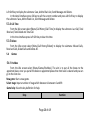
Save to drafts: Save the edited message to the drafts. After editing press OK key to enter the address list. In the address list input numbers from the keypad or select numbers from the Phonebook/Call logs. After editing numbers press Left Soft key to display the submenu: Send & Save, Send Only, Enter from Phonebook and Enter From Call History. Send & Save: Send the edited message and save it in Sent Items too.
Send Only: Send the edited message but do not save it. Enter from Phonebook: Select number from the Phonebook to add into the address. Enter From Call History: Select number from Call History to add into the address.
5.2.1.2
Inbox
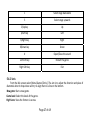
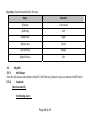
From the idle screen select [Menu/Messages/Messages/Inbox] to display the list interface. Press OK key to view the content of the current message. Press Left Soft key to display the submenu: Delete and Multiple Delete. Delete: Delete the current message.
Multiple Delete: You can select some messages to delete. In the content interface, press OK key to reply it. Press Left Soft key to display the submenu: Call Back, Forward, Delete, Save Number and Copy to R‐UIM/Phone. Call Back: Call the number of the sender.
Forward: Edit the message again and then send to others.
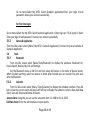
Delete: Delete the current message. Save Number: Take the number out of the message and save them in the Phonebook. Page 21 of 48