1
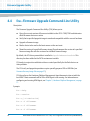
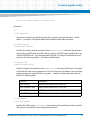
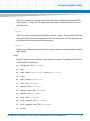
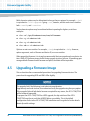
Firmware Upgrade Facility 4.4 fcu—Firmware Upgrade Command-Line Utility Description The Firmware Upgrade Command-line Utility (FCU) allows you to Query the current versions of firmware installed on the ATCA-7360/7365 and determine which firmware devices are active Verify that a specified upgrade image is sound and compatible with the current hardware Upgrade a firmware image Mark a device to be used as the boot source on the next reset Show the version of a specified firmware image file and compare the version of a specified firmware image file with the version of an installed firmware image By default, the FCU binary executable is installed in /opt/bladeservices/bin. This directory has been added to the PATH environment variable. FCU works in conjunction with device drivers created specifically for the flash devices on Artesyn blades. The FCU verify and upgrade operations require specially prepared FRI or HPM files (see Firmware Recovery Image Files on page 57). FCU also relies on the Hardware Platform Management Agent daemon to interact with the local IPMC. Most commands will fail if the HPM Agent is not running. For information on configuring and running HPM Agent, see Chapter 5, Hardware Platform Management, on page 71. Synopsis fcu --help fcu --version fcu -q [-d <device-id>] fcu -v -f <filename> fcu -u -f <filename> fcu -a -f <filename> 62 Basic Blade Services Software on ATCA-7360/7365 Programmer’s Reference (6806800K42E)