1
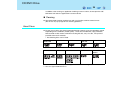
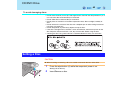
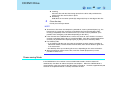
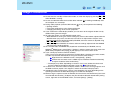
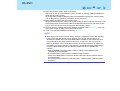
B’s Recorder/B’s CLiP 51 "B's Recorder" and "B's CLiP" are CD/DVD recording software applications developed by B.H.A Corporation. Here, explanations are given on general information about B's Recorder and B's CLiP and how to access the online manual. Refer to the online manual concerning the detailed use of the software application. (Î page 54) Applicable Media • • • • • *1 CD-R*1 (one-time recordable CD media) CD-RW (rewritable CD media) DVD-R*1*2 (one-time recordable DVD media) DVD-RW*2 (rewritable DVD media) DVD-RAM*1*2 (rewritable DVD media) Cannot read from or write to CD-R disc, DVD-R disc and DVD-RAM disc using B's CLiP. *2 To write to these discs, DVD MULTI drive is required. z Refer to "Information for the DVD-ROM & CD-R/RW Drive" (Î page 41) or "Information for the DVD MULTI Drive" (Î page 42) for information about recommended discs. About Copies When writing to discs, make sure that you are not infringing any copyrights. It is illegal to copy audio CDs for non-personal use. When backing up software, make sure that you are not infringing any software copyrights for that product. Before Installing B’s Recorder/B’s CLiP Select [(d:)]*3 in [start] - [My Computer] with the right button, select [Properties] - [Recording], then delete the check mark for [Enable CD recording on this drive]. z Delete the check mark for [Enable CD recording on this drive] every time a new user is added. *3 “d” is the drive letter of the CD/DVD drive. Change this to match the drive letter on your own computer