1
10.02 Reconcile Scheduled Log with
Automation Play-Log
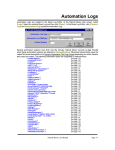
NL8 can read exact Air Times from some [not all] automation play logs. If reconciled, these "Aired" times are
shown on the Invoice/Affidavits. If not reconciled, the scheduled times are shown on the NL8
Invoice/Affidavits. This reconciliation is not supported for some automation systems. Please see the
appropriate subsection of this chapter to determine if the system supports reconciliation from your
automation system.
To reconcile a log, have it open in the NL8 Log Editor and use the [Convert-Log][Reconcile Schedule-Log
with Play-Log] menu choice. You will need to point NL8 to the automation system's Play Log using the
[Browse] button. See Automation Log Reconciliation
See section 6.04 of this manual for a complete description of this reconciliation process and what it
does and does not do to your commercial logs.
Page 10-4
Natural Log User Manual