1
Getting Started
DATA ANALYSIS
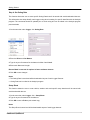
The Data Analysis program is a powerful tool designed to let you view and graph information downloaded from
your data logger. Using this software you will become better equipped to make informed decisions about your
race setup and make changes to improve vehicle performance.
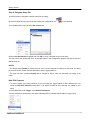
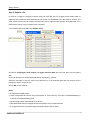
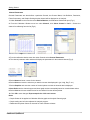
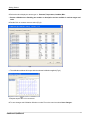
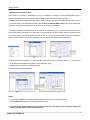
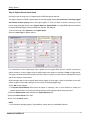
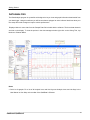
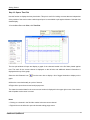
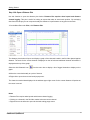
Displayed below is some data from the Sample Data file included with the software. The three data channels
are tiled on the display. To view the options in the data manager window right click on the Outing Title, Lap
Number or Channel Name.
Notes
· Ctrl+V to tile graphs. For a list of all Analysis Icons and Hot Keys see Analysis Icons and Hot Keys in the
User Manual or from Help on the toolbar of the QwikData 2 Software.
Edelbrock QwikData 2
20