1
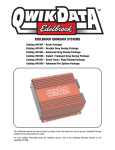
Introducing QwikData 2
Thank you for acquiring QwikData 2. You now have at your fingertips all the tools you'll need to manage your
Data Acquisition applications!
The QwikData 2 Quick Start manual is a condensed installation manual outlining the basic setup functions to
get your system up and running. For more detailed information and to better familiarize yourself with the power
of QwikData 2 Data Logger system please review the QwikData 2 Installation Manual or the Help menu on the
toolbar of the QwikData 2 Software.
QwikData 2, and the individual development tools within QwikData 2, contain many features that make Data
Acquisition a breeze. If you have any questions or issues with QwikData 2, you can contact our QwikData 2
Technical Hotline at 800-416-8628 from 7:00 am to 5:00 pm PST Monday thru Friday. After Hours and
weekends 310-525-8978.
Edelbrock customers can now join others at http://forums.edelbrock.com/forums/ The forum offers support
from current experienced users as well as Edelbrock Tech Reps.
Step 1. Software Installation
*COMPUTERS RUNNING WINDOWS 64 BIT SYSTEMS NOT SUPPORTED
Included in the installation is a SAMPLE.DAT logger data file to help you familiarize yourself with the many
features of QwikData 2. Located in Power to Win\Data directory.
You also can refer to the Read me files, located in the root of the installation compact disc. The Read me files
contain detailed information on installation issues for all of the products in Edelbrock QwikData 2.
The Read me files are text files (*.txt) and can be viewed with any text editor.
This section contains information on installing QwikData 2 to your computer. It is recommended that you check
the section on System Requirements before installing this product.
1. Install the QwikData 2 Software disc in your CD drive.
2. Double click on Install Edelbrock QwikData 2.
3. Follow the directions to install QwikData 2.
4. Do not change the default installation drive or path.
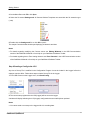
When the Software Installation has completed three Icons for QwikData 2 will be posted on your desktop for
Configuration, USB Communication and Analysis. Double click on any icon to open the application.
Edelbrock QwikData 2
2