1
1 of 8
PenguinData Chronicles
December 2013
Volume 6, Issue 1
reviewing updates if the firm is
large enough. One person might
cover HR, payroll and account
FACT BLAST
reconciliation. Another might be
an operations person, who knows
what is happening within each of
your shops. Better yet – you may
want to empower your local shops
to review the releases to see if
Over the last three months I have they can implement the features,
been out on location with several as some features are designed for
different customers doing a variety Charter shops and then some for
of consulting work with their firms. Time Warner and so on.
To my surprise, when diving into
issues and high concern areas Remember that PenguinData is a
and asking them “Are you using tool, and the tool is only as good
this feature or that feature that as it is being used among your
was released a while ago?” the organization.
answer was always “No”. When I
then showed them the features I would like to take this time to wish
in PenguinData, it usually covered all our customers, their employees
what they needed to get the job and families a very happy and safe
done.
Holiday Season.
December
I strongly encourage all owners Thank You,
to have one high level person
designated to review all the Michael W. Enters,
new feature releases to evaluate COO
if any of the new features can
be instituted and used within
your organization. New releases
generally happen every month.
In some cases you may want two
or three people designated for
www.penguindata.com
The Latest & Greatest
from the Support Desk
Since our manuals have gone
live the support tickets have
decreased. Thank you for everyone
who is using our manuals. We
hope that they are providing you
with the assistance to understand
the PenguinData System process.
Currently PenguinData has ten
manuals that are live. The ten
Current Live Manuals are:
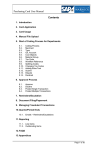
1. Assets/Fleet Manual
Systems Manuals: 2. Navigation
3. User Options
Workforce Manuals:
4. Data Entry
5. Office/Client Data
6. Tech/Employee Data
7. Categories
8. Account Reconciliation 9. Payroll Management
10. Workforce Reports.
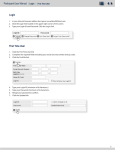
The manuals are located in the user
options bar in the User Manuals
button. Look for the red book icon.
Select the User Manual button and
the list of manuals will appear on
the work page. The first column
PenguinData
117 Timberlane Rd.
Spooner, WI 54801
Ph: 877-973-6484
Fax: 715-635-9008
PenguinData Chronicles
2 of 8
December 2013
Volume 6, Issue 1
contains the module affiliated
with the manual. This feature will
help narrow down the search as
we add all module manuals into
the list. The next column is the
Subject of the manual, followed
by the Name of the manual, then
the Description. The last column
allows the user to open the manual
in a new pop-up window.
r
Use al
u
Man
Select any of the columns to have
the manual open on the work
page currently being viewed,
in the lower section. The “Open
in New Window” link is a great
feature to utilize while working,
as the manual opens to the work
page, and the user can view the
instructions for the specific page
as they are working on it. When
opening the manuals please
be patient as they have a lot of
information included and some
may take longer to open.
For anyone becoming a new
PenguinData User, we would
suggest a review of the Navigation
Manual.
This manual has
been created to help the user
understand not only the terms
used in PenguinData, but the
links that are available to the user.
There are many tools built within
the system that may be overlooked
if the user is not aware of the
functions. The Navigation Manual
will help the user to understand
the terms and the links. This
manual will assist the user to
navigate through the system and
become a more efficient user.
The Manuals will be updated with
each new release.
Currently the Quality Assurance
(Control) manual is being updated
with our latest feature releases.
Once the new information is
updated it will go live. The
Warehouse Module will be the
next manual that will be written.
When was the last time you ran
you active fleet roster to make sure
that all of your tech information
in the system is correct? Are
your technicians using the tech/
contractor/employee portal to
manage their address information?
Tech Report Tips
As the year winds down it is time
to look at what really needs to be
done to make sure to close out
Additional Manuals that are the year and get ready for a fresh
completed and will be live by start for 2014. The December tip
months end are:
this year deals with how to best
manage PenguinData. By running
• Dispatch – Virtual White Board a few simple reports you can make
• Escalations/Damages
sure that the data you are using
• Mobile User (English and in PenguinData is up to date and
Spanish versions).
correct.
www.penguindata.com
PenguinData
117 Timberlane Rd.
Spooner, WI 54801
Ph: 877-973-6484
Fax: 715-635-9008
PenguinData Chronicles
3 of 8
December 2013
Volume 6, Issue 1
Just those two very simple
items can spur staff to make the
important updates and make the
W2 process easier.
our accounts that have taken
advantage of this wonderful
automation data service. The
Parsing Service has allowed a
tremendous leap forward in
account reconciliation, while
greatly increasing efficiency in the
daily uploading of all work order
data.
Have you reviewed your pay scale
information to ensure that changes
have not been made without your
notice? Running the Active Tech
Truck Roster can do this. There is a
lot of great information in this one
powerful report.
2013 has brought another banner
year of growth and innovation at
PenguinData. Our G3 EMPEROR
Suite of Modules was recognized
as the most innovative software
platform
available
to
the
broadband industry. With this
Remember that if you have any BTR Diamond Technology Review
questions please feel free to award (proving that our SaaS
contact our support and training platform never stands still) 2014
departments if you are not sure promises to be the best year
how to perform any of these tasks. of development our software
solution has ever experienced.
Currently there are over 500
reports in PenguinData. Many
key operational questions can be
answered by running just a few of
these powerful reports.
Continuing to expand the scope
of our services, PenguinData
successfully launched our Parsing
Service during the second half
of 2013. We want to thank all of
www.penguindata.com
As 2013 comes to a close, and
that winter feeling is in the air,
PenguinData is thankful for its
loyal account base. Thanks to
our customers, growth has been
exceptional again in 2013. In the
end, growth is what PenguinData
Workforce Management is all
about.
Our software services
continue to prove that having
real-time data visibility coupled
with engaged and pro-active
management leads to real
profitable
business
growth.
PenguinData is committed to the
health of our business and that of
our clients. These goals go hand
in hand, and the future has never
looked brighter for PenguinData
Workforce Management and our
customer base.
PenguinData
117 Timberlane Rd.
Spooner, WI 54801
Ph: 877-973-6484
Fax: 715-635-9008
PenguinData Chronicles
4 of 8
December 2013
Volume 6, Issue 1
For
any
questions
about
PenguinData’s new Parsing Service
please contact Doug Simmons in
the Sales & Marketing Department.
See you in 2014!!
Contact Doug Simmons
Sales & Marketing
602-743-1767 or
877-973-6484 x1008
E-mail:
[email protected]
Paychecks Services
It’s hard to imagine, but it’s
that time of year again. YEAR
END! When you own and run a
business with employees, you
have to establish and maintain
employee records and personnel
files. Since employees come and
go, many wonder how long you
should retain employee records.
The Internal Revenue Service (IRS)
considers records pertaining to
employee taxes, such as payroll,
but there are other records that
must be retained and in some
cases maintained separately.
The IRS recommends keeping
payroll records like tax withholding
until you and the employee can no
longer file amendments for that
tax year. The IRS guidelines say to
keep the records for a minimum of The following documents should
four years after you pay tax or the be filed separately:
tax is due. However most experts
• All medical information
suggest you keep employment
belongs in a separate medical
records for a minimum of two
file
years and for up to seven years.
• Payroll information belongs in
Most states have a two year
your payroll file
statute of limitations on lawsuit
• I-9 forms should be filed
filings by former employees. For
separately from personnel files
auditing purpose however, it’s
• Background checks should be
best to maintain records for seven
filed separately or can be kept
years. When the seven years is up,
with employees medical file
you should shred or destroy the
documents so no one would have
Since the year end is just around
any access to the information.
the corner, whether you are using
In general, an employer could PenguinData Paycheck Services
establish the following retention or another Paycheck Service
periods for both electronic and provider you should consider
auditing your files for missing
paper records:
social security and or Federal ID
numbers for your 1099 personnel.
• Personnel: 7 years after
Other things you should consider
termination
in your internal audit is updating
• Medical/benefits: 6 years after
vacation and sick time (PTO) and
plan year
updating your wage information
• I-9 forms: Not more than 3
for your employees. Year end is
years after termination
also a good time to update your
• Hiring Records: 2 years after
SUTA rates providing the rates to
hiring
www.penguindata.com
PenguinData
117 Timberlane Rd.
Spooner, WI 54801
Ph: 877-973-6484
Fax: 715-635-9008
PenguinData Chronicles
5 of 8
December 2013
Volume 6, Issue 1
your Paycheck Service or updating
them within your internal system.
Don’t forget, using PenguinData
Paycheck Service, these items can
be tracked for you. Our system can
maintain I-9 information, Workers
Compensation Rates, track wage
history, benefits and a range of
other information. Let us be your
source.
Programming
Development
As we close out the development
calendar for 2013, we are planning
our primary development areas for
next year. Key areas targeted for
development in 2014 include:
• Mobile apps for Android
and iOS
o Native smartphone apps
to provide better mobile
performance, and the ability
to continue working when
outside of cell coverage.
• Scheduled report runs
o The ability to set specific
reports to automatically run
daily, weekly, or monthly,
and be sent to an email
distribution list.
• Expansion of available web
services
o Addition of APIs for
Warehouse, QC, Dispatch,
and the expansion of the
existing Workforce, Asset/
Fleet, and Work Order
Management APIs
• Ability to send tech profile
information to customers prior
to installation via email and
text message
o Select profile images for tech
and vehicle
o Select what tech information
is provided
• MDU Projects system
o A simplified interface for
creating and managing jobs
in MDU
o The ability to roll multiple
tasks of jobs into a single
project
o More customizable areas
o Multiple crews assigned to
different tasks
www.penguindata.com
Tip
of the
Month
Warehouse Management
PenguinData Workforce Management has a very powerful
module that assists your company
in
eliminating
unnecessary
chargebacks from your customer
when it comes to your customers
CPE.
Also, the Warehouse
Dashboard has several alerts here
that should be monitored daily:
• Aging CPE in Warehouse
• How many aged pieces are issued to technicians
• Customer Returns on hand
• Defective Equipment on hand
Each of these alerts can be
customized to fit your customers’
requirements for CPE. These alerts
and other critical warehouse
settings can be found in Categories
within the Warehouse Module.
There are several features I will
suggest you use on a daily/weekly
basis.
1. When adding New Inventory
into your warehouse we strongly
recommend that all CPE is scanned
by physically scanning the
PenguinData
117 Timberlane Rd.
Spooner, WI 54801
Ph: 877-973-6484
Fax: 715-635-9008
6 of 8
PenguinData Chronicles
December 2013
Volume 6, Issue 1
barcodes on the CPE and NOT scanning anything into inventory from the “manifest/barcode”
sheet your customer gives you.
a. Once the CPE has been scanned in we suggest you go to WAREHOUSE>INVENTORY>NEW INVENTORY
RECONCILIATION. This feature will list all of the CPE that was just scanned into your warehouse by
user. You will now put a check mark in the selected areas that you DO NOT want to Reconcile and then
beginning scanning the barcodes on the Manifest/Barcode sheet your customer gave you when you
left their warehouse. Once you have scanned all the serial numbers, select Submit and PenguinData
will display the following reports:
i. Blank Report – indicates everything physically scanned matched with what was scanned on the
manifest/barcode sheets. This does not require any further actions.
ii. Two-part report titled MSO Inventory Reconciliation
1. Total Scanned In To Inventory – Not On Sheet
a. This equipment needs to be returned to your customer as soon as possible as it most likely
has a direct correlation to the section below.
2. Total Not Scanned In To Inventory – On Sheet
a. This needs to be brought to your customers’ attention. If not your company will most likely
be charged for these pieces of CPE.
www.penguindata.com
PenguinData
117 Timberlane Rd.
Spooner, WI 54801
Ph: 877-973-6484
Fax: 715-635-9008
PenguinData Chronicles
7 of 8
December 2013
Volume 6, Issue 1
2. Inventory Reconciliation is a fairly simple process to undertake in your warehouse that can be done
monthly, bi-weekly or weekly. This feature allows you to select a model of CPE in Inventory and then your
warehouse team can physically scan all of the CPE in the warehouse. Once they are done scanning all of the
make/model of CPE they can hit submit and PenguinData will give them a report of what is in inventory in
PenguinData Warehouse Module that has NOT been physically scanned during the Inventory process. The
second section of this report will show any equipment that was physically scanned but NOT in Inventory.
3. MSO Buffer Reconciliation is the third and one of the most important features of the Warehouse Module.
We know that several MSO’s send out daily, weekly Buffer reports to what they have in their system for
your particular company. Some MSO’s are more in-depth with these reports than others. Whether it is a
straight up Buffer Report with CPE in Lost, Return or Tech status or it is a MOVE report where CPE went from
“T” Status to “H” Status (House Account) and /or it is just a report showing all the CPE in “R” status in your
technicians’ buffers. Most of the “R” status CPE is moved to these buffers in error by your technicians and or
dispatchers.
a. When you receive these reports you can break them out by each status, L for Lost CPE, R for Return CPE,
T for Technician Stock.
www.penguindata.com
PenguinData
117 Timberlane Rd.
Spooner, WI 54801
Ph: 877-973-6484
Fax: 715-635-9008
8 of 8
PenguinData Chronicles
December 2013
Volume 6, Issue 1
b. Set the settings area in Warehouse>Inventory>MSO BUFFER RECONCILIATION to pull the
required information from the Buffer Spreadsheet your customer sent to you.
c. Now click to upload the file and a report will automatically show in the section called Recent Imports.
Open this file and you will see a similar report to what we have attached below.
d. This report will show you all the equipment you just imported and it will match it to what the current
status of that piece of CPE in PenguinData is. It will tell you if your technician installed the equipment
on a work order, if it’s in Lost status in PenguinData, in New Inventory in PenguinData, or if it has been
dropped off to the Cable Company or NOT FOUND meaning it has never been in PenguinData for any
reason. You can now begin researching the ones that you really need to research.
These are just a few of things in PenguinData Workforce Management that can help you eliminate unnecessary
chargebacks. If you should have any questions or concerns or would like to discuss possible consultation of
your warehouse process please feel free to give us a call.
www.penguindata.com
PenguinData
117 Timberlane Rd.
Spooner, WI 54801
Ph: 877-973-6484
Fax: 715-635-9008