1
System Setup
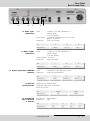
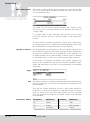
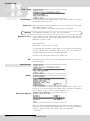
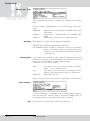
Samplingrate
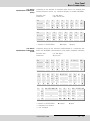
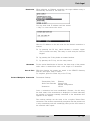
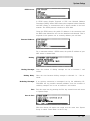
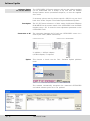
The 'Samplingrate' menu item is used to set the desired sampling
frequency on outgoing calls.
You can choose between: 16, 22.05, 24, 32, 44.1, 48 kHz,
AUTO (the sampling frequency of the selecting device is used).
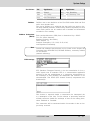
Audio Mode
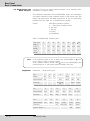
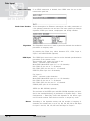
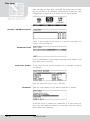
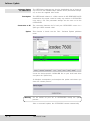
The 'Audio Mode' menu item is used to set the desired audio behaviour on incoming calls.
You can choose between: Mono, Dual Mono, Stereo, Joint Stereo and
AUTO (see also page 18).
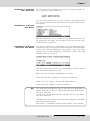
Audio Input
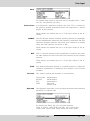
The 'Audio Input' menu item is used to set the desired audio input on
incoming calls. You can choose between Analog and AES/EBU.
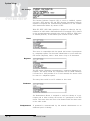
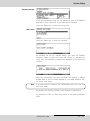
Userdata
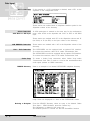
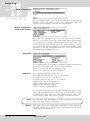
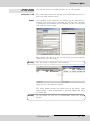
The 'Userdata' menu item is used to set the desired ancillary data
in incoming calls.
You can choose between:
OFF (no ancillary data is transferred)
1200, 2400, 4800 baud with Layer 2
1200, 2400, 4800, 9600 baud with Layer 3.
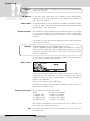
Note
If the ancillary data is switched off (OFF), alarm control signals are
not transmitted either.
Between OPTICODECs, the smallest preset baud rate of the ancillary
data is used in the context of the device handshake.
Descriptions of individual functions can be found by pressing the
'Help‘ key.
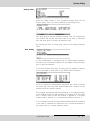
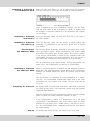
ISDN Protocol
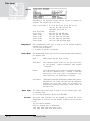
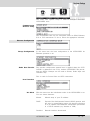
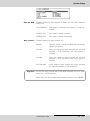
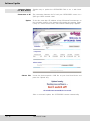
The OPTICODEC is equipped as standard with a ‘Stollmann’ type
ISDN module and the following ISDN D-channel protocols:
EURO (DSS1), NATIONAL 1/2 (North America), JATE (Japan), AT&T
(USA), VNx (France) and AUSTEL (Australia).
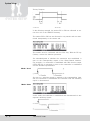
For use in the USA, the OPTICODEC 7600 can be equipped with
'IMD4‘ type ISDN modules. This is necessary if additional U-interfaces
are required for North America. When 'IMD4‘ modules are used, the
device possesses two ISDN D-channel protocols: EURO (DSS1) and
NATIONAL 1 (North America).
Warning
Decisive is the ISDN protocol of your connection, not that of the partner
unit! You can alter the settings by pressing the 'Enter' key.
OPTICODEC 7600
E
33