1
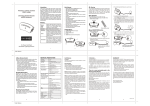
Step 2 Step Setup Key LCD Indication Press and hold ef keys simultaneously for 3 seconds under the Home page. Home
Device
>
Scene
>
Comfort
>
OK to Enter
i)
⇓ ii) iii) Setup
Add Device
>
Delete Device
>
Add to Scene
>
OK to Enter
Select “Add Device". Add Device
>
Delete Device
>
Add to Scene
>
key to add Press the device into Z‐Wave network. Setup
OK to Enter
Add Device
Press PROG on target
>>>>
Press the program button on the target device. Add Device
Press PROG on target
>>>>
Saving Data …
iv) ⇓ Add Device
Press PROG on target
2
>>>>
OK