1
Network
Setup
menu
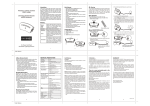
• Press and hold cd keys simultaneously for 3
seconds to enter Network Setup menu.
• Press BACK key to go back to previous page.
• Press and hold BACK key for 2 seconds to go
back to root menu.
+
Network Setup (C1)
Learning Mode (C1)
Scan Devices (C2)
Create Pri. (C3)
(Create primary)
Create Sec. (C4)
(Create secondary)
Rediscover N.W. (C5)
(Rediscover network)
Delete Dead Node (C6)
Listening Mode (C7)
FREQUENTLY ASKED QUESTIONS Q If my Z‐Wave devices had already added into my Z‐Wave gateway (primary controller) network, what should I do for my ZRC‐100? How to copy my scenes settings to my ZRC‐100? A Your ZRC‐100 can act as a secondary controller with network information about other devices and scenes setting acquired from your gateway (primary controller). Please refer to user manual with below steps: i) ZRC‐100 should enter the “Learning Mode"[step of C1] (Replicating All Network and Device Information from a Primary Controller to your ZRC‐100), for details please refer to ZRC‐100 user manual. ii) Make sure the gateway scenes were mapped to your Scene ID number and activated event for Scene Controller. You may need to setup the trigger settings on gateway before next steps. 7