1
VS-PTC-150 Manual
2. The LCD Screen
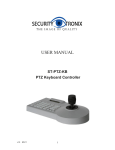
All key operations will be displayed on LCD instantly. LCD will switch to Low-Power mode if the
smart controller does not receive any input for more than 30 seconds. Screen will return to the
initial state.
3. Operation Knob Control
When control PTZ and mounting plate:
4. Connections of Keyboard Controller
Backboard: 1 5-pin port, 1 DC-12V port, 3 LED indicator
Detailed functions of each portion:
Item
Marked
Interface
Description
1
RS-422
Control output (Ta, Tb, Ra, Rb)
Connect to camera RS422, Bus(Ta) to RXD IN-, (Tb)
to RXD IN+, (Ra) to TXD IN-, (Rb) to TXD IN+.
2
Ground
Grounding (G)
Grounding of communication cable
3
PW
Power indicator
Always on, RED
4
TXD
Send data indicator
Data sending status:flicking,green
5
RXD
Receive data indicator
Data receiving status:flicking,green
6
DC-12V
DC power input
DC power input
www.LCDracks.com
7