1
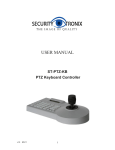
Function Keys of Keyboard Controller
Function keys:
[PATROL]
PTZ reset.
[PRESET]
Preset the original position of PTZ. This key should be used
together with number key and [Enter] key.
[SHOT]
Recall the preset position of PTZ. This key should be used together with number `
key and [Enter] key. (Some special function are achieved via recalling preset, e.g. `
recall PTZ menu, recall integrated menu, pattern patrol, pattern scan, linear scan, et.)
[AUTO]
Control PTZ Automatically.
[Addr]
Address selection key. Select decoder address, PTZ address.
Number keys:
[Clear]
Clear input.
[0] ~ [9]
Number Key: 0, 1, 2, 3, 4, 5, 6, 7, 8, 9.
[Enter]
Enter confirm input.
Basic keys for PTZ and decoder:
[FOCUS + ] Manual focus on distant object.
[FOCUS - ] Focus on closer object,
[ZOOM + ] Zoom in to object, i.e enlarge object.
[ZOOM - ]
Zoom out the lens to larger view field.
[IRIS + ]
Increase aperture manually.
[IRIS - ]
Downsize aperture.
[AUX ON]
AUX key turns on. Turn on AUX key. This key should be used together with number key and Enter key.
[AUX OFF] AUX key turns off. Turn off AUX key. This key should be used together with number 6
key and Enter key.
Marshall Electronics