1
Dicom User Manual
DICOM — Digital Imaging and Communications in Medicine — is the international
standard for medical images and related information. It defines the formats for medical
images that can be exchanged with the data and quality necessary for clinical use.
Patient information that is created on Dicom system can be downloaded/ added from
Dicom system to the Atomlab 960 software. Once its available to the Atomlab 960
software, the thyroid uptake operation can be performed and the test result can be
uploaded/ sent back to the Dicom system.
The following describes the setup procedure as well as how to use Dicom with Atomlab
960 software.
Prerequisite:
1.
2.
This Flat Panel PC will have to be connected to a Hospital/Facility Network
(preferably wired connection).
This machine will require an IP address.
Once connection is established and connected to the network, the following steps are
required for Atomlab 960 software:
a.
b.
Dicom Licensing/ Activation
Dicom Setup/ Configuration
NOTE: We used some mock values for licensing/ server setup configuration for this
document. Screen values may not match with the actual customer values/entry.
Dicom Licensing/Activation
The user must purchase a software license (Part #187-146) for Dicom from Biodex to
activate the Dicom features on Atomlab 960 software. This is a one time process.
Steps:
1.
2
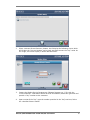
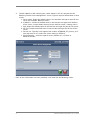
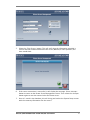
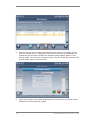
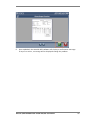
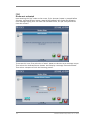
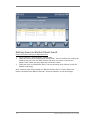
From the Atomlab 960 software home screen, click on <Utilities> System Setup. It
will display a tab based screen. Go to “Dicom” tab. Initially, there will be only one
button <Activate Dicom Features>.
Biodex Medical Systems, Inc. © 2013