1
GeoModeller User Manual
Contents | Help | Top
Tutorial case study J (Geothermal)
3
| Back |
Course Structure
Parent topic:
Tutorial case
study J
(Geothermal)
This case study has two main sections:
•
Build and Revise a 3D Geology Model
•
Perform Geothermal Modelling
Build and Revise a 3D Geology Model
Parent topic:
Course
Structure
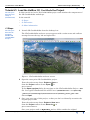
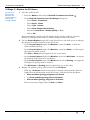
Tutorial J1: Load the HotRox 3D GeoModeller Project
We load an existing project, and examine the main elements of the user interface
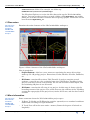
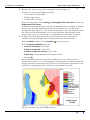
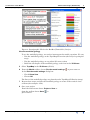
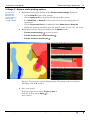
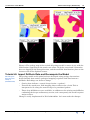
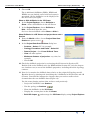
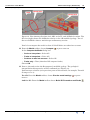
Tutorial J2: Examine the Project Geology Map and the 3D Geology Model
First examine the geology map for the project, and review the project’s stratigraphic
pile. Compute the geology model. Plot the geology model in map and section views in
the 2D Viewer. Build the 3D shapes of the geology model and examine in the 3D
Viewer.
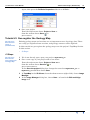
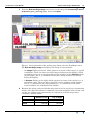
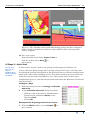
Tutorial J3: Geo-register the Geology Map
Existing geology maps and sections are easily geo-registered, and contacts digitised.
We geo-register the geology map on the TopoMap (surface) section.
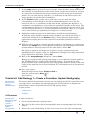
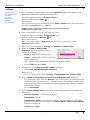
Tutorial J4: Add Geology 1—Create a Formation, Update Stratigraphy
We want to add the LateGranite1 intrusive to our geology model. We must first create
a geology object, and update the stratigraphic pile.
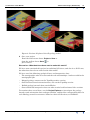
Tutorial J5: Add Geology 2—Digitise and Recompute the Model
We can now digitise the LateGranite1 contact, and build a revised 3D geology model.
And again examine the 3D geology model in 2D and 3D views.
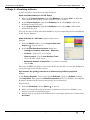
Tutorial J6: Import Drillhole Data and Recompute the Model
We import data for three drillholes, and project the drillhole geology onto vertical
cross-sections. Note the inconsistency between the new data and the existing 3D
model and consider the implications. Introduce a new fault to the project, compute the
new 3D geology model. Again examine the 3D geology model in 2D and 3D views.
Perform Geothermal Modelling
Parent topic:
Course
Structure
Tutorial J7: Add the Geothermal Physical Property Data
We now add geothermal physical property data for each geology unit—the thermal
conductivities and heat production rates.
Tutorial J8: Compute Geothermal Solutions
Set up boundary conditions, and compute in situ temperatures throughout the
volume of our 3D geology model. Examine the results for temperature and other
temperature-related parameters (heat flow and geothermal gradient) on selected
sections.
Contents Help | Top
© 2013 BRGM & Desmond Fitzgerald & Associates Pty Ltd
| Back |