1
GeDVR4S
User's manual
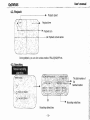
5.2. System menu
Time/date, hard drive formatting, auto rotation, system default, video signal selection, buzzer
setting, password setting, language setting.
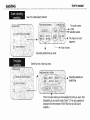
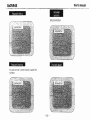
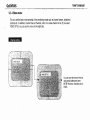
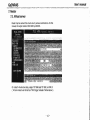
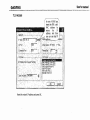
Time/date !
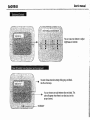
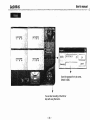
To set the current date and time. Use
the buttons of top, bottom, left, and
right.
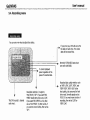
Format of date and time.
'YYV/MM/DD', 'MM/DDjYYY', or
'DD/MM/yyyY'
You can turn the time on or off.
L----
.....
The position of display.
TOP', or 'BOnOM '