1
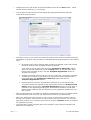
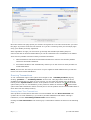
In the ‘available investigated reports’ section you will see a list of reports that are ready for
download and you will be able to click the ‘fetch report’ link to retrieve the investigated
information and it will fetch the latest data and update the transaction submitted.
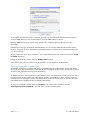
The report will open in a new window and it will also ask whether you require the report to be
emailed to you as a PDF document.
** Working hours are 09:00 to 16:00, Monday to Friday.
Viewing Past Transactions
All transactions that are run are stored in the system and you are able to view the full transaction
report as you wish.
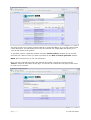
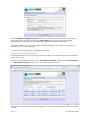
To view past transactions navigate to the ‘transaction overview’ page by clicking ‘transactions’
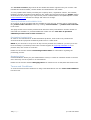
-> ‘transaction overview’ in the menu. You will see the page below.
This page shows a list of all the past transactions for your account for all the users that have been
created.
11 | P a g e
© Credit Data Online