1
14 Educate the Customer
Before you leave the vehicle, test the system to
ensure the antenna works properly. Fill out the
Installation Checklist (provided in the Welcome Kit)
and return it to KVH. Refer to the instructions on
the form.
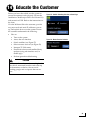
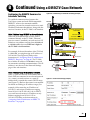
Figure 55: Satellite Switching Selection on Home Page
Give the Welcome Kit to the customer, provide
any passwords and static IP addresses you set
up, and explain how to use the system. Ensure
the customer understands the following.
•
How to:
• Turn on the system
•
Access the web interface
•
Switch satellites (see Figure 55)
•
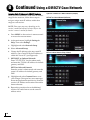
Select a master receiver (see Figure 56)
•
Interpret TV-Hub status
•
Download software and satellite library
updates (using web interface and/or
mobile app)
•
Perform general troubleshooting
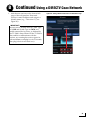
Figure 56: Master Receiver Selection
CAUTION
Make sure the user knows the new height of
the vehicle, measured from the road to the top
of the antenna, so that he/she can avoid
parking garages and overpasses that are too
low.
31