1
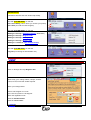
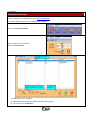
Enter the date the test was taken. (DD/MM/YYYY)
The complete the test from the Candidate answer sheet. (NOTE: The numbers run from top to bottom.)
Click on the answer that was selcted by the candidate. (To clear an answer RIGHT CLICK on it)
Once you have completed one test, click on the Done button to go to the next test.
Then remember to enter the date again for the next test.
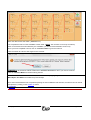
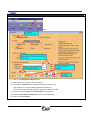
REMEMBER: All Questions without results will be MARKED INCORRECT when you choose Continue
Click the Continue Button to fisnish marking the test.
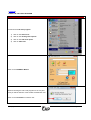
To enter the next candidate’s test answers, select the student by highlighting the students name and then click on
Mark Paper Test button and follow the previous steps.
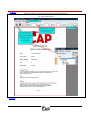
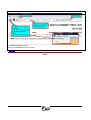
Once the test administrator has completed capturing the test candidate’s test answers, the Results can be viewed
and printed by clicking on the RESULTS button.
[ TO MENU ]
© Copyright 2007
Page 25 of 33