1
BK-T080II User’s Manual
1.
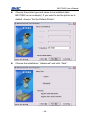
Connect your printer to PC. The Plug and Play recognize it
as a new USB device. At the beginning, the "Add New
Hardware Wizard" will rise.
2.
Select "Install from a list or specific location", click on
"Next".
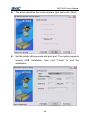
3.
Select "Search for the best driver in these locations", Click
on "Include this location in the search", then Click on
"Browse...", a Window will pop-up "Browse for Folder",
browse to directory in which the printer device driver is
stored. Click on "Next".
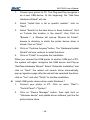
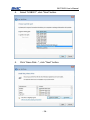
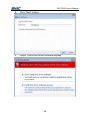
4.
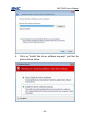
Click on "Continue Anyway" button. The "Hardware Update
Wizard" will now continue to install the driver.
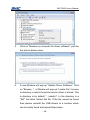
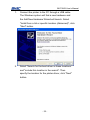
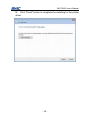
5.
Click on "Finish" to complete the installation.
When you connect the USB printer to another USB port of
PC, the system will again recognize the USB device and
Pop-up "Add New Hardware Wizard". Select "Automatic
installation" and click on "Next", the wizard will search
driver automatically, pop-up signature page after the wizard
has searched the driver, click on "Yes", and click "Finish" to
end the installation.
Install USB printer device driver under Windows Vista, Windows
Server 2008
In order to perform this task, please assure that you have
administrator and/or power-user privileges. When you do not
have these rights, please contact the system administrator who
can assist you with this procedure.
- 47 -