1
11. Remove the decoder and test it on a decoder tester to make sure
the decoder is fine.
12. If the decoder is fine, check the loco to make sure the loco is fine
before installing the decoder.
1
Getting Started
Checklist for General Problems
Introduction
1. Clean your layout and the loco’s wheels.
2. Check the layout’s wiring.
3. Reprogram loco address and other data.
4. Reset Cab by unplugging the Cab.
5. Reset the base unit by turning the power off.
6. Check loco for proper decoder installation.
7. Check wiring from Cabs to the base unit and from the base unit to your
layout.
8. Check for short circuits and/or stray objects lying across track rails.
9. Make sure the Link light flashes when you press F2.
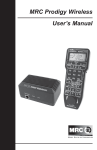
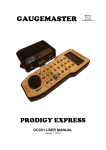
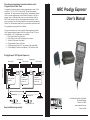
Thank you for purchasing MRC’s Prodigy Express2 DCC (Digital
Command Control) System. You now own one of the most advanced,
easy to use DCC systems available. It comes as a complete system
with a Command Station (base unit), power supply and LCD Cab/
Handheld with cable. The MRC Prodigy Express2 DCC system will
enhance the enjoyment of your train layout for many years to come.
Here at MRC, we pride ourselves in giving you the most advanced,
reliable and easy to use DCC train controls. With up to 9,999
addresses available and use of up to 32 Cabs, you can expand your
railroad empire as much as you desire. From a beginner’s 4x8 layout
to a massive club layout, the Prodigy Express2 gives you everything
you want.
Special Trouble Shooting
Note
Base unit power light is on but Cab does not display anything on the
LCD display
1. Check that the Cab cable is securely plugged into the base unit.
2. Replace the Cab cable with a known working cable.
3. Try Cab/cable combination in another base unit Cab Jack.
4. If using remote plug ports around your layout, check wiring/cables from
the base unit to a remote plug port or try moving the Cab/cable
combination to a different Cab Jack.
DCC Basic Background
A DCC system consists of a DCC Command Station that sends DCC
commands to your layout and DCC decoders installed in your locos that
receive the DCC commands. Each decoder equipped loco has its own
address. Each decoder receives DCC commands but only follows those
commands matching its address. No more multiple blocks and no more
multiple power packs. With DCC, you can run different locos with different
speeds and directions all on the same track. You can also turn on/off the
loco’s headlight and activate sounds if your loco is equipped with a sound
decoder. Please visit our website at www.modelrectifier.com for more
information about other DCC products.
The loco’s headlight turns itself off
When you press 0 to turn on the loco’s headlight, the base unit will send
the command to the decoder to turn on the loco’s headlight. The base unit
will not continuously send the accessory command to the decoder like the
speed command. When the loco hits a dirty track and loses its power, it will
reset and lose the accessory command. It will continue running but may be
jerky because the base unit continuously sends speed commands. You
should clean the track and the loco’s wheel to improve the loco’s pickup.
Please read this manual and your decoder manual carefully before
installing and operating your DCC system.
During operation all locos stop responding
Turn base unit power switch off, wait 3 seconds and turn the power back on.
Your loco doesn’t work while other locos work
The decoder may have lost its memory. Reprogram loco address.
Your Cab doesn’t work while other Cabs work
Unplug the Cab, wait 3 seconds and plug the Cab in again. If the Cab does
not display anything, please check the cable connection as mentioned
above.
Make sure each Cab address is unique. Make sure your Cab address is an
operational address (1-20). If the Cab still does not work, it may be a
defective Cab.
Trouble Shooting 3-2
MRC Prodigy Advance
Although there are Quick-start instructions on the back of the Cab/
Handheld, please read these instructions thoroughly to better
understand and enjoy your Prodigy Express2 DCC system.
Note
The Prodigy Express2 does not support NON-decoder equipped or analog
locos. MRC’s earlier DCC systems do support running analog locos.
However, running analog locos will dramatically slow the response time of
your DCC system. Therefore, our new Prodigy Express2 does not support
this old feature.
Info
For more information on DCC or Prodigy Express2, visit the Resources
section of our web site at www.modelrectifier.com or visit the National
Model Railroad Association’s website at www.nmra.org.
MRC Prodigy Advance
Getting Started 1-1