1
SMPTOX3 version 2.0 User's Manual
647
Page 18
5
5
Write to Printer or to File
948
647
5
[1]
Printer
5
5
[2]
File
5
K)M
948
)
Make selection and press Enter )
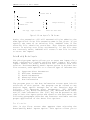
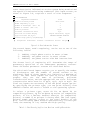
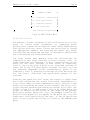
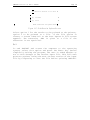
Fig u re 3-17: PrintRes u lts O ptions Screen
Select option 1 for the results to be printed to the printer,
option 2 to be printed to a file. If the file option is
chosen, a screen identical to the Save Inputs To File screen
appears. The extension .PRN is given to a file if the
extension is not specified.
Q u it
To end SMPTOX3 and return the computer to the operating
system, select this option and press the Enter key. Before
completely exiting the program, the user is asked whether or
not to save changes to the current input file. This fail-safe
protects against losing the most current version of the input
file by forgetting to save the file before quitting SMPTOX3.