1
Appendix
Configuring Interoperability Mode
B
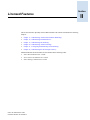
This appendix provides information on setting up a heterogeneous fabric that includes Brocade switches
and switches from other manufacturers.
This appendix contains the following topics:
•
•
•
•
•
•
•
“Vendor Switch Requirements” on page B-1
“Brocade Switch Requirements” on page B-2
“Supported Brocade Features” on page B-2
“Unsupported Brocade Features” on page B-2
“Configuration Recommendations” on page B-3
“Configuration Restrictions” on page B-3
“Enabling and Disabling Interoperability Mode” on page B-5
The interoperability mode enables Brocade switches and others to exchange interoperability
parameters, allowing their fabrics to merge into one fabric with one principal switch and unique
domain IDs.
The interopMode command must be executed on all Brocade switches in the fabric. Each Brocade
switch must be rebooted after changing interoperability mode.
Switches from other manufacturers might also require the execution of one or more commands to set up
interoperability mode. Refer to their documentation for details.
In a heterogeneous fabric, each Brocade switch must have interoperability mode enabled (see “Enabling
and Disabling Interoperability Mode” on page B-5).
To provide maximum compatibility between switches, several features are not available in
heterogeneous fabrics (see “Supported Brocade Features” on page B-2 and “Unsupported Brocade
Features” on page B-2).
Vendor Switch Requirements
Interoperability has been tested on McDATA switches.
McDATA ES-3016 or ED-5000 models, or an equivalent OEM version that is plug-compatible, is
required. Contact your switch supplier for the supported switches and firmware versions.
To determine whether or not a mixed-vendor SAN is supported, work with the switch provider to
determine if your SAN design is valid. Important variables that determine the supportability of a
particular mixed vendor SAN include the number of switches, version of Fabric OS, the topology,
number of ISLs, number of connected devices, and hop count.
Fabric OS Administrator’s Guide
Publication Number: 53-1000239-01
B-1