1
General advice
a) The antennas used on both the TX and RX are linearly polarised. Try to mount the transmitter
so that its antenna is vertical i.e. same orientation as the receive antennas. An SMA rightangle elbow is provided with the transmitter to help facilitate this.
b) COFDM links will provide far superior performance to traditional analogue FM links in both
high multipath and non line of sight conditions. However, due care should still be given to
ensuring signals can ‘reach’ the receiver!
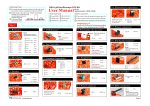
Monitor Set-Up Procedures
PWR (Power ON>OFF)
When the power is on, the
green LED on monitor will
illuminate.
SEL - Menu Selector, (also
AV1/A2 Selection)
1. Press for 2 seconds to
switch menus. The cycle is
as follows:BRIGHT – CONTRAST –
COLOUR
–
TINT
–
DIMMER – LEFT/RIGHT –
UP/DOWN – SAFETY (do
not change) – DEFAULT.
2. Short press button to switch AV1/AV2 mode. Default to AV2
DISP (Display Mode) -
Selects 4 types of display modes:Full, Normal, Wide, & Zoom
Note: Also used to cancel menu OSD Display.
UP/DN (Menu Adjustment)
In Menus, press UP or DN button to adjust picture condition level, Left/Right Reverse,
Up/Down, Safety Selection and Reset Default.
To Disable Safety Mode
1. Make sure monitor is in “OFF” state.
2. Press and hold both “DN” and “UP” buttons at the same time, then press “PWR” button until
the OSD shows the SAFETY selection menu. Release the “PWR” button, then release both
the “DN” and “UP” buttons at the same time.
3. Press “DN” button to select “OFF” mode.
4. Press again the “PWR” button to complete this setting. After this setting is completed, even
when you press DEFAULT RESET, this setting will not be reset back to “ON” mode. If you
want to go back to “ON” mode, you can select the menu to get “ON” mode.
Navtech Systems
Limited
Sulby, Nr. Welford, Northamptonshire. NN6 6EZ. UK.
Telephone: +44 (0)1858 880 857 Fax: +44 (0)1858 880 859
E-mail: [email protected]
Web: www.navtechsystems.co.uk