1
1.
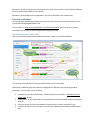
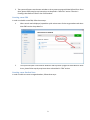
When search results displayed, expand the quick actions menu for the target student and select
New Note from the drop-down list
2.
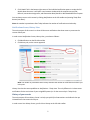
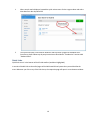
The system will open a new browser window or tab to present a page with New Note form.
Once there, please follow step-by-step instructions as described in “Introduction” section titled
“Student Notes”.
Quick Links
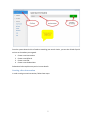
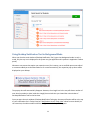
Quick links area is in the bottom of the left-side toolbar (see below highlighted).
It contains clickable links to the useful pages of the Web-based School system that you would utilize the
most. Whenever you click on any of the links there, the respective page will open in a new browser window.
10