1
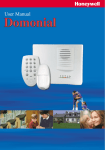
Domonial User manual Manuel d’utilisation Manual de uso Manuale dell'utente Benutzerhandbuch Gebruikershandleiding EKZ008200B 10/2007 © 2007 Honeywell International Inc. EKZ r B: E N G Congratulations on your purchase of the Honeywell Domonial security system. L I To make the best out of your system we advise you to read this manual carefully. S H This security system is designed to operate on an authorised radio frequency and will in no way endanger the user. 1- INTRODUCTION TO THE SECURITY SYSTEM 2 2- INDICATOR LIGHTS 3 3- UNDERSTANDING THE SYSTEM TONES 4 4- HOW TO USE THE WIRELESS KEYPAD WITH DISPLAY 5 5- HOW TO USE THE WIRELESS KEYPAD WITH PROX READER 9 6- HOW TO USE THE KEYFOB WITH 1 LED 12 7- HOW TO USE THE KEYFOB WITH 3 LEDS 13 8- HOW TO CONTROL YOUR SYSTEM OVER THE PHONE 15 9- MAINTENANCE AND RECOMMENDATIONS 16 -1- E N G L I 1- Introduction to the security system The Domonial control panel/communicator unit is the brain of your security system. It exchanges information with the associated wireless peripherals. The control panel centralises the data sent by the detectors, records the arming and disarming operations and communicates with the Alarm Receiving Centre. The control panel also includes a speaker for alarm signalling and audio verification. Your security system may allow up to 3 sets: total set, part set, annex set. S It may include : H • A KEYPAD WITH DISPLAY for arming and disarming operations and access to advanced user functions like detector bypass and events log. • A KEYPAD WITH PROX READER for all users arming and disarming operations of the different sets. • A KEYFOB associated to one or more users for arming and disarming operations. • A PIR DETECTOR, is a motion detector, which reacts to the temperature fluctuations caused by a person in motion. • A DOOR CONTACT, is a magnetic contact, which two parts are, fitted one on a door frame and the other on the door itself. When the door or window is open, the detector is triggered. Before leaving the premises, always make sure that all openings are properly closed. • A GLASS BREAK DETECTOR, which analyses the various frequencies emitted by glass being broken. • A SMOKE DETECTOR mounted on the ceiling, which ensures the coverage of about 50 square metres. Refrain from smoking in the vicinity of this detector. • A SHOCK DETECTOR mounted on the window/door frame, which detects the vibrations emitted when a door/window is opened or closed. Radio • Narrow band frequency modulation • Identification code for each component (no interference between neighbouring systems) • Protection against attempted jamming • Radio monitoring of the system peripherals Operational • Up to 3 protected sets: Total set, Part set, Annex set • Up to 30 detectors • Alert functions • All components protected against tampering Electrical • Mains supply with battery backup • Built-in voltage surge protection • System supply monitoring Transmission • Built-in telephone transmission • Telephone line loss detection • Transmission monitoring by periodical tests • Optional GSM transmitter -2- 2- Indicator lights E The front cover of the control panel features LED indicators which show the status of your security system. N G L I S H 1- LED INDICATOR “AC MAINS POWER” ON: The Control Panel is supplied from the Mains. OFF: There is a mains power failure - The control panel is supplied by its built–in battery. 2- LED INDICATOR “SYSTEM ARMED” ON: The system total set is armed. OFF: The system is disarmed. FLASHING : The system part or annex set is armed. 3- LED INDICATOR “DETECTOR ACTIVATED” FLASHING: One of the window or door protected by a magnetic contact is opened. It flashes until the window or door has been closed. 4- LED INDICATOR “ALARM MEMORY” ON: An intruder alarm occurred while the system was armed. FLASHING: An alarm occurred while the part set or annex set was armed. The indicator remains ON until the next arming. 5- LED INDICATOR “TECHNICAL FAULT” ON: A fault on a technical channel. FLASHING: A fault on the system. (Battery, Supervision, Tamper, Phone line failure or Radio jamming) The indicator remains ON or FLASHING until the condition has been cleared. -3- E N G L I S H 3- Understanding the system tones SIRENS A siren is an effective deterrent due to its power and very irritating tone. The system has a siren built in the control panel. An optional remote siren can be added. In addition, the panel built-in siren emits an audible confirmation tone when arming and disarming the security system and a fire tone when a smoke detector is triggered. The volume levels can be adjusted by the installer. SYSTEM TONES Sequence of 3 modulated sounds TOTAL SET ARMING PART SET ARMING ANNEX SET ARMING Duration : 4 seconds Sequence of 2 modulated sounds Duration : 2,5 seconds When arming total set, confirms that the control panel has received a valid code or TAG and is preparing to arm total set. When arming the part set, confirms that the control panel has received a valid code or TAG and is preparing to arm part set. Upon arming... Beeps sound at the end of the exit time until the system is armed. EXIT DELAY One beep per second After you open the entry door, the entry time starts. You should disarm your system within this time. Beeps sound at the end of the entry time. Upon entry... ENTRY DELAY One beep every second Continuous beep When Disarming, confirms that the control panel has been successfully disarmed. DISARMING Duration : 2,5 seconds FAULT 2 times 7 fast beeps This tone indicates a fault in the system. 4 beeps in case of alert... ALERT sent via the keypad -4- Confirms the transmission of an alert to the Alarm Receiving Centre. 4- How to use the wireless keypad with display* E N The wireless keypad with display offers a complete range of tools to manage your alarm system, from normal operation to dedicated user functions. The keypad is used to arm and disarm your security system using a valid access code or key TAG. The master code or TAG is required to modify other users' codes and TAGs. G L I ARMING USING YOUR CODE OR TAG S If the keypad is not in its base, please return it there (for Total or Annex set only). Press an arming key on the keypad. If the system diagnoses a fault on arming, a fault message is displayed. Press the OK key or the arming key to bypass the faults and continue the arming process. Enter a valid code or present a programmed TAG The arming tone is emitted by the keypad and by the panel siren (if setup). The screen counts down the exit time remaining. Arming is automatically completed at the end of the delay (Depends on site configuration). The icon confirms the completion of setting. The screen clears after a few seconds. H Total set arming Part set arming TAG 4- or 6-digit code For total set arming, the keypad's left light indicator is on during the exit delay. For part set arming, the keypad's right light indicator is flashing during the entire set period. DISARMING USING YOUR CODE OR TAG To enable you to get to the keypad without triggering an alarm, your installer has programmed an entry delay of 30 seconds (Depends on site configuration). Enter a valid code or present a programmed TAG The disarming tone is emitted by the keypad and by the panel siren (if set up). 4 or 6-digit code Disarming the system will also stop the sirens if an alarm is triggered. Stopping the siren does not interrupt the transmission of the alarm to the ARC. Note : Depending on the configuration of your keypad, this will disarm the total set or the entire system. In the latter case, the annex set might need to be re-armed. * The system may include 0 to 4 keypads of this type -5- E DURESS CODE N G A duress code can be used if you are forced to disarm your security system under duress. Your duress code is +1 to your code (1234 => 1235, 6789 => 6780). The system will disarm as normal however a silent alert signal is transmitted to your Alarm Receiving Centre. L I S Code + 1 INCORRECT CODE PROTECTION If you enter five successive incorrect codes or present five incorrect TAGs, the keypad is blocked for 5 minutes. H SENDING A PANIC SIGNAL You can send an instant panic alarm whenever you feel threatened whilst at home, even when your system is not armed : Press the “SOS” keys simultaneously. The siren is triggered (depending on configuration). The Alarm Receiving Centre is alerted. KEYPAD DISPLAY Your keypad is equipped with a display to ease access to advanced user functions and rich content. Menu functions are only accessible when the system is disarmed. The display icons provide a quick view of the system status. Total set armed Unread message Part set armed Detector activated Annex set armed Tamper fault System disarmed System fault Annex set disarmed Bypassed detector Receiver 1 ON Power supply fault Receiver 2 ON State of keypad battery Radio transmission in progress Blinking = replace battery Silent mode The navigation keys are used to access the menu: • Press the arrow keys to enter the main menu, navigate and view choices identified by brackets “< >”, • Press the key to confirm your choice, • Press the Return key to abort your choice and return to the main menu. -6- STATUS SCREEN E When the keypad is turned off, you can view the current status of the system by pressing OK. This will display icons and fault messages if any. N G L SETTINGS MENU I When the system is disarmed, you can access the menu to modify the various settings of your system. • The system can have up to 10 users. User 1 has the master code or master TAG and is the only user authorised to modify all users' CODES and TAGS. All codes should be different from one another and from other duress codes (+1 to existing codes). • It is possible to simplify the arming operation by changing ARM WITH CODE so the system arms without a code or a TAG. • You can bypass a detector for one set period if you need to leave a room without protection by accessing the MANUAL BYPASS menu and selecting a detector. • You can customize the arrow keys on your keypad for direct access to functions in the menu by modifying SHORTCUTS. S 1 2 3 4 5 6 7 8 1 2 3 4 5 6 7 - ANNEX - SILENT MODE - CHIME - MAIL - EVENTS - SETTINGS - TESTS - REMOTE PLUGS SYSTEM SETTINGS - CODES - TAGS - MANUAL BYPASS - ARM WITH CODE - DATE AND TIME - SHORTCUTS - LANGUAGES • TIME AND DATE can be updated by the user on some systems. EVENT MENU You can view EVENTS recorded by the system on your keypad screen. TEST MENU To verify the performance of your system, you can test SIRENS and LIGHTS. You can also initiate a search for mobile keypads out of their base by accessing SEARCHING TCU. If your system requires maintenance, your alarm company can request remote access to your system: enter MAINTENANCE mode to authorize the remote maintenance. -7- T E S T S 1- SIRENS 2- LIGHTS 3- TRANSMISSION 4- MAINTENANCE 5- SEARCHING TCU NO YES H E N G L I OTHER FUNCTIONS You can deactivate the beeps played on the panel's built-in siren by selecting the SILENT MODE. You can also activate the chime, which may be associated to some of the detectors in your installation by accessing the CHIME menu. Home automation functions are in a dedicated menu REMOTE PLUGS. Select the electrical device** and turn it on or off. On some systems, it is possible to trigger the camera on detectors equipped with one. S H BATTERY REPLACEMENT WARNING The battery indicator on the keypad display indicates when to replace the battery. Open the battery cover on the back of the keypad and insert a CR123A 3V battery, respecting the polarities. ** This function requires an optional X10 extension with X10 modules. -8- There is a risk of explosion in case of incorrect replacement of the battery. Replace only with a battery of the same type or an equivalent type, which has been recommended by the manufacturer. 5- How to use the wireless keypad with prox reader* E N The keypad is used to arm and disarm your security system using a valid access code or key TAG. To use all his functions you must have the master code chosen during the installation or have the master key TAG. G L ARMING USING YOUR CODE OR TAG I Press an arming key on the keypad Enter a valid code or present a programmed TAG** S A flashing red light on the keypad confirms that the code is valid. The arming tone is emitted by the panel siren followed by the exit delay beeps. If the system diagnoses a fault on arming, the arming tone is followed by a tone indicating a fault. Total set arming Part set arming Arming is automatically completed at the end of the delay (Depends on site configuration). Always make sure that your arming request is followed by the arming tone. If a perimeter fault is signalled on arming, please disarm the system before verifying doors and windows equipped with contacts. TAG 4- or 6-digit code DISARMING USING YOUR CODE OR TAG To enable you to get to the keypad without triggering an alarm, your installer has programmed an entry delay of 30 seconds (Depends on site configuration). Enter a valid code or present a programmed TAG A green light on the keypad confirms that the code is valid: The disarming tone is emitted by the panel siren. TAG 4- or 6-digit code Disarming the system will also stop the sirens if an alarm is triggered. Stopping the siren does not interrupt the transmission of the alarm to the ARC. Note: Depending on your keypad's configuration, this will disarm the total set or the entire system. In the latter case, the annex set might need to be re-armed. * The system may include 0 to 4 keypads of this type. ** On some keypad models, presenting the TAG more than 2 seconds will arm the system without pressing the Arm key. -9- H DURESS CODE N G L A duress code can be used if you are forced to disarm your security system under duress. Your duress code is +1 to your code (1234 => 1235, 6789 => 6780). The system will disarm as normal however a silent alert signal is transmitted to your Alarm Receiving Centre. I INCORRECT CODE PROTECTION S If you enter 5 successive wrong codes, the keypad is blocked for 5 minutes. H Code + 1 PERSONAL ATTACK You can send an instant personal attack alarm whenever you feel threatened whilst at home, even when your system is not armed : Press the “SOS” keys simultaneously The siren is triggered (depending on configuration). The Alarm Receiving Centre is alerted. PROGRAMMING YOUR KEYPAD The keypad can have up to 10 users. User 1 has the master code or master TAG. To enter programming : • Press “on” and “off” control keys simultaneously. The red light will flash slowly. • Enter the master code or present the master TAG. To change or set additional user codes : • Select and enter an existing or new single digit user ID (0-9). • Enter the new code for this user. A double beep on the keypad will confirm entry. • Enter the new code again to confirm it. A double beep on the keypad will confirm entry. To change or set additional key tags : • Select and enter an existing or new single digit user ID (0-9) (User 1 is always the master). • Present the new key TAG. A double beep on the keypad will confirm that the new TAG is programmed and replace the previous TAG if any. - 10 - + To adjust beep level : • Press the total set arming key E • Press the 8 key N • Enter beep level from 1 to 7 A double beep on the keypad will confirm the change G L To exit programming : I • Press the “off” key S WARNING: The system will automatically exit programming mode after 15 seconds if no keys have been pressed and the red light will turn off. If this occurs you must restart this process from the beginning. Total set arming + CODE or TAG Part set arming + CODE or TAG Annex set arming + CODE or TAG Disarming Enter CODE or present TAG Disarming under duress Enter DURESS CODE = CODE + 1 Alert Enter programming + Change user code User ID 0-9 + enter new CODE + enter new CODE again Change user TAG User ID 0-9 + present new TAG Change beep level + Exit programming - 11 - + MASTER CODE OR MASTER TAG + enter beep level 1-7 H 6- How to use the keyfob with 1 LED* E ARMING N Press the Total or Partial arm** button: G The indicator light on the keyfob comes on briefly when you release the button. The arming tone is emitted by the panel siren If a door or window equipped with contacts is left open, the system cannot be armed. Always make sure that your arming request is followed by the tone. L Total set arming I S Partial set arming H DISARMING To disarm, press the disarm button The indicator light comes on briefly when you release the button. The disarming tone is emitted by the panel siren. Disarming Disarming will also stop the siren but it does not interrupt the transmission to the Alarm Receiving Centre. CALLING FOR ASSISTANCE (PERSONAL ATTACK) These buttons enable you to call for assistance at any time. Press the SOS buttons simultaneously: The indicator light on the keyfob comes on briefly when you release the button. The siren is triggered (depending on the configuration). The Alarm Receiving Centre is alerted. + The personal assistance function can be used even when your system is not armed. f this has been set up by the installer, the siren stops automatically after 30 seconds, but you can stop it manually by pressing the disarm button. SPECIAL BUTTON The action of the special button is dependent on your configuration. As an assistance button it enables you to call for assistance. In this case, press the button, pause until the indicator light comes on, then press again. As a remote control for electrical appliances, press the button to turn each appliance on and off successively. * The system can include 0-4 keyfobs of this type. ** Provided that this function has been programmed by the installer, you can choose to protect only a part of your premises whilst you are in the other part. *** This function requires an optional X10 extension with X10 modules. - 12 - 6- How to use the keyfob with 3 LEDs* E ARMING N Press the total or part set** arming button: The associated LED blinks during communication with the panel and remains lit for 3 seconds to confirm the system is armed. G If a door or window equipped with contacts is left open, the system cannot be armed. The disarm LED lights continuously. Total set arming I L • Close all doors and windows, then try again. The arming tone is emitted by the panel siren. Note that with this keyfob arming is immediate. Only arm the system once you are outside the premises. Part set arming DISARMING Press the disarming button: The associated LED blinks during the communication with the panel and then lights for 3 seconds to confirm the instruction. Disarming The disarming tone is emitted by the panel siren. Disarming will also stop the siren, but it does not interrupt the transmission to the ARC station. ARMING AND DISARMING THE ANNEX SET + If the system is configured for annex arming: • To arm: Press the Total and Control buttons simultaneously. Total Contrôl + • To disarm: Press the Disarm and Control buttons simultaneously. Disarming Contrôl PERSONAL ATTACK You can send an instant panic alarm if you feel threatened whilst at home, even when your system is not armed. Press the SOS buttons (buttons 2 and 4) simultaneously. Depending on the configuration, the siren may be triggered. The ARC is alerted. + * The system can include 0-4 keyfobs of this type. ** Provided that this function has been programmed by the installer, you can choose to protect only a part of your premises whilst you are in the other part. - 13 - S H DISARMING AFTER AN ALARM N G L I If there is an alarm in your absence: When you press the disarm button, all three LEDs blink slowly. The system will not disarm, in order to avoid beeps that could attract the attention of an intruder. To confirm disarming, press the disarm button again. The associated light blinks rapidly during communication with the panel, then lights for 3 seconds to confirm disarming. S REMOTE CONTROL OF APPLIANCES/EQUIPMENT H If this has been configured by the installer, you can control up to 4 household appliances (lights, etc.). However, the default is 2.*** The Control button controls the first appliance. The 3 LEDs blink until the command is registered at the system, then remain lit for 3 seconds. + The Control button and the Partial Arm buttons control the next three appliances, respectively. LEDs 1 and 2 blink until the command is registered at the system, then remain lit for 3 seconds. CHECKING THE STATUS OF YOUR SYSTEM Press the control button for one second. All the LEDs light several times in succession, and then the LED for the current arming status remains lit for 3 seconds. CHANGING THE BATTERY WARNING When the battery starts to run down, instead of remaining fixed, the LEDs will fade out gradually. Insert a small screwdriver into the space in the back of the casing, as shown in the illustration. Push with the screwdriver whilst levering upwards, and the front of the casing will release. There is a risk of explosion if the correct battery is not used. Replace only with battery type CR2032 (Panasonic or GP). Use the screwdriver to push the old battery gently out of its housing, and slide the new battery into place. To close the casing, insert the lower part of the front into the rear casing, then slide the upper portion into place and press firmly until it clicks. ***Depending on your needs, your installer will advise you on the different options for controlling equipment. This function requires an optional X10 extension with X10 modules. - 14 - 7- How to control your system over the phone N Control of your system over the phone is only possible from a multi-frequency phone (tone dialling) or from your cellular phone. This function must be configured by the installer. The Domonial control panel picks up your call after the number of rings configured by the installer or after it has been called twice successively. G L I To access your system: • Dial the phone number of your security system . A 2-second beep sounds followed by the "Arpeggio" invitation tune. • Enter a valid code within 30 seconds. A high-pitch beep confirms that the code is valid. S H To arm your system: • Dial * 21 to arm the total set, *22 to arm the part set, * 23 to arm the annex set. Arming is confirmed as soon as you can hear a melody. To disarm your system*: • Dial * 31 to disarm the total set, *32 to disarm the part set, *33 to disarm the annex set. To control an electrical device**: • Dial *101 to *112 based on the number of the equipment programmed in your alarm system. One short beep informs you that your equipment is active . Two beeps inform you that your equipment is not active. • Dial 1 to turn on the device, 0 to turn it off. To listen to the site and talk through the microphone of the control panel (if configured): • Dial *6 to enter listening-in mode. You can immediately listen in to your house. • Dial 1 to talk, and 0 to listen again. To terminate the call: • Dial * then #. Your security system ends the call. Access your system Total set arming Part set arming Call system + Enter CODE *21 *22 Annex set arming Control equipment Audio verification *23 *101 - *112 *6 Terminate the call *# 1: ON 1: TALK * This function is not available on all product versions and depends on country regulations. ** This function requires an optional X10 extension with X10 modules. - 15 - E 0: OFF 0: LISTEN E 8- Maintenance and recommendations N G L • Check your system regularly (once a month or follow your operator’s specifications). I S • Do not try to open or move the components. They are tamperprotected and some of them can cause electric shocks. H • Except for the optional external siren, the components of your system are suitable for indoor use only. Keep them in a clean, dry place at ambient temperature. • Avoid shocks for all the components and especially avoid dropping the keyfob. • Do not immerse in water. • Use a dry rag only (no detergent) to clean the components. • Dispose of old batteries in containers for this purpose. • Avoid exposure to prolonged siren emission. • Do not hide motion detectors behind curtains, furniture, etc. • Do not paint or paper over the components. - 16 -