1
1
Introduction
The Atmospheric CORection Now (ACORN) software, developed by ImSpec LLC with licensed
MODTRAN4 technology allows atmospheric correction of calibrated Hyperspectral and
Multispectral data measured in the 350 to 2500 nm spectral range. ACORN assesses, models,
and compensates for the atmosphere to convert input radiance spectra to apparent surface
reflectance. After atmospheric correction the spectral absorption features inherent to the surface
materials are revealed. ACORN has eight modes that offer a range of atmospheric correction
capabilities. These capabilities include:
Mode 1: Simple atmospheric correction of calibrated hyperspectral data.
Mode 1.5: Hyperspectral atmospheric correction with water vapor and liquid water fitting.
Mode 2: Single spectrum enhancement of a hyperspectral atmospheric correction.
Mode 3: Atmospheric correction by the empirical line method for hyperspectral data.
Mode 4: Convolution of hyperspectral data to multispectral data.
Mode 5: Atmospheric correction of calibrated multispectral data.
Mode 6: Single spectrum enhancement of a multispectral atmospheric correction.
Mode 7: Atmospheric correction by the empirical line method for multispectral data.
2
Installation
To install ACORN:
1. Insert the ACORN CD into your CD-ROM drive.
If Autorun is enabled on your system, the Atmopheric CORrection Now (ACORN) window
appears automatically and you can skip steps 2 and 3.
2. From the Start menu, select Run.
3. Type d:\setup (substitute the appropriate letter of your CD-ROM drive for d).
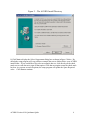
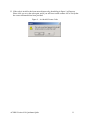
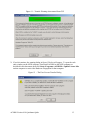
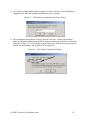
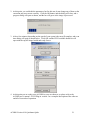
4. After the setup program starts, a window will open similar to figure 1 on the next page.
ACORN Version 4.10 Quickstart Quide
3