1
Using JoinMap
17
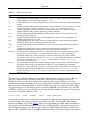
"-". For populations of type CP (outbreeder full-sib family) it is often useful to study the genetic
mapping per parental meiosis prior to the simultaneous analysis. For this purpose there is the
function Create Maternal and Paternal Population Nodes, which will translate for the maternal
meiosis population the genotype codes from loci with segregation types <abxcd> and <efxeg> to
genotype codes of <lmxll> type loci and for the paternal meiosis population to genotype codes of
<nnxnp> type loci; <hkxhk> and <nnxnp> type loci are ignored for the maternal population, while
<hkxhk> and <lmxll> type loci are ignored for the paternal population.
Population node
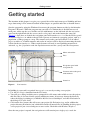
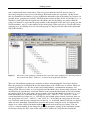
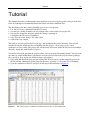
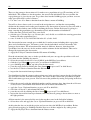
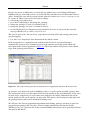
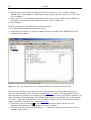
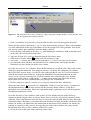
When a genotype data population is loaded successfully through a loc-file or from a dataset node a
population node will appear in the root level of the navigation tree and the contents-and-results
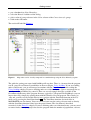
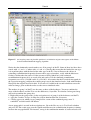
panel will contain several tabsheets (e.g. Figure 3). The Info tabsheet will display a summary on the
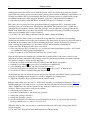
data in the population. The Data tabsheet will show a non-editable copy of the genotype data. The
Loci and Individuals tabsheets allow exclusion of loci and/or individuals from calculations and
actions using the Exclude checkboxes next to each name. The tabsheets shows the assigned
sequential numbers that will be used for the loci and individuals in all child nodes of the population
node. The other tabsheets are initially empty; they will be filled with results of corresponding
calculations. Clicking on the Calculate button on the tool bar, or pressing F9, will start the
calculations, and after completion the tabsheet will be filled with the results.
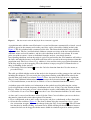
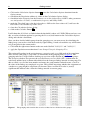
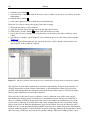
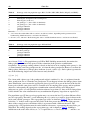
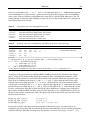
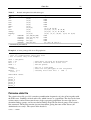
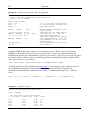
The Locus Genot. Freq. tabsheet will display the genotype frequencies for each locus in order to
study segregation distortion. The segregation is tested against the normal Mendelian expectation
ratios with a normal classification of genotypes using the chisquare test (Tables 6, 7). For some
situations you can change the classification for which the test must be done, for instance with
dominance in an F2 you may wish to test against a 3:1 ratio rather than a 1:2:1 ratio. To do this you
must first select the rows in the table that you want to modify, and then apply the Set X2-Test
Classification for Selected Loci function from the Population menu and pick the appropriate choice
from the dialog. (Tip: for easy selection you can sort the table on an appropriate column, for
instance sorting on the genotype c column in an F2 will pool the loci that have c scores). The
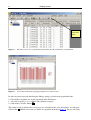
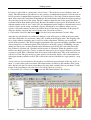
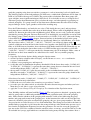
Individual Genot. Freq. tabsheet will show the genotype frequencies for each individual. It is
normal that some individuals will resemble the one parent, some the other, while many will be
intermediate, so there is no chisquare test here. But you may use it for instance to detect individuals
that have many missing values. Based upon the chisquare values or the numbers of missing
genotypes you can make a selection of records in these tabsheets, and by subsequently applying the
Population menu function Exclude Selected Items the corresponding loci or individuals will be
checked as excluded in the Loci or Individuals tabsheet, respectively; subsequently you should use
the Calculate function again to renew the current tabsheet.
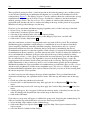
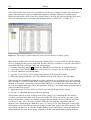
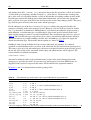
The Similarity of Loci and Similarity of Individuals tabsheets will show the fraction of identical
genotypes (the calculations include the missing genotypes) for fractions above 0.95 (default). The
0.95 threshold value can be modified with the Calculation Options in the Options menu. By using
the Population menu function Exclude Identicals the second locus (column Locus2) or individual
(column Individual2) in pairs with a similarity of exactly 1 will be checked as excluded in the Loci
or Individuals tabsheet, respectively. Doing this for loci will result in faster calculations, while you
can be certain that identical loci will map at the identical position. For individuals this is not a
normal action, though it is available. For individuals this tabsheet is intended to reveal identical
individuals which should be very rare under high density maps and thus indicate possible errors.
The Groupings (text) and Groupings (tree) tabsheets will show the grouping of loci using the