1
1. Contents
1.1 Introduction/Getting Started
This help manual should give you the information required to use IRAS. IRAS is not a form,
but a set of project information that is used to create the various forms needed for the relevant
approvals for a number of different review bodies. The concept of IRAS is to enable, as much
as possible, one time entry of information. This is also facilitated by the ability to import and
export information in XML format.
This manual should give you all the information you need to get started using IRAS and
further information is available on the site regarding the specific processes and information
required to apply to the various review bodies.
1.1.1 Creating an Account
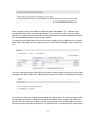
If you do not have an account on the IRAS system, you can create an account at any time by
clicking the 'Create Account' link on the main menu bar on the IRAS login page. This will take
you to a form which must be filled in, in order to register an account. Most fields on this form
are required; however, if you are missing any required information the system will remind you
when you press the register button.
A valid email address is required to complete the registration process. After 'registering' your
details, IRAS will email you an activation code and a link which must be used to complete the
registration process. If for some reason you do not receive the automatic email, please call
the helpdesk/helpline who will be able to assist you in completing the registration process.
It is important to remember the following when registering:
• Your email address that you enter should be accurate in order to receive the
automated activation email.
• If you do not receive the automated email after about 1 hour please telephone the
helpdesk/helpline for assistance.
1