1
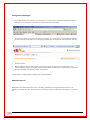
Overview StickApp Password Manager is one of a number or Security and Productivity apps available for SafeStick, managed by SafeConsole’s Publisher Feature. StickApp Password Manager ‐ powered by RoboForm ‐ gives users the freedom and flexibility to securely carry all their passwords, identity information and bookmarks for use on any Windows host computer ‐ anywhere in the world. StickApp Password Manager can auto‐login a user to applications and websites, and can fill out forms automatically saving hours of repetitive typing. Users really will find this one of the applications they cannot do without. A very strong "Password Generator" features is also included. Users can be advised to replace insecure passwords with long, complex strong passwords ‐ which are hard to remember but which Password Manager can generate, store and retrieve with ease. All personal Password Manager data is totally secure and encrypted in TWO ways. The SafeStick encrypts it in Hardware; it is then encrypted again in software automatically by the application to AES 256bit military standards. An upgrade to a fully Active Directory Integrated Enterprise version ‐ which brings true Single Sign On and Password Management to the Enterprise without any expensive customisation or integration ‐ is available on request. CRITICAL NOTE: You MUST have followed the “StickApps Technical Installation Guide” which walks you through configuring SafeConsole and enabling the Publisher and Autostart features. You absolutely must do this before any StickApp will run on SafeSticks. If you have not done so please do this before proceeding with this document. StickApp Password Manager System Requirements Microsoft Windows XP, Vista, 2003, 2008 or Windows 7. Approximately 12Mb available space on users SafeStick. Licence A trial licence for StickApp Password Manager is installed automatically, which allows a test number of logins (10), and a single identity per user to be created and saved. For continued licenced use you must purchase a subscription. All licenced applications are fully supported. An upgrade to the Active Directory Integrated version of Roboform Enterprise is also available on request.
V7.0.66 1994‐2010 (c) StickApps.co.uk 2