1
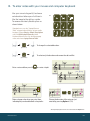
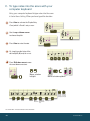
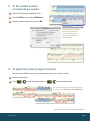
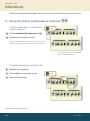
C. To record into two staves
1
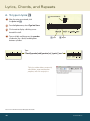
Click the HyperScribe tool
.
2
From the HyperScribe menu, choose Record
Mode > Split Into Two Staves.
3
Enter the split point (middle C = 60)
and click OK.
4
Record your performance.
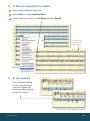
D. To change the recording tempo and countoff
If you are transcribing a busy passage, you may want to record at a slower tempo for greater
accuracy. You can do this, and make additional adjustments to aspects of your recording session,
in the Playback and/or Click and Click and Countoff dialog boxes.
1
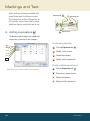
Click the HyperScribe tool
.
2
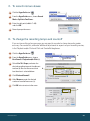
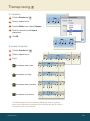
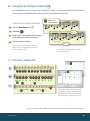
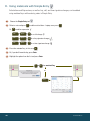
From the HyperScribe menu, choose
Beat Source > Playback and/or Click (a).
3
Select Use This Tempo, and enter the
desired recording tempo in the adjacent
text box (b). Be sure the correct main
beat duration is selected below.
4
Click Click and Countoff.
5
After Measures, enter the desired
number of countoff measures (c).
6
Click OK twice to return to the score.
a.
b.
c.
MACINTOSH
15