1
Quick Reference Guide for Macintosh
BEFORE YOU GET STARTED:
Registration Information
4
Contact Information
4
Multiple Voices: Layers
13
Playing-in Music: HyperScribe
14
Tutorial Support. . . . . . . . . . . . . . . . . . . . . . . . . . . . . . . . . 4
A. To record a performance. . . . . . . . . . . . . . . . . . . . . . . . 14
Technical Support. . . . . . . . . . . . . . . . . . . . . . . . . . . . . . . 4
B. To set the smallest note value. . . . . . . . . . . . . . . . . . . . 14
C. To record into two staves. . . . . . . . . . . . . . . . . . . . . 15
Getting Started
5
D. To change the recording tempo and countoff. . . . 15
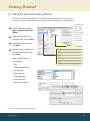
A. Using the Document Setup Wizard. . . . . . . . . . . . . . . . 5
B. Opening Files. . . . . . . . . . . . . . . . . . . . . . . . . . . . . . . . . . . 6
Selecting Music C. Sharing Files . . . . . . . . . . . . . . . . . . . . . . . . . . . . . . . . . . . 6
A. To select. . . . . . . . . . . . . . . . . . . . . . . . . . . . . . . . . . . 16
D.Scanning. . . . . . . . . . . . . . . . . . . . . . . . . . . . . . . . . . . . . . . 6
B. To expand selection. . . . . . . . . . . . . . . . . . . . . . . . . 17
Finale Screen View
7
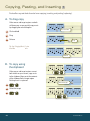
Copying, Pasting, and Inserting 18
Navigating Your Music
8
16
A. To drag-copy. . . . . . . . . . . . . . . . . . . . . . . . . . . . . . . 18
A. Choosing a view. . . . . . . . . . . . . . . . . . . . . . . . . . . . . . . . 8
B. To Zoom In and Zoom Out . . . . . . . . . . . . . . . . . . . . . . . 9
B. To copy using the clipboard. . . . . . . . . . . . . . . . . . . . 18
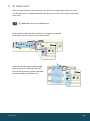
C. To insert music . . . . . . . . . . . . . . . . . . . . . . . . . . . . . 19
D.Filtering . . . . . . . . . . . . . . . . . . . . . . . . . . . . . . . . . . . 20
C. To Drag the Visible Score Region. . . . . . . . . . . . . . . . . . 9
D. To Switch Pages . . . . . . . . . . . . . . . . . . . . . . . . . . . . . . . . 9
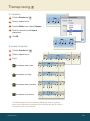
Transposing 21
Entering the Music: Simple Entry 10
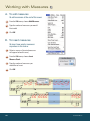
Working with Measures 22
A. To enter notes with your mouse. . . . . . . . . . . . . . . . . . 10
A. To add measures. . . . . . . . . . . . . . . . . . . . . . . . . . . . 22
B. To enter notes with your mouse
and computer keyboard. . . . . . . . . . . . . . . . . . . . . . 11
B. To insert measures. . . . . . . . . . . . . . . . . . . . . . . . . . 22
C. To type notes into the score with
your computer keyboard. . . . . . . . . . . . . . . . . . . . . . . . 12
D. To play notes into the score with
a MIDI keyboard . . . . . . . . . . . . . . . . . . . . . . . . . . . . 13
C. To fit a certain number
of measures per system. . . . . . . . . . . . . . . . . . . . . . 23
D. To adjust the measure layout manually. . . . . . . . . 23
MACINTOSH