1
Osprey XT User’s Manual, Rev. 7
The following structures are provided for custom aim development; they are listed alphabetically.
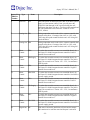
struct talgorithm
members: char Name[ALG_MAX_NAME_LEN], int Id, TOption Options[ALG_MAX_OPTIONS].
struct toption
members: char Name[OP_MAX_NAME_LEN], TOptionType Type, char
ACharArray[OP_MAX_CHAR_ARRAY], int Aint, double ADouble;BOOL EnableValueEdit, BOOL
EnableMoreButton.
9.1.3 Offsets and Tolerances
Offsets and tolerances can be set on the Offsets/Tolerances tab of the lamp setup. Offsets are used to
position the small cross hairs at the beam patterns proper HV position. Tolerances are used to define how
close the aim must be to HV before it is assumed to be OK. Tolerances are also used to test the beam’s
intensity.
A typical setup procedure is to properly align the lamp using a method not associated with the Osprey
XT aimer. Then properly position the lamp in front of the aimer. With the lamp in this position, adjust the
offsets until IntelliAim declares the aim to be within tolerance (OK). To make this process easier,
IntelliAim provides a Learn feature. This feature automatically calculates the proper offsets.
Separate tolerances can be set for normal aims and for audit aims. This allows you to aim to a tighter
tolerance than the audit.
9.1.4 Beam Pattern Detection
The beam pattern detection provides a means to detect if the lamp currently being aimed matches the
lamp style selected. The setup is as follows:
1) Use autoexpose in the frame grabber diagnostics (See Section 11.3) window to acquire a
correctly exposed image. Keep clicking Auto until the exposure stabilizes
2) Save the image.
3) Open the lamp setup and load the image into the Lamp Detect 2 tab.
4) Adjust the Model ROI parameters until the rectangle surrounds a portion of the beam pattern
that is unique to that lamp. The smaller the rectangle, the faster the algorithm will run.
5) Adjust the search ROI parameters to make the search ROI a small amount larger than the
model ROI. The algorithm searches the search ROI for the Model.
6) Enable the detection on the lamp detect 1 tab.
7) Set the certainty to some value in the range [-1, 1]. The detection algorithm results in a value
within this range. -1 is a poor match, 1 is a perfect match. Since bad matches can result in
- 15 -