Download User Manual
Transcript
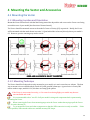
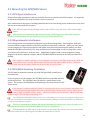
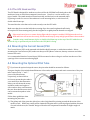
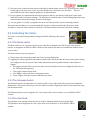
USER GUIDE 4.1.1 Mounting Location and Orientation ................................................................................................................................ 26 4.1.2 Mounting Technique............................................................................................................................................................... 26 4.2 .... Mounting the GPS/MAG Sensor ................................................................................................................................ 27 4.2.1 GPS Signal Interference ......................................................................................................................................................... 27 4.2.2 Magnetometer Interference ................................................................................................................................................ 27 4.2.3 GPS/MAG Mounting Orientation ....................................................................................................................................... 27 4.2.4 The GPS Stand and Clip ......................................................................................................................................................... 28 4.3 .... Mounting the Current Sensor/PSU .......................................................................................................................... 28 4.4 .... Mounting the Optional Pitot Tube........................................................................................................................... 28 4.5 .... Controlling the Vector ................................................................................................................................................... 29 4.5.1 The Mode Switch ...................................................................................................................................................................... 29 4.5.2 The Submode Switch .............................................................................................................................................................. 29 4.5.3 The Gain Knob ........................................................................................................................................................................... 29 4.5.4 The Kill Switch (for Multirotors Only) ............................................................................................................................ 30 5 Configuring the Vector ........................................................................................................................................ 30 5.1 .... Configuration Overview................................................................................................................................................ 30 5.2 .... Transmitter Channel Mixing ...................................................................................................................................... 30 5.3 .... Configuring with the Windows Software ............................................................................................................. 31 5.4 .... Configuring the Vector via Stick Menus ................................................................................................................ 32 5.4.1 Teaching the Vector about SPPM or S.BUS™ Channel Mappings ........................................................................ 32 5.4.2 Navigating the Stick Menus ................................................................................................................................................. 33 5.4.3 Exiting Menu Mode ................................................................................................................................................................. 34 5.4.4 Accessing Menus during Flight .......................................................................................................................................... 34 5.5 .... Selecting the Airframe type ........................................................................................................................................ 34 5.6 .... Accepting the Airframe Type ..................................................................................................................................... 35 5.7 .... Telling the Vector about Transmitter Dual Surface Mixing ........................................................................ 35 5.8 .... Running the Receiver Analysis Wizard .................................................................................................................. 35 5.9 .... Configuring Auxiliary Receiver Inputs and Servo Outputs........................................................................... 37 5.9.1 Configuring the Auxiliary Input Channel (for non-serial Rx inputs) ................................................................ 37 5.9.2 Configuring the Vector Auxiliary Output Channels (Fixed wing only) ............................................................ 37 5.10 . Flight Modes, and Configuring the Mode/Submode Switches .................................................................... 38 5.10.1 Flight Mode Description ................................................................................................................................................ 38 5.10.2 Control Stick Function in Multirotor Modes ......................................................................................................... 40 5.10.3 Programming the Mode Switch .................................................................................................................................. 40 5.10.4 Programming the Optional Submode Switch ....................................................................................................... 41 5.11 . Configuring the Flight Controller/Stabilizer...................................................................................................... 42 iii