1
USER GUIDE
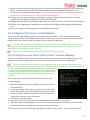
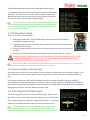
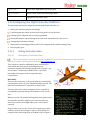
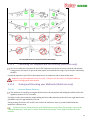
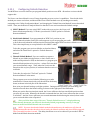
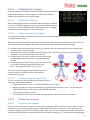
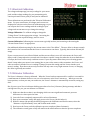
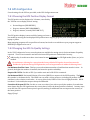
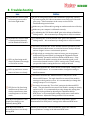
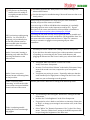
This should initiate menu mode, and the Main Menu should appear.
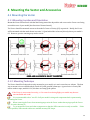
To navigate menus, the elevator stick is used to scroll up and down the
menu list. The aileron stick is used to select or deselect a menu item.
When a menu item is selected, the elevator stick is used to increase or
decrease the value of the parameter being changed.
Until you run the Receiver Analysis Wizard (described later), you
may find that the aileron and/or the elevator directions are backwards
when navigating the menus, requiring you to move the sticks opposite
to what is shown in the figure.
5.4.3 Exiting Menu Mode
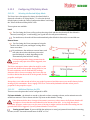
There are 4 ways to exit menu mode:
1. Moving the rudder stick. This will immediately exit menu mode, in all conditions
except when running a wizard.
2. Toggling the Mode switch. When not editing a menu item, this will cause menu mode
to be exited immediately.
3. Using left-aileron to back out of the menu tree (this may not work if you are in a menu
wizard).
4. Allowing one minute to pass without moving your sticks, unless you are in a wizard.
Changes you make to menu settings are NOT finalized until you fully exit menu mode, by one of the
methods described above. In other words, if you make a change to a menu item, and then just
disconnect power to the Vector, the setting will not be saved!
If you use the rudder or mode switch to immediately exit menu mode, the next time you enter menu
mode, you will be taken back to the last used menu for convenience.
5.4.4 Accessing Menus during Flight
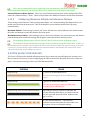
For advanced users, the Vector’s menu system can be configured so that menus are accessible in-flight. To do
this, invoke menu mode, go to the “Radio Control Settings” menu, and set “Disable Menus When Flying?” to
“No.”
Note that by default, your control stick is disabled when in menu mode (“Disable Stick when in Menu?”)
meaning that the control stick will NOT control flight. The controller is placed in 2D Flight Mode with Hold
when menus are invoked, which should keep your model in level flight while navigating menus, assuming level
flight is achieved by the controller when not in menu mode.
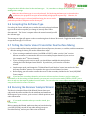
5.5 Selecting the Airframe type
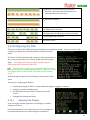
The next configuration step is to select the Airframe type. Please review
the chart in section 3.5.7 to determine the airframe type you should select.
Then, invoke menu mode, select the “Change Airframe Type...” menu item
under the “New Model Checklist” menu, and follow the instructions.
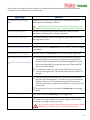
Whenever the airframe type is changed, many settings, such as
controller gains, receiver settings, compass calibration, RTH settings,
mode switch mappings, and any other airframe specific settings may be
34