1
TV KIK 8B USER MANUAL
2. Device connection Instruction
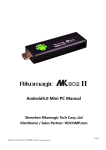
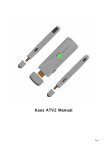
a) Take out the device insert into your TV HDMI port(if there is not enough space
around HDMI interface for TVKIK 8G, please use HDMI extend cable), make sure
source is HDMI input mode.(Refer to TV set user manual).
b) Power supply connection: take out Micro USB cable to USB cable, connect the
TVKIK 8G with TV via this cable; Use the power adapter for power supply to
TVKIK. You may TV usb port to power the device, just make sure that your TV
should provide enough power i.e. 5V 2A. (Operation of device may be unstable if
inadequate power supply is given via TV.)
c) Suggest using 2.4G wireless keyboard or mouse. Plug 2.4G receiver on USB Host
connector, if only mouse plugged, the device will provide soft keyboard during
operation; if the device detects the physical keyboard, soft keyboard will hide
automatically.
d) Mouse left button for “OK”, right button for “RETURN(BACK)”, rolling for page up
and page down, Keep holding left button to drag icon or copy/paste file. Keep
holding middle button to pop up properties.
3. Boot state
After power up the boot screen would appear.
Page4