1
Main Specifications
Param:
GO/NOGO telecom test:
Functions
Waveform Acquisition/Display Functions:
Acquisition modes:
Selectable from three acquisition modes – Normal, Average
and Envelope
High resolution mode:
Vertical resolution is increased to max. 13 bits.
Repetitive sampling mode:
Allows switching between realtime and repetitive sampling
in certain time axis settings.
Interpolate function:
Interpolates actual sampled data by up to 1000 times (or
up to 2000 times in High-Res. mode) and increases the
time resolution (up to 2.5 TS/s)
Roll mode:
Roll-mode display is enabled during the following time axis
range when the trigger mode is Auto, Auto Level or Single:
100 ms/div to 50 s/div
Record length:
DL9040L/9140L/9240L:
2.5 kW, 62.5 kW, 12.5 kW, 25 kW, 62.5 kW, 125 kW, 250
kW, 625 kW, 1.25 MW, 2.5 MW, 6.25 MW
DL9040/9140/9240:
2.5 kW, 62.5 kW, 12.5 kW, 25 kW, 62.5 kW, 125 kW, 250
kW, 625 kW, 1.25 MW, 2.5 MW
Accumulation:
Accumulates waveforms on the display. Choose Count/
Time and Inten/Color.
Snapshot:
Retains the current displayed waveform on the screen.
Analysis Functions
Search and Zoom function:
Voltage axis zoom factor:
Time axis zoom factor:
Auto scroll function:
Search function:
Search types:
History memory:
Max data:
10
Zooms the displayed waveform along the time (Horizontal
Zoom) and voltage (Vertical Zoom) axes. Independent
zooming factors can be applied to two zoom areas.
1 to 10 times
1 time to 1data/div
Automatically scrolls the zoom window along the time axis
Searches the currently displayed waveform for a specified
portion occurring beyond a specified time, and displays
the zoomed result on the screen.
Edge, Edge Qualified, State, Pulse, Pulse Qualified, Pulse,
State, Serial Pattern, I2C (optional), SPI (optional)
DL9040L/9140L/9240L: 2000 (2.5 kW), when using history
1600 (2.5 kW), when in N single mode
DL9040/9140/9240: 1000 (2.5 kW), when using history
800 (2.5 kW), When in N single mode
History search:
Searches for and displays waveforms from the history
memory that meet specified conditions.
Search types:
Rect, WAVE, Polygon, Parameter (Measure/FFT/XY)
Replay:
Automatically replays history waveforms.
Display:
Selected acquisition (#) or Average (Avg)
Cursor measurements:
The following five cursors can be selected: Vertical,
Horizontal, VT, Marker, Serial
Automatic measurement of waveform parameters:
Performs automated measurement of the following
waveform parameters.
Items unrelated to cycle which will be derived out of all data in the range.
MAX, MIN, HIGH, LOW, P-P, HIGH-LOW, +OVER, -OVER,
RMS, MEAN, Sdev, IntegTY
Items related to cycle which will be derived out of all data in the range.
C.rms, C.mean, C.Sdev, C.IntegTY, (1/FREQ), FREQ,
COUNT, BURST
Items which will be derived from the first encounter from the beginning of the specified range.
+WIDTH, -WIDTH, PERIOD, DUTY, RISE, FALL, DELAY
Telecom test:
Performs mask test and eye pattern measurement
Mask test items:
Wave Count, Wave Count%, Sample Point Count, Sample
Point Count%
Eye pattern items:
Vtop, Vbase, stop, sbase, Tcrossing1, Tcrossing2,
Vcrossing, Crossing%, Eye Height, Eye Width, Q Factor,
Jitter, Duty Cycle Distortion%, Ext Rate dB, Rise, Fall
Computation functions:
Computes up to eight traces (CH1-CH4/M1-M4) +, -/*,
INTEG, COUNT (EDGE), COUNT (ROTARY), Through,
Delay, Moving Avg, LowPass, High Pass, Stuff Bit (CAN
option)
Reference functions:
Display and analysis (computation and cursors) of up to
four traces (M1-M4) of the saved waveform data.
Waveforms including history can also be loaded for history
searches or replay. Various parameters can be changed
(however waveforms are not affected by T/Div changes).
Action-on-trigger:
Automatically measured waveform parameters and
waveform zones are determined, and the selected action
is carried out each time conditions are met.
Modes:
OFF, All Condition, (GO/NOGO Zone/Param), GO/NOGO
Telecom Test)
Actions:
Buzzer, Print, Save, Mail
All conditions:
After EXEC is pressed, the specified action is performed
upon each acquisition
GO/NOGO zone:
Determines whether or not the acquired waveform passes
through the specified area
Zone types:
RECT, Polygon, WAVE
GO/NOGO parameter:
Determines whether or not the specified parameter of the
acquired waveform is within the specified range
ANALYSIS:
X-Y:
FFT:
Wave parameter:
Accum histogram:
Serial bus:
Choose Measure, FFT, or XY
Performs judgment using the conditions specified in the
telecom test.
Selectable from XY, FFT, Wave Parameter, Accum
Histogram and Serial Bus
displays XY1, XY2 and T-Y simultaneously
supports up to 250 k points FFT
Single wave parameters can be viewed in one of the
following formats. (Histogram, Trend and List)
A histogram of the selected area can be displayed for a
continuous signal.
I2C, SPI and CAN buses can be analyzed and the analysis
results displayed (optional).
I2C Bus Analysis Functions (optional)
•Applicable bus:
•Trigger function (standard):
I2C bus: Bus speed
: Max. 3.4 Mbit/s
Address mode : 7 bit/10 bit
SM bus: complies with System Management bus
Source
: SCL
: CH1 to CH4
: SDA
: CH1 to CH4
Selectable from the following five options:
trigger on combination of assigned address & data pattern
trigger on non acknowledge condition
trigger on start condition
trigger on general call and the following byte
trigger on Start byte and HS mode
Type:
- Address & data:
- Non-Ack:
- Every start:
- General call:
- Start byte / HS mode:
•Analysis function:
Signal input:
CH1 to CH4, M1 to M4 can be configured
Detailed data display mode: Time from the reference point, data (simultaneous binary
and hex representations), presence/absence of ACK, R/
W, address or data, start condition
Simple display mode:
Data (hex representation), R/W, start condition, presence/
absence of ACK, address or data
Analyzable number of data items:
40,000 bytes max.
•Search function:
Pattern search:
Searches data that agrees with the preset address pattern,
data pattern and acknowledge bit condition.
•Analysis result save function:
Storage of analysis list data: The data can be saved to CSV-format files.
Frame ID. Data OR trigger, (Specify up to four ID, Data or
Ack trigger conditions to set triggers on a logical OR
condition.)
Event Interval trigger
•Analysis function:
Analyzable number of frames: 3,000 max.
Analysis result display:
Waveform and analysis list display
Detailed analysis list display
(Analysis display items: Frame type, time from trigger point,
frame ID, DLC, Data, CRC, presence/absence of ACK)
•Analysis support functions:
Data search
Field jump
Stuff bit calculation
•Analysis result save function:
Storage of analysis list data: The data can be saved to CSV-format files.
Built-in Printer (/B5 Option)
Printing method
Paper width
Effective print width
Thermal line-dot
112 mm
104 mm (832 dots)
Auxiliary I/O Section
Rear panel I/O signal:
Ext. trigger input, ext. trigger output, trigger comparator
output, GO/NO-GO I/O, video output
Probe interface terminal (front panel)
No. of terminals:
4
Supported probes:
PBA2500, PBD2000, PB500
Probe power terminal (/P2 option, rear panel):
No. of terminals:
2
Supported probes:
FET probe (700939), current probes (701930, 701931,
701932, 701933), and differential probes (701920, 701921,
701922)
Storage
Internal storage media:
Capacity:
Usage:
90 MB (Flash ROM)
Saving and loading of waveforms and panel settings
SPI Bus Analysis Functions (optional)
Internal Hard Drive (/C8 Option)
•Trigger function:
Mode:
Bit order:
Source:
Capacity/file system:
File name:
3 wire/4 wire
MSB/LSB
Clock signal (SCK)
Data 1 (MOSI)
Data 2 (MISO)
CS signal (SS)
CH1 to CH4
CH1 to CH4
CH1 to CH4
CH1 to CH4
•Analysis function:
Analyzable number of data items:
40,000 bytes max.
Display of analysis results: Analysis results can be displayed using the following 2
methods
- Simple analysis result list: Data (hex representation), CS signal status
- Detailed analysis result display:
Detailed analysis result list, time from the reference point,
data (select and show either Binary or Hex data), and CS
signal status can be displayed.
•Search function:
- Pattern search:
Waveforms can be searched by specifying data pattern.
When a waveform that agrees with the pattern is found,
the zoom box moves to the position of that waveform to
show the specified waveform.
•Analysis result save function:
Storage of analysis list data: The data can be saved to CSV-format files.
40 GB FAT32
Supports long file names of up to 256 ASCII characters
USB Peripheral Connection Ports
Connector:
USB-type A connector 2
Supported transmission standards: LS (Low Speed) mode (1.5 Mbps), FS (Full Speed) mode
(12 Mbps)
Supported devices:
USB HID Class Ver1.1-compliant mouse/109 keyboard
USB Printer Class Ver.1.0-compliant printers
EPSON:
Ink Jet Printers
HP:
PCL Ink Jet Printers
USB Mass Storage Class Ver.1.1-compliant mass storage
device
USB hub device (1 unit only)
USB-PC Connection Ports
Connector:
USB-type B connector 1
Supported transmission standards: HS (High Speed) mode, FS (Full Speed) mode
Supported class:
Operates as a multifunctional device simultaneously
supporting the following two protocols: USBTMC-USB488
(USB Test and Measurement Class Ver.1.0)
A USB bus can be employed to use GPIB commands.
Mass Storage Class Ver.1.1
The DL9000's internal storage media, hard disk, PC card,
and USB mass storage device can be accessed (read/
write) from a PC (formatting is not supported).
Ethernet Communication (/C10 and /C8 Options)
Connector type:
Transmission method:
Supported services:
RJ-45 connector 1
Ethernet (100BASE-TX/10BASE-T)
DHCP, DNS, Microsoft network file sharing server & client,
FTP server, SNTP client, SMTP client, Firewall functions
(network printers will be supported in the near future)
General Specifications
Rated supply voltage:
100 to 120 V AC/200 to 240 V AC (automatically selected)
Allowable supply voltage fluctuation range: 90 to 132 V AC/180 to 264 V AC
Rated supply frequency:
50/60 Hz
Allowable power supply frequency variation:48 to 63 Hz
Maximum power consumption: 300 VA
Withstanding voltage (between power supply and case):
1.5 kV AC for one minute.
External dimensions:
350 (W) 200 (H) 178 (D) mm (when printer cover is
closed; excluding handle and protrusions)
Weight:
Approx. 6.5 kg (including printer)
Battery backup:
Setup data and clock are backed up by an internal lithium
battery
Battery life:
Approximately 5 years (at an ambient temperature of 25°C)
Operating temperature range: 5–40°C
1. Measured value under standard operating conditions after a 30-minute warm-up followed by calibration.
Standard operating conditions:
Ambient temperature:
23 ±5°C
Ambient humidity:
55 ±10%
Error in supply voltage and frequency:
Within 1% of rating
2. Value in the case of a repetitive signal
The frequency bandwidth of a single-shot phenomenon is the smaller of the two values, DC to sampling
frequency/2.5 or the frequency bandwidth of the repetitive phenomenon.
3. When the input section is shorted, the acquisition mode is set to normal, the interleave mode is OFF,
accumulation is OFF, and the probe attenuation is set to 1:1.
4. Typical value denotes a representative or average value and is not strictly guaranteed.
5. The parallel acquisition architecture of the DL9000 series ensures no decrease in acquisition rate for multichannel use.
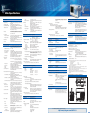
External Dimensions (Common to All Models)
Unit: mm
* Please contact your local Yokogawa sales office for model names of verified devices
Max. No. of devices:
4
PC Card Interfaces
Number of slots:
Supported cards:
2 (front panel (1), rear panel (1))
GPIB card (National Instruments NI PCMCIA-GPIB card),
Flash ATA memory card (PC card TYPE II), CF card +
adapter card, and various hard disk type PC cards
* Please contact your local Yokogawa sales office for model names of verified devices
CAN Bus Analysis Functions (optional)
•Applicable bus:
•Bit rate:
•Trigger function (standard):
Source:
Type:
CAN version 2.0 A/B
High-speed CAN (ISO11898)
Low-speed CAN (ISO11519-2)
1 Mbps, 500 kbps, 500 kbps, 250 kbps, 125 kbps, 83.3
kbps, user-defined
CH1 to CH4, Input through differential probe
SOF trigger
Frame ID trigger
Data field trigger: Selectable up to 8 bytes
Remote Frame trigger
Error Frame trigger
Ack trigger
For detailed specifications, visit our homepage at
http://www.yokogawa.com/tm/DL9000
11