1
S4 Tech Inc
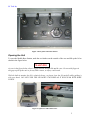
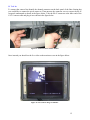
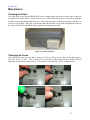
Removing a connection from a Remote Camera Unit (Figure 17)
To remove the connection from a remote camera unit perform the following:
•
•
•
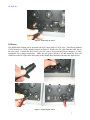
Loosen the lower waterproof connector nut until the cable is loose in the connector
Loosen the lower portion of the waterproof connector and remove from the main body
Put a screwdriver into the main body and push the RJ-45 tab up while simultaneously pulling
out the cord
Figure 20: Remove CAT-5 Camera Connection
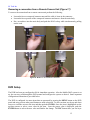
DVR Setup
The DVR has been pre-configured at S4 for immediate operation. After the Mobile DOG system is set
up, the user may read through the DVR manual and configure the system as desired. Some important
configuration information is provided below.
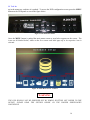
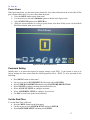
The DVR is configured via menu items that are presented by pressing the MENU button on the DVR
panel and using various other panel buttons to make selections. To select an item use the up and down
arrows to scroll the cursor to the item and then push the ENTER. Once the item is highlighted use the
up/down arrows to select a new value for the item. Once the proper value is displayed, push the
ENTER button to select the new value and finalize the change. The ESC button takes you one layer
15