1
S4 Tech Inc
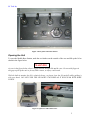
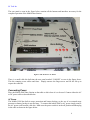
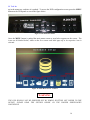
The user panel as seen in the figure below contains all the buttons and interfaces necessary for the
complete operation of the Mobile Base Station.
Figure 5: The Front or User Panel.
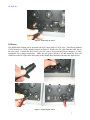
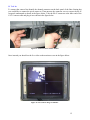
There is a small cable bin built into the user panel marked “CABLES” as seen in the figure above.
This bin contains power cables and fuses. Simply unscrew the finger-screw and lift the lid up to
expose the cable bin.
Connecting Power
Place the Mobile DOG Base Station on the table or desk where it is to be used. Connect either the AC
or DC power cable as described below.
AC Power
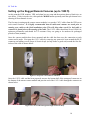
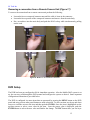
The Mobile DOG has built in surge protection and battery backup, so the use of an external surge
protector or battery backup is not necessary. To connect the mobile DOG to AC power simply remove
the AC power cord from the cable bin. Make sure the power switch is in the off position and then plug
in the cable as shown in the figure below.
6