1
If you have not already done so, plug in the mw3 hardware (black box) to a USB port.
Select menu Source>Connect to initiate a search for any connected hardware. It is
sometimes necessary to select Retry when prompted if the search fails to locate your
mw3 hardware first time. Upon exiting the program, it will remember the location of
hardware for next time and automatically search there first.
See the troubleshooting guide at the end of this document if problems are encountered
trying to connect to the mw3 hardware.
Settings
Under the Settings menu there are various options for the screen view and alerts.
The default settings invoked when the program is first run are stored in a file called
mw3.ini. After making any changes go to File>Save Settings As and save your changes
to a file of a different name. This ensures that future program upgrades will not overwrite
your customized setting choices. You can save as many different settings files as you
like. Simply use File>Load Settings to invoke any of them.
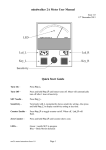
Dial Display
Two needles can be displayed on the dial.
One is equivalent to the needle seen on traditional analog meters and is influenced by the
sensitivity control.
The other (baseline) shows the Baseline Position according to the scale around the
periphery of the dial. This information is also displayed in digital form at the top left of
the dial panel.
Each needle can be set to a different width or be made invisible by selecting Settings >
Needle Widths >
Sensitivity Control
The sensitivity can be changed by:
1. Dragging the knob at the bottom left with the mouse
2. Clicking on the Up or Down buttons at the bottom right
3. Using the keyboard Up and Down cursor keys
Body Motion Detect
It is possible to detect needle responses caused by hand or finger motion on the electrode.
When this feature is enabled, such motion causes the needle to freeze and change colour.
Once body motion has ceased, there is a short delay before the needle returns to its
normal colour and unfreezes.