1
Chapter 12 Appendix F: Setting up an AM3440-B PDH Shared Protection Ring (T1)
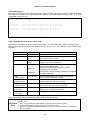
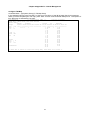
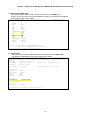
5. FDL (Facilities Data Link)
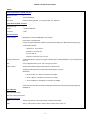
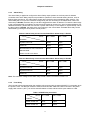
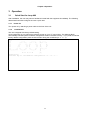
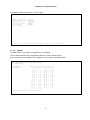
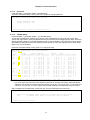
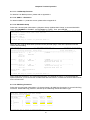
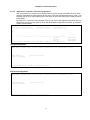
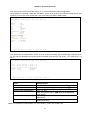
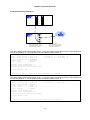
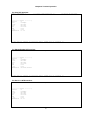
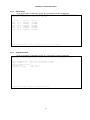
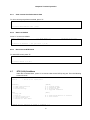
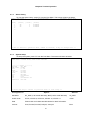
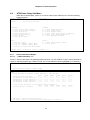
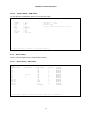
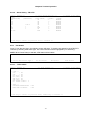
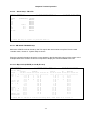
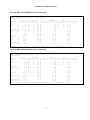
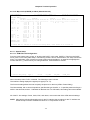
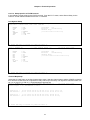
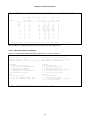
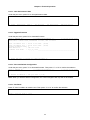
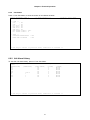
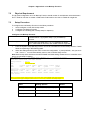
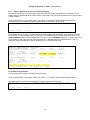
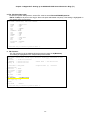
On the Port System Setup screen, set the FDL must be set at FDL and FRAME (must be
ESF & T1.403) for all ports in the ring (ie. Slave unit ports and Master unit ports). This setting is highlighted on
the sample setup screen below.
SLOT 5 Quad-T1 PORT 1
=== Port System Setup ===
ARROW KEYS: CURSOR MOVE, TAB: ROLL OPTIONS
FRAME
CODE
YEL
AIS
CAS
SIGNALLI=
CGA
OOS
INBAND
IDLE
INTF
LBO
FDL
Protected
Master
10:35:03 03/06/2007
= ESF&T1.403
= B8ZS
= ON
= FRAMED
= OFF
TRANS
= NORM
= BUSY
= OFF
= FF
= LONG HAUL
= 0 dB
= FDL
= DISABLE
= ****
<< Press ESC key to return to previous menu >>
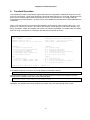
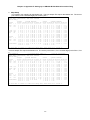
6. TSI Function
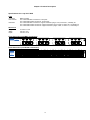
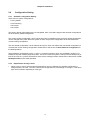
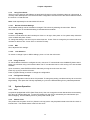
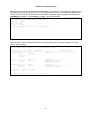
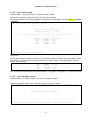
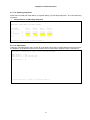
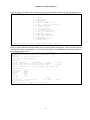
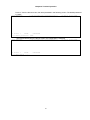
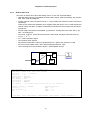
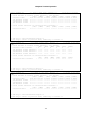
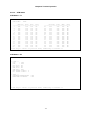
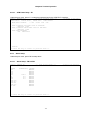
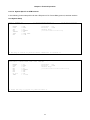
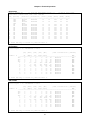
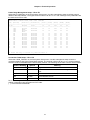
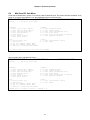
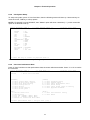
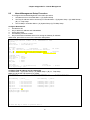
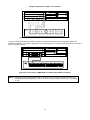
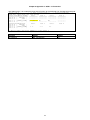
The TSI function for all the AM3440-B devices must be set at 1: N (Multicast).
This setting is highlighted on the sample setup screen below.
LOOP AM3440-B
=== System Setup (SYSTEM) ===
15:46:03 03/24/2006
ARROW KEYS: CURSOR MOVE, Please Input: hh:mm:ss mm/dd/yyyy, BACKSPACE to edit
[System]
Time/Date
: 15:46:04 03/24/2006
IP Address
: 020.001.001.011
Subnet Mask : 255.255.000.000
Gateway IP
: 020.001.001.001
IP Interface : HDLC_PORT
[CONSOLE port]
Baud Rate
:
Data Length :
Stop Bit
:
Parity
:
XON_XOFF
:
Loopback Timer (s) : 00000001
38400
8-Bits
1-Bit
NONE
XOFF
[TSI map]
TSI Function
: 1:N(Multicast)
Idle Signaling: 1101
[Clock]
Clock Mode
: Normal
<< Press ESC key to return to previous menu >>
165