1
Chapter 6 Terminal Operation
Note: “PDH Ring Protection” and “PDH Ring Diagnositc” are optional functions. To access theses two
optional functions, you must order the controller card with PDH function, or these two functions will not show
on the VT100 menu.
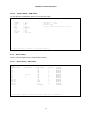
6.2
Main Menu
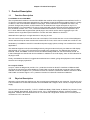
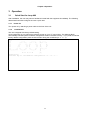
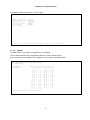
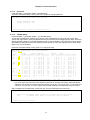
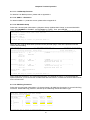
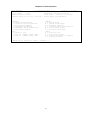
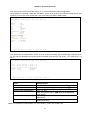
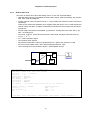
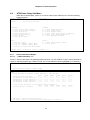
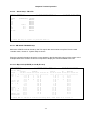
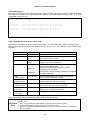
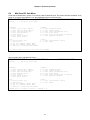
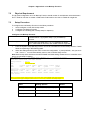
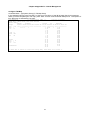
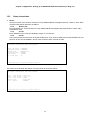
If the terminal screen is illegible, press the "enter" and "esc" key alternatively to bring up the main menu.
This is particularly needed if the terminal is connected to the controller while the power is already applied. If
the main menu still fails to appear, check to see that the terminal is configured as 9600, 8, n, 1, and that a
proper null modem or a null modem cable is used.
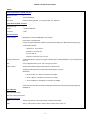
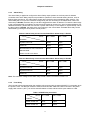
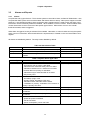
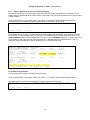
LOOP AM 344 0-B
=== Con tro lle r Me nu ===
Seri al Num ber
: 10 14
Hard war e V ersi on: Ve r.F
Soft war e V ersi on: V7 .01. 01 11/ 01/2 007
0 9:54 :25 11 /01/ 200 7
R edun dan t C ontr oll er: Ena ble d
S tart Ti me
: 1 9:1 6:0 9 1 1/0 1/2 007
D evic e N ame : LO OP AM3 440- B
[DIS PLA Y]
C -> Sy ste m Co nfi gur atio n
B -> Cl ock sou rce Co nfig ura tio n
Q -> Al arm Que ue Sum mary
I -> In for mati on Sum mary
R -> Re dun dant Bo ard Inf orm ati on
P -> Pe rfo rman ce Rep ort
[SET UP]
S -> Sy ste m Se tup
M -> Sy ste m Al arm Se tup
W -> Fi rmw are Tra nsf er
V -> St ore /Ret rie ve Conf igu rat ion
K -> Cl ock sou rce Se tup
T -> Bi t E rror Ra te Test
[LOG ]
U -> Ch oos e a Slo t
F -> Lo g O ff [ SET UP] ,[MI SC] Me nu
O -> Lo g O n [ SET UP] ,[MI SC] Me nu
[MIS C]
A -> Al arm Cut Of f
X -> Cl ear Ala rm Que ue
Y -> Co ntr olle r R etu rn t o D efa ult
Z -> Co ntr olle r R ese t
>>SP ACE ba r to re fre sh o r e nte r a com man d == =>
6.3
6.3.1
Display
Controller Configuration
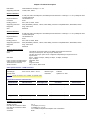
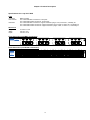
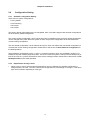
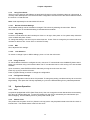
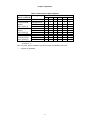
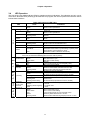
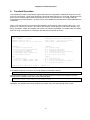
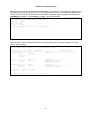
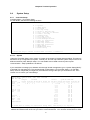
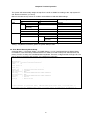
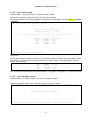
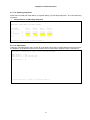
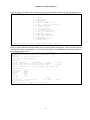
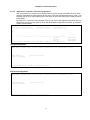
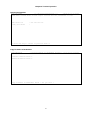
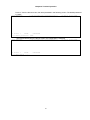
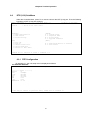
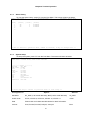
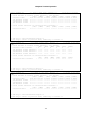
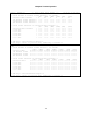
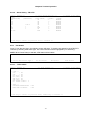
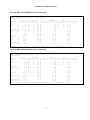
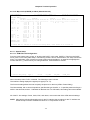
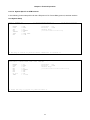
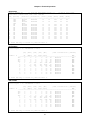
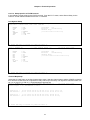
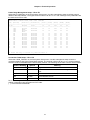
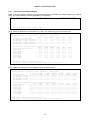
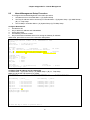
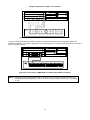
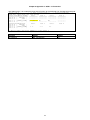
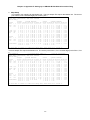
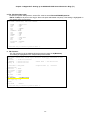
Press “C” from the Controller Menu, the screen of System Configuration will show as below.
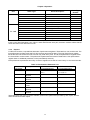
LOOP AM 344 0-B
= == Con trol ler Co nfig ura tio n == =
A
B
C
D
E
->
->
->
->
->
1 5:55 :15 07 /14/ 200 6
Sys tem
Clo ck sou rce
TSI ma p
Cur ren t T SI m ap
Pow er/ Fan Sta tus
G -> Lin k b ack up f unc tio n
Q -> QDS 1 1 :1 prot ect ion
K -> DS 0-S NCP Sta tus
<< P res s E SC k ey to retu rn to Main Me nu or e nte r a com man d > >
41