1
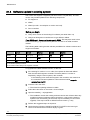
Maintenance 27.4 Software update in existing system The version 6.5 supports a migration path from version 4.5 (and later). The new version may include updates for the following components: PC equipment SR35i SR34i (no radio – but adoption to version 6.5 level). Door controllers Before you begin Verify which version of the existing PC software (not earlier than 4.5) Verify that all Segment controllers are of type SR35i or SR34i. If any SR32i exist – these must be changed to SR35i. This may also result in that some functionality (e g common alarm) must be “moved” to an IOR6 controller instead. The following table matrix gives the relevant possibilities for software versions and Segment controllers: Ver 4.5 Ver 4.7 Ver 5.x Ver 6.0 Ver 6.5 SR35i No Yes *1)+2) Yes *1) Yes Yes SR34i No Yes *2) Yes Yes *1) Yes *1) SR32i Yes Yes No No No 1) No wireless (RF30) functions. 2) No common alarm relay in the segment controller To upgrade to the latest software version, do like this: 1. If the existing PC version is 4.7 or older, first replace all SR32i with SR35i. Then check that all segment controllers’ firmware platform is version 5. Simplest by using the menu system in the controller. If the switching menu does NOT appear in the controller, this means that the controller has been updated to a firmware that instead supports updates from the PC. 2. Insert the CD in the drive. The wizard for updating software is visible. 3. Follow the instructions on the screen. Choose Repair. 4. Open the Installer [ 76] application. The installation checks the existing software version and will warn about any possible necessary hardware change (as above). It may give the option to update some units directly (where some may be mandatory for the overall upgrade). This step is similar to SR35i Firmware control [ 120] . 5. Perform the suggested steps in sequence. 6. Check that the indicators ONLINE and DB UP TO DATE in the lower right corner of the SiPass Entro windows display is green. 116 Building Technologies Fire Safety & Security Products 020_SiPass_Entro_6_5_A24205-A335-B317_e_en 10.03.2010