1
Chapter 2 : Overview Of Electronic Certificate Of Origin
CHAPTER 2 : OVERVIEW OF ELECTRONIC
CERTIFICATE OF ORIGIN
2.1 DIFFERENT TYPES OF ELECTRONIC CO
SCENARIOS
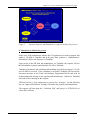
Exporter-cum-Manufacturer and Subcontractor
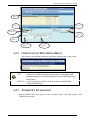
3 Types of
Separate Exporter and Manufacturer
Electronic
CO scenario Separate Exporter, Manufacturer and Subcontractor
2.1.1
EXPORTER-CUM-MANUFACTURER AND
SUBCONTRACTOR
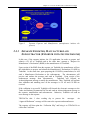
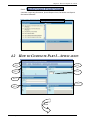
In the case that the exporter is also the manufacturer for the CO application, he needs
to prepare the CO Application (CO AP). He can load the CO AP information to
complete his Manufacturer Declaration (CO MD). Also, the manufacturer would
prepare another MD with manufacturer’s and subcontractor’s information and
forwarded this completed MD to his subcontractor for review and endorsement via
Tradelink.
Upon receipt of the CO MD from his manufacturer via Tradelink, the subcontractor
will endorse this message and submit the CO MD to Tradelink.
An
acknowledgement (ACK) message will be sent to the manufacturer to notify that the
subcontractor has endorsed and sent the CO MD to Tradelink.
Tradelink will perform data validation and matching if both the CO AP and CO MD
are received. If the validation is successful, Tradelink will pass the electronic
messages to Trade And Industry Department and send an ACK message to the
exporter, manufacturer and subcontractor. If the validation is not successful,
Tradelink will send an error message/outstanding advice message to the exporter.
Govt/GACOs need 1 clearing working day to process the CO.
An
approval/deferment message will be sent to exporter and manufacturer. Upon
receipt of the Approval message, the exporter has to print the collection slip and
bring it to Trade And Industry Department/GACOs to collect the Certificate.
Overview Of Electronic CO
4