1
-
SCROLL can scroll up and down when browsing like Mouse scrolling wheel
Touchpad Mouse
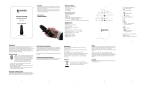
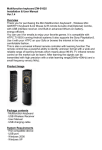
Tapping of top left Keyboard/mouse icon to switch between keyboard and mouse mode.
When pressing touchpad, Blue LED indicates the device is in mouse mode.
Simply scroll cursor and tap to confirm, or use it with 2 finger touch gestures:
Zoom in/Zoom out: in windows OS, PINCH/SPREAD + [Shift] key enlarge or reduce size
of viewing the browser; in android OS, tap the keyboard area once to Zoom in and tap
again to Zoom out
Scroll page: move 2 fingers simultaneously up and down touchpad
Control audio volume: 2 finger “Swiping” horizontally can decrease/increase audio
volume
Mouse clicks: top buttons on left and right hand sides
Two side buttons on front left and right hand sides, used as mouse left and right
buttons.
Software compatibility
FelTouch has been tested and qualified working with various operating systems and popular HTPC
and media center application software include:
Windows XP / Windows Vista / Window 7/Windows 8
Ubundu Linux
Apple Macintosh / OS X
Windows Media Center (WMC)
BOXEE
XBMC
Android OS
FelTouch also works together with other HID devices seamlessly, as it complies to the same USB
HID class standard and 2.4GHz RF regulations.
7
| Hanson Technology Limited