1
17.3. ACCESS CONTROLS
Browsers cache the realm name and username/password combination and
will send authentication information with the next request to the same
realm. This is nice for users since it means they don’t have to re-enter the
information for every page accessed within a protected section of a website.
However, the only way to clear the information is to go to an authenticated
page with different username and password, or to quit the browser. This
means that a different scheme is needed if sensitive material were being
accessed by browsers shared by more than one person (public libraries, schools,
etc.).
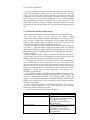
17.3.9 Domain Name Based Restrictions
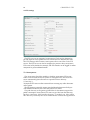
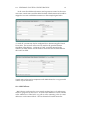
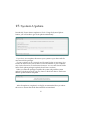
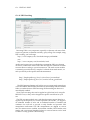
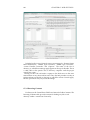
Domain name restrictions can use either domain names or IP addresses in the
allow and deny fields. If you wish to use domain names,
“HostnameLookups" must be enabled either globally in the Default virtual
host, or in the “Virtual Host Configuration" for this specific host. Because
enabling DNS lookups negatively impacts server performance, this isn’t
recommended. Using IP numbers is the preferred method.
A range of IP addresses may be specified for a specific subnet by appending a slash (“/") and the number of bits in the subnet mask. For example,
specifying 192.30.20.128/25 would mean all IP addresses from 192.30.20.128 to
192.30.20.255, inclusive. Specifying 192.30.20.0/24 would include all addresses
in the 192.30.20 class.
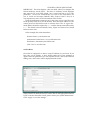
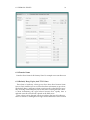
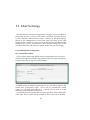
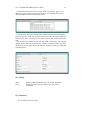
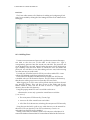
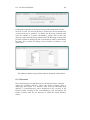
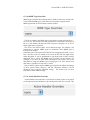
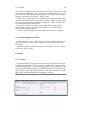
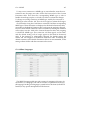
Initially, all files and folders are set to No Restrictions. There are two options
for the order in which rules are interpreted, and what occurs in the event
that rules contradict each other. Examples of their uses include:
(1) Perhaps your web server is for a small company and some documents
are for internal use only. You would like to restrict access to these files so that
the only browsers that can access them are from the 6 computers on the local
network. For this you would choose, Allow then Deny, and in the allow box,
you would enter the IP address of each machine on the local network. Browsers
attempting to connect from any other IP number would get the “403 Forbidden" page returned.
(2) A specific client seems to be making a huge number of requests in a very
short time, and it’s causing problems with excess traffic on your server. You
are able to determine the IP address of the machine which is making the
requests. You would choose Deny then Allow, and enter the IP address of the o
ending client in the deny box. This would block access from that machine,
but allow everyone else.
In the case that you experience a distributed DOS attack, you will want
to block it further upstream at your router and have your upstream
Internet provider block the attack as well.
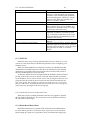
For more advanced restrictions the general rules are:
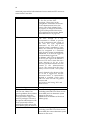
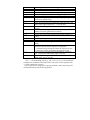
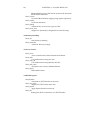
Evaluation Selection
No Restrictions
Allow then Deny
Deny then Allow
Evaluation Order
All requests are permitted
The Allow specifications are
evaluated first, followed by the Deny
specifications. If any Deny
contradicts any Allow, the Deny
takes precedence.
The Deny specifications are evaluated
first, followed by the Allow
specifications. If any Allow
contradicts any Deny, the Allow
takes precedence.