1
Maintain Register Checks Screen Controls
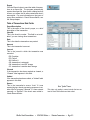
Void Button
Click the Void button to void the current transaction. This option is available only if the transaction is a manual transaction that has not yet been
cleared or posted.
Maintain Register Checks Screen Data Fields
Transaction Source
You cannot edit the Transaction Source fields. The
program fills them in automatically when the transaction is created.
Bank Account #
This is the number of the General Ledger account
to which the transaction was posted (or will be
posted).
Transaction Kind
This is the transaction’s source: “Auto” if it was
created during a check processing sequence in
another WinTen program, “Manual” if it was entered manually, or “Spoiled” if it is a check that
was manually entered in Check Reconciliation and
subsequently voided.
Transaction Details
Check Number
This is the check’s number.
Name on Check
This is the check’s payee.
Amount of Transaction
This is the amount for which the check was written.
Date of Transaction
This is the date on which the check was written.
Journal Code
This is the journal in which the check was recorded:
PB: Payables
PR: Payroll
S8: Section 8
Who Entered Transaction
This is the user ID or initials of the user who created the check. You cannot edit this field.
Date Transaction Entered
This is the date on which the transaction was entered into the check register database. You cannot
edit this field.
WinTen Check Reconciliation • 2/24/2003 Edition • Maintain Transactions • Page 4.7