1
Access Security Options
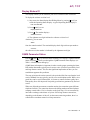
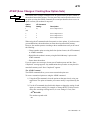
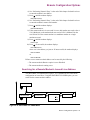
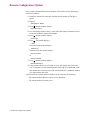
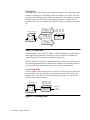
To dial the answer modem, proceed as follows:
1) Enter the answer modem’s telephone number in the calling modem.
2) Once your modem has dialed the answer modem’s number, you must instruct
it to wait for the answer modem to answer the call. To do this, use the “@” dial
modifier (or, if your modem does not support the “@” dial modifier, use the
pause “K” dial modifier).
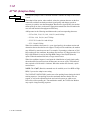
The “@” dial modifier instructs your modem to wait for five seconds of silence
after hearing the ringback tone. This ensures that the answer modem has
picked up the call.
3) Enter the access security password.
4) To delineate the password from the callback number, enter the code ##.
This alerts the answer modem that the password is complete but the dial string
is not yet finished.
5) Enter the callback number.
6) Include the code ( 0) in the string telling the answer modem that password
entry is complete. NOTE: The password will not be accepted and the call will
be disconnected if the 0 code is not at the end of the dial string.
*
*
NOTES:
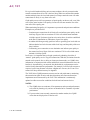
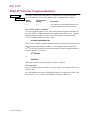
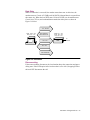
1) If your modem is using its AT ACU, and you follow the 0 with ;H
(a semicolon followed immediately by a capital H), the semicolon causes the
originating modem to enter the command state, and the capital H causes the
modem to hang up upon completion of the call.
*
2) If you are using the V.25 bis ACU, an NMS, or the front panel, you must enter
the both the semicolon and capital H together (;H) to disconnect the call.
In both instances, note that the originating modem must be placed on hook in
order to be called back.
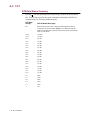
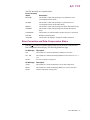
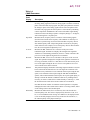
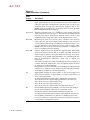
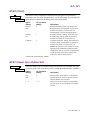
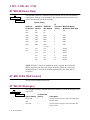
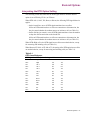
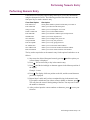
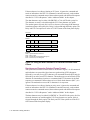
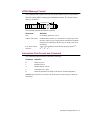
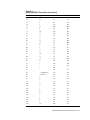
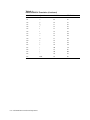
For any dial modifiers used in the callback number, you must use the DTMF
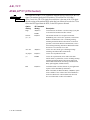
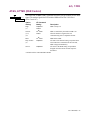
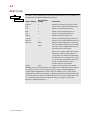
equivalencies provided in Table 2-2.
2-32 Access Security Options